- 2,555

- Helsinki
you have an error in your avatar...Anyone else ever had this issue? I'll load into a session and it works once but if I try that same track again even if it's the same car it'll stop loading at like 94%
hope this helps
you have an error in your avatar...Anyone else ever had this issue? I'll load into a session and it works once but if I try that same track again even if it's the same car it'll stop loading at like 94%

The link is not working, any chance you can repost this? 😇


I just realised you are the first person I've come across that actually got what my name is a reference to (well the closest, it's a portmanteau of Solar Sunrise, a virus made for Solaris OS)
Im old, security researcher. Lots of Sun exploits and vulns back in the day... fun times.I just realised you are the first person I've come across that actually got what my name is a reference to (well the closest, it's a portmanteau of Solar Sunrise, a virus made for Solaris OS)


If you rename a car's folder, and fix the SFX, the car will work fine.I feel bad when I see an element that should be metallic without any value that makes it so (no reflections etc.) 👀 I've never worked with a GT model directly, but I'll take your word for it.
I just worked with the 595 taken from FH and there were 800 different materials, 800 different 3D elements.. I think I've become dumber than usual because of it LOL
**** LOL I believe some of them are encrypted or something like that because when I unpack them (like the 595 SS) the car stops working 🤔
The thing about GT7 Model Opti is not just their unique Tessellation Model (basically Dynamic LOD Subdivision), but they have a very interesting Boolean method & it reminds me of this blender addon that i own for making model detail easier.


This is exactly the case, thanks for the explanationIf you rename a car's folder, and fix the SFX, the car will work fine.
If you then unpack the data.acd into /data, it will be gibberish in the unpacked files.
The car folder name is used as a key when the data is packed.
Unpacking it in a renamed folder (different key) breaks the ACD decryption.
(Key give-away: ~"lods.ini is corrupt or defective")
Might be what you've done?


Okay, I put your "extension" folder inside "ks_alfa_romeo_4c", put your updated "ex_config.ini" file inside it, and this is what I got...... I've updated the ext_config for the Alfa Romeo 4C...
That's strange 🤔Okay, I put your "extension" folder inside "ks_alfa_romeo_4c", put your updated "ex_config.ini" file inside it, and this is what I got...
View attachment 1531606
... a lot of elements are missing. I don't know what I've done wrong...


Hi. Unfortunately same on my end.That's strange 🤔
I have a backup if you need it. Anyway, let's say it's always my usual luck: when I do something, everything explodes LOL I'm also waiting for further feedback to understand if this is an isolated case.
Thanks, and don't worry; we'll wait a bit to see if it's one of those mysterious glitches that only affect one person and if so, whether it's me... 😅... I have a backup if you need it... I'm also waiting for further feedback to understand if this is an isolated case.
Thanks, and don't worry; we'll wait a bit to see if it's one of those mysterious glitches that only affect one person and if so, whether it's me... 😅
P.D. Just saw the previous message... 😥
hmm the thing I don't understand is how shaders can make meshes disappear. Let's hypothesize we all have three different versions of the 4C, the config simply shouldn't work.. I'm quite confused.Hi. Unfortunately same on my end.
In my case, it's the vanilla version of the car; I've never modified it... I'd bet my money that the cause would be the use of different PPFs, or versions / settings of the increasingly complex world of CSP... (0.3.0 p342 and pureHDR here).... Let's hypothesize we all have three different versions of the 4C, the config simply shouldn't work...
I don't know, I don't think so... I hope so 😶🌫️In my case, it's the vanilla version of the car; I've never modified it... I'd bet my money that the cause would be the use of different PPFs, or versions / settings of the increasingly complex world of CSP... (0.3.0 p342 and pureHDR here).


Just guessing out of the blue without trying it, but have you checked in ...\extension\config\cars\loaded if there is another .ini which may interfere with the extension file? Maybe disable this one and try again.In my case, it's the vanilla version of the car; I've never modified it... I'd bet my money that the cause would be the use of different PPFs, or versions / settings of the increasingly complex world of CSP... (0.3.0 p342 and pureHDR here).
Indeed, I have a "ks_alfa_romeo_4c.ini" file located in the "loaded" folder. I've tried renaming or moving it out of the folder, but it hasn't helped. It seems that when the car loads, the system regenerates it automatically, because when I check the "loaded" folder again, the file reappears...Just guessing out of the blue without trying it, but have you checked in ...\extension\config\cars\loaded if there is another .ini which may interfere with the extension file? Maybe disable this one and try again.
View attachment 1531651
I have the same file in the same location but everything works fineJust guessing out of the blue without trying it, but have you checked in ...\extension\config\cars\loaded if there is another .ini which may interfere with the extension file? Maybe disable this one and try again.
View attachment 1531651

Every time you think you have fixed AC but a new problem is about to comeAnother chapter for the Assetto Corsa and its Charming Mysteries™ series... 🥳
I think it is loaded every time you start because you set it in CM to be loaded automatically?Indeed, I have a "ks_alfa_romeo_4c.ini" file located in the "loaded" folder. I've tried renaming or moving it out of the folder, but it hasn't helped. It seems that when the car loads, the system regenerates it automatically, because when I check the "loaded" folder again, the file reappears...
View attachment 1531661
... although you may have given a clue as to what's happening...


I think it is loaded every time you start because you set it in CM to be loaded automatically?...

Shouldnt affect an extension in the cars folder at all. 🤷♂️Just guessing out of the blue without trying it, but have you checked in ...\extension\config\cars\loaded if there is another .ini which may interfere with the extension file? Maybe disable this one and try again.


to make changes to the extension file located in "loaded",you need to upload the updated file to GitHub.only then will everyone see the changesI think it is loaded every time you start because you set it in CM to be loaded automatically?
View attachment 1531668


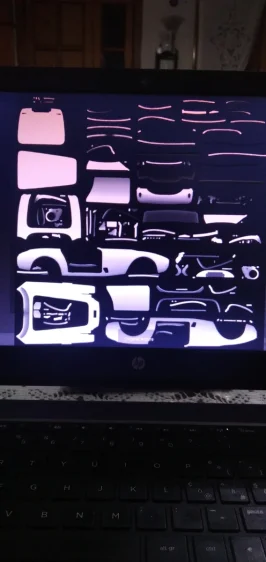
Lmao what the **** is that mapping anywaysHi, I can't download the AO file. There's no "save" button at the bottom right. It's not a .dds file, but a .png file. I downloaded the map, but I can't download the AO file...
Hi. So mystery is solved by looking at those lines:
It seems to me that the person here simply forgot to place the KN5 for replacement)))))Hi. So mystery is solved by looking at those lines:
View attachment 1531750this tells csp to hide and replace some cockpit elements. but replacement file misc.kn5 is not provided. So if You want to replace things include kn5 file too. If You don't have it and not intending to replace anything set ''active = 0''
You forgot to attach the MISC.kn5 file.so no one can see your planThis is exactly the case, thanks for the explanation
EDIT: I've updated the ext_config for the Alfa Romeo 4C, I've noticed a problem with the color of the pbr_leather_pattern. Now it's correct, no more white dots.
View attachment 1531571