Assetto Corsa PC Mods General DiscussionPC 

  • Thread starter Thread starter daan
  • 157,282 comments
  • 51,160,119 views
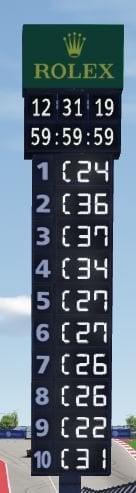
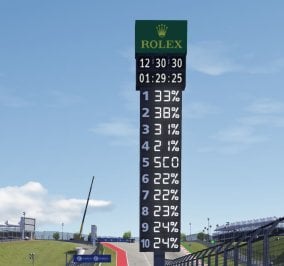
Regarding the new COTA score-tower showing AI levels instead of 3 letters of the driver's name:

Tried everything I could find, but no go.
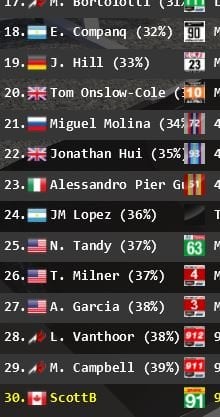
So, if "CM-DRIVE-Show AI level in driver's name" is selected, the tower shows the AI level+% (instead of). If unselected, it shows the same AI level, this time in brackets just like it shows on the driver list. Like as if it moves that bracketed percentage to the left of the name instead of the right. I can live with it, but nice if it can be fixed :) (noted my name letters on the tower...)

EDIT: Also noted that it's messing up some of the nationalities flags too. I always specify this in the CM detailed settings car list. It's leaving some blank, and mis-assigning others.
 

Attachments
  • COTA-Scoreboard.JPG
    COTA-Scoreboard.JPG
    44.6 KB · Views: 34
  • COTA-Scoreboard-2.JPG
    COTA-Scoreboard-2.JPG
    15.2 KB · Views: 36
  • In-Game-CarList.JPG
    In-Game-CarList.JPG
    27.9 KB · Views: 30
Last edited:
How did you remove sidekick?
a) completely removed the folder from the apps folder,
b) disabled it from the apps page in CM or
c) removed it from the screen in game

If I'm not completely wrong Pyhon apps still consume resources and perform calculations and/or IO operations even when the app itself is not visible on screen. The Sidekick app saves lap times to the file system although only when exiting the session. Disabling most of the apps in CM fixed the problem some weeks back.
Yeah, removed it and disabled app the apps I'm not using. Still stuttering... 😢
 
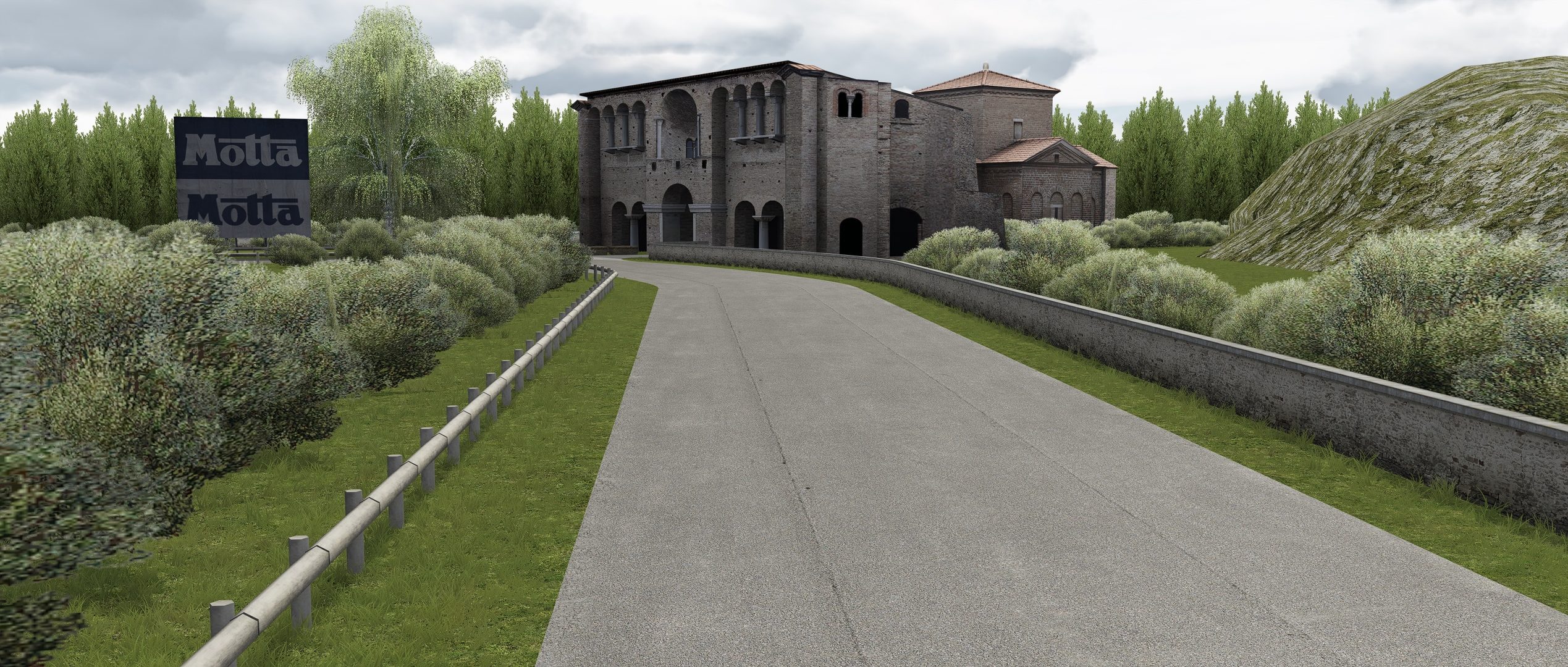
Charlotte Motor Speedway v1.0


  • Includes oval and road layouts
  • CSP highly recommended (>= 1.76 required for working scoreboard - thanks @gunnar333!)
*please share link, do not rehost. Thank you!

Top draw this track, looks stunning to me.
For me best looking and most natural looking track in AC.
No camtool cam though?

Screenshot_ks_porsche_cayman_gt4_clubsport_charlotte_motor_speedway_21-0-122-23-55-20.jpg
 
Last edited:
Speaking of AI, I would highly recommend ai lines from Max Kagan. It totally transformed the AI races for me. These are really something else. Just try them, you won't be sorry. And of course the ai lines by F_B are excellent to, to be used with older tracks.

Thanks for the suggestion. Is it only the GP layouts for each track that I overwrite with Max's AI mods. I assume I'll break things if I overwrite other layouts. e.g. Silverstone has GP, International and National.
 
Charlotte Motor Speedway v1.0


  • Includes oval and road layouts
  • CSP highly recommended (>= 1.76 required for working scoreboard - thanks @gunnar333!)
*please share link, do not rehost. Thank you!

Awesome work on this track. The details are some of the best.

There is one patch of the road track that causes RSR Live Timing to disqualify the lap--at the end, right before passing the score-tower.
Watch the video and listen for the voice notification. There is a glitch at the beginning, but it starts at 7 seconds.

 
Last edited:
Awesome work on this track. The details are some of the best.

There is one patch of the road track that causes RSR Live Timing to disqualify the lap--at the end, right before passing the score-tower.
Watch the video and listen for the voice notification. There is a glitch at the beginning, but it starts at 7 seconds.


I cannot find the error, but noted.
Found the error, maybe
Team will have a look. Thanks
 
Last edited:
Morning guys,

I need your combined knowledge, or someone with a big AC storage. ;)

Is there any working pit extension for the Nordschleife around? No Endurance, no Cup, plain Nords!

Searched my ass off and found only links which arent active anymore.

Tried to combine stuff with Legions Faux Vintage but some cars were always placed on top of another one in the starting grid.
 
Last edited:
Sorry... more than 3000 downloads and you are the only one to report a bug.
This is likely something wrong on your side and not the track.
Yeah, I know, right?
But my AC/CSP/CM are so stock, not even using PPFs lately...could it be that I'm still on Sol and not on Pure?
 
So i've rolled back yet again to CSP 1.69 preview 1.
For some reason extra fx is borked in latest one, blur and TAA isn't working right at all.

Its just such a shame that straight away there are tracks and cars i can't now use.
Including Pure and latest SOL's.

The latest Jag that was posted up the racing one, doesn't work now at lower CSP's.
Any ideas what i need to delete from its files to get it working?
 
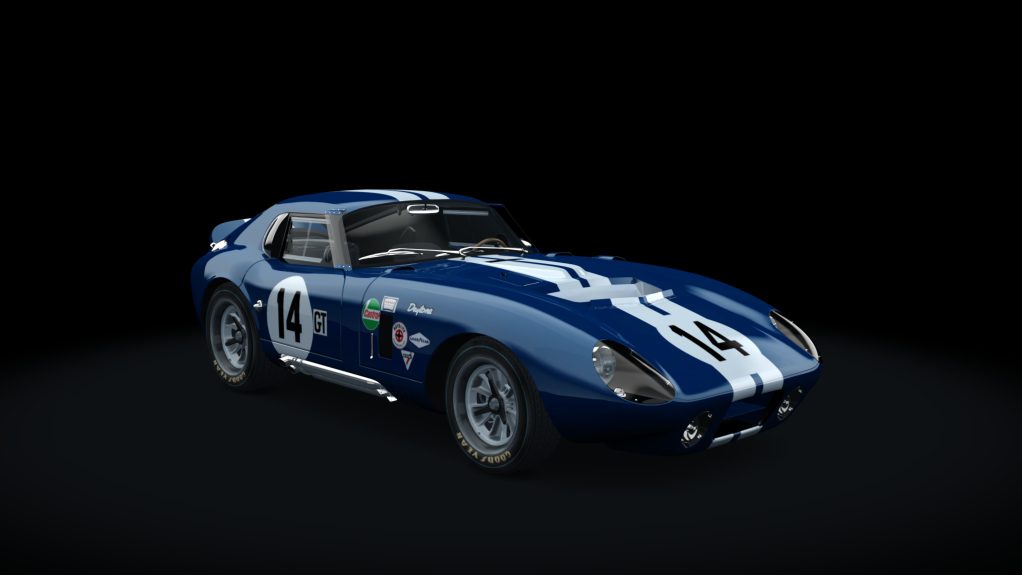
Shelby Daytona 289 GT v1.0
ACL/Legion/ACTK
Fix colliders.ini
Fix collider.kn5
Fix tyres.ini
Fix F6 cameras
Add LOD
Add wipers
Add led for RPM switch
Update Shaders
http://www.assetto-fr.tk/AC-Forum/viewtopic.php?f=29&t=1415

actk_shelby_daytona.jpg

ps: all the cars that I update will be from now on in a new folder name that begins with actk, to avoid the problems with the automatic updates that I make directly by CM now
Noob question. What is the dif between ACL version?
 
Noob question. What is the dif between ACL version?
Short answer:
Modders will identify and fix things they find/think/believe/know to be "wrong" with a model, and then post their version of the model, (hopefully with permission, and crediting the creator and previous contributors).

Long answer:
Legion updated " track, stance, ride height, colliders, and collider mesh", "new skins and template from a contributor", and then..
Easy updated "Fix colliders.ini, Fix collider.kn5, Fix tyres.ini, Fix F6 cameras, Add LOD, Add wipers, Add led for RPM switch, Update Shaders".
The original modder may well have addressed some or all of these items (if they needed addressing) in updates to the ACL model.

Real answer:
All three are available and free. Grab them all, drive them all, choose whatever suits you.
Hope that answers your question.

Thanks : I checked Users\user\Documents\Assetto Corsa\ and I found 1.263.390 empty folders :odd:
Hahaha! Good luck. I only had 110834, and I started about 5 mins after @RMi_wood posted that little gem. 55k done, 56k to go...
 
UPDATE: PureLIFE PPFilter-Pack for PURE 1.0

View attachment 1107288
Version 1.0: (01/20/2022)
• optimized Overcast and Nighttime
• several small fixes
NEW: added "PURELife_AE" Filter with auto exposure. Make it a bit more "fancy" without losing the realistic look. (TEST IT!)

View attachment 1107289View attachment 1107290View attachment 1107291View attachment 1107292

View attachment 1107300

Do I need the Pure software in order to get you nice PPfilter work?
 
Sharing a mod? Host it on GTPlanet Downloads. Free, public hosting for files up to 10GB in size.
Back