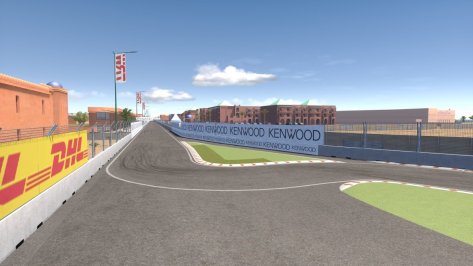
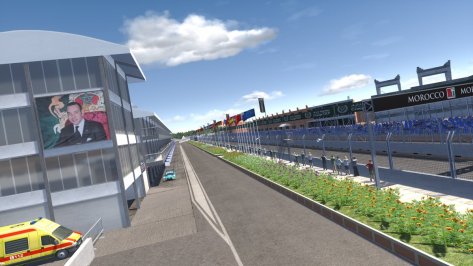
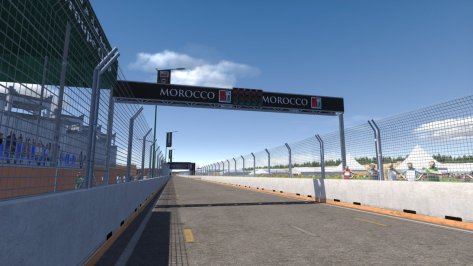
Isn't going to work since you wrote extesnion, should be extensionquick exhaust fix:Shake,flow and glow for this nice little car.Replaces flames.ini in data folder and ext_config.ini in extension folder.


Fixed.Isn't going to work since you wrote extesnion, should be extension


Sorted it!I stumbled across these two tracks, they were on drifting forum, both are short ovals like proper short UK ovals.
Thing is they are set up for drifting so don't have any AI or start line it seems so i can't do an AI line or make cameras or race.
Could anyone fix them for racing? Is it quick to do?
Or alternatively give me or point me towards a tutorial as i've search for one but to no avail.
I have blender, 3dsim etc.
Happy to chuck a few beers over to whomever could get AI working on these.
Cheers.
I've been looking into doing something similar on SimHub actually: Trying to write in code to get it to recognize the brand logo in the F1 TV towers/graphics that have been made, so if I was to do a 1960s race for example, it would show the Lotus logo, or Brabham logo, or BRM logo, etc, instead of either (depending on the overlay being used) being blank, or having an FIA logoOne more thing about this track and the Imola 88 AMS conversion, Does anyone know how can I enable the team's pit wall boxes to show their team logos(like on Kunos' tracks for example), instead of the generic AC logo?


The separate file has to be started with models.ini, so make a new code block and put there the file name of the kn5 file in.So in 3dsim I can remove objects, add pits add start slot.
I followed instructions to create separate file, then go to export and save as kn5 but it does nothing?

Do i have to be on the same computer as where my assetto corsa install is?The separate file has to be started with models.ini, so make a new code block and put there the file name of the kn5 file in.
If it don´t have a models.ini, copy one from a different track and replace kn5 file names...

Looks like First Studio Racing (FSR) are working on something... Radical SR10 with the "old" roll cage.
View attachment 1172128
View attachment 1172130
Another WIP teaser by Theghost, the Peugeot 9X8 (Simdream rework)
View attachment 1172131
The models.ini is just a text file you can edit with every text editor.Do i have to be on the same computer as where my assetto corsa install is?
I mod on a different computer so i don't have to be sat in a race seat fumbling around with my keyboard.
I have SDK and everything on another system and simply take track from my main rig and install them on the other system?
Shouldn't cause an issue right?
Its really annoying anything i do on 3dsim it won't export in any format.

You we're saying?Thank you for this one. Awesome to see more LMP900s out in the wild! You guys have done a great job making such an old model stand up pretty well in the modern age. Looking forward to really sitting down with it and giving it a proper go soon. Also looking forward to seeing the updates and maybe further LMP900s.



Oh my god, this was in my wish list since day 1

That's a lot of cash.Guys I have the proper £25 504 now.
I am curious about it, so I will stay out of it as far as the lights are concerned.I really like this one, but I like anything Monza no mater what era. I can see me using this track a lot. Would you mind if I made the lights work? Maybe the real 1988 track didn't have lights, but i'd still like to have them since there are light posts on it.
EDIT: Got to work on the light intensity a bit in some spots, but the track looks great at night. I might do something with the two towers and s/f lights eventually.
View attachment 1172294




Hello,You we're saying?
View attachment 1172438
View attachment 1172444
and this isn't all of them either.

@slider666 judging on your pic you also fixed the horizon line hereView attachment 1172473
May I ask what causes this? Since I got this line now on a regular base when using latest Pure along with the Highres 2D clouds, even at newer tracks like Zwartkoops. Maybe @Peter Boese you could have a look if you can fix that issue as well?
Thank you.
[PURE]
ACTIVE= 1
FOG_SHAPE = -1.0

Thanks a lot!Here we go again.
Update 0.16 of the manual released.
https://assettocorsathemanual.blogspot.com/
At chapter 9.1 there's a procedure to install car mods now. And you can also have fun with F1 stands (?=🧐).


Some times it seems like the escreen is broken, you know why? I tryed on both cars (normal and S version) and i have the same issue.Just a remind. These steering wheel add-ons are not RSS official. Don't ask them, don't publish them in RSS discord server. Use at your own. I'm gonna update the wheels in the same respective post I've already made. In the coming days I might update all of them with correct LEDS, so stay tune.
Alpine Steering Wheel
Download A522 Steering Wheel RSS FH22 READ INSTALL TXT rar
Download File A522 Steering Wheel RSS FH22 READ INSTALL TXT rarsharemods.com
View attachment 1171251

I've tried it with the Kunos SF15-T and SF70H, acr SF71H and SF90, and the Sim Dream SF1000 and F1-75. I made sure to copy the script.lua file into all their respective data folders before packing the data. It worked with none of them.Realistic F1 DRS activation at last!!!
Just when you thought AC had gone as far as it could with F1 then @Schmawlik pops up with this Gem!!!
Thank you so much for this and your hard work in bringing it to us.
https://www.racedepartment.com/downloads/f1-regulations.52534
BTW it also works when you're on a blue flag - Excellent!
I asked them how easy would it be to adapt to other F1 car Mods?
Authors Answer: As for other cars working with the script, just add the script.lua file that is in the RSS data folder to any vehicle of your choice. The biggest potential issue is the AI might be a little slower than acceptable. If that is the case I can help you adjust it till it works as desired.

I finished what I wanted to do with my config and sent it to @DaBaeda to use if he wants. It was to add working lights. I won't be posting it here though because it was a little more than a few config tweaks. Needed an additional model. I figure he can re-release the track with my changes if he wants to. I do need to send him a small update though because I made one small change to get lights on the back side of a couple of the bridges. Also realized today that there are no seasonal changes, but someone else can do those. If no one wants to, i'll do them.Hi @Fall Guy,
in Monza 1988 I just tinted the horizon a little darker and applied the [Material_Horizon] settings to horizon objects, as I usually do.
Nothing more, as mentioned before, because @racinjoe013 is working on config too.
Do you mean this for example in Zwartkops?
View attachment 1172478
This can be changed to this:
View attachment 1172479
I have changed a few more settings, but have not fine-tuned them yet. That's the reason why I'm not sharing it at the moment.
But the easiest way of achieving this for PURE is to disable FOG_SHAPE or better to set it correctly.
Currently, I am still looking for the correct values, like the average humidity there, etc.
So I just deactivated it at the moment to show the effect in the quickest way.
There are a few more settings and there should also be SOL and SOL2 settings for better backwards compatibility, but as I said, for now, this should be enough.Code:[PURE] ACTIVE= 1 FOG_SHAPE = -1.0
Unfortunately, the original configuration has none of these settings.
I tried it with VRC FA22 and RSS FH22 - Both worked - Maybe older mods don't as the lua script requires CSP 1.78 or higher?I've tried it with the Kunos SF15-T and SF70H, acr SF71H and SF90, and the Sim Dream SF1000 and F1-75. I made sure to copy the script.lua file into all their respective data folders before packing the data. It worked with none of them.