Assetto Corsa PC Mods General DiscussionPC 

  • Thread starter Thread starter daan
  • 157,275 comments
  • 51,157,924 views
This ALMS talk has me wondering if anyone knows if there is a Baltimore Grand Prix mod? I didn't see it on Breathe's track list
I started converting one a while back but it's really rough and I lost interest and forgot about it. I might go back to it when this is done.
1680054433143.png
 
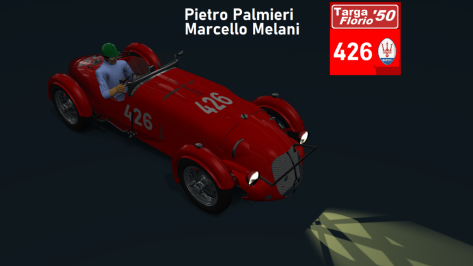
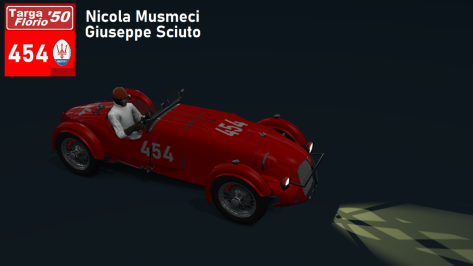
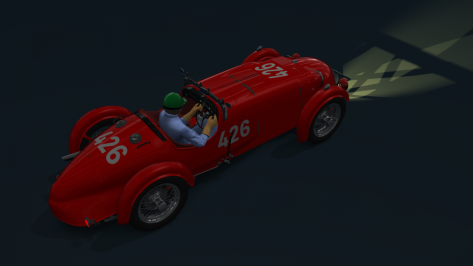
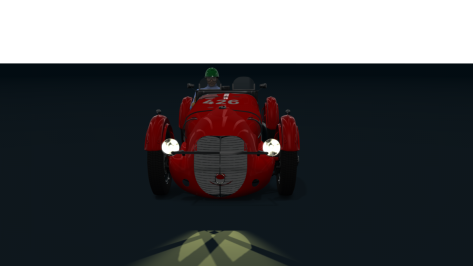
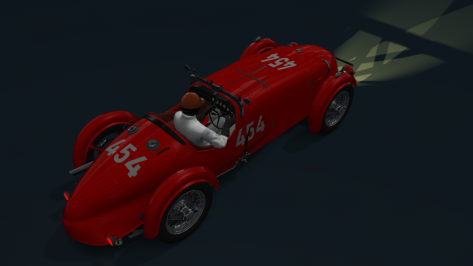
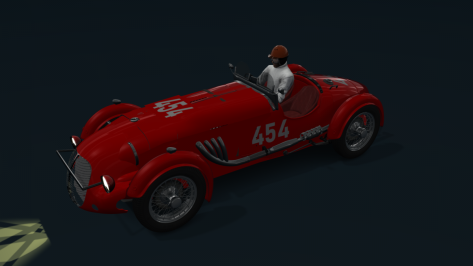
Another car invented for Targa Florio '50 in my next race of "Champions Career Mode". Maserati A6 GCS I
 

Attachments

  • __custom_showroom_1680060977.png
    __custom_showroom_1680060977.png
    79.6 KB · Views: 26
  • __custom_showroom_1680061206.png
    __custom_showroom_1680061206.png
    74.9 KB · Views: 28
  • __custom_showroom_1680060861.png
    __custom_showroom_1680060861.png
    64.4 KB · Views: 27
  • __custom_showroom_1680060996.png
    __custom_showroom_1680060996.png
    59.5 KB · Views: 30
  • __custom_showroom_1680061030.png
    __custom_showroom_1680061030.png
    68.9 KB · Views: 25
  • __custom_showroom_1680061060.png
    __custom_showroom_1680061060.png
    65.1 KB · Views: 28
Hello

hockenheim_2018 reworked

Done:
-VAO
-RainFX
-TreeFX
-reworked surface mesh PRM (as bumpy as VehEth version :-))
-some little extra details


to Do (if someone is interesed):
-spectators
-more lights
-better AI lines
-Skins


Screenshot_rss_gtn_ferruccio_36_hockenheim_2018_28-2-123-19-27-20.jpg


Screenshot_msf_2004_will_fw26_vers_b_hockenheim_2018_29-2-123-2-13-17.jpg
 
Hi all, first of all thanks for all the stuff you released here, making me enjoy hours and hours of fun with AC.
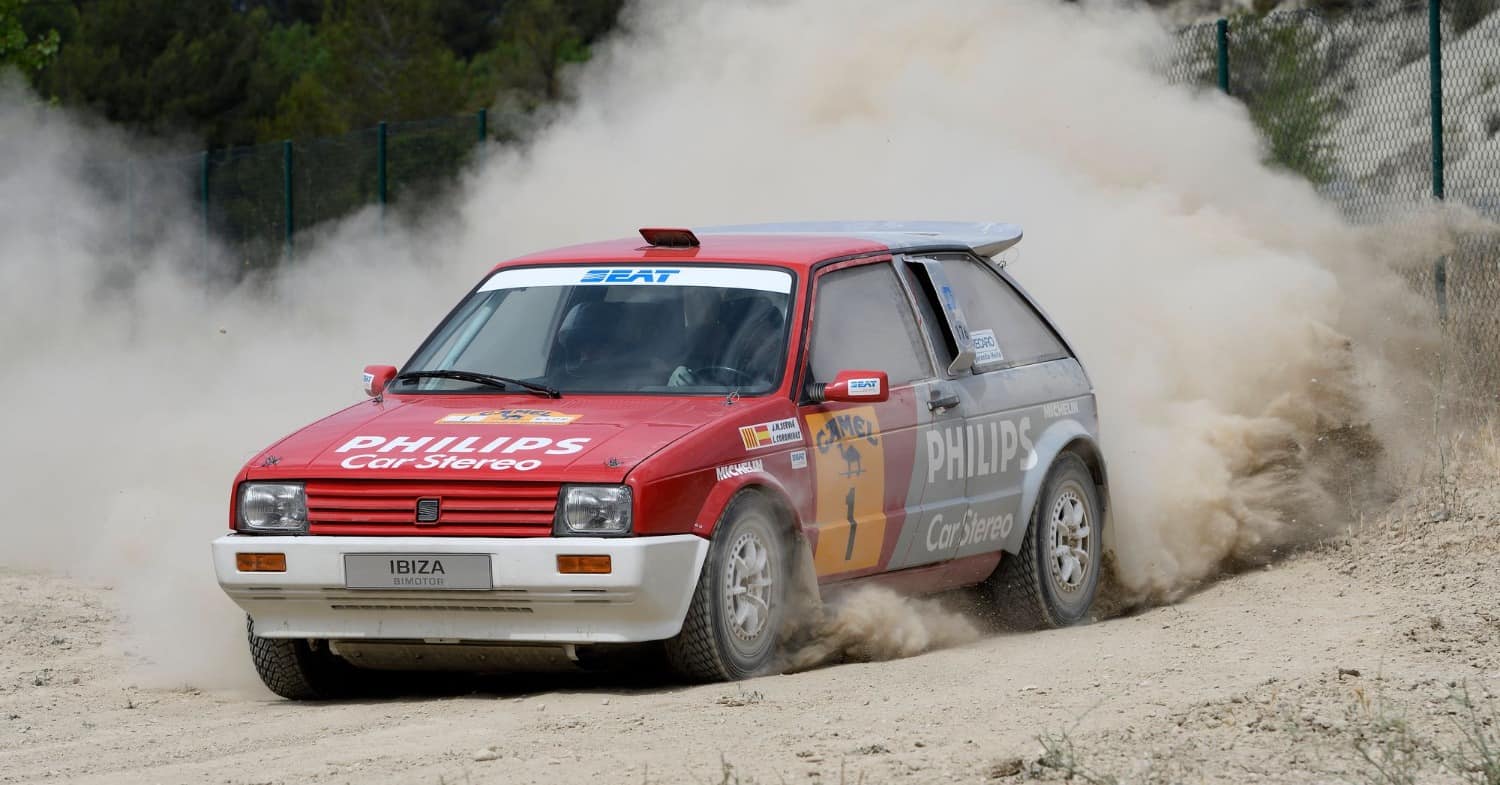
As I'm approaching AC modding and being a rally fan, I'd like to know if a mod/3D model of the Seat Ibiza 1984 exists, I'd like to turn it into the Bimotor that raced in Spain in late 80s. Thanks for any kind of help!
seat-ibiza-bimotor.jpg
 
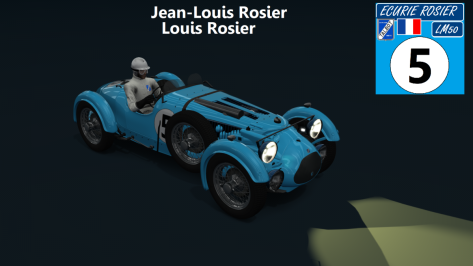
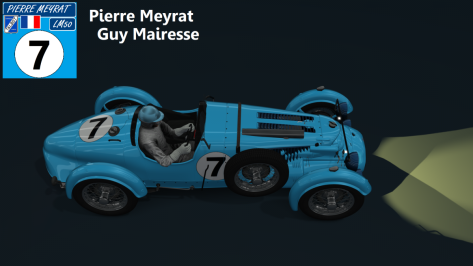
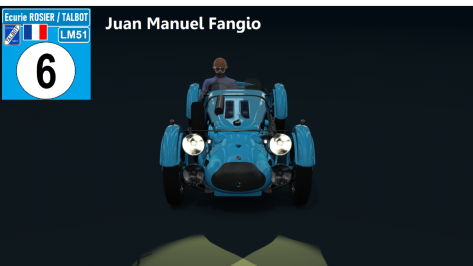
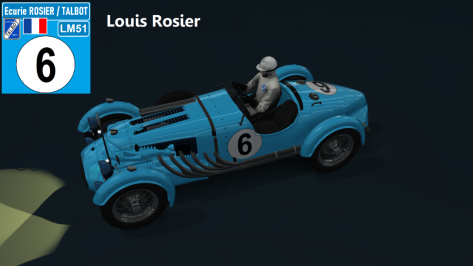
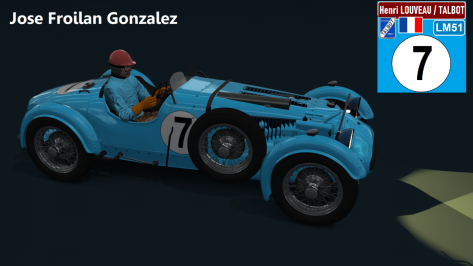
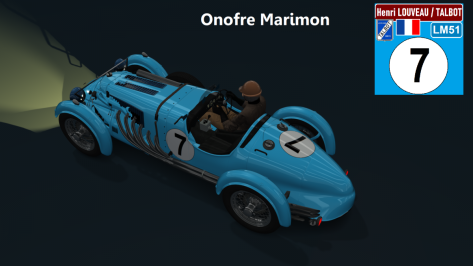
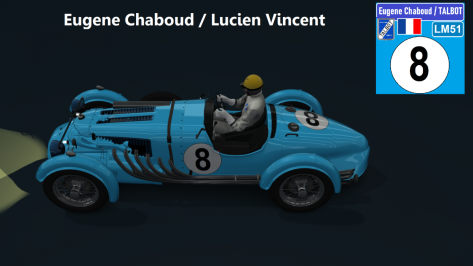
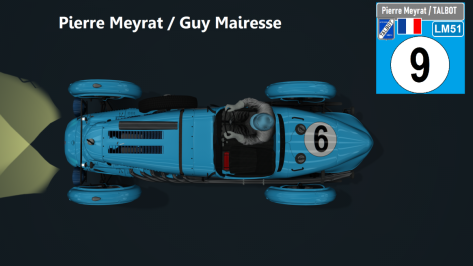
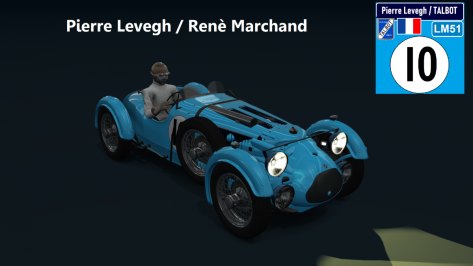
Remaking the Talbot-Lago 26 GS Biplace car. This time the front got a little better, still need to put the numbering on the front of the car.
 

Attachments

  • __custom_showroom_1680069951.png
    __custom_showroom_1680069951.png
    82.5 KB · Views: 29
  • __custom_showroom_1680069980.png
    __custom_showroom_1680069980.png
    92.5 KB · Views: 31
  • __custom_showroom_1680070013.png
    __custom_showroom_1680070013.png
    60.9 KB · Views: 29
  • __custom_showroom_1680070031.png
    __custom_showroom_1680070031.png
    78 KB · Views: 30
  • __custom_showroom_1680070053.png
    __custom_showroom_1680070053.png
    107.1 KB · Views: 29
  • __custom_showroom_1680070073.png
    __custom_showroom_1680070073.png
    95.6 KB · Views: 28
  • __custom_showroom_1680070108.png
    __custom_showroom_1680070108.png
    83.6 KB · Views: 26
  • __custom_showroom_1680070128.png
    __custom_showroom_1680070128.png
    108.6 KB · Views: 29
  • __custom_showroom_1680070150.png
    __custom_showroom_1680070150.png
    84.4 KB · Views: 30
Probably a dumb question, but how do you get the game to use the helmet, suit and gloves in game that I assign with the skin file in my skins folder? It only shows properly in the showroom. Does it have to have a special CSP name or something?
No, it you specify it in the file and it shows in the showroom, it should show in game. Just to make sure, there's no files for helmet/gloves in the skin folder, right, because these would take precedence over ones in the config.
 
Hello

hockenheim_2018 reworked

Done:
-VAO
-RainFX
-TreeFX
-reworked surface mesh PRM (as bumpy as VehEth version :-))
-some little extra details


to Do (if someone is interesed):
-spectators
-more lights
-better AI lines
-Skins


View attachment 1243521

View attachment 1243522
Very good work. Yes, please continue with the improvements. Thanks very much.
 
No, it you specify it in the file and it shows in the showroom, it should show in game. Just to make sure, there's no files for helmet/gloves in the skin folder, right, because these would take precedence over ones in the config.
Nope, no files related to the helmet and gloves. I finally gave up trying to figure it out and just copied the files for the suit\gloves\helmet I wanted from the textures folder to my skin folder.
 
How do you get the cars to look so shiny and clean in your showroom shots?
I use the "Sim_Realistic_Showroom" preset. I am not sure anymore where I found it, could be RD. Another good one is the "Retrolux_Studio_Showroom", which is on RD for sure. For the BPR previews I created my own showroom setting. i played a bit with the position of the spots and the colour of the light and background.

Sim Realistic Showroom: https://www.mediafire.com/file/s62pl6vlkq2wcp6/Sin_Realistic_Showroom.cmpreset/file

Retrolux Showroom: https://www.racedepartment.com/downloads/retrolux-studio-showroom.25772/


Daniel
 
Last edited:

In a slightly off-topic news, the new V12 boss has arrived! And it's a plug-in hybrid as well, say hello to the Revuelto!!
I can feel this car is gonna be in CSR2 in no time and someone is gonna do a conversion of it.
 
If you don't like it, don't download it. Some people like fun. 🤷‍♂️
We've been here before.
I'll go again.
If you don't like my or someone's post, don't respond to it.....
Is basically what I could say right back at you. (but i won't because you are free to respond as you like)
I believe i am free to comment on a post right? Sort of the very point of a forum in essence.
Obviously I need to be polite and follow the rules.
So yes, to expand 'fun' to me isn't driving around AC in a car with a 'cat' body shell.
I am happy to comment on that post because I'm not a very popular poster anyway so I don't really care that some people can't cope with someone not liking something they like.
If that to you is sim racing nirvana then knock yourself out, why would you ever let another's opinion affect you anyway?

I may even do something even weirder actually..... watch this space.
 
I use the "Sim_Realistic_Showroom" preset. I am not sure anymore where I found it, could be RD. Another good one is the "Retrolux_Studio_Showroom", which is on RD for sure. For the BPR previews I created my own showroom setting. i played a bit with the position of the spots and the colour of the light and background.

Sim Realistic Showroom: https://www.mediafire.com/file/s62pl6vlkq2wcp6/Sin_Realistic_Showroom.cmpreset/file

Retrolux Showroom: https://www.racedepartment.com/downloads/retrolux-studio-showroom.25772/


Daniel
Thanks! 👍
 
What can we do if the AI cars are too slow because they don't change their final gear ratio to the proper one (aka. the fastest one for the track) ? Can we force it in game, for exemple? Car's data is encrypted, that's why my question (that wouldn't be a problem if not...)

I'm getting the hand on car's data to BOP the cars I have. It's a great success for many, and a great shame for the encrypted ones...
 
What can we do if the AI cars are too slow because they don't change their final gear ratio to the proper one (aka. the fastest one for the track) ? Can we force it in game, for exemple? Car's data is encrypted, that's why my question (that wouldn't be a problem if not...)

I'm getting the hand on car's data to BOP the cars I have. It's a great success for many, and a great shame for the encrypted ones...
Take that ai car out yourself, set it up so its gearing (and everything else) works right, then save the setup as ai_default.
 
Has anyone else trouble with rt_sebring?

All the graphic tools are up to date, I use extra FX with triple screens.
Sometimes one of the screens flickers between track and sky, so it's mostly blue and you can barely see the track. It often happens in turn 1, but I can't get a screenshot of it and cannot reproduce it by driving backwards.

It only appears on raceday layout not on the trackday one. When I disable Extra FX it's gone as well. I tried disabling and enabling every of the Extra FX sub options, but that changed nothing.

Any ideas?


Edit: ah while trying to get up to date with the thread I stumbled over someone else with this problem, will try the suggestions there.
 
Last edited:
Take that ai car out yourself, set it up so its gearing (and everything else) works right, then save the setup as ai_default.
Do you need to copy the file to a track folder/ car folder afterwards? Or once you've saved it the game will see that file where it is?
 
Hello

hockenheim_2018 reworked

Done:
-VAO
-RainFX
-TreeFX
-reworked surface mesh PRM (as bumpy as VehEth version :-))
-some little extra details


to Do (if someone is interesed):
-spectators
-more lights
-better AI lines
-Skins


View attachment 1243521

View attachment 1243522
This looks really promising! Very well done so far! Can't wait for the next update(s)!

Just some small details here and there to be fixed (some sausage curbs are missing, curb at exit of T1 and at the entrance of Stadium section) and maybe the tarmac outside the main layout.

But apart of that, it looks awesome!
 
Take that ai car out yourself, set it up so its gearing (and everything else) works right, then save the setup as ai_default.
Thanks for the answer !
Did it for 2 cars (the data encrypted one, and a non-encrypted one). Saved it in both generic and track specific. It worked for one of them (guess which one... yep.).

I dunno what i'm missing, honestly. I'm trying to bop a few cars for Le Mans circa 1963/64.
The one which cause me trouble is Gadu's and F40_LM's Ferrari 250 LM. Might be good lookin', but 230km/h top speed and no better than 4min12 around Le Mans at 100% Ai where fastest lap at that time for the 250LM was around 3min55, top speed 280km/h. I mean... C'mon!

On the other hand, Velo's Jag E type is now exactly where it should. Noice.
 
Sharing a mod? Host it on GTPlanet Downloads. Free, public hosting for files up to 10GB in size.
Back