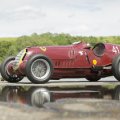
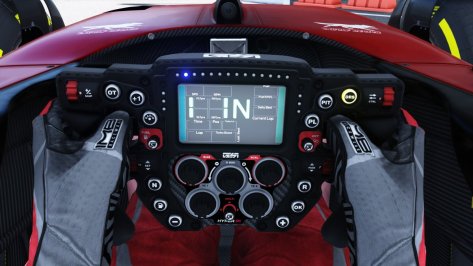
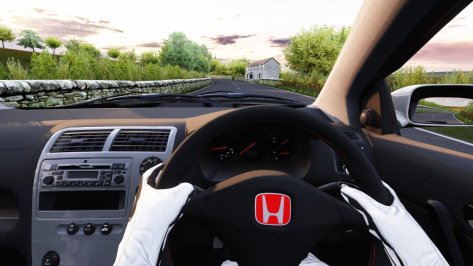
Here is a new track in my portfolio that will be part of the Modern Day Racing Series (updated Terra21 version):
Symmons Plains 2013
changelog:
-fixed tree shader
-new AI
-raised pit spots to 25
-added info to UI and new maps
-added loading screens
-fixed flag shader
-new shader for the crowds
-removed a rF2 shadow material
-set new hot lap starting point
-merged some .kn5 files
-key objects debug
-added CSP: GrassFX, RainFX, Flags
-set shadows for all objects
-purged all objects and materials
-corrected timer positions so laps while drive though pits counts
-added correct overlays file for time attack mode
-corrected position of the first two starters (behind the white line)
-corrected grass texture
-extra cams by DaBaeda
Known issue:
-on some spots the white track lines are under the road mesh
MediaFire is a simple to use free service that lets you put all your photos, documents, music, and video in a single place so you can access them anywhere and share them everywhere.
www.mediafire.com
Beta test of the MDRS is still running, release should be this month. The previously shown Nashville Street Circuit will also be part of the IndyCar and TransAm series. Here you can see a preview of the first pages of the user manual:
Additional releases:
I posted now 3 collection packs at RD. If you want to have all my fixes in one you need these three packages:
Mega pack with many of my fixes for 3rd party tracks. Firstly the track name and in the () is the author of the track. Get all tracks in Breathe's track list you can find in the net. In the pack: Atlanta Motorsports Park 2014 (Reboot Team)...
Volume 2 of the fixing mega pack. I decided to put in all previously single released fixes at Racedepartment, except Chuckwalla that was included in the original track by the author Tyrone. So you only need to download Vol. 1 and 2 and you will...
Various car fixes I've made over the years. Mostly for the often wrongly edited autoshift function for game pad and keyboard uses. I also managed to fix the issue when cars going into the pits after lap one. If a car does not drive correctly and...
Is that rev counter showing properly for you ? Or is it again a CSP version thing, that the numbers only show where the needles are on top of them ?
I reported it to TMRT but now he has removed the mod.
Is that rev counter showing properly for you ? Or is it again a CSP version thing, that the numbers only show where the needles are on top of them ?
I reported it to TMRT but now he has removed the mod.
So check this out. Once again here is a printscreen of my two monitors with the in game on the left and custom showroom on the right. It would appear that by Isolating that object, (the Blancpain numberplate) in showroom and the writing a line in the extension folder using "visible =0" I have taken it out of the game, but not in the showroom. you can barely see the Michelin cup plate underneath or behind the Blancpain one in the showroom. It would seem to have fixed my issue, hopefully!
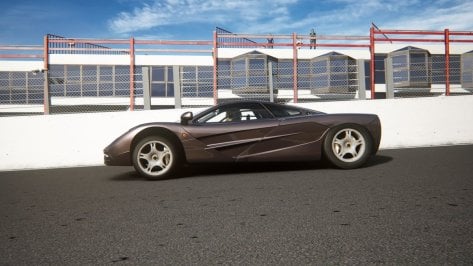
The Tidy (sorry, I said MNBA by mistake previously) McLaren F1 has a problem. The AI car seems to drive with a very large front height and very low rear right height. I could save the AI_default setup file for the AI cars to drive with the right setup but I'd have to do it for each track. Best to just correct the cause of the problem. I've very, very limited knowledge of modding car physics. I unpacked the data file and tried a few things but nothing worked. Seems I'm out of my depth here. MNBA don't seem interested in fixing it. Can someone please fix the issue please?
The MNBA McLaren F1 has a problem. The AI car seems to drive with a very large front height and very low rear right height. I could save the AI_default setup file for the AI cars to drive with the right setup but I'd have to do it for each track. Best to just correct the cause of the problem. I've very, very limited knowledge of modding car physics. I unpacked the data file and tried a few things but nothing worked. Seems I'm out of my depth here. MNBA don't seem interested in fixing it. Can someone please fix the issue please?
if you create the ai_default.ini as you said you could do, you can just call it up on each track when you drive it and save it to that track folder when you are at the track. Not sure how to change the setup in the physics myself, but the ai setup is the easiest way and wont cause conflicts if you ever go online with it
If you can hold on a little while you'll have a definitive version of these from Bazza. The F40Lover ones are very good - the Spyder is much better optimised than the coupé though.
The ACTK ones are updates of the older Bazza versions, but I've not tried them all - I'd assume they're the best available this minute if you need them tomorrow.
About the 1st one, go with F40 LM car. It has a better BOP against the GT40 (MKI and MK II versions) + a near Kunos quality 3D.
About Bazza´s x ACTK versions: the problem I have with some ACTK 'improved' cars is that some skins made for the original Bazza versions don´t work. I don´t now if they mess with the 3D of some cars or with some textures, but this happens in some cases (and I if I´m not mistaken, the MKIV was one of them - so, if u choose for this car, in the ACTK version, u won´t be able to have Pasta´s wonderful skinpack for it and so on).
The MNBA McLaren F1 has a problem. The AI car seems to drive with a very large front height and very low rear right height. I could save the AI_default setup file for the AI cars to drive with the right setup but I'd have to do it for each track. Best to just correct the cause of the problem. I've very, very limited knowledge of modding car physics. I unpacked the data file and tried a few things but nothing worked. Seems I'm out of my depth here. MNBA don't seem interested in fixing it. Can someone please fix the issue please?