Assetto Corsa PC Mods General DiscussionPC 

  • Thread starter Thread starter daan
  • 150,454 comments
  • 45,757,117 views
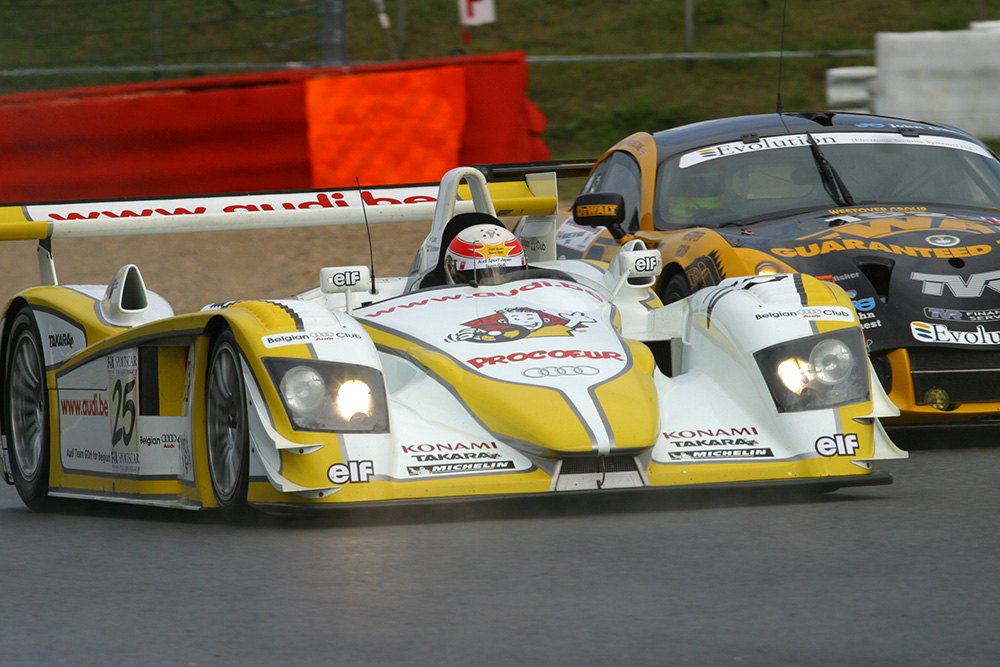
Looking for help finding a logo - as I'm working on the 2003 Team GOH Spa R8, I'm missing the PROCOEUR text + logo :

tom-kristensen-007.jpg


__custom_showroom_1695652207.jpg


If anyone has it, pls share, you'll be credited once it's finished :)
 
Finally: Crystal Palace v1.0.
Please read the readme for credits.
Please do not host this track elsewhere for the time being.

Screenshot_ac_legends_gtc_porsche_911r_zw_crystalpalace_25-9-123-16-42-7.jpg

Screenshot_ac_legends_gtc_porsche_911r_zw_crystalpalace_25-9-123-16-45-59.jpg


Screenshot_ac_legends_gtc_porsche_911r_zw_crystalpalace_25-9-123-16-40-59.jpg


Last edited:
Looking for help finding a logo - as I'm working on the 2003 Team GOH Spa R8, I'm missing the PROCOEUR text + logo :

tom-kristensen-007.jpg


View attachment 1289982

If anyone has it, pls share, you'll be credited once it's finished :)
I can only find this: https://motorsport-images.smartframe.io/p/1015271683/ca2b6e579a159797148ce626bfa9564a?source=aHR0cHM6Ly93d3cubW90b3JzcG9ydGltYWdlcy5jb20vcGhvdG8vMTAxNTI3MTY4My1maWEtc3BvcnRzLWNhci1jaGFtcGlvbnNoaXAvMTAxNTI3MTY4My8=

And this:
procoeur.png


Strange thing: the top one shows ROCOEUR, while the other PROCOEUR. Can't find any of them though.
 
Last edited:
Yeah it's really hard to find. Found an enamel pin with the logo, guess I'll have to work some Photoshop magic with it
 
Looking for help finding a logo - as I'm working on the 2003 Team GOH Spa R8, I'm missing the PROCOEUR text + logo :

Strange thing: the top one shows ROCOEUR, while the other PROCOEUR. Can't find any of them though.
I think that's just a vinyl letter that got torn/blown off.

Hope this helps. Enlarged, isolated, transformed and touched up a little.

procoeur.png
 
Last edited:
UPDATE Laguna Seca 60s
v2.3
-made flags animated
-edited grass FX for less grass in sandy areas
-updated preview and loading screens
-added track logo
-new vao patch
-corrected sun position

 
BCRC Gaming has just dropped Historic Series mod with 10 cars from the 50s
Join his discord to access the files in AC downloads!

Hoping we will see Historic Skins for this mod soon!
1695660969401.png
 
Hello everyone.
I need help please.
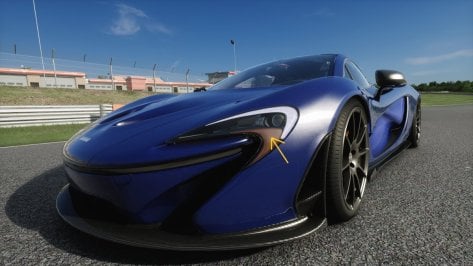
I'm trying to add front turnlights to the Kunos McLaren P1 using Multichannel Emissives, but the problem is that the light only appears on one side despite using the Mirror command.
I have used @ = CustomEmissive_Poly due to the complexity of the surface to be illuminated, but I can't get it to work with either @ = CustomEmissive_Rect or @ = CustomEmissive_Circle

Apparently the problem is only in those meshes. The others work without problem.

I've been racking my brain over this for several days now, haha!

This is what I have so far in the ext_config.ini:

[CustomEmissive]
Meshes = g_Body_SUB3
Resolution = 512,512
@ = CustomEmissive_Poly, Channel = 3, Mirror, P1 = "318, 0", P2 = "512, 185", P3 = "511, 0", P4 = "318, 0", Intensity = 3.0, Color = 3,5,0,3
@ = TurningLightsFront, Channel = 3


If anyone knows how to solve this I am very grateful!!
:D :D
 

Attachments

  • Screenshot_ks_mclaren_p1_ks_brands_hatch_25-8-123-14-31-37.jpg
    Screenshot_ks_mclaren_p1_ks_brands_hatch_25-8-123-14-31-37.jpg
    157.6 KB · Views: 25
Last edited:
@Rainmaker87

Hi ! ;)

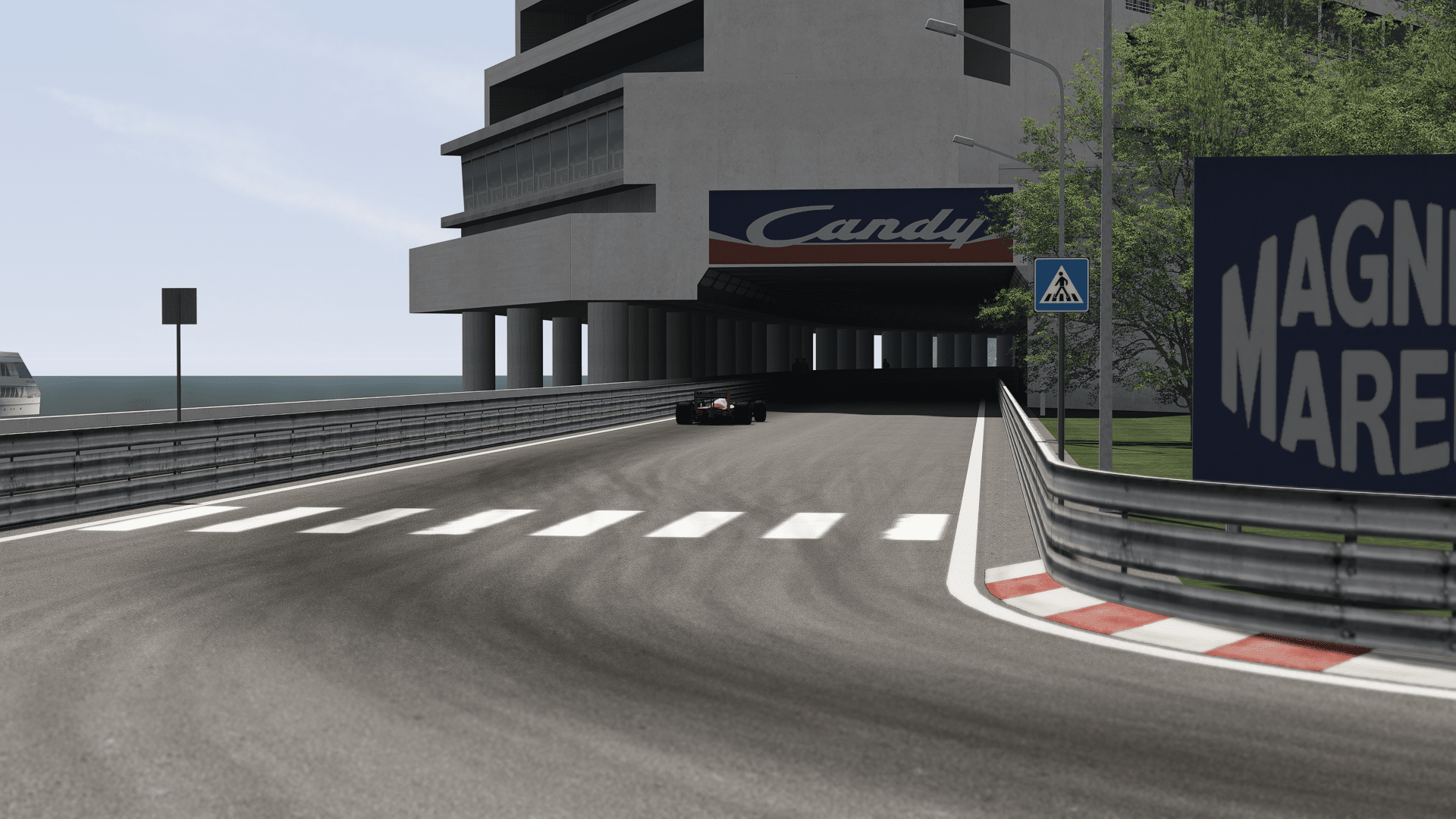
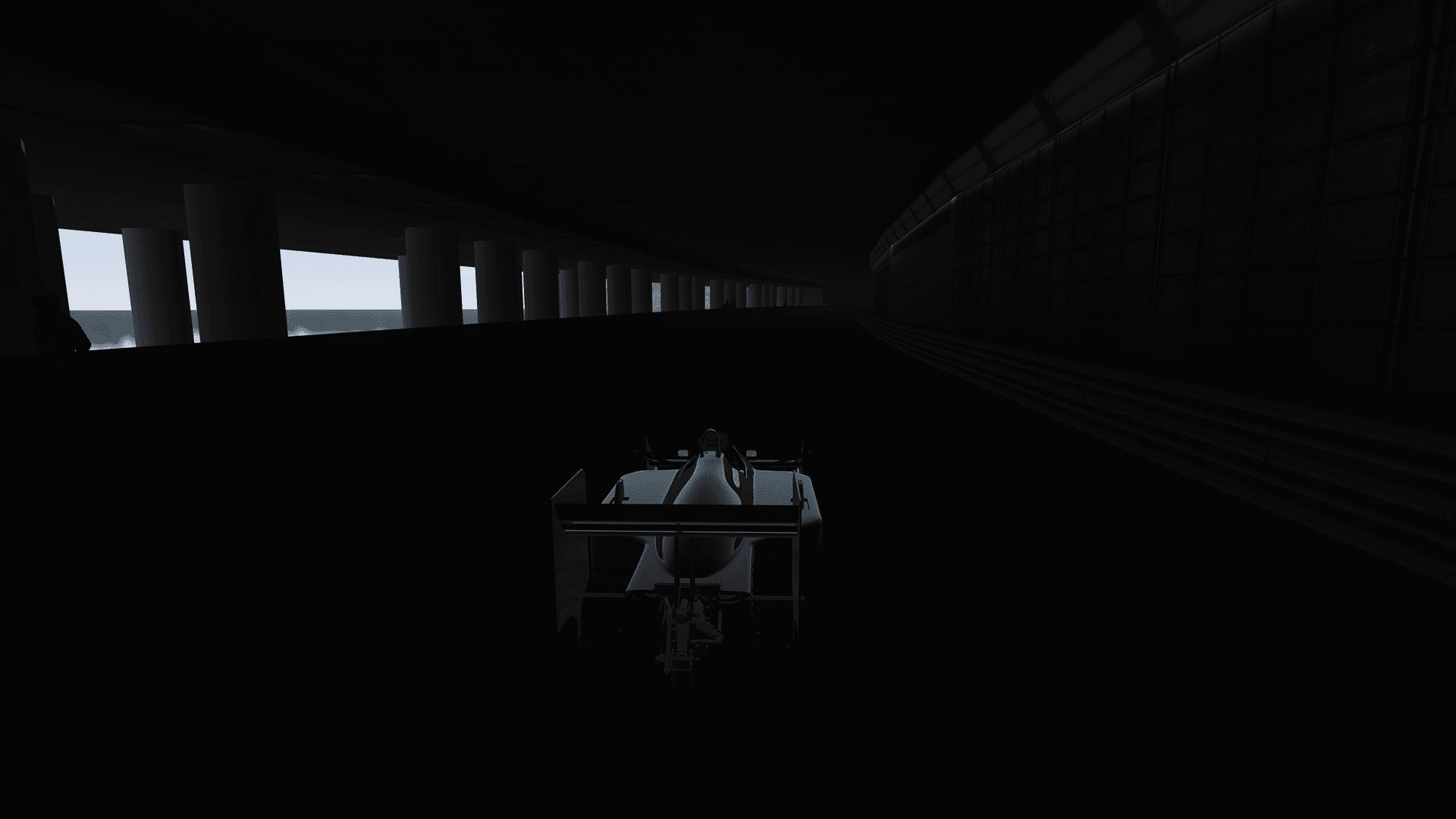
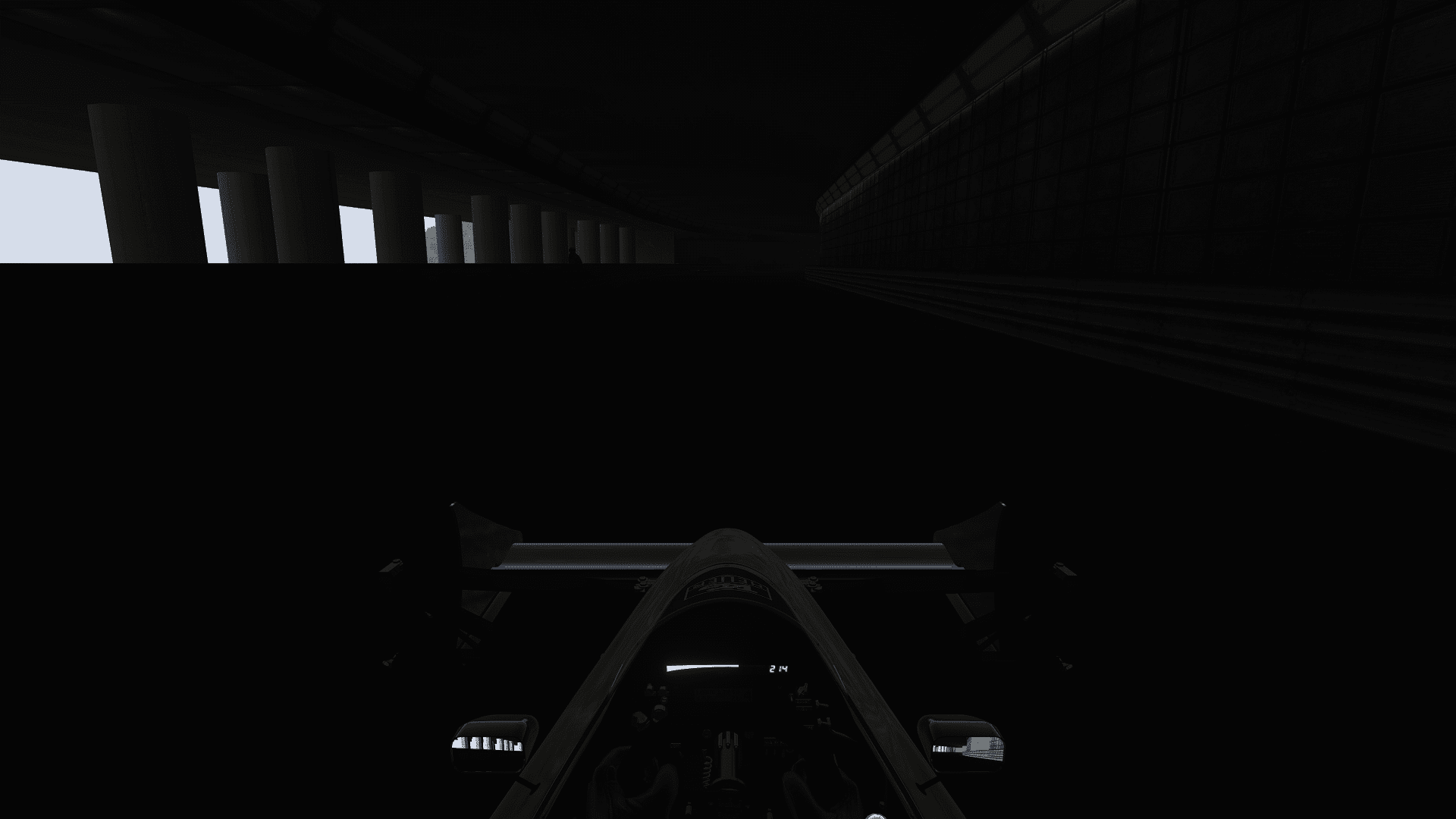
It's a problem about Monaco 1988 version 2.1.
I got some trouble about the tunnel, I have no lights.

r7b6v3.png


7jm0e7.png


sbggfg.png


u2smvf.png


My CSP is 0.1.79 and CM is 0.8.2561.39678 (Data Version 167).
I don't use Sol, Pure or another layer.

Can You help me please ?

Cheers. :cheers:

EDIT
One more thing, when I go back in the stand after a run, I get a forbidden way indication.
 
Last edited:
@Rainmaker87

Hi ! ;)

It's a problem about Monaco 1988 version 2.1.
I got some trouble about the tunnel, I have no lights.

r7b6v3.png


7jm0e7.png


sbggfg.png


u2smvf.png


My CSP is 0.1.79 and CM is 0.8.2561.39678 (Data Version 167).
I don't use Sol, Pure or another layer.

Can You help me please ?

Cheers. :cheers:

EDIT
One more thing, when I go back in the stand after a run, I get a forbidden way indication.
Hi.
I download this version and added the lines from it to the one already in there.

 
Type R Trophy EP3 Type R

Screenshot_honda_civic_type_r_trophy_rt_oulton_park_25-8-123-22-14-43.jpg


Physics Edit of the 101 Creative EP3 Track car to bringing it into line with the rules and regulations of the Type R Trophy one make series held in the UK. Decal pack roughly based on the guide for the Type R Trophy has also been applied, to give that race feel when on the track (yes it has been tested with ai).

Credit to @petercrill for the car that this is based upon.

Note: this car uses extended physics in the tyres and brakes that are available in Shaders Patch Version 0.1.80-preview115 onwards. The car has only been tested in Shaders Patch Version 0.1.80-preview115

 
Finally: Crystal Palace v1.0.
Please read the readme for credits.
Please do not host this track elsewhere for the time being.

View attachment 1289984
View attachment 1289985

View attachment 1289986

Cannot describe how good this is or my gratitude - thanks! Did a couple of race weekends mixing all sorts of grids and they balance out perfectly.


UPDATE Laguna Seca 60s
v2.3
-made flags animated
-edited grass FX for less grass in sandy areas
-updated preview and loading screens
-added track logo
-new vao patch
-corrected sun position

Thanks for this, the 'no grass on sand' update in particular is really nice - Patrice's Mont Tremblant does this really well.
 
Last edited:
Was there a season of FIA GT where the door numberplate was the same logo as the GTR game (or any other series)? Searching myself inside out looking...

I found it. Inside out. 2005. (looks like 2000-2005...)View attachment 1289823View attachment 1289824View attachment 1289839 This is it. (There's a 2004 on RD without the header logo...? but it has the number set, couldn't find that font.)
Here is the .psd file I used for the 2005 GT1 skinpack. Also I don't have the font, but the red number layer set for GT1 and black for GT2.


Speaking of 2005 FIA GT... my skinpack was incomplete, right? What if...
 

Attachments

  • #15_4.png
    #15_4.png
    113.8 KB · Views: 11
  • #72_2.png
    #72_2.png
    114.6 KB · Views: 11
Last edited:
Here is the .psd file I used for the 2005 GT1 skinpack. Also I don't have the font, but the red number layer set for GT1 and black for GT2.

Speaking of 2005 FIA GT... my skinpack was incomplete, right? What if...
Thanks! It was oddly absent in web world...
 
Do anybody else notice that the CM's paintshop editor is borked? The "Project other side" and "With Symmetry" feature stop working. Unsure if it cause by any CSP, because I will also have to the downgrade latest Pure addons and settings.
 
Do anybody else notice that the CM's paintshop editor is borked? The "Project other side" and "With Symmetry" feature stop working. Unsure if it cause by any CSP, because I will also have to the downgrade latest Pure addons and settings.
The paintshop doesn't work with any of the recent previews I've tried. I always downgrade to 1.79 when I use it then reinstall the 1.80 preview after.
 
Do anybody else notice that the CM's paintshop editor is borked? The "Project other side" and "With Symmetry" feature stop working. Unsure if it cause by any CSP, because I will also have to the downgrade latest Pure addons and settings.
Just tried it on my PC and the symmetry option works. I downloaded it via the App Shelf. Maybe you have an older version then.
Install CSP previews manually!!!
1695703134476.png
 
Last edited:
Thanks for the quick reply, but sorry I tried reinstalling everything manually by copy and paste the entire CSP folder into the main AC root folder, reinstall the Paintshop app from the app shelf and nearly reset every CM settings back to default and the results are still the same. Thanks for the help regardless.

Screenshot (77336).png

Screenshot (77335).png

Screenshot (77337).png

Screenshot (77338).png
 
Extra A is IGNITION
Extra B is START

Press the button/key you assign as A to turn the ignition on, then hold B until engine starts.
A lot of wheel users (myself included) have Extra A, B, C and D mapped to the rotary knobs of their steering wheels (so left/right on the LHS rotary does A/B, and left/right on the RHC rotary does C/D) so you can't 'hold B' to start the engine, because rotary switches send a single pulse.
Editing the config to disable 'hold mode' will fix it:

Code:
[EXTRA_SWITCHES]
SWITCH_A = Ignition
;SWITCH_A_FLAGS = HOLD_MODE
SWITCH_B = Starter
;SWITCH_B_FLAGS = HOLD_MODE
 
Sharing a mod? Host it on GTPlanet Downloads. Free, public hosting for files up to 10GB in size.
Back