The track is ready for all your karting and drifting needs. Coming very soon!


HERE you go , a copy which includes some chameleon skins and fix for floating texts*Does anyone happen to have the fictional group c car that was on RD but has now been taken down? I did mean to download it but only just got round to looking this morning and it's gone. It's called the TRD DRW12. It looks like it had some user issues and was then pulled.


No no, that's a weird coincidence
 This one is going to be released around 1-2 january.

No way it's going to be a waste of time! This car is superb!About the 1952 Ferrari 500. Folks over at Revival Racing League (@Obi-Wan Kannabis) with Historic Sim Studios have really made a jewel, model-wise. WAY too many polys, so it's awks to work with (CM showroom will open once, off a fresh AC launch. Second is a CM CTD). But man! It is pretteeeee. And it has aggressive LODS, and is unencrypted.
Fizixs are pretty tame and generic (likely bolstered by period opinion that it was a dog-simple, placid, workman-like car). Needed a sound jigger (Porsche flat-4, really?), and Driver 1955 from @MR Malarkey on RD.
Anyhoo. Slowlee-slowee-catchee-monkee working on some period skins from the (surprising amount of) available images. Given the talk of poly reduction, I hope this isn't a time waste.
Meet 1952 British Grand Prix winner (and World Chamion Driver), Alberto Ascari.
View attachment 1311939
View attachment 1311938


 www.racedepartment.com


Why it was striked on RD?here you go , a copy which includes some chameleon skins I did already (cause I'm addicted to it )
the "pearl" one came out esp nice I think ...
View attachment 1312087View attachment 1312089
View attachment 1312090
EDIT: and there was also an LM version included , a copy of that one can be found here
beware the digital instruments have floating texts ! (haven't gotten arround to fixing that yet)
for example:
View attachment 1312088
If someone fixed this already , please share !


Tick 'use CSP for final preview render'Is there a way to render previews that avoids the encryption?View attachment 1312093

Ohhh yesss, looking very good!! Excited about this one, always happy with another CarTOON circuit


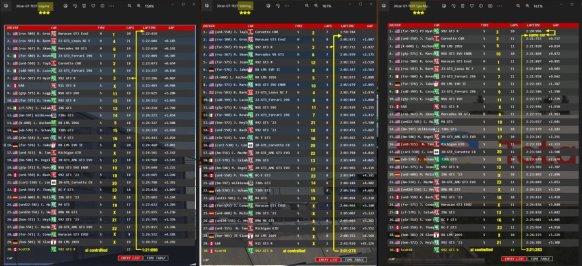
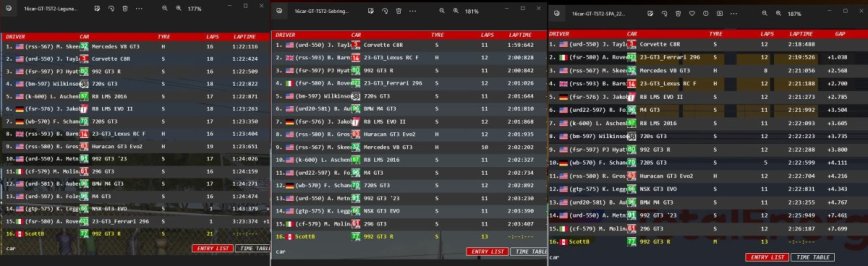
 Some of us think we found something. Others meh...
I would go with the sharpest Intel CMAA that's there, along with the "extra sharpen" checkbox. It's by far the best solution, and really cleans up dashboard and interior edges well. Shouldn't be more than a very minor performance penalty.In CM, under post-processing antialiasing, what's a good choice to use for Mode and Quality if I have an Nvidia 3060ti? I've never understood the different options and which is the best choice to balance quality with performance. Could use a little advice. Could also use some suggestions on the other options in that section as well. Things like the FidelityFX options, etc. Should I be using them if I have an Nvidia card?
Thanks for any tips...


Hi @shi , great work as usual
I know you are not the original modder but Golden Valley is a reference (a pun) on the actual "Circuit du Val d'Or "
It was used by Citroen and other brands for testing .
The surrounding of the track are different in GTR2 / assetto but the shape of layout is the same
Arrêt de l'activité des stages de pilotage
Stage de pilotage sur circuit ou route en Porsche, Ferrari, Lamborghini, Nissan GT-R... Elite-Racing.stage.elite-auto.fr
it is now called Circuit de Versailles-Satory and there is a project to revamp it
Versailles-Satory - Satellite view
See the Circuit de Versailles-Satory from the skyen.europatrackdays.com
Thank you for the info. For CMAA, which quality setting do you use?I would go with the sharpest Intel CMAA that's there, along with the "extra sharpen" checkbox. It's by far the best solution, and really cleans up dashboard and interior edges well. Shouldn't be more than a very minor performance penalty.
I would not use the FidelityFX CAS sharpening. It has this weird, grainy resolve that makes cars like the Formula RSS3 look very strange. Just stick with CMAA and whatever MSAA you can afford in AC settings.
CM is using FSR 1.0, so do not use FidelityFX Super Resolution unless you absolutely must. It looks terrible. And the TAA is not a native implementation, so it looks quite blurry to me. I passed on that as well.


Thanks, mate!Ohhh yesss, looking very good!! Excited about this one, always happy with another CarTOON circuit

Oh, yeah, sorry, you should use Ultra. Not a huge performance difference (or visual difference) between High and Ultra. But if you're running 1080p with a 3060 Ti (or 1440p with a low frame rate target), you want all the Anti-Aliasing you can get.Thank you for the info. For CMAA, which quality setting do you use?


Here is my tip on this what’s the best adjustment, because there are so many different hardware it’s for everyone different. My adjustments on a old rig with VR, needs a complete different adjustment then a highend rig & 27” 4k monitor user. Then there is also your personal taste like achieving a stable FPS or in my case get rid of shimmering I do hate.Thank you for the info. For CMAA, which quality setting do you use?


Brilliant! Thank you. I'll grab that this afternoon when I'm at my computer.here you go , a copy which includes some chameleon skins I did already (cause I'm addicted to it )
the "pearl" one came out esp nice I think ...
View attachment 1312087View attachment 1312089
View attachment 1312090
EDIT: and there was also an LM version included , a copy of that one can be found here
beware the digital instruments have floating texts ! (haven't gotten arround to fixing that yet)
for example:
View attachment 1312088
If someone fixed this already , please share !


I use CMAA with ultra setting, FidelityFXCAS ticked as well. You also should not use Assetto´s anisotropic filtering, set this to off and use the Nvidia profile inspector option to 16x instead. It´s a huge difference.In CM, under post-processing antialiasing, what's a good choice to use for Mode and Quality if I have an Nvidia 3060ti? I've never understood the different options and which is the best choice to balance quality with performance. Could use a little advice. Could also use some suggestions on the other options in that section as well. Things like the FidelityFX options, etc. Should I be using them if I have an Nvidia card?
Thanks for any tips...


Not sure what extra files you are referring too, but everything I did for the track is included in the download package. If there are other files on GTP that other people added, then they wouldn't be in the package.Just a dumb question about le grand/le mans, @racinjoe013 , are all the extra files here on GTP already included in the latest track version?
On another front, this is just me when trying on one of those baaaadly done Camtool files.
You guys know, the incredibly bad ones. Those and some Kunos replays like the Monza ones. Ugh.


Why it was striked on RD?
I mean your own extension tweaks and the "Shader-Fix-a-Rama v3.2 by Rainmaker" linked on breathe's list.Not sure what extra files you are referring too, but everything I did for the track is included in the download package. If there are other files on GTP that other people added, then they wouldn't be in the package.
And for the guys\gals who answered my graphical questions, thank you all for the info.
 www.patreon.com
My own extension tweaks would be in the full track download package. If @Rainmaker87 released his own extension in his Shader-Fix-a-Rama package, his changes would not be included with my download.I mean your own extension tweaks and the "Shader-Fix-a-Rama v3.2 by Rainmaker" linked on breathe's list.
Thanks for the info.