- 1,170

- Belgium
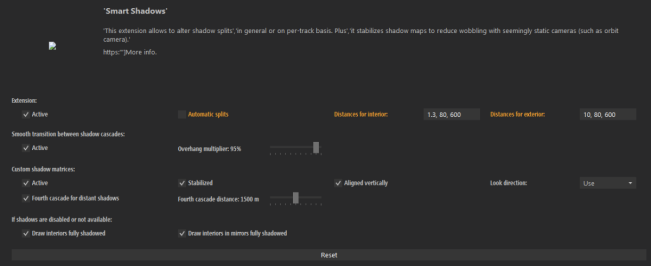
hi , can someone explain these 3 values please? (Why don't these things come with a tooltip explanation??Was someone asking recently why shadows noticeably pop in when driving down long straights?
Might not have been here.
But anyway, increase this third number until they don't.
View attachment 1390785

Unfortunately the last digit does not increase the range (distance from the car) until where shadows are rendered in details
these are my settings:
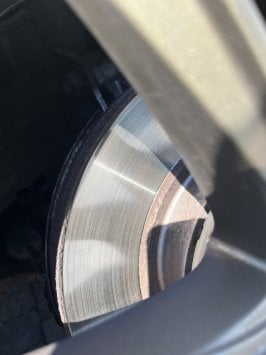
I can clearly see that the shadows become less detailed approx 20m in front of my car... )
increasing the last number to 2000 as Masscot suggested,
still the detailed render distance seems same, but after that the shadows are no longer rendered at all ... so it got worse instead of improved:
EDIT: in fact LOWERING this number seems to have the desired effect!
EDIT2 : and yet the same settings don't seem to fix it on all tracks! For example on Charlotte Motor Speedway Oval , I still get blurry shadows after some distance:
EDIT3:
it seemed to me the best solution is to disable Smart Shadows altogether... but then I am faced again with this disturbing shadow issue of the shadows only being drawn in front, and when looking to the side, you can see the shadows are not drawn there :
So please WHAT are good settings for having realistic shadows (that don't cut off anywhere too obvious) ?
Attachments

Last edited: