Assetto Corsa PC Mods General DiscussionPC 

  • Thread starter Thread starter daan
  • 155,300 comments
  • 49,233,306 views
The telegram room has a history for the previous versions. Seems the only change is the the AI upscale of the skins.

The other one "V1.3" looks to have differences in regards to larger wheels, different front bumper, and additional changes on the interior. Comparing the wire frames in showroom they are definitely different models. Maybe both models were converted from different games?

View attachment 1432748

Hopefully he left my skins alone (they were already resized at 6144x4096 anyways lol)
 
Another sweet day, another Content Manager autoupdate with autoupdates disabled.

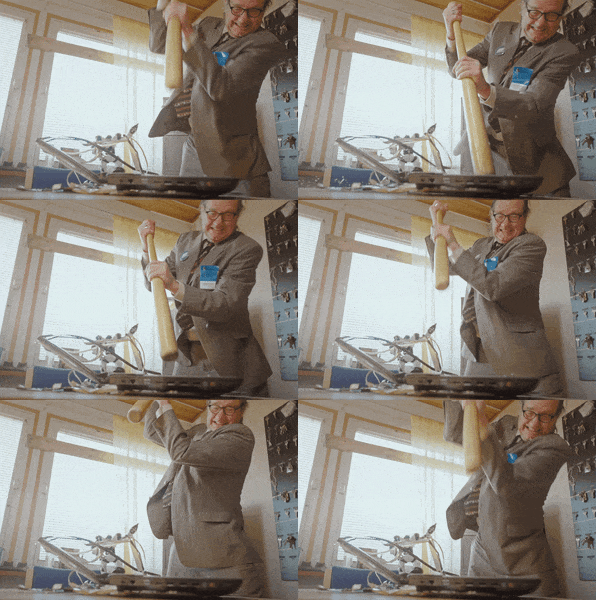
Smash Old School GIF by Mediatool
This may have been mentioned elsewhere, but is there anyway of turning them off? I've gone and downloaded all the updated VRC content via their new portal downloady thingy, yet the message to update their content still persists in content manager. I kinda wish it would piss off now.
 
sorry for the bump but anyone has a clue as to why preview generation is messed up in a sense that the helmets, but also other textures like car numbers (!) are being reused from first skin on all next skins ?

eg. F302's 2013 Zytek Z11SN Nissan , when I generate new previews for all skins, they all have number 42 (from the first skin

View attachment 1432715
View attachment 1432716View attachment 1432717...

Is there a (new) setting responsible for this? Or it's a bug I imagine...
it's a bug with the new kn5 loader, if you deactivate it it solves the problem in game but not for preview generation.
 
sorry for the bump but anyone has a clue as to why preview generation is messed up in a sense that the helmets, but also other textures like car numbers (!) are being reused from first skin on all next skins ?

eg. F302's 2013 Zytek Z11SN Nissan , when I generate new previews for all skins, they all have number 42 (from the first skin

View attachment 1432715
View attachment 1432716View attachment 1432717...

Is there a (new) setting responsible for this? Or it's a bug I imagine...
You may try the following: go to skins, mark them all as read and then choose update previews.

1740905757676.png
 
I made a backup skins folder to try and make it easier to reinstall skins when a mod updates. However the last time I tried to reinstall one, that folder was empty. But when I downloaded the skin originally I just copied it to the backup skins folder. If the backup file was blank could it be because I didn't rename it and when the original installed it pulled the info from both locations?
Have you reinstalled skins before? Maybe you then moved the skins from the folder insted of copying them.
 
Last edited:
Hi Forum! After 2023 F1 crew, I want to follow my inspiration to create 2025 F1 crew.
Probably it will take a long time but I try to do my best!

View attachment 1432469
View attachment 1432470
Think it would be more of interesting if these wallflower clones would be moving and show some activities. Simdream seems to have these animated pit guys. Some can be free for downloading btw. And here I have a question about, reading the negative articles about Simdream, are these free downloads to be trusted or is there a negative catch or other hidden activity as there is nothing like a free meal.
GTplanet members: What are your experience when downloading free Simdream mods ?


Last edited:
Think it would be more of interesting if these wallflower clones would be moving and show some activities. Simdream seems to have these animated pit guys. Some can be free for downloading btw. And here I have a question about, reading the negative articles about Simdream, are these free downloads to be trusted or is there a negative catch or other hidden activity as there is nothing like a free meal.
GTplanet members: What are your experience when downloading free Simdream mods ?


A little off topic;
Simdream has included Tracks I have released (such as 1998 Tracks) in their paid content.
Of course, there is no permission from me to Simdream.
Please do not purchase anything from Simdream.
 
shi
A little off topic;
Simdream has included Tracks I have released (such as 1998 Tracks) in their paid content.
Of course, there is no permission from me to Simdream.
Please do not purchase anything from Simdream.
I was only talking about the free ones not the pay-ware, I hoped the discussion would be concentrating on this. That why I posted this:
GTplanet members: What are your experience when downloading free Simdream mods ?
But if it is true of stealing and the original creator of the animated pit crew is known by name, it’s also ok for me.
I know GTmembers @Cozy61, @enkay74 and @Hoksu are mentioned on the Simdream web site, maybe they have the answer for me, on downloading the free ones or the original animation source. Do not know if these guys are members of the SD team, but below you can find these 3 names, at Simdream:
https://www.assettocorsamods.org/20...3-mod-animated-starting-grid-update-released/

edit: for the interested GTp members, one animated mod can be found on the ACTK site, first impression is good.
 
Last edited:
This may have been mentioned elsewhere, but is there anyway of turning them off? I've gone and downloaded all the updated VRC content via their new portal downloady thingy, yet the message to update their content still persists in content manager. I kinda wish it would piss off now.
We meant the CM autoupdates/dataupdates, before.
As for the mods autoupdates I have no clue, I too have the GT4 Avezzano and VRC's Willow Springs that are up to date and still they ask for updates.
 
I was only talking about the free ones not the pay-ware, I hoped the discussion would be concentrating on this. That why I posted this:
GTplanet members: What are your experience when downloading free Simdream mods ?
But if it is true of stealing and the original creator of the animated pit crew is known by name, it’s also ok for me.
I know GTmembers @Cozy61, @enkay74 and @Hoksu are mentioned on the Simdream web site, maybe they have the answer for me, on downloading the free ones or the original animation source. Do not know if these guys are members of the SD team, but below you can find these 3 names, at Simdream:
https://www.assettocorsamods.org/20...3-mod-animated-starting-grid-update-released/

edit: for the interested GTp members, one animated mod can be found on the ACTK site, first impression is good.

So you're OK if SD steal stuff from people as long as they're credited ? Lol. Lmao even. I might even go the roflcopter route.
 
Another sweet day, another Content Manager autoupdate with autoupdates disabled.

Smash Old School GIF by Mediatool

It's not exactly an Content Manager update, but a data version update to 211. Not sure what the difference between the two is, but I would imagine less significant changes to the app itself...

Happy to help! :lol:


check for updates & update to non-tested values are both disabled on my install

Its enough to reset any setup you had with car (paint) :P
The backup software I use allows me to keep track of all changes in the Steam AC folder, '%USERPROFILE%\Assetto Corsa' and '%APPDATA%\Local\AcTools Content Manager'.

The Data Version update to 211 has changed the following files on my install:
AC_Data_Version_Update_211.png


All of these files are found in '%APPDATA%\Local\AcTools Content Manager\Data'.
Nothing else seems to have changed.

Hopefully this solves the uncertainty, ambiguity & doubt around the Data Version updates in Content Manager.


@MasterFocus
I do not use Custom Paint stuff, but I assume the settings/setups are saved in the Paint Shop folder, are you sure you are using the Data (User) folder and not the main Data folder?
 
Last edited:
I was only talking about the free ones not the pay-ware, I hoped the discussion would be concentrating on this. That why I posted this:
GTplanet members: What are your experience when downloading free Simdream mods ?
But if it is true of stealing and the original creator of the animated pit crew is known by name, it’s also ok for me.
I know GTmembers @Cozy61, @enkay74 and @Hoksu are mentioned on the Simdream web site, maybe they have the answer for me, on downloading the free ones or the original animation source. Do not know if these guys are members of the SD team, but below you can find these 3 names, at Simdream:
https://www.assettocorsamods.org/20...3-mod-animated-starting-grid-update-released/

edit: for the interested GTp members, one animated mod can be found on the ACTK site, first impression is good.
Its NOT free, it only come with the TERRIBLE formula one for "only" 10$
The backup software I use allows me to keep track of all changes in the Steam AC folder, '%USERPROFILE%\Assetto Corsa' and '%APPDATA%\Local\AcTools Content Manager'.

The Data Version update to 211 has changed the following files on my install:
View attachment 1432839

All of these files are found in '%APPDATA%\Local\AcTools Content Manager\Data'.
Nothing else seems to have changed.

Hopefully this solves the uncertainty, ambiguity & doubt around the Data Version updates in Content Manager.


@MasterFocus
I do not use Custom Paint stuff, but I assume the settings/setups are saved in the Paint Shop folder, are you sure you are using the Data (User) folder and not the main Data folder?
What I mean was, the paint you selected for any given car is reseted to the "first" one
t
1740928248011.png
 
Last edited:
Have you reinstalled skins before? Maybe you then moved the skins from the folder insted of copying them.
What I did was, download the file, right click and select "copy", then go to the backup skins folder and put that copy there. Then install the main skin file on the car. Later when the mod updated and I deleted it's file to install the update, I went to the backup skins folder to reinstall the skin but the file was empty.

But this time I just went into the car's skin file and manually pulled them out, created VRC Alpine for example, put them in there, installed the update, then put the skins back in the car folder. That might be the better way to do it.
 
Hi Peter,

I have what sounds the same effect (in VR) of it suddenly darkening / brightening but as I usually drive in broken clouds I thought it was you trying to implement the sun breaking through the clouds but maybe I'm wrong. I do find the effect a bit jarring as it happens so suddenly rather than transitioning over a second. Is this a Pure effect or am I having a bug?
@Peter Boese while you're here, at the start of daytime sessions, as soon as you appear on the track is it normal for the sky to start light, then darken significantly for a second like there's a solar eclipse, then lighten again with the correct preset weather? The whole skybox changes too.
This seems to have started with the past few Pure builds, and kind of breaks any immersion we're trying to create.
It seems to be just that the correct weather and TOD are both a bit laggy loading?
Gamma, PureVR ppf, 2D clouds.
Someone has still this problem after the latest Pure and CSP updates? Because I still notice this lighting changes during sessions.
 
Happy Sunday! I am getting constant engine damage with MNBA Toyota TRD at 6000rpm and with the gas pedal pressed. Let off the gas pedal and the damage stops. What is the fix in the ini files? Thank you.
 
I noticed the same when I first tried it. Are you running your base at 100%?

I have the 20nm VRS DD, my usual setup was 50% on the base and around 40% gain in game. That gave me a good balance between FFB and bump/kerb effects. If I increased the base and even with lowering the game gain the bump/kerb effects would become more jarring, like more aggressive than they should be relative to the ffb, even though I had them at 0% in the game settings.

With the FFB script on my usual settings it felt too light as you observed as well. I noticed with the script the FFB bar was more sensitive and I was clipping. I bumped my base to 100% and gain to 30% in game. This now gave me a good FFB feel and the bump/kerb effects are still balanced. If I turn off script with these settings - I again see too aggressive effects.

I havent done enough testing yet, but with the FFB script I do feel a bit more detail and the cars feel like they have more weight to them. Like less of that AC floaty feeling and when turning it doesnt feel as much like I am pulling on a band if that makes any sense.

Anyone else on a DD base try out the new script and want to chime in? Seems the script works on both the standard physics and if you check extended physics too.
Hey Crazydude, I have the same VRS wheelbase as you and when I tried the new FFB script I've started to get more of that ' white noise' high pitched type vibration in the FFB , did you notice this ?
And if you don't mind what slew rate and filter settings do you use in the VRS wheelbase software , I wonder if this is causing it
I usually use performance slew and quite 1 filter
Thanks for any suggestions
 
This may have been mentioned elsewhere, but is there anyway of turning them off? I've gone and downloaded all the updated VRC content via their new portal downloady thingy, yet the message to update their content still persists in content manager. I kinda wish it would piss off now.
I don't have the update gui in front of me, but I believe there's something to click on the right side next to the update, maybe an arrow, click that and it gives you some options, one of which is "ignore update" I believe. Then the notification goes away if you've installed from elsewhere
 
Sharing a mod? Host it on GTPlanet Downloads. Free, public hosting for files up to 10GB in size.
Back