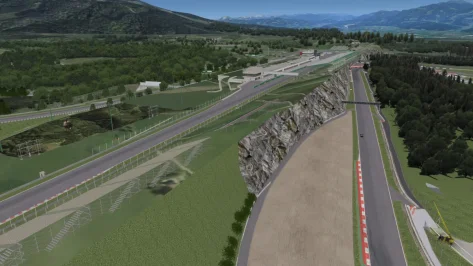
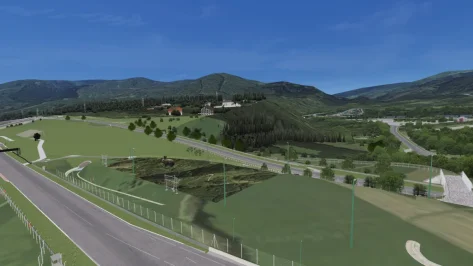
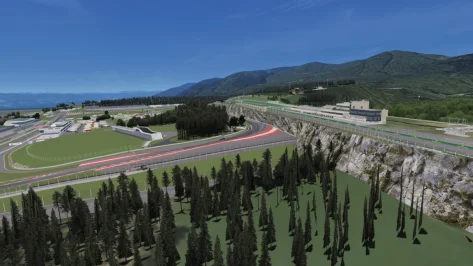
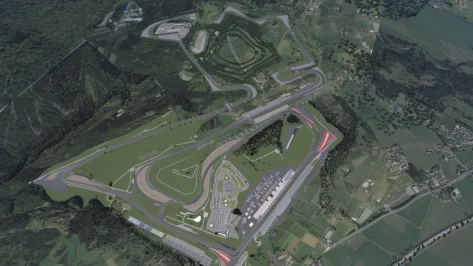
I have converted 3 fictional tracks from GTR2. Details of the circuit can be found in the original link or readme_gtr2.
Original author link (RD)
Le Mancorchamps v1.21 (2025/12/04 Updated)
View attachment 1213266
-CSP recommended
-30 pit/start
-AI, cam
-White & Red cm skin
Credits & Thanks:
Original Track by ChriKoh
-Thank you for giving me permission
AC Converted by
@shi (shin956)
AI by
@KevinK2
ext_config by
@CrisT86
logo.png and sections.ini by
@Fanapryde
Additional cams by
@DaBaeda
;;;;;;;;;;;;;;;;;;;;;;;;;;;;;;;;;;;;;;;;;;;;;;;
v1.1 changelog;
Added groove, lights, seasons, 2nd windmill.
Adjusted some normals and shaders.
Changed asphalt texture.
Fixed white line.
Edited track map.
Added 2 cams by DaBaeda.
Added logo.png and sections.ini by Fanapryde.
v1.11 changelog;
Hid lemancorchamps_wall.kn5.
v1.2 changelog;
The white lines were made into a separate mesh and smoothed.
Updated gas station textures.
Updated road surface textures.
Fixed some normals and shaders.
Fixed holes.
Updated ext_config,ini and VAO-patch.
Added skidmarks.
Added marshalls.
Added camera facing crowds.
A few minor fixes.
v1.21 changelog;
Fixed the mesh of the gas station.
Fixed mapping for Treewall and Guardrail. (Thanks Mascot for the report.)
Fixed the spectator textures. (Thanks Mascot.)
Updated VAO-patch.
--------------------------------------------------------------------------------
Spaburgring v1.3 (2025/12/16 Updated)
View attachment 1499854
-CSP recommended
-30 pit/start
-AI, cam
-White & Red cm skin
Credits & Thanks:
Original Track by ChriKoh
-Thank you for giving me permission
AC Converted by
@shi (shin956)
AI by
@KevinK2
ext_config (base) by
@CrisT86
logo.png and sections.ini by
@Fanapryde
Test and Feedback by
@Fanapryde
;;;;;;;;;;;;;;;;;;;;;;;;;;;;;;;;;;;;;;;;;;;;;;;
v1.1 changelog;
Adjusted some normals and shaders.
Added groove.
Updated ext_config.ini and cam.
Removed spaburgring_wall.kn5.
Smoothed physical road surface.
Added logo.png and sections.ini by Fanapryde.
Changed background.
v1.2 changelog;
Fixed hole. (Thanks clickersnapper01 for the report.)
Fixed castle normals.
Changed background.
3D mountains from Chuck_CG's Landscape pack.
6 Terrains, 5 displacement maps(1k, 2k)4k PBR textures(color, roughness, normal)open with blender 3.3+Increase subdivision levels for more details.in the images below you can see the levels at 5 then at 0My Portfolio https://www.artstation.com/chuckcg

chuckcg.gumroad.com
v1.3 changelog;
The white lines were made into a separate mesh and smoothed.
Updated the road surface's UV mapping and textures.
Fixed some normals and shaders.
Added skidmarks.
Added marshalls.
Added camera facing crowds.
Added reverb to the bridge.
Updated tree textures.
Updated ext_config,ini and VAO-patch.
A few minor fixes.
--------------------------------------------------------------------------------
Zandzuka v1.0 (02/17/2023 Update)
View attachment 1231738
-CSP recommended
-30 pit/start
-AI, cam
-White & Red cm skin
Credits & Thanks:
Original Track by ChriKoh
-Thank you for giving me permission
AC Converted by
@shi (shin956)
AI by KevinK2
ext_config by CrisT86
logo.png and sections.ini by Fanapryde
;;;;;;;;;;;;;;;;;;;;;;;;;;;;;;;;;;;;;;;;;;;;;;;
v1.0 changelog;
-Adjusted many normals and shaders
-Added groove
-Added some normal map texture
-Updated ext_config.ini
-Removed zandzuka_wall.kn5
-Added logo.png and sections.ini by Fanapryde
-Changed background
3D mountains from Chuck_CG's Landscape pack.



 mega.nz