Track has been updated to version 0.92. Use the link in the quote to get the update. Disable any track skins you are using first then extract and overwrite when it asks. Or the safer method would be to delete your existing track folder first.Monza 2025 (beta 0.92)
monza_2025_beta
Throwing this out there for anyone to try in the hopes to get a little feedback. I am concerned about flickering on the sponsor banners. I had to fix a lot of them and redo a lot of the uv mapping for the textures. I do not see any but i'm on an old CSP version and don't know if that would make a difference.
Don't let the name fool you. This is not a representation of the track in 2025. It's just a name I picked so I can separate this version from the Kunos version in my CM track list. It is nothing more than all of the mods i've created or downloaded for Monza rolled into one track so I can keep the original Kunos version 'clean'. It is a beta version (about 90% complete) so you can expect to see some obvious mistakes and maybe some poor texture choices. Because it's based on the original Kunos track, you are free to use any mods for that track with this one, such as ai files, track skins, etc. The one thing you can't do is use a mod that will overwrite the ext_config file. That would cause some issues.
Credits:
-- @Masscot for the animated flagmen and balloons
-- Assets used from the monza2022crf version of the track.
-- knicker for the crowd files.
While this track is not as confusing as some of my other ones, I still need to explain a few things:
-- There are two layouts, the base layout and a raceday layout that adds sponsor banners in some spots based on a 2025 GT World Challenge video I watched as a reference. The raceday layout is best to use with modern cars because the sponsors wouldn't make much sense for cars 10+ years old. Also, when using the raceday layout, I would suggest enabling the 2025 Raceday track skin to complete the look.
-- There are four 'Years' track skins that will bring back certain buildings and structures to make the track more period accurate. For example, enabling the 2010 (probably should have been named pre-2010) skin will make the track look like the Kunos default version with no structures hidden.
-- For performance reasons, I have the animated flagmen and live jumbotron displays off by default for older computer users. You can turn them on by enabling the appropriate track skin. Plus it's nice to turn them off when driving a practice session.
-- Last thing, there is a huge difference in how bright the crowds look depending on whether you use CSPs 'New spectators rendering method' so you might have to do some adjusting to the ambient and diffuse values in the camera_facing file. I have it setup for my CSP options, but yours may be different.
Have fun and hope to hear from someone on any issues you may see. If not, then i'll just keep plugging along thinking everything is all right.
Chatham Hills Raceway v1.5
View attachment 1216062
A fictional circuit in USA.
Conversion from GTR2.
-CSP recommended
-26 pit/start
-AI, cam
Credits & Thanks;
Original track made by ISI for Sportscar GT
Conversion to rFactor by Bud Lucas
Almost completely rebuild by @Zwiss for GTR2
-Thank you for giving me permission (Zwiss)
AC Converted by @shi (shin956)
AI lines, sidelines and ai_hints.ini by IMEAN
Cams and ext_config by @CrisT86
logo.png and sections.ini by @Fanapryde
Crowds texture by Kniker97
Car objects by Ben O'Bro (https://www.overtake.gg/downloads/track-props.37866/)
some textures by kunos
Test and Feedback by @Masscot
Enjoy.
;;;;;;;;;;;;;;;;;;;;;;;;;;;;;;;;;;;;;;;;;;;;;;;
v1.3 changelog;
-Fixed many of the normals.
-Spectators are now supported for camera_facing.
-The model of the cars has been changed.
-Fixed billboard mapping.
-Added groove/skidmark.
-Updated flag and Billboard textures.
-Updated VAO-patch.
-Updated preview.
-Smoothed road surface.
-Added cams by CrisT86.
-New ext_config by CrisT86. (Edited by me)
v1.4 changelog;
Added AI lines, sidelines and ai_hints.ini created by IMEAN. (Thanks!)
Added 3D terrain.
Added more trees.
Added marshalls and cameramans.
Replaced and updated some textures.
Update shaders.
Updated ext_config and VAO-patch.
Recreated the groove and skidmarks.
Fixed road surface mapping.
Fixed floating objects.
Fixed grass holes.
Changed crowd textures by Kniker97. (Thanks)
Smoothed the edge of the road surface.
Removed unsightly tents.
A few other minor fixes.
v1.5 changelog;
Fixed floating trees.
Fixed light pole mapping.
Fixed mapping for several adboards.
Fixed one-sided objects.
Updated several textures.
Updated ext_config and VAO-patch.
A few other minor fixes.
Circuit Piddy v1.2
View attachment 1347713
Fictional circuit in Switzerland.
Conversion from GTR2.
-CSP recommended
-36 pit/start
-AI, cam
-2 layouts (SH and SAH)
Credits & Thanks;
Original Track by Fredhot & Neel Jani
-Attempts to contact them have gone unanswered. Thank you for their work.
AC Converted by @shi (shin956)
logo.png and sections.ini by @Fanapryde
Billboard textures by @Masscot
cameraman and textures by kunos
Test and Feedback by @Masscot , @twobegreen
Enjoy.
Converted upon request by Patreon member Rainer Musch.
;;;;;;;;;;;;;;;;;;;;;;;;;;;;;;;;;;;;
v1.1 updated by @Masscot (April 2024)
Animated flag-waving spectators added
Patrolling helicopters added
Blimp and hot-air ballons added
Some adboard textures changed/corrected
New start/finish gantry track logo
New grandstand icon
New grass texture and tweaked GrassFX config
New distance markers
Trees darkened, some normals fixed
New loading logo and track previews
-Fixed grass mapping to reduce tiling.
-Updated flags.
-Changed crowd textures by @Kniker97 . (Thanks)
v1.2 changelog;
Even when CSP settings → General Patch Settings → CPU optimizations → Chunks optimizations are set to Advanced, ground objects are no longer hidden. (Tested with CSP 0.2.12-preview1.)
Updated ext_config.ini.
Reworked skidmarks.
Recreated the sidelines for both layouts.
Added Garage Doors.
Added more marshalls.
Adjusted the size of the gantry adboards.
Fixed fence mapping.
Solvalla Stockholm v1.2
![]()
View attachment 1292944
Solvalla Stockholm is a temporary motorsport race track in Sweden. The circuit is located in the Bromma district west of the Swedish capital Stockholm. Rather than using the streets of the city, the track itself will use the horse racing venue, making it the first stadium circuit in Sweden. (Wikipedia)
Conversion from RACE07.
-CSP recommended
-15 pit/start
-AI, cam
Credits & Thanks;
Original Track by Neteye
RACE07 Updated version by AndreasFSC
-Thank you for giving me permission (Both).
AC Converted by @shi (shin956)
logo.png and sections.ini by @Fanapryde
Crowds texture by @Kniker97
ambulance and some textures by kunos
Test and Feedback by @Fanapryde
Enjoy.
;;;;;;;;;;;;;;;;;;;;;;;;;;;;;;;;;;;;;;;;;;;;;;;
v1.1 changelog;
Smoothed the white line.
Fixed the buried mesh.
Upscale the Solvalla logo texture using AI.
Updated the podium texture.
Updated ext_config.ini and VAO-patch.
Some other minor fixes.
v1.2 changelog;
Recreated the fast_lane.ai and sidelines.
I've been trying to help out Beni and Abulzz on the new lidar version of the Targa Florio and it is unplayable on CSP 0.3.x because of the broken GrassFX. Even CSP 0.2.x has weird grass effects but at least it doesn't have crashing frames. We need an option in GrassFX to display all the grass within a radius rather than having it 'grow' as you approach it even if it does mean higher resources because at the moment you have a draw line 10m in front of you that makes it hard to concentrate on the road and it is especially bad in a high res VR headset.I am close to quitting patreon support due to lack of care.
Ilya never replies.
Legit one update from next always makes something go boom.
We are like years from stable build because code they keep rewriting 100 times over.
Biggest issue is that the physics part of new csp updates are really good.
So teams like URD that release new mods that have cosmic suspension/raycasting to fix kerb tire thing and is built on FIA / manufacturer / driver / telemetry data etc require newest CSP but than you run into ****** issue where I can't for life of me find what pile of crap graphics settings changed from previous to newest paid version that causes this glitching.
I know its something to do with lightning and skin but like what setting. Its going 1 to 1 and changing it to figure this horse**** out.
I've been trying to help out Beni and Abulzz on the new lidar version of the Targa Florio and it is unplayable on CSP 0.3.x because of the broken GrassFX. Even CSP 0.2.x has weird grass effects but at least it doesn't have crashing frames. We need an option in GrassFX to display all the grass within a radius rather than having it 'grow' as you approach it even if it does mean higher resources because at the moment you have a draw line 10m in front of you that makes it hard to concentrate on the road and it is especially bad in a high res VR headset.
Yes please.previews are generated without error, when you roll back to an older CSP version (for example 0.3.0-preview140)
otherwise skin generating will stop after a few skins, but if you want the settings I can share them
View attachment 1508872
FYI : for me the lights remain black when turned on (w your this code added):[REFRACTING_HEADLIGHT_0]
POPUP_ENABLED=0
SURFACE = headlightr_a_SUB3,headlightr_a_SUB4,headlightl_a_SUB4,headlightl_a_SUB3
INSIDE = headlightr_a_SUB1,headlightl_a_SUB1,headlightlbulbs_a
RELATIVE_TO =
SYNC_EMISSIVE_AUTO = 1
ABSORPTION = 0.12
AMBIENT_MULT = 1
BASE_EMISSIVE_K = 1
BOUNCED_BACK_MULT = 0.75
BULB_BLUR_K = 4
BULB_REFLECTION_K = 0.1
CUSTOM_BULB_0 = 0.5,0.5,0,0
CUSTOM_BULB_1 = 0.5,0.5,0,0
CUSTOM_BULB_2 = 0.5,0.5,0,0
CUSTOM_BULB_3 = 0.5,0.5,0,0
DIFFUSE_MAP_FILTER_MULT = 1.19
DIFFUSE_MAP_MULT = 1
DIRECTION = 0,0,-1
DYNAMIC_EMISSIVE_MAP = 0
EMISSIVE_MULT = 100
EXTRA_GLASS_COLORIZATION = 1
EXTRA_SIDE_THICKNESS = 0
F0 = 0.48
GLASS_COLOR = 0.25,0.25,0.25
GLASS_EMISSIVE_MULT = 0.89
GLASS_EXTRA_THICKNESS = 0
INNER_SPECULAR = 6.9
INNER_SPECULAR_EXP = 178
IOR = 1
IOR_FLYOUT_FLAT = 0
LOD_BIAS = 2
MIRROR_2_AS_5 = 0
MIRROR_3_AS_4 = 1
MIRROR_DIR = 1,0,0
MIRROR_POS = 8.046627e-07,0.39471573,1.9302659
NM_SHARE_EXT = 0
NM_SHARE_INT = 1
ORIGIN = 0.74885917,0.39471647,1.9357328
RADIUS = 0.1935346
REFLECTIVENESS_DIFFUSE_MULT = 100
REFLECTIVENESS_MULT = 10
REFLECTIVE_GAMMA = 0.4
REFRACTION_MASKING = 0
SIDE_FALLOFF = 3.16
USE_COLORED_BULBS = 0
USE_CUSTOM_BULBS = 0
USE_NORMAL_ALPHA = 0
Yeah I didn't mean like how to do shot composition and play with the settings, but more so how to get set up and make things actually work inside the game. The biggest things being having orbit cam for F5 disabled in the Assetto Corsa System settings and just some minor minutiae on how the "motion shots" work since those are a bit finicky too.Thank you very much for the offer, but I'm from the era of manual SLRs and film, and I have basic knowledge about depth of field, shutter speed, aperture, etc.
previews are generated without error, when you roll back to an older CSP version (for example 0.3.0-preview140)
otherwise skin generating will stop after a few skins, but if you want the settings I can share them
View attachment 1508872
Yes please.![]()
Perfect then, any explanation related to AC is interesting, we can always learn something new... 😃... more so how to get set up and make things actually work inside the game...
I am truly sorry, I forgot to include a mandatory piece of the coding. Please put these lines under the existing lines in your ext_config.ini. Original post has been updated.FYI : for me the lights remain black when turned on (w your this code added):
View attachment 1509029
without your code they light up:
View attachment 1509030
now it looks like this (still worse then without the ext_config.ini added) :I am truly sorry, I forgot to include a mandatory piece of the coding. Please put these lines under the existing lines in your ext_config.ini. Original post has been updated.
[EMISSIVE_LIGHT_...]
NAME=headlightlbulbs_a
COLOR=1,1,1,1
LAG=0.1
LOCATION=FRONT
BIND_TO_HEADLIGHTS=1
CAST_LIGHT=1
CLUSTER_THRESHOLD=1.0
Sorry again and thanks for reporting!
Its the Lamborghini Murcielago R-GT IAA Frankfurt Show Car@JK1977 Hi, can I ask you what the differences are between your Lamborghini Murcielago R-GT and the RSS one? Are they two different versions? Thanks 😊
Not the same apparently!now it looks like this (still worse then without the ext_config.ini added) :
View attachment 1509216
But I wonder am I using the same base mod ... here a temporary copy of mine so you can compare (this copy will self destruct in 1 week)
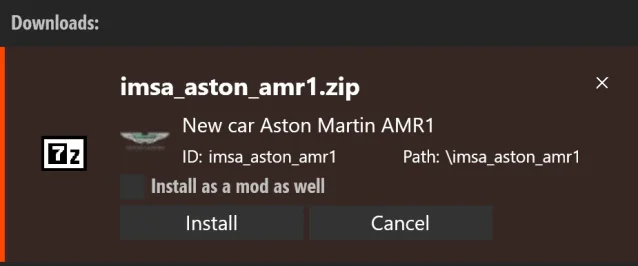
it is folder imsa_aston_amr1 , Author: KJRacing81 Forza 7 Conversion Version: 1.0
Maybe you have a different mod to begin with?

Use this one, yours is another one (same model apparently but different mesh names).now it looks like this (still worse then without the ext_config.ini added) :
View attachment 1509216
But I wonder am I using the same base mod ... here a temporary copy of mine so you can compare (this copy will self destruct in 1 week)
it is folder imsa_aston_amr1 , Author: KJRacing81 Forza 7 Conversion Version: 1.0
Maybe you have a different mod to begin with?
Don´t have my hopes too high but are there some more (RL)skins somewhere available, for this wonderful car?We're happy to release the Alfa Romeo 147 GTA CUP. Have fun, and if you make skins, we'll be happy![]()
![]()
Special thanks at JOCA Gaming - Race Track Creator for 3D
Download: https://www.patreon.com/posts/alfa-romeo-147-137892458
View attachment 1476301
View attachment 1476303
View attachment 1476304
View attachment 1476305
Have you posted this to the CSP Discord? It would be nice to have this in future updatesAs a follow up to the CSP GrassFX debacle on the Targa Florio Discord we have been playing around with the GrassFX config file and have come up with some options.
Thanks is due to h1 for his input.
The file you can edit in Notepad is grass_fx.ini in ....assettocorsa/extension/config or put the section inside your user settings file under cfg/extension in your user folder as updating CSP will overwrite the one in assettocorsa/extension/config
What you find is 5 GENERATIONS which corespond to the Very Low to Very High settings in CSP GrassFX section
0 is Very Low thru to 4 being Very High
Here is an option by h1 to reduce the grass sprouting wave (select Very High in GrassFX to use this)
[GENERATION_4]
MAP_RESOLUTION = 2048
MAP_STEP = 0.5
MAP_SNAP = 1
PASS_0 = 0.25, 16
PASS_1 = 0.5, 8
PASS_2 = 1, 4
PASS_3 = 2, 2
PASS_4 = 4, 1
Here is my attempt at totally killing the wave within 100m of the car and just having a 'medium' level of grass everywhere.
[GENERATION_0]
MAP_RESOLUTION = 1024
MAP_STEP = 0.25
MAP_SNAP = 1
PASS_0 = 0, 0
PASS_1 = 0, 0
PASS_2 = 0, 0
PASS_3 = 0.5, 2
PASS_4 = 1, 1
It seems the first value is the density of the grass (lower denser) in that circle and the second value is the radius (1 being 100%, 2 is 50% etc)
As this is GENERATION 0 I need to choose Very Low in GrassFX to enable it. That way I can still use the regular CSP Very High when I want. No grass is sprouted in the nearest 3 circles so that wave effect is pushed to the far distance
What we have worked out is GrassFX is made up of 5 concentric circle, PASS_0 being the smallest and PASS_4 the largest
The MAP_RESOLUTION increases the 100% radius size. I found that I couldn't add more and more grass and a bigger radius because it seems to me that CSP puts a cap on the time taken to draw the grass (at 0.1ms in my case) or maybe it is just a cap on the total number of elements. It would be great to have the option to increase these by say a factor of 10.
As it is you still see a bit of grass popping into view on hillsides about 100m away but it is so much better than before.
Also CSP 0.3.x is still glitching so I am stuck on 0.2.12, turning off GrassFX in 0.3.x stops the glitching but I need grass.
Hope this helps anyone else who is plagued by 'chasing the grass wave'.
Is there sth. like a "Question Grampa" - if so some might say I'm getting there but(t) some questions come to my mind some from longer ago and so here's another one if nobody minds me asking.
I have modded the Lotus Elan in the past (car color) and now wanna add the legend Emma Peel as a driver to it - got a driver figure already but wanna have her face as well (giggity) on it. So here's the file enclosed I created and I have seen that there is sometimes a file called "driver_face" in a car skin. So how can I add this face can I edit it with GIMP or do I need special software for that!? I am enclosing the file and if maybe someone wants to help I can upload the driver as well that I wanna use. Thx so much it would mean a lot cos I have always loved Diana Rigg so much and this is lil memorial in AC as for so many others that are gone by now. Thx again!
View attachment 1509256
Is there sth. like a "Question Grampa" - if so some might say I'm getting there but(t) some questions come to my mind some from longer ago and so here's another one if nobody minds me asking.
I have modded the Lotus Elan in the past (car color) and now wanna add the legend Emma Peel as a driver to it - got a driver figure already but wanna have her face as well (giggity) on it. So here's the file enclosed I created and I have seen that there is sometimes a file called "driver_face" in a car skin. So how can I add this face can I edit it with GIMP or do I need special software for that!? I am enclosing the file and if maybe someone wants to help I can upload the driver as well that I wanna use. Thx so much it would mean a lot cos I have always loved Diana Rigg so much and this is lil memorial in AC as for so many others that are gone by now. Thx again!
View attachment 1509256
MOISTURISE MEIs there sth. like a "Question Grampa" - if so some might say I'm getting there but(t) some questions come to my mind some from longer ago and so here's another one if nobody minds me asking.
I have modded the Lotus Elan in the past (car color) and now wanna add the legend Emma Peel as a driver to it - got a driver figure already but wanna have her face as well (giggity) on it. So here's the file enclosed I created and I have seen that there is sometimes a file called "driver_face" in a car skin. So how can I add this face can I edit it with GIMP or do I need special software for that!? I am enclosing the file and if maybe someone wants to help I can upload the driver as well that I wanna use. Thx so much it would mean a lot cos I have always loved Diana Rigg so much and this is lil memorial in AC as for so many others that are gone by now. Thx again!
View attachment 1509256
after watching this ,i wonder why ai is worst 10 years later !!