Assetto Corsa PC Mods General DiscussionPC 

  • Thread starter Thread starter daan
  • 155,758 comments
  • 49,774,602 views
No its not that, at full 8nm and in the Porsche Clubsport race car it feels like the car is bouncing, it felt this way with my TX, but at 8nm its just too much, at 3.9nm it feels like it used to. Like i say in all other racing games its transformed them and the Fanantec is beyond my exspectations.
I am moving towards AC being so good in FFB and feel is the reason i kept my TX for 10 years, I'll keep the new wheel at 3.9 for AC only and i guess over time as i get used to it i'll start increasing it.
I know the general responce to any percieved criticism is to jump to 'defective' hardwear, but its not that, i have also maonly been using AC for drifting for the last year so only just got back to driving the race cars.
It was just interesting to me from the perspective of how all the games that were not that great on the TX, AMS2 ACC are now sublime and, IMO, 'better' than AC...
So yes, i think AC just nailed FFB on a wide range of wheels and now for me a DD is giving me to much info back.
I imagine in 2 years my Fanatec in AC will feel 'exactly like it should'.
Hmm its just not very often someone say weaker belt drive wheel feels better over dd, hence defective equipment was mentioned, not that i notice much constructive criticism or something, mostly subjective expressions how it feels for You. In Your previous post that was.
Ok, You say its giving to much ffb is good starting point. So if its like effects over kerb and stuff, this is not that good, just turn down effects in game setting. If its about grip and weight transfer, this is never a bad thing.
Anyways turning down ffb strength not the way to go. Way to go is to play with Your settings. I recommend to scroll this thread You will find base setting for Your setup there and it will change Your experience.
 
Since I've had my CSL Fanatec 8nm i've really struggled with AC. Just cant get it feeling like how my TX did, which I know is very weird, in AMS2 and RF2 its transformed those games, totally, to the point AMS2 seems to me like a new game and dare i say it some of the cars FFB and feeling is sublime.
So last night i set my FFB in fanalab to 3.9 nm, similar to old TX. And its back again, AC feels like AC again.
This must be because surely i've been 4000hrs and 9 odd years playing AC on a TX and to much familiarity with lower forces.
Or is there more to it? What sort of DD wheels were available to average consumers 10 years ago? Was AC developed to work with TX type wheels? I don't know, all i know is AC feels like AC to me again now.
Anyone else use a CSL?
2 years ago i switched from A T300 to a CSL DD 8Nm. I was very disappointed the first 2-3 days, especially AC like you i could not feel the cars.
The problem is - With a T300 the goals always was to set the per car ffb as high as possible just under the "clipping line" That was a sweet spot and i was fine.

But with a DD wheel - forget it. Do not try to set the FFB as high as possible, because you can go far to high without risking any clipping. But by doing that you become very strong ffb, you will wrestle with the wheel and at the same time you loose all detailed feeling.

Try my settings for example and very important lower every per car ffb of any car you drive by minus 10 - 15 in comparsation what numbers you drive right now. Try than you should be fine after few days.
Then you´ll never want to go back. AC is a much greater experience with the DD wheel.

FANALAB / FANATEC

SEN AUTO
FFB 100
FFS PEAK
NDP 12 (If you like heavy wheel go higher)
NFR OFF
NIN OFF
INT 6
FEI 70 (to avoid spikes, you can try higher 80-90, but not less you might loose details)
FOR 100
SPR 100
DPR 50

ASSETTO

FFB 60
ALL THE REST 0 <-- The DD wheel do not need any fake effects. The game offers enough "natural" ones.

Enchanced understeer OFF
_________________________
Enable softlock either within Content Manager or config
 
Last edited:
... The DD wheel do not need any fake effects. The game offers enough "natural" ones...
Well, could be a matter of taste... I'm not a total purist, so I do like to clearly feel the bumps, rumble strips, etc. If I set the effects to zero, the feeling I get is... kind of "empty". I suppose if I had some kind of haptic or motion system that transmitted the car's vibrations to my butt, I'd set to zero the wheel canned effects, but since I'm not so lucky, I have to feel everything through the steering wheel.

One of the advantages of having a more powerful system is that it allows you to enjoy those effects without clipping, provided you're conservative when configuring them. In this case too, sometimes less is more...

Like I said, I think it's a matter of taste. And test, test, test...

(Ugh, I can just picture myself eating popcorn...)
 
Well, could be a matter of taste... I'm not a total purist, so I do like to clearly feel the bumps, rumble strips, etc. If I set the effects to zero, the feeling I get is... kind of "empty". I suppose if I had some kind of haptic or motion system that transmitted the car's vibrations to my butt, I'd set to zero the wheel canned effects, but since I'm not so lucky, I have to feel everything through the steering wheel.

One of the advantages of having a more powerful system is that it allows you to enjoy those effects without clipping, provided you're conservative when configuring them. In this case too, sometimes less is more...

Like I said, I think it's a matter of taste. And test, test, test...

(Ugh, I can just picture myself eating popcorn...)
Yes it’s every time a matter of taste. But are you talking about the fanatec ?
Because that’s the reason I have to lower the FEI setting, because otherwise the rumble effect are too brutal for me.

With the CSL DD 8Nm you feel everything strong enough even with all effects at 0. There is nothing empty.
 
Last edited:
... But are you talking about the fanatec ?...
Well, I'm speaking generally... and without claiming to possess the absolute truth, of course.

By the way, I'd like to add that when configuring the FFB, I prefer to use a quality mod, either one of Kunos' originals or from a well-known reputated modder, and I try not to get obsessed (as I was at the beginning) with making sure all the cars I collect work perfectly; there's a huge variety in the "quality" of the mods out there and some have terrible physics and are only good as grid fillers...
 
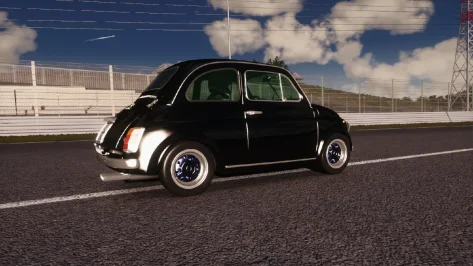
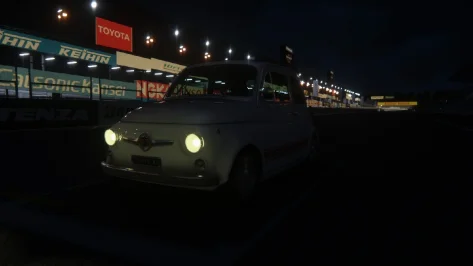
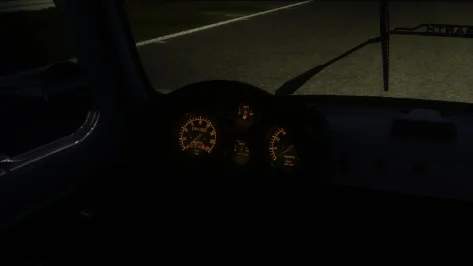
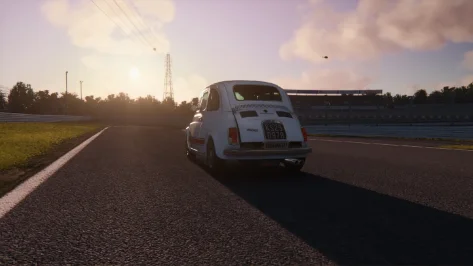
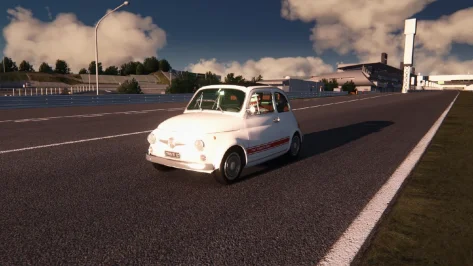
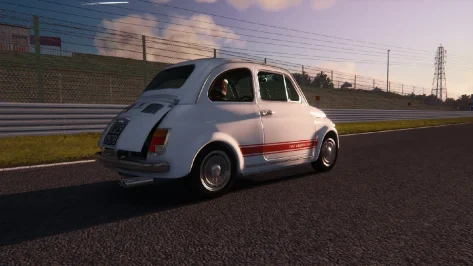
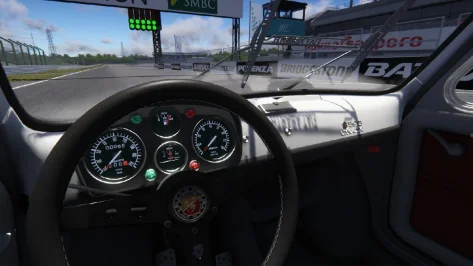
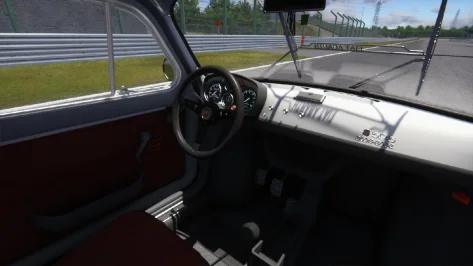
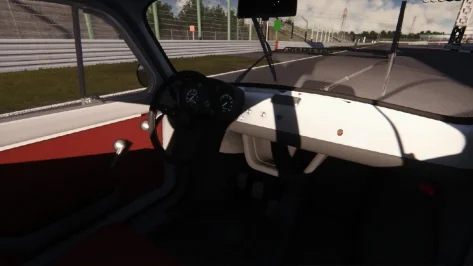
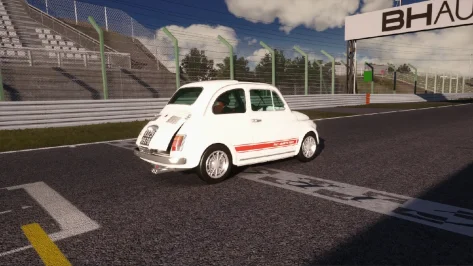
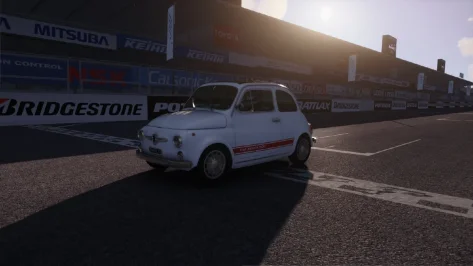
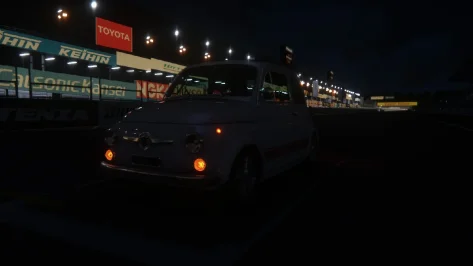
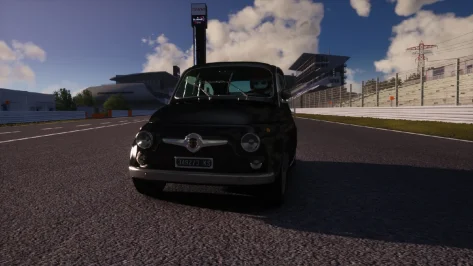
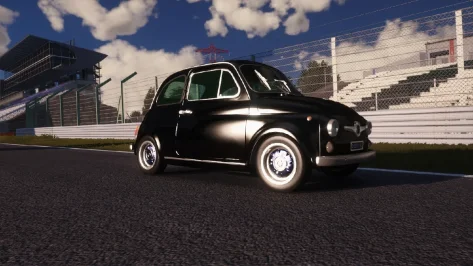
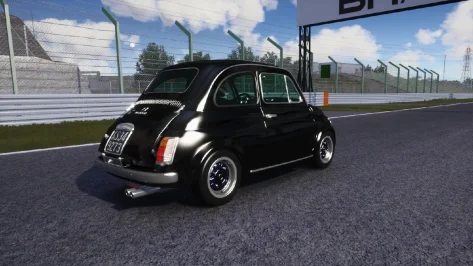
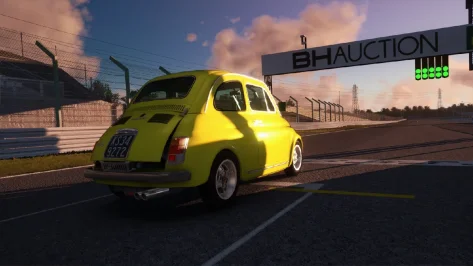
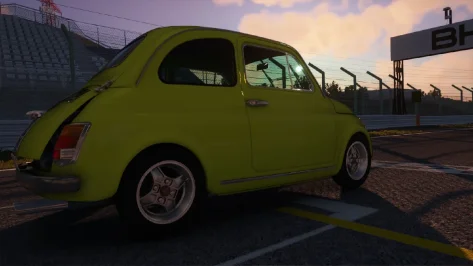
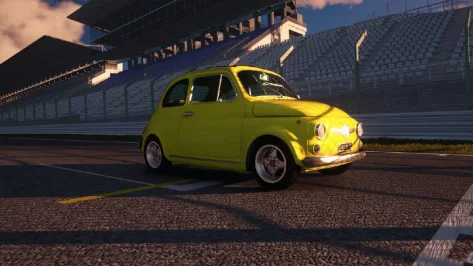
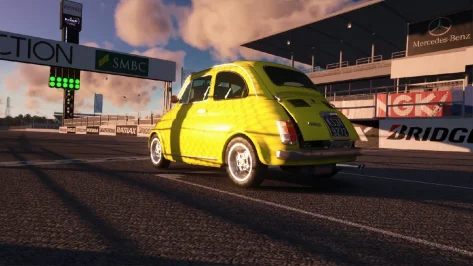
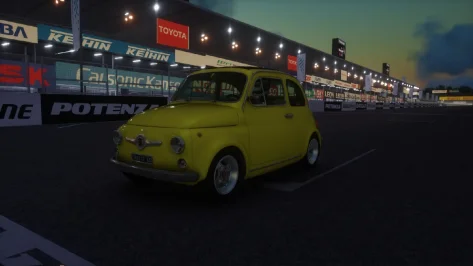
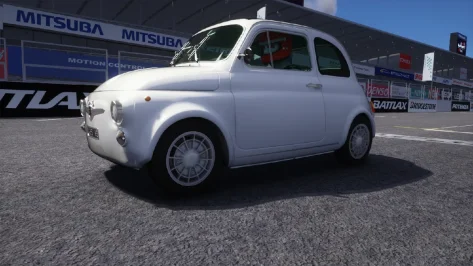
In the previous post I said I'll be posting configs packs, but I can't wait posting this one. Finally the Abarth 595 has been Gran Turismo‑ified! Let me explain. This car received the usual shader rework, but I decided to bring a new life into this model. The standard 595, the 595 S1 and the 595 S2 are graphically identical. For this reason I decided to 3D model from scratch two new sets of rims: the first one, for the base 595, it's a Lesmo style set and the second one, for the 595 S1, it's a Cromodora CD30 style set. For obvious reasons they're not 100% accurate, but they do the job. Have fun!

https://mega.nz/file/LsJjyDha#vks8hfiaemuQslDee6MbXCOa6uCptKqF8ObeNV-6W1U (595)

https://mega.nz/file/OsgmwbJQ#Mo3AfwpTdjwr4aouYJxMhJ3KtOTWik8CsjKBQkqzQpY (595 S1)

https://mega.nz/file/2xBw0I7B#sXZnPL2ow0NyRITP_VO0nHDwMESBYBG0SDsFuSulUf4 (595 S2)
 

Attachments

  • Screenshot_ks_abarth_595ss_s2_rt_suzuka_27-3-126-22-33-10.webp
    Screenshot_ks_abarth_595ss_s2_rt_suzuka_27-3-126-22-33-10.webp
    156.2 KB · Views: 3
  • Screenshot_ks_abarth_595ss_rt_suzuka_27-3-126-22-29-38.webp
    Screenshot_ks_abarth_595ss_rt_suzuka_27-3-126-22-29-38.webp
    32.4 KB · Views: 3
  • Screenshot_ks_abarth_595ss_rt_suzuka_27-3-126-22-29-30.webp
    Screenshot_ks_abarth_595ss_rt_suzuka_27-3-126-22-29-30.webp
    27.5 KB · Views: 5
  • Screenshot_ks_abarth_595ss_rt_suzuka_27-3-126-22-29-4.webp
    Screenshot_ks_abarth_595ss_rt_suzuka_27-3-126-22-29-4.webp
    83.7 KB · Views: 4
  • Screenshot_ks_abarth_595ss_rt_suzuka_27-3-126-22-28-59.webp
    Screenshot_ks_abarth_595ss_rt_suzuka_27-3-126-22-28-59.webp
    137.5 KB · Views: 4
  • Screenshot_ks_abarth_595ss_rt_suzuka_27-3-126-22-28-53.webp
    Screenshot_ks_abarth_595ss_rt_suzuka_27-3-126-22-28-53.webp
    129.7 KB · Views: 4
  • Screenshot_ks_abarth_595ss_rt_suzuka_27-3-126-22-28-26.webp
    Screenshot_ks_abarth_595ss_rt_suzuka_27-3-126-22-28-26.webp
    73.3 KB · Views: 3
  • Screenshot_ks_abarth_595ss_rt_suzuka_27-3-126-22-28-19.webp
    Screenshot_ks_abarth_595ss_rt_suzuka_27-3-126-22-28-19.webp
    64.2 KB · Views: 3
  • Screenshot_ks_abarth_595ss_rt_suzuka_27-3-126-22-27-53.webp
    Screenshot_ks_abarth_595ss_rt_suzuka_27-3-126-22-27-53.webp
    57.8 KB · Views: 4
  • Screenshot_ks_abarth_595ss_rt_suzuka_27-3-126-22-27-38.webp
    Screenshot_ks_abarth_595ss_rt_suzuka_27-3-126-22-27-38.webp
    181.9 KB · Views: 3
  • Screenshot_ks_abarth_595ss_rt_suzuka_27-3-126-22-27-33.webp
    Screenshot_ks_abarth_595ss_rt_suzuka_27-3-126-22-27-33.webp
    86.8 KB · Views: 3
  • Screenshot_ks_abarth_595ss_rt_suzuka_27-3-126-22-29-45.webp
    Screenshot_ks_abarth_595ss_rt_suzuka_27-3-126-22-29-45.webp
    29.6 KB · Views: 6
  • Screenshot_ks_abarth_595ss_rt_suzuka_27-3-126-22-29-49.webp
    Screenshot_ks_abarth_595ss_rt_suzuka_27-3-126-22-29-49.webp
    31.6 KB · Views: 3
  • Screenshot_ks_abarth_595ss_s2_rt_suzuka_27-3-126-22-33-5.webp
    Screenshot_ks_abarth_595ss_s2_rt_suzuka_27-3-126-22-33-5.webp
    113.3 KB · Views: 4
  • Screenshot_ks_abarth_595ss_s2_rt_suzuka_27-3-126-22-32-50.webp
    Screenshot_ks_abarth_595ss_s2_rt_suzuka_27-3-126-22-32-50.webp
    144.3 KB · Views: 6
  • Screenshot_ks_abarth_595ss_s2_rt_suzuka_27-3-126-22-32-21.webp
    Screenshot_ks_abarth_595ss_s2_rt_suzuka_27-3-126-22-32-21.webp
    172.1 KB · Views: 4
  • Screenshot_ks_abarth_595ss_s1_rt_suzuka_27-3-126-22-31-43.webp
    Screenshot_ks_abarth_595ss_s1_rt_suzuka_27-3-126-22-31-43.webp
    94.9 KB · Views: 3
  • Screenshot_ks_abarth_595ss_s1_rt_suzuka_27-3-126-22-31-32.webp
    Screenshot_ks_abarth_595ss_s1_rt_suzuka_27-3-126-22-31-32.webp
    74.2 KB · Views: 3
  • Screenshot_ks_abarth_595ss_s1_rt_suzuka_27-3-126-22-31-25.webp
    Screenshot_ks_abarth_595ss_s1_rt_suzuka_27-3-126-22-31-25.webp
    148.7 KB · Views: 2
  • Screenshot_ks_abarth_595ss_s1_rt_suzuka_27-3-126-22-31-19.webp
    Screenshot_ks_abarth_595ss_s1_rt_suzuka_27-3-126-22-31-19.webp
    126.1 KB · Views: 1
  • Screenshot_ks_abarth_595ss_s1_rt_suzuka_27-3-126-22-31-3.webp
    Screenshot_ks_abarth_595ss_s1_rt_suzuka_27-3-126-22-31-3.webp
    58.4 KB · Views: 2
  • Screenshot_ks_abarth_595ss_rt_suzuka_27-3-126-22-30-3.webp
    Screenshot_ks_abarth_595ss_rt_suzuka_27-3-126-22-30-3.webp
    30.8 KB · Views: 2
  • Screenshot_ks_abarth_595ss_rt_suzuka_27-3-126-22-29-53.webp
    Screenshot_ks_abarth_595ss_rt_suzuka_27-3-126-22-29-53.webp
    32.8 KB · Views: 2
  • Screenshot_ks_abarth_595ss_rt_suzuka_27-3-126-22-49-58.webp
    Screenshot_ks_abarth_595ss_rt_suzuka_27-3-126-22-49-58.webp
    133.6 KB · Views: 4
Last edited:
I'm happy to report that your upgrade is working correctly for me now.

There's just one small detail that might explain why it didn't work the other day but did today: the first time I tried, before installing your folder, I renamed the original "ext_config.ini" file to "ext_config_original.ini" to preserve it. Today I didn't do that; I simply installed the folder and overwrote the existing file when prompted.

My limited computer knowledge lead me to believe that even though it was renamed, the original file still took precedence over the new one, and that the files we want to keep should be renamed waaay differently so that they don't interfere with each other.

Sorry for the inconvenience and... thanks for sharing your work!

I upgraded from a TS-XW Racer to a T818, and aside from a couple of teething problems with the latter, I'm very happy with the change. It's true that the change is abrupt at first; you go from something you've grown accustomed to over time to something completely new that you have to get used to. The key is to be patient and take the time to find the right settings, which sometimes takes longer than we'd like.

Just one piece of advice, if you're not already doing this: set the force feedback in the wheel's software to 100%, and then adjust the percentage of force feedback for each game specifically, until you're comfortable. This way, the wheel will offer you its full range of capabilities, although adapted to each situation.
Hmmm... interesting stuff renaming ext_config.ini! I always backup files renaming them as xxx_original. I'll have to dig deeper in this. Thanks for the tip!
 
Hello wheel settings entusiasts and gran turismofiers.

Another closing month and another skin archiving update. I have archived
660 skins this month, now that's a lot of skins.

I have also decided that i could use with some help, archiving things that i might just straight up miss, and more. If you happen to be interested let me know in the DM's. I still have an entire spreadsheet with 1000+ skins that i have not had time (or frankly had interest) in going trough ontop of having to look trough the oh so wonderful Bazza and Co skins pack that came out with their newest car pack. Which iirc includes something like 150-200+ liveries both fictional and real which i need to sort trough.


That's about all i have

oh and following cars that was uploaded this month is now on the spreadsheet in the Michelin Pilot Challenge page & Super GT page
preview.webp
preview.webp
preview.webp
preview.webp

Enjoy them without an price tag from mr mentiroso


As usual link to the archive:
here


And thanks to everyone that has used the comment function as usual. It has helped A LOT apologize for leaving some of them hanging for weeks, Fact checking liveries is an really boring aspect of this. :dunce:
 
I finally updated aiwhisp. Now the AI is using gaspedal inputs, positioning inputs, it can go side by side for an entire lap... And you can create your own AI characters with dedicated inputs per car type, save them for a specific track and so on.
I finally got around to checking out aiwhisperer, and with a mish mash of tons of real and fictional GT3 cars, without tweaking anything, it already seems like a massive improvement. I was tooling around on Nukedrop's Thermalito 2025 which is probably not the most ideal testing ground and while there were some issues with pace and cars stacking up in braking zones, once I got to a group of faster cars, the racing was great. I saw the ai cars bumping and banging and actually racing in a way they typically don't do normally, and I was pleased that they don't just give up and let you pass once you get your nose overlapping with them.
 
Suzuka 2001 v1.01

Suzuka Circuit with 2001 layout.
・The connection section of the East Special Layout does not exist in the original, so it is newly modeled.
Screenshot_ks_abarth_595ss_suzuka_2001_28-3-126-15-30-55.webp

・Advertisement signboard: Reproduce the type and installation location as much as possible by referring to photos and videos from the time.
Screenshot_ks_abarth_595ss_suzuka_2001_28-3-126-15-30-27.webp

・Home Straight: Estimating and reconstructing the placement of multiple types of signboards based on data
Screenshot_ks_abarth_595ss_suzuka_2001_28-3-126-15-30-1.webp

・130R: Reflects the difference (corner radius) between 2001–2002 specifications and 2003 and later specifications.
130R 2001 - 02

130R 2003~

・Ferris wheel animation.

Conversion from rFactor.

-CSP recommended
-3 layouts (F1 2001, East, West)
-36 pit/start
-AI, cam

Credits & Thanks;
Original Track from GP4
rF1 Converted and Updated by TTTTT, Raceking, WCP (Different versions of each)

AC Converted by shin956
Finding some logos by M1GHTYM4VS, Breathe
Some objects were obtained from suzuka_1998 (Original by Carerra.4)
Edited City skyline from TheNuvolari
Original Animated flagmen from doublezero
Pit tent base from F1-S-R's 1994 Track Pack (rF1)
logo.png and sections.ini (base) by Fanapryde
.lua base by Gunnar333
Crowds texture by Kniker97
"Toyota Land Cruiser" (https://skfb.ly/MyHv) by Renafox is licensed under Creative Commons Attribution-NonCommercial (http://creativecommons.org/licenses/by-nc/4.0/).
"Japanese Traffic Light" (https://skfb.ly/oxHtn) by AFX/CGMotion 3DModel Maker is licensed under Creative Commons Attribution (http://creativecommons.org/licenses/by/4.0/).
Test and Feedback by 牛乳やさん

Enjoy.
;;;;;;;;;;;;;;;;;;;;;;;;;;;;;;;;;;;;;;;;;;;;;;;;;;;;;;;;;;;;
v1.01 changelog;
The model of the grandstand and its layout were adjusted to match photographs from that time. (Thank you Twilight for the report.)
 
Last edited:
I finally got around to checking out aiwhisperer, and with a mish mash of tons of real and fictional GT3 cars, without tweaking anything, it already seems like a massive improvement.
Thanks! I'm glad it's fastly growing up in numbers - and feedbacks. I'll be making a tutorial video at some point, so you can fully exploit the app for your favourite cars.

Some extra safeties are still on until users get the app's basics. It was definitly easier to slow down the first lap than to get a one-setting-fits-all - and i wanted people to actually give the app a try rather than test for 3 mins and abandon on first chaotic start in an unoptimised scenario - like you did on your first try.

You'll soon be able to get rid of those safeties and see how many survived past the second lap😂. Some cars are ridiculously aggressive from the start, getting their best pace scenarios straight on second lap - still while fighting and packed on the track.

I've found that on 90% scenarios, with a good fastlane, you can bring the AI up to 2 seconds faster than your pace, which looks like the best offline experience : the ai can overtake you and fight you for every spot in that case.

The AI still doesn't have a defense behavior, which remains its weak spot. I am slowly implementing them

One funny test - since the app is designed to fix vintage cars' flaws and use drifty behaviors - is to start a race on a wide track with a perfect fastlane and make those Darche 992 or formula ones from 2010 drift their way out of corners while overtaking their little friends. It's very fun to witness while chasing them.

For issues or ideas, you can drop a comment with the car/track combo used. The app is now very friendly with adding behaviors and i can usually find a fix for anything in less than half an hour.

I've also found a way - for next update - to fully detect and automate any track dangerous parts and aplly dedicated behaviors, without any user tweaking. Running lemans prototypes on Monza should be perfectly fine on T1 corner soon, even in a side by side scenario, among other things that were getting old with AC's ai.
 
Last edited:

In the previous post I said I'll be posting configs packs, but I can't wait posting this one. Finally the Abarth 595 has been Gran Turismo‑ified! Let me explain. This car received the usual shader rework, but I decided to bring a new life into this model. The standard 595, the 595 S1 and the 595 S2 are graphically identical. For this reason I decided to 3D model from scratch two new sets of rims: the first one, for the base 595, it's a Lesmo style set and the second one, for the 595 S1, it's a Cromodora CD30 style set. For obvious reasons they're not 100% accurate, but they do the job. Have fun!

https://mega.nz/file/LsJjyDha#vks8hfiaemuQslDee6MbXCOa6uCptKqF8ObeNV-6W1U (595)

https://mega.nz/file/OsgmwbJQ#Mo3AfwpTdjwr4aouYJxMhJ3KtOTWik8CsjKBQkqzQpY (595 S1)

https://mega.nz/file/2xBw0I7B#sXZnPL2ow0NyRITP_VO0nHDwMESBYBG0SDsFuSulUf4 (595 S2)
nice work on this one.

before
preview_before.webp


after
preview_after.webp
 
Another cry :cool: for help.

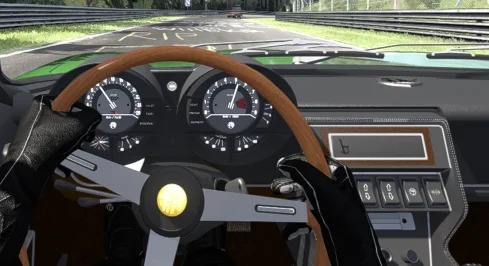
Some of the cars in Assetto corsa have dials that are just black, with working needles.
In the second picture below, you can see the numbers very dim in black.

Are these just bad mods, or is something else wrong here?

I tried changing the options under Cars -> instruments in CSP, but this didn't solve the problem.
Also compared the ext_config.ini and analog_instuments files to files from cares that don't have this problem.
I saw nothing strange there.

Lotus Europa Special by Project Enthusia.
View attachment 1504428

Alfa Romeo Montreal by Dan Bucsa.
View attachment 1504429

Lamborghini Miura P400 SV by Kunos.
View attachment 1504430
With the latest CSP version combined with the latest version of Pure LCS this issue has been solved.1777388690055.webp
 
Last edited:
1777390380917.webp


Third time asking because I genuinely don't know what the problem is anymore. So what'll happen is I'll start a session and there's a 50/50 chance of it working. Then the next session even if it is the exact same car/track combo it'll freeze up on the loading saying either this or "Loading Lua Script: WeatherFX"
It's genuinely getting very frustrating as basically whenever I want to play I have to pray to some elder god hoping the game actually works for once.
Does anyone have any possible solution for this problem?

How did you solve it?
That's the neat thing, thought I solved it but turns out it was a band-aid fix
 
Last edited:
- rename the /Documents/Assetto Corsa/cfg/extension folder (just to have a backup)
- restart CM (a new folder will be generate with CSP defaults)
Well I'll be damned it work, now to see what the hell in CSP is causing the issue (if it's WeatherFX I'm gonna be pissed)
 
If these advises, still not working.
Delete Pure/SOL, I know there is a bat file included that will delete Pure and one that delete SOL.
Test, with Kunos only tracks/cars without app or other mods, if still NOK
Do a steam integrity check, but before backup AC, look at:
Test, with Kunos only tracks/cars without app or other mods

I know sometimes you are facing problems that can not be explained, then there is always the last straw: a completely reinstall of everything that is AC related.
 
Thanks! I'm glad it's fastly growing up in numbers - and feedbacks. I'll be making a tutorial video at some point, so you can fully exploit the app for your favourite cars.

Some extra safeties are still on until users get the app's basics. It was definitly easier to slow down the first lap than to get a one-setting-fits-all - and i wanted people to actually give the app a try rather than test for 3 mins and abandon on first chaotic start in an unoptimised scenario - like you did on your first try.
I know that's not exactly how the app is intended to be used, but I wanted to see what it did as a baseline with no tweaking, and it was surprisingly good, I was impressed. Do you happen to have a written guide on how to get into the tweaking? If not I'm sure I can figure it all out, I just like reading technical documentation. 😂
 
Last edited:
Please, please... tell me that by simply installing the app and without adjusting anything, with the default settings, it already improves the original AI. Pleeeease... 🥺
In my limited time with it, it seems like it does, however certain cars seem prone to constantly spinning, so I suppose depending on what you're trying to run specifically mileage may vary. Though, fixing those issues is probably why it's intended to be tweaked lol. It's definitely worth giving a shot though.
 
In my limited time with it, it seems like it does, however certain cars seem prone to constantly spinning, so I suppose depending on what you're trying to run specifically mileage may vary. Though, fixing those issues is probably why it's intended to be tweaked lol. It's definitely worth giving a shot though.
Okay, thanks for your reply. The thing is, I'm more of an "install and forget" type, and I'm not good at messing around with too many sliders; I always end up messing everything up, especially if there are a lot of options...

That's why I'm hesitant to install those apps, although I understand that it's difficult to develop an app that can easily cover all scenarios, which is why they sometimes need a myriad of options that take time and effort (call me lazy) to configure.

I don't know if DumbAI leans more towards that "install and forget" idea... 🤔
 
Okay, thanks for your reply. The thing is, I'm more of an "install and forget" type, and I'm not good at messing around with too many sliders; I always end up messing everything up, especially if there are a lot of options...

That's why I'm hesitant to install those apps, although I understand that it's difficult to develop an app that can easily cover all scenarios, which is why they sometimes need a myriad of options that take time and effort (call me lazy) to configure.

I don't know if DumbAI leans more towards that "install and forget" idea... 🤔
DumbAI I think mostly adds behaviours to influence their race strategy, whereas AIwhisperer deals with how they drive. I was using both when I tried out AIwhisperer and didn't notice any issues but I was also doing a track day so it's not like I would have noticed their pit strategy either. I'm sure the authors can comment if they're good to use together, I'm fairly certain it was deemed okay back when these things started getting developed.
 
Right, regards the CSL and nm convo. Ignore everything i said, last night with Mr Lospa's settings stuck wheel on 8nm and just bashed out some laps and yes its fine now in AC.
Key setting seems to be the one that adds natural damper as standard its at 50 but very over compensated to stop ossilations. At lower than 20 wheel comes alive.
So my AC CSL experiment of running it at 3.9nm just means i boost up in game FFB and its i realise now, stupid.
 
Last edited:
I know that's not exactly how the app is intended to be used, but I wanted to see what it did as a baseline with no tweaking, and it was surprisingly good, I was impressed. Do you happen to have a written guide on how to get into the tweaking? If not I'm sure I can figure it all out, I just like reading technical documentation. 😂
There's a "manual" in the app folder - a few basic stuffs, and the sliders descriptions. The app overview on OT and the discussion thread is filled with infos as well, in fact it's probably the best source of small tips.
it already improves the original AI. Pleeeease... 🥺
You shouldn't open this mess. It's baduibattles meet softwaregore. I have no idea if this has a future or if there'll be a game changing app that would make this obsolete with basic settings.

What you can do, however : use the characters selection : pick one randomly and see if it works on your AI car. Just pick the "SAFEMODERN" one if they spin. You don't realiy have to understand the app, you can just pick already made settings and just hope for one to work. It does its job on slow/medium powered and drift cars anyway, the issues would be more on the 300+hp side of things, and even there i have the 1991 ASR driving like mad men without issues.


There are a bunch of automatic safeties and track alignment tools working in the app. If not better, it could at least be hilarious. And if not happy, there's a "disable app" button to get rid of the whole thing - or just uninstall the prick and its 179kb of data.

please!!!!
Sadly, i cannot use my voice or face publicly. It attracts women. I think, in all honesty, i will procrastinate that tutorial video into oblivion.


I don't think the app is completely ready for a "public" test - i'm happy to have nerds and other maniacs following the thing, but out of real curiosity and willfull investment into the process, i would stay a bit away until it gets a good polish. As a non programmer with bad habits in coding architecture, my feelings towards the thing oscillates between pure admiration and absolute disguss on a daily basis.


It IS frustrating for me as well. "This code gives the fastest results in pace, but this one is just pure fun and full race battles, but it ruins the pace and is slower than a competent player.
This one is absolutly perfect for my 50s oddities, but cannot transfer to modern cars". Which one do i pick for peer testings? Should i add more sliders!?


Okay, thanks for your reply. The thing is, I'm more of an "install and forget"

I don't know if DumbAI leans more towards that "install and forget" idea... 🤔

It should be an install, 3 sliders and one toggle box, and let's go. I don't know how to summarize the options into simpler things yet. But the attack behavior used to be 12 sliders, now it's just 4, and i'm pretty sure i can turn it into 1- with self car adjustment.

DumbaAI seems to work perfectly with aiwhisp, i use it on occasion to tweak the ai parameters.
 
Last edited:
DumbAI I think mostly adds behaviours to influence their race strategy, whereas AIwhisperer deals with how they drive. I was using both when I tried out AIwhisperer and didn't notice any issues but I was also doing a track day so it's not like I would have noticed their pit strategy either. I'm sure the authors can comment if they're good to use together, I'm fairly certain it was deemed okay back when these things started getting developed.
Yes, DumbAI is more like a race planner / macro behavior during race rather than an pure IA driver.

With one exception which is when the blue flag behavior of DumbAI is triggered and modifies the current AI driving:
  • for the bot that is outlapped => it makes him choose a side of the track and then slow down until leader has overtaken
  • for the leader that is outlapping => it makes him be less cautious, to enhance overtaking capability until the blue flag event is finished.

I'm about to release a new enhanced version that reduce considerably the train effect:
- outlapped bot check if he is in a group of late runners and if so, they arrange them selves in a linear train that switchs to the side of the track so that even if they were fighting together, leader does not find himself in a mess of slow cars that are all around the AI spline, making it become a slow train in which leader is stuck

- leader will have now a symetric spline offset with the outlapped bot so that it enhances its visibility to overtake, e.g. if bot is on left of the track, leader goes right. Augment the chances and speed of the overtake decision while reducing the risk of collision.

But still, it is contained in the blue flag event, outside of this, no AI driving functions are used in DumbAI, instead, they are specifically released and freed so that AI Whisperer can take control of it. Still I'm not sure how both work together when Dumb AI is doing a blue flag event and AI Whisperer is also sending orders to the bot. Maybe just a crash or bots doing strange things on track :-)
 
Last edited:
Sharing a mod? Host it on GTPlanet Downloads. Free, public hosting for files up to 10GB in size.
Back