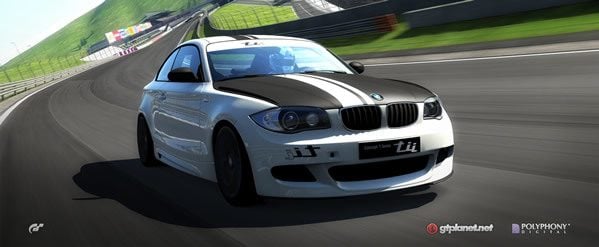
Alba, a long-time creative character in the GTPlanet community, has maintained a slick, free GT5 Prologue PS3 theme for the past few years. The latest version was just released, and it’s looking better than ever! All you need is a USB drive and 60 seconds to get this running on your own console – grab both red and blue versions of Alba’s theme via our download mirror below or directly from his website, follow the installation instructions, then head on over to his forum thread and say thanks!
Alba’s GT5 Prologue Theme Pack (w/Backgrounds) 15.4 MB
See the included README.txt for all the details – here’s the quick installation instructions to get you going:
     INSTALLATION PROCESS
   ------------------------------------------------------------------------

     The archive (albaGT5_v145_pack.rar) contains different folders and files.

     <ROOT>
        |
        |______ PS3\THEME\*.p3t                  (all the PS3 Theme files)
        |
        |
        |______ Users (blue)\*.png               (user account images in BLUE)
        |
        |
        |______ Users (red)\*.png                (user account images in RED)

     The installation step is really easy, the only thing you need to do
     is to copy the " PS3 " folder from the archive to your USB key to
     make it look like this:

     <USB_ROOT> \PS3\THEME\albaGT5_blue.p3t
                \PS3\THEME\albaGT5_blue_nosound.p3t
                \PS3\THEME\albaGT5_red.p3t
                \PS3\THEME\albaGT5_red_nosound.p3t

     Plug your USB key into the PlayStation 3, then go into your
     " Theme Settings " tab, select " Install " and then select the
     USB key and the final step, select " albaGT5 (*color*) " and there
     you go, it's installed the only thing to do now is go back in the
     Theme Settings tab and then select "albaGT5" and press X on " Apply "

     There you go, you have sucessfuly installed the theme!
Thank you ALBA very much for this material, it’ll make better the PS3
Insert it into a USB slot, right click on it in My Computer and select Format. Make sure you change the file-system to “FAT32”.
Hey,
How do I format my memory stick to FAT32 as I fancied that theme :(
Thanks in advance.
Your flash drive has to be correctly formatted with FAT32 structure in order for the PS3 to read it.
Once your flash drive is formatted correctly for use with a PS3, the posted instructions work perfectly.
Not working computer see it on flash drive PS3 does not
Alba: Nice work !
( FYI , The blue flag for Sweden has the wrong link )
I’m already working on a few flags requests, will be up anytime soon :)
Great work Alba :tup:
Can we do requests? If you have some spare time, a nice rolling picture of the R8 somewhere on the curbs of Fuji would be great.
Excellent looking theme, thank you!
Looking good as usual, alba!
Sweet!!!!! :P
understandable))
S-F, if you want the Russian flag, kindly ask him in the forums on his official thread. He has accommodated many personal requests. Just don’t expect him to mind read…
Again flag to russia no, on key of the ignition((( Portorico even there is хахаха)))