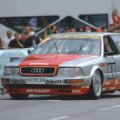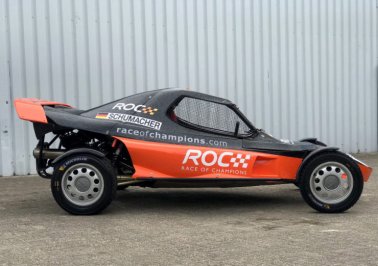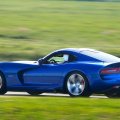

I had created wiper configs for those Vipers that didn't already have them a while back, they can be found in the Mediafire share linked in my signature.
I put all those View attachment 1205358 configs in the attached zip file.




Damn. Now I can't un-see that tree-lineDoes anyone know what file CM uses to determine the display name for a track in the track list? I made a separate folder (named spa_2022) for the Spa 2022 mod and renamed the ui_track json file to read Spa 2022. Copied just the files needed to make the track work as a standalone track. The track works fine, but CM lists it as Spa, not Spa 2022 in the track list and I can't figure out why. Anyone possibly know why?
EDIT: Nevermind. I found a way to make it work, but it was an odd fix. I had to rename it in CM under manage track from Spa to Spa 2022. This changed my json name to read Spa 2022 2022. Then I manually edited the json file back to Spa 2022 and now it display properly. Kind of a weird fix.
Anyways. Spa 2022 from this:
View attachment 1205473
To this:
View attachment 1205474
Still need to work some things out on the grass. Pretty happy with everything else. Plus the crazy exposure issue is gone on the treewall. No more black or overly bright treewall under certain lighting\weather conditions.


don't know about been talented for french tracks, but here you go...hello, is there anyone here talented to give us cameras for this great french track?
Ledenon - France
Ledenon 2008 1.00 Original By: Philcout, Piaoo, Thesky Origin: Scratch | Real World Category: Permanent Circuits Initial release: 18-Oct-08 Obtained permission by author : 15/02/2015 http://www.ledenon.com/ Lédenon is a small village north of...www.racedepartment.com
and this:

File on MEGA
mega.nz
thanks in advance.


In the rfactor section? I took it from rfactor yes. All i do is convert stuff. I dont scratch make anything.@safi hellie
Is that Renault R18 TN on RD (rosarioracers) from you ? It says so in the ui.


It´s already out by Sim Dream studios.Ferrari 296 GT3... It's coming in the next pack for ACC, so I'm sure an AC mod will show up eventually.
View attachment 1203998
View attachment 1203999


No, in the AC version. Tried it yesterday. A bit low poly but certainly fun to drive.In the rfactor section? I took it from rfactor yes. All i do is convert stuff. I dont scratch make anything.
Funny thing is the more i spend in rfactor files the more i see how much was ripped in rfactor then someone gets annoyed at people ripping that stuff into AC....
Dirt works design i'm looking at you....
How did you edit the grass? I'm getting crazy trying to fix the grass and gravel for the red bull ringDoes anyone know what file CM uses to determine the display name for a track in the track list? I made a separate folder (named spa_2022) for the Spa 2022 mod and renamed the ui_track json file to read Spa 2022. Copied just the files needed to make the track work as a standalone track. The track works fine, but CM lists it as Spa, not Spa 2022 in the track list and I can't figure out why. Anyone possibly know why?
EDIT: Nevermind. I found a way to make it work, but it was an odd fix. I had to rename it in CM under manage track from Spa to Spa 2022. This changed my json name to read Spa 2022 2022. Then I manually edited the json file back to Spa 2022 and now it display properly. Kind of a weird fix.
Anyways. Spa 2022 from this:
View attachment 1205473
To this:
View attachment 1205474
Still need to work some things out on the grass. Pretty happy with everything else. Plus the crazy exposure issue is gone on the treewall. No more black or overly bright treewall under certain lighting\weather conditions.
oh must of gone now then. Cant see it.No, in the AC version. Tried it yesterday. A bit low poly but certainly fun to drive.
A lot might depend on what shader the grass is using, but here's what I typically do when I want to edit grass. Works best when the grass has a RGB map associated with it. I start by converting the diffuse texture to a black and white image. I don't want the diffuse texture to have any color influence on my red, green and blue grass textures. Then I just edit the existing grass textues (like I did here) or steal grass textures I like from other tracks and use them as my red, green and blue grass textures. Seems to work out pretty well most of the time.How did you edit the grass? I'm getting crazy trying to fix the grass and gravel for the red bull ring
Here my UL: https://sharemods.com/qjqpnxct4z68/renault_r18_tn.zip.htmloh must of gone now then. Cant see it.
Yeah that's a bit weird why they'd upload to RD when its on ACTKs website, which is what that is as it has his fixes on it.Here my UL: https://sharemods.com/qjqpnxct4z68/renault_r18_tn.zip.html
It was here, but closed now (from "rosarioracers") https://www.racedepartment.com/threads/renault-r-18.251328/

Please could you explain a bit what makes this AO bad? Just curious as I don't know a think about creating Ambien Occlusion.


hi mate. Any chance you could share the textures.Hi! How can I edit the textures of Rain (WET) tires?
Thanks.
EDIT, SOLVED: ok, in the extension folder\ext_config.ini file I have to add this lines and assign desired textures
[TYRES_FX_CUSTOMTEXTURE_WET]
TXDIFFUSE = WET.dds
TXBLUR = WET_BLUR.dds
Before
View attachment 1205529
After
View attachment 1205530
Ot doesn't seem pretty straight forward, could you please guide me through it? I would like for example to use imola grass texture for Red Bull RingA lot might depend on what shader the grass is using, but here's what I typically do when I want to edit grass. Works best when the grass has a RGB map associated with it. I start by converting the diffuse texture to a black and white image. I don't want the diffuse texture to have any color influence on my red, green and blue grass textures. Then I just edit the existing grass textues (like I did here) or steal grass textures I like from other tracks and use them as my red, green and blue grass textures. Seems to work out pretty well most of the time.
take a look at the attached edited-gimp-file (quick & dirty edit)... if it helps with your livery-take-up, then it ought to do.These and other Parts from the AO are only on one side and are then automatically mirrored to the other side.
And those Parts are different in the AO than the rest of the AO.
That's why the AO looks so bad. With this AO painting is impossible.
View attachment 1205522


Apologies for not getting back until like.. a week later, I hadn't realized you posted at the time and completely missed this.If you grab the right-bottom edge, does it gets bigger?
There is a problem with lua apps atm. If you collapse them, they loose there size definition. So you need to manually resize them.
Hi man, do you have the link for this mod?Hi! How can I edit the textures of Rain (WET) tires?
Thanks.
EDIT, SOLVED: ok, in the extension folder\ext_config.ini file I have to add this lines and assign desired textures
[TYRES_FX_CUSTOMTEXTURE_WET]
TXDIFFUSE = WET.dds
TXBLUR = WET_BLUR.dds
Before
View attachment 1205529
After
View attachment 1205530

Car is RSS Formula Hybrid 2021 https://racesimstudio.com/formula-hybrid-2021-profileHi man, do you have the link for this mod?
If I want to use this tyres textures for another car mod how can I do it?Car is RSS Formula Hybrid 2021 https://racesimstudio.com/formula-hybrid-2021-profile
Tires Textures https://www.racedepartment.com/down...mula-hybrid-formula-2-v6-2018-1k-2k-4k.20507/ or https://www.racedepartment.com/downloads/formula-rss-2013-v8-pirelli-real-tyres-textures.48916/
I don't know for 3D model of wet tires. Only available for RSS FH2018, RSS FH2019, RSS FH2022 but not present into the mods data file...I don't know where they come from. CM?
EDIT: for RSS FH2022 you can use this tires, works good
https://www.racedepartment.com/downloads/pirelli-tyres-rss-formula-hybrid-x.33412/
View attachment 1205621


Thank you very much sir. You've done a great job giving this track extra interest. Thanks again.don't know about been talented for french tracks, but here you go...
and do agree with the track being challenging - but it does need an update badly... really stoked with the elevation changes and blind turns, enjoy!