- 49

- South Africa
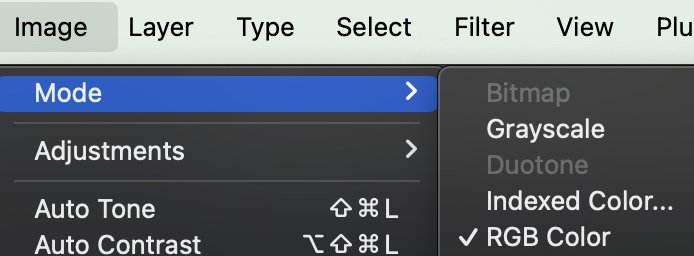
If it's a whole image then the simplest way is to convert the image to Grayscale, and then back to RGB mode. i.e Image>Mode>Grayscale and then same but RGB.Where do I find a b/w neutral filter in Photoshop? (menu) (please)
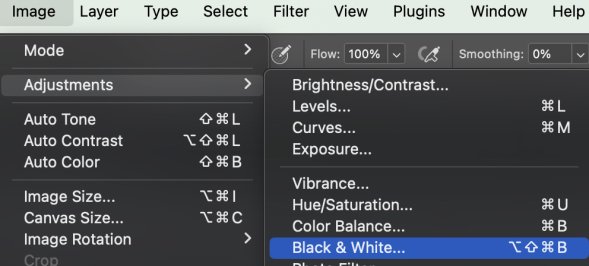
Alternately you can use a Black & White Adjustment, which offers more choices and adjustments. Adjustments can of course be applied to individual layers. Sometimes that's important, most of the time a simple back and forth does the trick.