I still manually install and never use CM as i've had so many problems in the past doing it that way. Maybe i'm just old school but for me doing it manually is always safer lolno need to put the whole path in order to be able to drag the file in CM...here is a repack , including some plain-color fictive skins i slapped on (no other changes to the mod whatsoever)
you will see this one can be dragged in CM as well , and does not have the "Steam\steamapps\common\assettocorsa\content\cars\" part in it.
lovely interior, BUT for some reason this thing is eating at my GPU , and not allowing me to get to a stable 72 fps (most other mods no problem).
View attachment 1162453
My GPU usage is through the roof (w other car mods its usually below 100%, and the red line in the Render stats giving these spikes where it's normally a flat line... fps is below 60 (where i usually get a solid 72)
Hope you can find the rootcause and fix, cause it looks stunning!


Drag to the left the little gray rectangle on the left of "BRANDS COUNTRIES CATEGORIES..." menuThis is fantastic, thanks. I may be being dumb but I can't work out how to get the categories across the screen like you have them. If I enlarge the car selection screen I just get a huge car and the categories remain in a narrow vertical strip like this. Where do I find a setting to change this?
Please don't assess my driving skill from those lap times LOL!
View attachment 1161801


no need to put the whole path in order to be able to drag the file in CM...
you will see this one can be dragged in CM as well , and does not have the "Steam\steamapps\common\assettocorsa\content\cars\" part in it.
lovely interior, BUT for some reason this thing is eating at my GPU , and not allowing me to get to a stable 72 fps (most other mods no problem).
View attachment 1162453
My GPU usage is through the roof (w other car mods its usually below 100%, and the red line in the Render stats giving these spikes where it's normally a flat line... fps is below 60 (where i usually get a solid 72)
Hope you can find the rootcause and fix, cause it looks stunning!
Lod_B which is Reduced polygon by 50% is repacking. Try it and give me the feedback~The car is beautiful - thank you very much indeed. That polycount is killing my frames though. The Kunos P4 can lap at 90fps in VR but yours maxes out at ~75fps. So yeah, some optimisation (and LODs for spec races) would definitely be a good idea. Looking forward to seeing what can be achieved. Thanks again.


Uncheck experimental physics.why would a car mod that used to work now no longer be able to take off , as if they are glued to the road (tires spinning at launch but the car only goes backwards if any movement at all) ?
Have experienced this with Berta Tornado SP v1.2 by Daniel Jimenez , APVS
(i gave it 4 stars some years ago, so I know it worked fine back then...)

Decals need to be their own separate object for them to appear in AO (like if you have a GT Sport rip likely)When I generate an AO map for a car using CM, I notice that it doesn't show the decals in that map, the way I see on many others. Why is that? Is there an option I'm missing. Or is it insignificant anyway...
Also, wasn't I previously able to extract image maps using CM? Can't find that function anywhere anymore.
Given daniel jimenez mod me thinks either one of the wear/thermal curves are named wrong, or there's a [THERMAL_FRONT_1] that is supposed to be named [THERMAL_FRONT]why would a car mod that used to work now no longer be able to take off , as if they are glued to the road (tires spinning at launch but the car only goes backwards if any movement at all) ?
Have experienced this with Berta Tornado SP v1.2 by Daniel Jimenez , APVS
(i gave it 4 stars some years ago, so I know it worked fine back then...)


Lod_B which is Reduced polygon by 50% is repacking. Try it and give me the feedback~
232.55 MB file on MEGA
mega.nz
The download link has been changed in my video, if you guys can get hot fix and some updated version.
Discord, description of video, above link are all same.
Discord - Group Chat That’s All Fun & Games
Discord is great for playing games and chilling with friends, or even building a worldwide community. Customize your own space to talk, play, and hang out.discord.gg


Cheers ! Those weren't there last night lol.here 's one I kept (from Wack)
But it's also on Assettoland, and downloadable there (for me anyway it works)


Lod_B which is Reduced polygon by 50% is repacking. Try it and give me the feedback~
232.55 MB file on MEGA
The download link has been changed in my video, if you guys can get hot fix and some updated version.
Discord, description of video, above link are all same.
Discord - Group Chat That’s All Fun & Games
Discord is great for playing games and chilling with friends, or even building a worldwide community. Customize your own space to talk, play, and hang out.


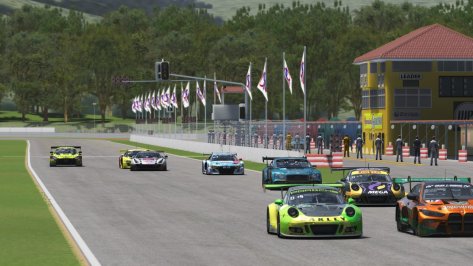
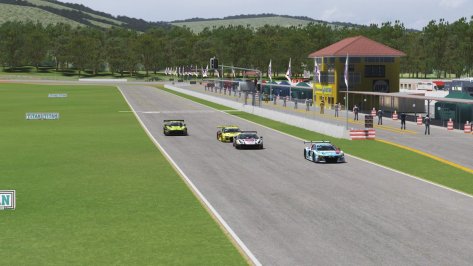
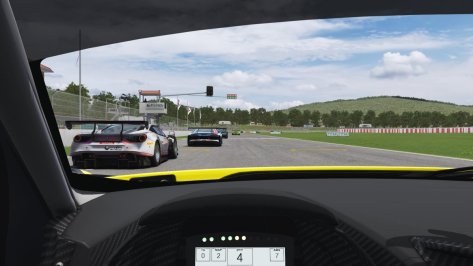
Thanks for the feedback.Thanks for the swift action, but this just adds a LOD B without optimising the main LOD A kn5 at all... so performance in hot lap mode will be exactly the same. Adding a LOD B will have a small effect in spec races, but not much without LODs C & D. And even then, the 4.4m tri LOD A will still cripple performance, especially in a pack when you're surrounded by other LOD A cars.
LOD A really needs vastly reducing in size if performance gains are to be made, but that'll be a long a tedious process I imagine.
I think this might be a common issue when the base model has an extremely high poly count, but I don't think I've seen a kn5 quite this detailed before.


Thank you for sharing these with us, I saw the LODs were not quite working. I fixed it and uploaded them here:Nissan GT-R NISMO GT1 (R35) Pack
Last mod for a long time.. I'm really sorry..
It's just a Rework of my old mod with :
New skins
AO
2009 to 2011 spec (spoiler and splitters)
Endurance added (Special lights worked)
Thanks for your support !
View attachment 1161320
Thank you for sharing these Mods, also had to generate some LODs for them and they can be downloaded here aswell.Btw.
Here are a few more Peugeot.
Sorry, if some are repeated, I don't remember which ones I shared before.
View attachment 1161527
View attachment 1161528
View attachment 1161530
View attachment 1161535
Peugeots


Reworked Queensland Track from Terra21
Download:
Have Fun
DaBaeda

nevermind - login issue :/ my badHi , cannot seem to download(expired link) - zwartkops Raceway in South Africa - posted by ChrisT86 - any help please - would appreciate . Thanks

The 4 layouts version is not from Terra21 but from JarqusDaBaeda, what changes exactly ?
I noticed your version has the main race course where as Terra21's had 4 different course layouts?
cheers
That is not Terra21's version. I think you are talking about this: https://www.racedepartment.com/downloads/queensland-raceway.21244/I noticed your version has the main race course where as Terra21's had 4 different course layouts?
cheers

Terra21 track has the main course (the track has new grass, water and cameras)DaBaeda, what changes exactly ?
I noticed your version has the main race course where as Terra21's had 4 different course layouts?
cheers

Weird, when I try to download the GT1 LODs a blank page appears saying "no file"...Thank you for sharing these with us, I saw the LODs were not quite working. I fixed it and uploaded them here:
R35 GT1 LODs
Oh thats strange, it works for me but i uploaded them to my Google Drive for you.Weird, when I try to download the GT1 LODs a blank page appears saying "no file"...
Thanks, just noticed it's a sharemod problem, happens with rosaseverina's sharemod link too.Oh thats strange, it works for me but i uploaded them to my Google Drive for you.
R35 GT1 LODs on GDrive


hey, much appreciated!Hi , thanks for this lovely spyder!
on this mod , its not possible to export dds files from CM Showroom.. I wonder , is it intentionally done? (to make it harder for us paint-heads to make extra skins?
If not could you please enable it in a next version?
What's weird is that part of the headlights become see through when I create a body skin myself using generated ao's...
(I guess if i can export the dds and just alter them it wouldn't be like that)
View attachment 1162294

hi,Hi guys, does someone knows why AC is the only game that makes my rtx3060 runs at 80°C instead of 50 like ACC, ams2, R3r and rf2? Even dirt 2.0 maxed out makes my GPU at 70°C.
It seems that when I start AC the GPU starts flying with the fans and it got hotter immediately.
I have the latest sol and CSP. Any recommendations to lower my temps and GPU usage? It's constantly 100% so I wonder it's bottlenecking something.
Hope someone can help me and probably a lot of users who has my same problem.
Thank you

Except for the room temperature which is normal in this season, the higher temperature of AC compared to other titles (which runs on Unreal Engine, Unity, or own engine) is the engine itself of the game, which is "badly" optimized or run too many "calculations" (in collab with the CPU) which causes an increment of temperature.Hi guys, does someone knows why AC is the only game that makes my rtx3060 runs at 80°C instead of 50 like ACC, ams2, R3r and rf2? Even dirt 2.0 maxed out makes my GPU at 70°C.
It seems that when I start AC the GPU starts flying with the fans and it got hotter immediately.
I have the latest sol and CSP. Any recommendations to lower my temps and GPU usage? It's constantly 100% so I wonder it's bottlenecking something.
Hope someone can help me and probably a lot of users who has my same problem.
Thank you