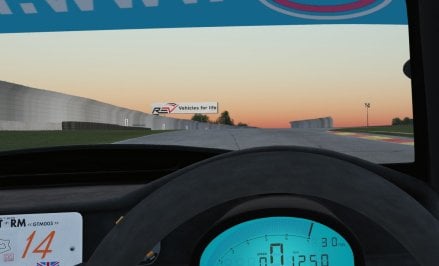
I am on 342 as well


What monitor shader? and what PPfilter do you use?I had to remove it. I had issues with auto exposure that did no wok correctly. After trying some edits I decided to drop the Pure version. There are errors of Pure like the monitor shaders that make the picture brighter instead of darker.


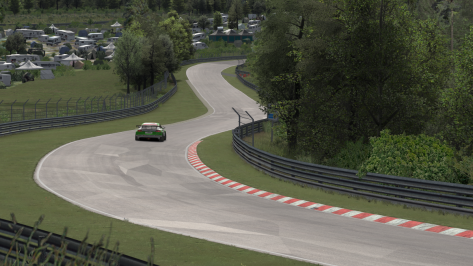
Have tried the 4K Version and I noticed it too. Also noticed some huge anomalies on the tracks surface, easier noticable when watching replays than when driving (for example at the "Adenauer Forst" corner). Don't know if it's the same with the 8K version thoughDoes anyone else notice with the TechnoracerX 8K and 4K skin for the Nordschleife, that some trees has a "blue-ish" tint?

Hallo Peter! I will write you a PM later today to explain you everything.What monitor shader? and what PPfilter do you use?


Okay, than it's not due to some graphics settings on my machine / monitors luckily.Have tried the 4K Version and I noticed it too. Also noticed some huge anomalies on the tracks surface, easier noticable when watching replays than when driving (for example at the "Adenauer Forst" corner). Don't know if it's the same with the 8K version though


Yes, by pressing the C key on the keyboard.Hi! Question: is it possible makes a lap without driving directly but using AI of the game?
Nothing happens also with CTRL+CYes, by pressing the C key on the keyboard.
I have found the issue. It is a CSP thing and I talked with a very reputable track maker. It is the type of shader that was used on certain fences. This shader is now broken. Paste this into the config file and it will be fixed.Anyone know how to fix this? Some fences on road America changed like this months ago and could never figure out why. Clean reinstall of the track didn't fix it.
Its not all fences, just this specific model.

Ctrl - C works here. I did have issues at one point where car would go into reverse, but restart session corrected it. Not sure what caused it or how it came right, but it hasnt happened for a long time nowNothing happens also with CTRL+C
edit: car automatically use R gear
I'm on a starting line.


Strange, it works here, but only with the C key.Nothing happens also with CTRL+C
edit: car automatically use R gear
I'm on a starting line.

Noo.. not funny at allNormaly it´s funny to ask for a slower AI .....
 I'm with Jac0 100%
No.. no es gracioso en absoluto estoy con Jac0 100%


NICE! I was thinking about doing 1996/97 broadcast cams for acu_melbourne, as I was gonna drive Hill's Arrows on it. This will be perfect.[WIP] 1996 SKIN for Melbourne2019 by ACU (upd. by patrickpat and Sliderman)
It's always hard to adapt billboards but I try do my best with a nice result.
I'm not able to create new extension as Pyyer. Only I overwrite the existing textures.
Imola 1996 skin for RMI 1995-2005 is done and you can find it on Breathe's list.
View attachment 1281864
View attachment 1281977
View attachment 1281978
View attachment 1281979
View attachment 1281981
View attachment 1281982

Sometimes it happensNothing happens also with CTRL+C
edit: car automatically use R gear
I'm on a starting line.


Ahh I don't feel the need to add any TV cams here, as the included camera_8 does the job brilliantly.NICE! I was thinking about doing 1996/97 broadcast cams for acu_melbourne, as I was gonna drive Hill's Arrows on it. This will be perfect.
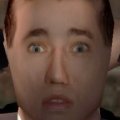
It’s a shader glitch for the old driver model (I think with CSP), either change the driver in driver3d.ini or with a config or unticking “New shader for human skin” in CSP settings might do it

is it the SimDream mod you are using?F1 1996 MELBOURNE TRACKSKIN
For Melbourne 2019 by ACU (upd. by patrickpat and Sliderman)
A great season is coming back...
Thanks
JV82
https://www.racedepartment.com/downloads/f1-1996-melbourne-trackskin-by-jv82.63110/
EDIT: can I make you a request? Can someone create a camera facing to have people in the stands? Thanks in advance!!! 😇


Running 8K version here with the treeFX from RD (20K trees) and the trees are correct on my end BUT I do have the "shinier/weird" tarmac at some places...Have tried the 4K Version and I noticed it too. Also noticed some huge anomalies on the tracks surface, easier noticable when watching replays than when driving (for example at the "Adenauer Forst" corner). Don't know if it's the same with the 8K version though
I threw one together for you, but it's not complete. There are a couple of grandstands that crowds don't seem to work right on because the seats are not a separate mesh, or I just don't know how to do it right. When placed on the stands, they hang over the edges. For those, i'd have to make a new kn5 file with a transparent mesh to place the people on where the seats are. You can try it if you want. At least most of the stands have people. Let me know if there are too many people or not enough.EDIT: can I make you a request? Can someone create a camera facing to have people in the stands? Thanks in advance!!! 😇

@JV82I threw one together for you, but it's not complete. There are a couple of grandstands that crowds don't seem to work right on because the seats are not a separate mesh, or I just don't know how to do it right. When placed on the stands, they hang over the edges. For those, i'd have to make a new kn5 file with a transparent mesh to place the people on where the seats are. You can try it if you want. At least most of the stands have people. Let me know if there are too many people or not enough.
Hopefully I used the right version of the track to make this. I forgot how cool this track is. Going to have to turn some laps on it tonight.