Assetto Corsa PC Mods General DiscussionPC 

  • Thread starter Thread starter daan
  • 151,951 comments
  • 46,447,724 views
VRC dropped an update to their TA2 cars today.

Do anyone already tested if the avaiable skins are still working?
Wasnt todays update just to the Dagger? the other got an update when the new one launched? ask since i don't see an email today about the older cars. The old skins work on v1.1 of the Mare and Chevrette
 
Ascari KZ1R Public Release BY Peter Crill & Gadu Boyz Colaboration
Download:
Car and Driver-https://sharemods.com/6it8xh6tu5vx/ascari_kz1r_v1.0.rar.html
Driver Suits-https://sharemods.com/of3kblcd0v4x/driver_textures.rar.html
  • Base model from FH5, converted By Peter Crill, Improved by GADU with unique details (gear knob, 3d central button, and many small 3d fix , animations)
  • AO inside/out
  • PBR materials
  • Openable parts
  • Driver and shift animation
  • Seatbelt on/off
  • All gauges working
  • Air vents animation
  • Driver suits personalized
  • LODs
  • Initial camera by Daniel Nogal
  • Photos By Savvas Metalinious
  • Beta Testing Mascot and C13 automotive
  • Takum1 which applied some csp effects
  • MOD ENCRYPTED /// REQUIRE CSP 0.1.77 or above to work properly
EXTRA BUTTONS:
  • EXTRA_A= Door left
  • EXTRA_B= Door right
  • EXTRA_C= Front hood
  • EXTRA_D= Rear hood
  • EXTRA_E= Engine hood
  • EXTRA_F= Fog lights
Other mods by Gadu Boyz:
Other mods by 101creative:

View attachment 1286022View attachment 1286023View attachment 1286024View attachment 1286025View attachment 1286026View attachment 1286027View attachment 1286028
What a beauty!!!
The level in detail is insane!!!
Animations for throttle, clutch, brake, turnlights, headlights, individual shifts.
Great job!!!
 
Last edited:
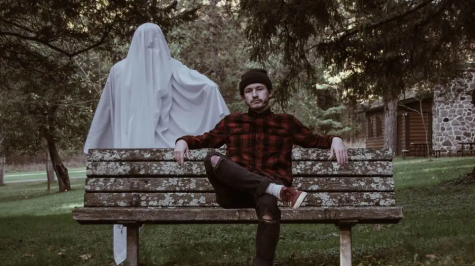
Rare photo of Ilja on holiday with the hot lap ghost.
Hopefully they'll both be back soon.

1695827673489.png
 
"All directions"..?
Sounds like funky switches or joysticks, not rotaries? You can't hold a rotary switch down, you rotate it left or right and it sends one pulse with each 'click'.
I think something got lost in translation here.
That IGN / START isn't really necessary in sims (imo) but several are using them and I got used to it. Got it covered with designated switch/button on my button box:

IMG_0515.jpg
 
That's right: they are the best! But unfortunately old cars, without halo.
Then find the FSR Formula 4 car and use this data to make it not crap:
 
Physics Rework Porsche Cayman GT4 RS

Screenshot_porsche_cayman_718_gt4_rs_snetterton_23-8-123-10-7-7.jpg


Full credit goes to Adrian Suy and MNBA for converting the car from CSR2 in the first place, this is just a physics edit with some different skins! I decided to make this install as a new car as I didn't want to over write the original with my efforts.

Majority of the changes made are listed in the attached change log, I am sure I have missed some things. The main reason for doing this was to give the car the correct rear suspension type, strut rather than double wish bone, but as always things got a little carried away!

The car still need some performance testing in terms of lap times, just remember you are probably not Jorg Bergmeister when it comes to the Nordschleife ;) :P Feedback is much appreciated.

Note: This car uses extended physics especially in the tyres and brakes and has been built / tested using shaders patch version 0.1.80-preview115
 

Attachments

"L.V.C" REPLICA SKIN + HELP (entire car available)

the only other car i could find had about 20k poly and was a horrid model, not bad skins but a terrible car, so i chose this one, also the one that used to be available from rallyworld or whatever there called have now put that car behind a paywall as far as i can tell.


my 2nd replica skin which is finished but there are a few things that i cannot work out, i am wondering if there is anyone who can. There are a few issues which i will list:

1- the headlights (see bottom pic) for some reason the black on the left hand side is opaque and the headlight on the right hand side is not it is tinted heavily but slightly transparent in CM showroom and is very very obvious when the headlights are on, it looks stupid but i am hoping someone will be able to fix this because i can't and in my opinion it kinda ruins it a bit especially if night driving. The window banner is also transparent from the inside i have no idea how to make it so its visible from the inside and also why the banner looks like its stuck on the inside of tinted glass it just looks a little dull, if i could sort that i would be able to finish the banner so it covers to the edges like in real life but again, i am stuck with what i have

2- the 3d model is not awful especially on the outside but there are some glaring issues with it, things like the roll cage need a rework and ideally a front and back towing eye ring, at the moment i have arrows pointing to towing eye covers which does look a little odd, the interior is also very plain with a hole above the top left windscreen frame from cockpit view. I have tried to use the textures that are in the folders so the interior is not as plain but i cannot get anything to work on it, also there is a gap above the top of the rear window (from the outside), i also can't do anything with the badge on the back as i would like to silver it out to the same colour as the car but i cannot do that as the front badge is mapped with it.

3- there are loads of files with this car and to be honest i am sure alot more can be done but i have absolutely no idea how, have a look in the unpacked-bem_bmw_z3 folder there is all sorts but i cannot get any of it working so i am hoping someone with more skill than me will be able to work out what its all for and do something with it


i will not be releasing this car in the download section yet as for me to release this and feel happy about it i can look over everything this car has wrong with it but i cannot look past the headlights and the plain interior so until that is sorted i will just post a link to the entire car here with my skin included. That way if you want to just use "as is" you can do so.

so to sum up, i am happy with the work i have done, there are differences between what we have in the game and what the real life car is, the wing mirrors and bootlid being the most obvious, but as we say around here you can only work with what you have available to you at the present time.

there are a few imperfections here and there with it, but to be honest i don't want to spend anymore time on it as is because like i said the headlights and the interior need work and if no one is able to do it then i will just leave this skin as is and enjoy it. but if anyone is able to help i will finish the minor touches/adjustments before a proper release


the skin that comes with the car is 6k by the way. i have a 2k and a 4k body/glass .dds if anyone wants it

thanks

Screenshot (155).png
Screenshot (153).png
 
Last edited:
Some news from today:

updated fixes:

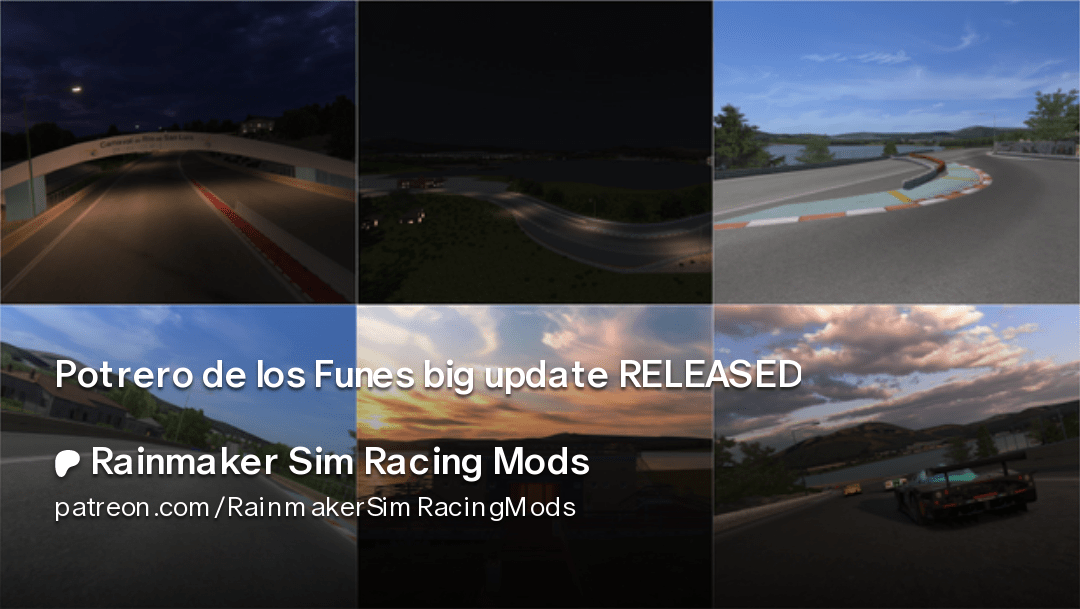
I gained permission for the Potrero de los Funes update! You can have a look for the WIP here, already downloadable for Patreons:
 
hi guys, hope someone can help with this :

When I try to open the Alpine A310 V6 Groupe V 3.0L by rnoir in Showroom it fails with error message
"Failed to create texture "Odometer font". Creation parameters aren't valid."

It loads fine in game, and in CM Showroom... only in Showroom does it give this error.
(I hope soon they will update CM Showroom to show the CSP effects as well.)

Had the same error before with another car ( here ,) but no hints were provided back then , hope this time someone can provide a clue :)

PS: in what app to open CSP crash reports? (are not readable in notepad)

PS2: he who wants it can download my this skin for this car here
1695845062218.png

has chameleon skin, lighter interior and special dashboard texture , and also matching purple stitching on the steering wheel! ;)
 
That IGN / START isn't really necessary in sims (imo) but several are using them and I got used to it. Got it covered with designated switch/button on my button box:

View attachment 1290404
Only game I've found it necessary to have both is ACC. You lose a ton of time in the pitstops if you have it on automatic, takes too long to restart after a pitstop otherwise.

more track fixes:


Is there any chance you can look at Silverstone Club? Its my favourite "quick bash racing" track but the AI is always too slow through Copse.
 
Checked the national layout with the MX-5 cup. Was not so slow at Copse. Do you use new ai or extended physics? That can make the cars slow.
No, not that I know of. Extended physics is off and as far as I know I'm still on the original Ai for it. I just find a can carry a lot more speed at the apex than they do, ranging from touring cars to single seaters. They tend to either lift or brake mid-apex.
 
Then find the FSR Formula 4 car and use this data to make it not crap:
If i put the modified data in the car folder, I get an error with model files are missing
 
I'm wondering if anyone knows a solution to this windscreen problem with the acfsk_duqueine_d08_lmp3_2020? From the front the banner appears normal, however as the car passes the camera, the banner becomes transparent and the inside is visible from outside the car. Is there a material property which has an incorrect value?
View attachment 1262375
Hello @Kurt Woods , this skin is available ? Thank you so much
 
@VheEth I don't know how tricky this might be but is there any chance the physics-defying banner cables on your South American tracks could be updated with straight tensioned ones?
I can't unsee the way these cables drape in a way that just isn't possible in the real world.
This is no doubt an issue with the source material, but it'd be great if they could be fixed.
Something like this?

1695893452095.jpeg
 
Checked the national layout with the MX-5 cup. Was not so slow at Copse. Do you use new ai or extended physics? That can make the cars slow.
I´ve read some rumours that the extended physics are enabled by default in latest preview346, no matter if you tick "use extended physics" or not. Can somebody confirm this? If yes, how to disable it?
 
I´ve read some rumours that the extended physics are enabled by default in latest preview346, no matter if you tick "use extended physics" or not. Can somebody confirm this? If yes, how to disable it?
I was finding the slow AI for years now, so long before extended physics was added, so it shouldn't be that.
 
Some news from today:

updated fixes:

I gained permission for the Potrero de los Funes update! You can have a look for the WIP here, already downloadable for Patreons:
Capture.PNG


Hi Rainmaker for some reason after overriding the Rouen config i have large part of the track missing for some reason

It doesn't happen in the others updated tracks or other tracks
 
Last edited:
Sharing a mod? Host it on GTPlanet Downloads. Free, public hosting for files up to 10GB in size.
Back