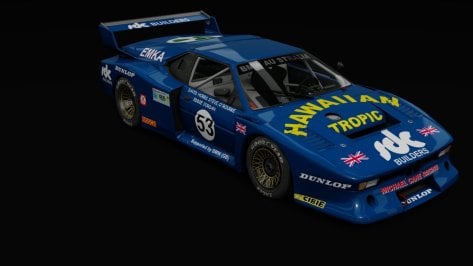
I use a 4080 with practically every AC setting maxed out, but 3D trees still look like giant cel-shaded cabbages with bad LOD morphing to me. Is there a way to make them look like actual trees, and ones that are lit like the rest of the environment instead of the high contrast super-saturated monstrosities we currently endure?It says you're using a 1080ti. For triples? In this day and age. That's stretching that card out pretty thin. You could kill all pop in/shape change and performance drops by upping that guy right there.
I personally like 3d trees and think it's just a necessary step in trying to keep AC relevant in 2024. AC2 is coming, and so are the 3d trees.


It´s the URD Radical with stock sound, did not alter anything there.I would like to see the trees. FYI....something sounds wrong with your car. Is the motor about to explode?


I respectfully disagree....the IER ARX-03cthere you go..
in the future there will be more High quality LMDH cars.. RSS will be relasing their Porsche 963 next.
also VRC teased the Ferrari 499 coming soon...
so basiclly you can use the simdream stuff as grid fillers until URD VRC AND RSS drop their high quality stuff.
also if you didnt already test it.. the VRC Peugeot 9X8 may very well be the best AC Mod of all time..




turn off the seat/view/move app thingieIf this is not the right place i apologize but does anyone know how to remove these + + from appearing in the game and screenshots. its usually around the drivers helmet.


Those are the cursors in “Onboard Settings,” the app that lets you configure your viewing position when driving in first-person view. Close the app and the crosses will disappear.... does anyone know how to remove these + + from appearing in the game and screenshots. its usually around the drivers helmet...


Not to mention floating shadows underneathI use a 4080 with practically every AC setting maxed out, but 3D trees still look like giant cel-shaded cabbages with bad LOD morphing to me. Is there a way to make them look like actual trees, and ones that are lit like the rest of the environment instead of the high contrast super-saturated monstrosities we currently endure?
Either the tools and assets currently aren't fit for purpose, they're not being implemented properly, or there are settings somewhere that make 3D trees look good for some people but triffid-like for others.
Or they really are awful but people feel compelled to use them because 'progress'.
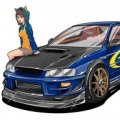

Bugatti EB110ss(v1.0)
It is required CSP 1.76 or above Version. But It is tested in CSP 2.1 Preview2
View attachment 1319183View attachment 1319184View attachment 1319185View attachment 1319186
- 3d Model
1) Based on Forza Horizon 5 by Turn 10 Studio.
2) Some Parts are from CSR2
3) Converted and Edited by F40 LM Lover, special thanks to GADU who made Skined mesh for me
- Sound
1) Kunos Ferrari 599xx EVO : Who can make proper sound for us?2) Diver and Interior Animations
- Features
1) Exterior Animations
-. Left Door : Extra A
-. Right Door : Extra B
-. Motor Hood : Extra C
-. Frront Hood : Extra D
-. Fog Lights : Extra F
-. GAS, Brake, Clutch Pedal
-. Turn Signal Lever
-. Lighting Signal Lever
-. Fog Light
-. Hand brake & Horn
- Physics : VRDriving
- Super Special Thanks to GADU who make Skined Mesh for Manual Shift Animation!
- Download link is in the description of Video.

I thought it looked pretty cool!Okey dokely, so it seems we got a conclusion and I keep them in the bin. Thanks anyway.

please share your preview settings and I will have a lookright im done trying to scratch my arse with this. can someone shed some light on this. i am fiddling with previews and i have found 1 which i want to use. i go through the process and it never applies it. the first picture is what i want and what it says will appear and picture 2 is what i end up with...........
i can get it to work ok if i untick "use csp for final preview render"
am i able to get it so that it works with that box ticked?
thanks

A small update to this mod. There is a better 2023 version of this track now done by @RacingSounds that you should probably use instead of this, but I just noticed this little problem with the fence shadows when I was comparing the two tracks. I updated the mod for those that still might use the older 2020 version. Just use the links in the quote to get the update if you care about this shadow fix.Little mod for zandvoort2020 to change the dune area texture from the blurry\out of focus original and to give the track a little more of a raceday feel with some sponsor stuff and more crowds and vehicles in the parking lots. Could use a lot more, but this works for now. At least it doesn't feel so empty when I run a race on the track.
There are two options for the mod. The non-raceday one (top link) changes the base 2020 and DRS layouts to a little more raceday feel with sponsor flags, crowds and more vehicles. The problem with that version is if you run a practice session, the extra flags, crowds, etc. are still there so it doesn't look like a true practice session setting. If that matters to you, then the raceday version of the mod is the one you want. It adds 2 raceday layouts with the extra crowds, sponsor flags, etc. and leaves the original layouts alone so they still look empty and more like a practice session.
Zandvoort2020 Update v1.04
Zandvoort2020 Update v1.04 with Raceday Layouts
NOTES:
-- Make a backup of your existing track before trying this mod.
View attachment 1277841
helloplease share your preview settings and I will have a look
https://acstuff.ru/s/JL_Ah_ is that the link you needed? i have never been asked to share all the settings so i guess i am doing it correctly. I have included a pic to show my showroom settings aswell just incase. My apologies if i have not provided you with exactly what you need. 
Thanks Joe.A small update to this mod. There is a better 2023 version of this track now done by @RacingSounds that you should probably use instead of this, but I just noticed this little problem with the fence shadows when I was comparing the two tracks. I updated the mod for those that still might use the older 2020 version. Just use the links in the quote to get the update if you care about this shadow fix.
Old fence shadows:
View attachment 1319799
New fence shadows:
View attachment 1319800
I did not. I am going to wait until @RacingSounds finishes the track completely before I ask him if I can release any kind of mods for it. In the meantime, if you want the same shadow fix for the fences on his version, copy this code into his ext_config file. You can play around with the AlphaRef value to get a shadow look you prefer.Thanks Joe.
Just to make sure I haven't missed it, did you release your update/improvements for the 2023 version yet?
I checked the topic and I don't believe so but again just making sure
Thanks.


I'll put out an update for my 2023 track this evening, with all suggested updates so far!I did not. I am going to wait until @RacingSounds finishes the track completely before I ask him if I can release any kind of mods for it. In the meantime, if you want the same shadow fix for the fences on his version, copy this code into his ext_config file. You can play around with the AlphaRef value to get a shadow look you prefer.
[SHADER_REPLACEMENT_...]
ACTIVE=1
DESCRIPTION=
MATERIALS = FENCEMESH?, FENCE_MESH?
PROP_... = ksAlphaRef, 0.5
I think I found the bug with csp. all the cars that are not arranged in a horizontal line in the pits, therefore in a comb or in two rows, do not leave the pit lane, while on tracks such as Monza or similar there is no problem. Unfortunately, no solution at the moment. Are there other people with the same problem?Hi everyone, if you could help me please. For a few days the cars in off-line weekend mode have not left the pits, it is certainly a CSP setting that causes the problem. By uninstalling it everything works fine. the tracks that have the problem have always worked correctly so far.
any suggestions?
Thank you
that explains it. I would like to test out the trees on my system to see how it does.It´s the URD Radical with stock sound, did not alter anything there.


The first is very similar to the Torino 380WWhilst messing around with AI image generator I asked it to create a 70's style Hyundai sports car. Any 3d modelers out there fancy creating one of these beauties?!
interesting...I get no pop in or floating shadows or anything else people have brought up. The track is very unoptimized and I run 4K with very high CSP settings. Video is still processing.1- I have never seen any tree IRL that looks like the commonly used 3d trees in AC, never.
2- my 1080 ti with triples still gives me 140 FPS AVG on e.g. the Nordschleife with Y trees
3- these Y-trees look massively better than 3D's, they move nicely in the wind, keep their shape, don't pop, look good when wet.
4- and they look way more natural and closer to RL than these 3d monstrosities.
View attachment 1319664
any chance to get your adjustments on this new 2023 version?A small update to this mod. There is a better 2023 version of this track now done by @RacingSounds that you should probably use instead of this, but I just noticed this little problem with the fence shadows when I was comparing the two tracks. I updated the mod for those that still might use the older 2020 version. Just use the links in the quote to get the update if you care about this shadow fix.
Old fence shadows:
View attachment 1319799
New fence shadows:
View attachment 1319800


it was until the peugeot dropped.. for me atleast..I respectfully disagree....the IER ARX-03c


Of course IER was miles ahead. JPG wrote the physics side of CSP. He obviously had it before anyone else.it was until the peugeot dropped.. for me atleast..
but this shows you that the IER was just miles ahead of anything seen before...
one of the devs from VRC posted this under a video :
Thanks for the video! I have a small note on the subject of wheel suspension: In fact, the "COSMIC Suspension" issue is a new feature of CSP that we are the first team to use to our advantage. Short background info: In Vanilla AC without CSP, a wheel suspension is simulated using a lot of data (wheelbase, spring travel, etc.). Unfortunately, no one knows which algorithm is running in the background to emit the suspension in Vanilla AC, so optimizations are only possible with the addition of Motec or similar tools. "COSMIC Suspension" is a three-dimensional simulation of suspension components. Normally COSMIC is used in engineering applications. We use "COSMIC" in a CAD environment and in this three-dimensional environment we set all the wheel suspension components of the car and define the fixed points of the wheel suspension on the car. We then export these “COSMIC” results into the game. In other words: We now simulate the behavior of a real suspension, based on engineering software (COSMIC), in Assetto Corsa itself. This entire process is very complex. By the time this car was released I had driven around 2000km in 4 weeks. A lot of trail and error but I'm very happy with the result from our team. Greetings Lukas - Ferrari64
PS: In the future, topics such as "chassis flex" and real weight distribution will be added to this car's feature set. But these are things that are currently being tested and are being rolled out step-by-step. There are a few more cars coming in the future
Check your PM.that explains it. I would like to test out the trees on my system to see how it does.


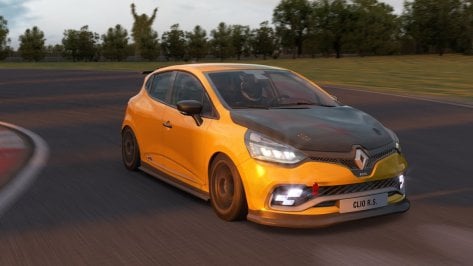
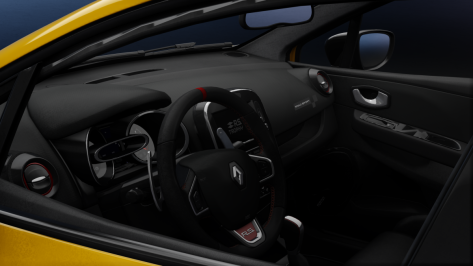
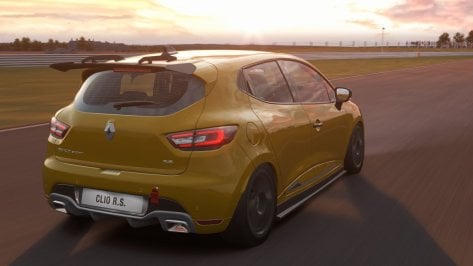
@Beezer215 @Fall GuyI use a 4080 with practically every AC setting maxed out, but 3D trees still look like giant cel-shaded cabbages with bad LOD morphing to me. Is there a way to make them look like actual trees, and ones that are lit like the rest of the environment instead of the high contrast super-saturated monstrosities we currently endure?
Either the tools and assets currently aren't fit for purpose, they're not being implemented properly, or there are settings somewhere that make 3D trees look good for some people but triffid-like for others.
Or they really are awful but people feel compelled to use them because 'progress'.

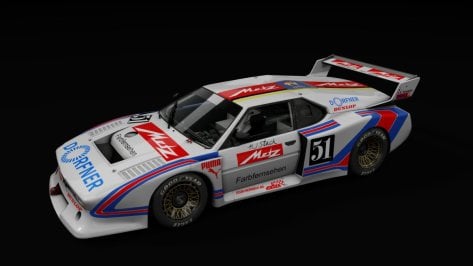
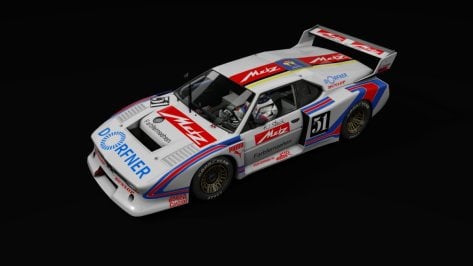
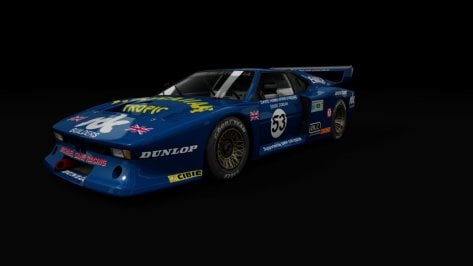
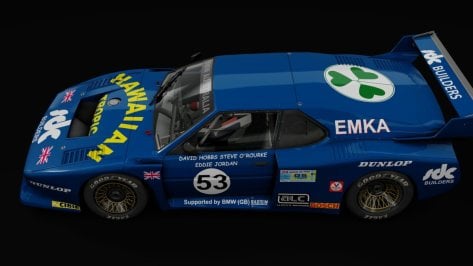
Me i made 2 skins for itAnyone skinning this motor vehicle by F302?
I am going to be starting another round of skinning tomorrow and i just wanted to check to see if anyone was already doing skins for this?.
thanks View attachment 1319308