- 1,078

- Spain
Now that's good after-sales service! 😛for the 1...
Yesterday I tried a couple of things to try to fix it, but I was unsuccessful, thanks for the instructions... 👍
Now that's good after-sales service! 😛for the 1...
You can remove other things from the ext_config file too, I think with new PPfilters and pure etc.. most of the codes are not necessary, or the codes that I use are oldNow that's good after-sales service! 😛
Yesterday I tried a couple of things to try to fix it, but I was unsuccessful, thanks for the instructions... 👍
Very small update to the track. You don't need to download the track again, but use the link in the quote if you feel like it.Portland International Raceway (Unfinished)
rj_portland_int
This is a standalone version of the excellent Portland International Raceway done by 13X made to look the way I prefer. I take no credit for the track other than the changes I made. It's in an unfinished state at the moment, but i'm releasing it as is for now because I have to get surgery in a few days and don't know when I will be able to finish it. That means you will have to put up with a lot of imperfections. Everything is probably too dark, the grass and tree texture brightness is a bit mismatched and I never got a chance to vary the tree colors the way I had hoped too. So everything sort of looks the same. I'd also suggest you enable the CSP 'Trees receiving per-vertex shadows' option or the trees may lack shadow depth.
Credits:
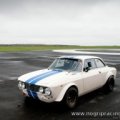
Original Track: 13X
Cable fix: @Masscot
Original config I used as a base: Blamer (I think)
Updated config: @CrisT86
Additional replay cams: @CrisT86 and @DaBaeda
VAO patches: @CrisT86
Sections file : @Quikslvr
Changes I made:
-- Added animated flags, time of day and lap number to the display boards.
-- Completely changed the tree and grass textures. The trees were tough because the track uses X trees which always creates a sort of rorschach test look. I tried to hide as many as I could with Y tree variants, but you may still see some odd looking trees in a few spots.
-- Removed the blue\purple tint from the road and groove surfaces.
-- Altered the track lights to also come on when it rains.
-- Added seasonal trees via a track skin if you like that sort of thing.
-- Live jumbotron track cams via a track skin.
-- Working semaphore lights.
Maybe someone can take what i've done and make it better while i'm out of the loop for awhile. The ai needs some serious work because the sidelines are horrible. For now, it is what it is and you may or may not like it.
View attachment 1352230
I prefer not to touch more than necessary, because I wouldn't know what to erase, to be honest... 😅You can remove other things from the ext_config file too, I think with new PPfilters and pure etc.. most of the codes are not necessary, or the codes that I use are old
2 ways...direct change of value or add an extension config.ini.(ini files are just renamed .txt) You can see a lot of unused attributes in my example.They are commented out using ; .You only need the lines that are NOT commented out.PROP_10 can just be PROP_0. MATERIALS = whatever your car uses there. SPEELING MATTERS hahaHi. Thanks. Any help on how to do that please.


Very small update to the track. You don't need to download the track again, but use the link in the quote if you feel like it.West Coast Race Track
West Coast Race Track
Credits:
-- Original track - Sauron
-- Sections and logo files - @Fanapryde
-- Crowd Files - @Kniker97
-- Major mesh work - Asked not to be credited
-- Additional tree objects - @macko68
-- New fast_lane and pit_lane ai files - @Thockard
-- Replay cams - @CrisT86
-- Texture updates, config file, small mesh work, replay cams - @racinjoe013
-- Track testing\feedback - @macko68 , @Perico Lospa , @Quikslvr , @Fanapryde , @CrisT86 , @X90 , @Yellowstone
NOTES: READ the README file.
Lots more could be added, but there comes a time when you need to take a break from a track and that time is now.
before you start try to change in the "DRIVETRAIN" tab the Rear Power, Rear Coast,Diff Preload. does affect the car feeling too as I rememberI prefer not to touch more than necessary, because I wouldn't know what to erase, to be honest... 😅
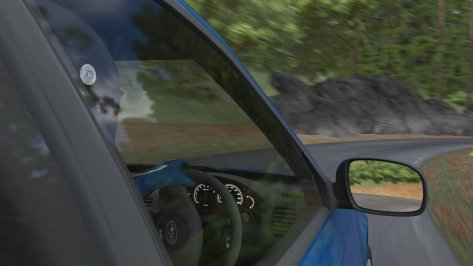
Following your recommendations, the reflection of the asphalt on the glass has disappeared, and I have also removed the same reflection from the interior of the car roof (which had gone unnoticed to me, at first), adding to the ext_config file...
[MESH_ADJUSTMENT_...]
MESHES = pillartrim_a_SUB0
MOVE_TO = COCKPIT_HR
There must surely be another way to do it, but this Jedi trick (thanks, @Tummie555) has worked for me.
Regarding playing with the [CONTROLS] settings, it seems to have changed slightly, but the steering wheel is still too loose when turning, as if the front wheels had very little grip... It's funny, but I can feel the rest of the effects (bumps, curbs...) perfectly; it's the grip that feels extremely light... I suspect it may have more to do with the geometry of the suspension than with the FFB settings, although I don't know, as I'm not an expert on the subject.
Gasp...! That's advanced level, I don't have the know how... 😰 I think I'll leave him to study these things for when I retire and have unlimited free time... 😬...try to change in the "DRIVETRAIN" tab the Rear Power, Rear Coast,Diff Preload...
Contrary to my earlier claim, I’ve figured out Blender well enough to get Londrina Kart 1 working: hotlap, pits, start boxes and timing sectors all working. Some work to do on AI, cameras, and the other layouts and I’ll upload it here (just the added files) - best case in 24 hours, but more likely next weekend.Any chance anyone has looked at adding the kart circuits for @VheEth 's great Londrina? The visuals are there, not sure about physical surface though, and not raceable in v2.0. Would be a terrific addition, but beyond my modding capabilities.
UPDATE: Physical surface is there - a bit of offroading and you can get to the kart track.
pls rearrange the with/without pics to be next to each other, it makes it much easy to compare! ,Without AO map and texture map and with (it isn't easy to create when the model is not from scratch)
this is in the game before you start the race not in the car's dataGasp...! That's advanced level, I don't have the know how... 😰 I think I'll leave him to study these things for when I retire and have unlimited free time... 😬
Sorry, actually I cross read and thought you were talking about messing with the data folder... 😅this is in the game before you start the race not in the car's data
View attachment 1429046
hey, has anyone figured out what setting can help prevent this?anyone else noticed of late while generating new previews, all drivers have the same helmet (of the first skin) ?
is there a workaround (besides having to generate each skin separately) ?
Dan Busca / Realspecs are the only ones I have kept ...What are your best Porsche 928 mods? I thought I had a couple, but I can't seem to find them, and I'd appreciate recommendations. Thanks!
hmm, My showrooms (both) are not affected by using LCS.Dan Busca / Realspecs are the only ones I have kept ...
check here : https://www.patreon.com/posts/porsche-928-gt-114755339
my favorite: Porsche 928 GTS Mid Night version ... (you can find it in the garage and I'll post some extra skins later)
I have a problem though when I use Pure LCS , in Showroom everything is too dark ,
and when I want to go and reset Pure in Pure Config , it says Pure is not running:
View attachment 1429076
when switching to Pure Gamma it's all good...
But I wanna use Pure LCS , since Peter said it's the best optimized for VR , and with Pure Gamma I get the grass giving black flickers sometimes.
Anyhow , does anyone know of a way to make Pure LCS work in Showroom ?
Cheers!
I'm checking it, but currently it does not run because it produces an error....Dan Busca / Realspecs are the only ones I have kept ...
check here : https://www.patreon.com/posts/porsche-928-gt-114755339
my favorite: Porsche 928 GTS Mid Night version ... (you can find it in the garage and I'll post some extra skins later)
I have a problem though when I use Pure LCS , in Showroom everything is too dark ,
and when I want to go and reset Pure in Pure Config , it says Pure is not running:
View attachment 1429076
when switching to Pure Gamma it's all good...
But I wanna use Pure LCS , since Peter said it's the best optimized for VR , and with Pure Gamma I get the grass giving black flickers sometimes.
Anyhow , does anyone know of a way to make Pure LCS work in Showroom ?
Cheers!
I dunno what to tell you... when I select Pure Gamma as weather style, it does work, look :Pure will not run in Showroom! For the showroom CM/CSP uses the base wfx and only this! You just see the Pure Config app there...
Yes, like i said it produces an error!I dunno what to tell you... when I select Pure Gamma as weather style, it does work, look :
View attachment 1429102
and when I only change weather style to Pure LCS , I get:
View attachment 1429103
Is there a way to get it less dark in Showroom when using Pure LCS ?
Brilliant. Many thanks. I will give this a bash 👍2 ways...direct change of value or add an extension config.ini.(ini files are just renamed .txt) You can see a lot of unused attributes in my example.They are commented out using ; .You only need the lines that are NOT commented out.PROP_10 can just be PROP_0. MATERIALS = whatever your car uses there. SPEELING MATTERS haha
Open car in CMshowroom.
View attachment 1428878