www.gtplanet.net


It should be quite simple.I'm trying to bypass the skin track system to make addon layout.


To be clear here's what is happening.Thanks, I'll give that a try. But this last edit part is probably where I'm going wrong because I have tried to replace the helmet before, and that was probably inside the Driver_Driver part.


1998 Central European Zone Supertouring Championship (cyril cherry 155)
To install: drag and drop or install manually 4k only with AO only
View attachment 1460376
20 liveries away from 200 made (just counted earlier funnily enough), i am hitting that milestone and that will probably be it for me


It's not the same price with commercial use 😅
I think he was referring to the J3DD debacle, not actual VRC content unless you're being cheeky lol



Can anyone help me with ACTV competizione?
I'm trying to setup a 2002 F1 season, using a skin pack based on the F2002, but I just cannot get the logos to appear in the leaderboard. They all appear with the default logos.
I've both tried to put the logo in as logo.png in each skin's folder, and put it into ACTVC's logos folder as ferrari_f2002_a_2002_ferrari_01_michael_t.png for example - It makes no sense why it's not working, because it works with other cars, except for when i tried to setup a 2018 season, when Haas wouldn't work.


It's finished since 2 hourshey guys, i was on vacation and now i see that overtake is doing mainteance stuff. can someone tell me how long it will take?



anyone knows whether this stage is available for AC?
which is the best Spa version with the old bus stop?
 modsfire.com


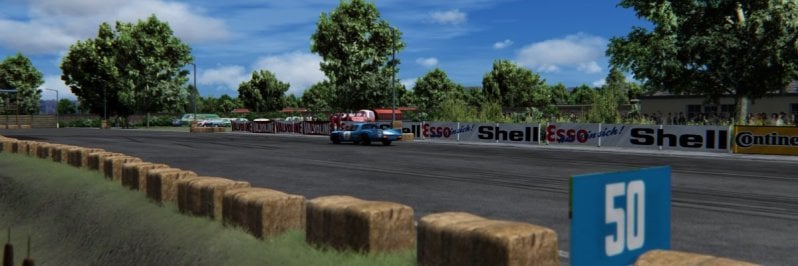
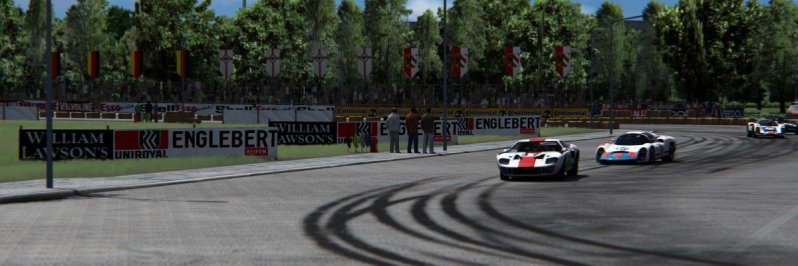
Living not that far away from Nuremberg, i must admit this is a true gem.Finally completed a big part of my 60's Norisring by Sergio Loro revamp/remaster. Here's some pics:
I've replaced all advertising banners/boards with original logos based on historic photographs, with a few exceptions being taken from other German race tracks as not a lot of photos are available from the Norisring's early post war years online.
View attachment 1460429
View attachment 1460427
View attachment 1460428
View attachment 1460430
View attachment 1460431
View attachment 1460425
I'm wondering if I should also tweak the trees, something looks off with them but I can't exactly pinpoint what, maybe they're too bright or overexposed?
I don't fully understand what you try to do but probably something with the leaderboard, huh?
I did my own TV graphics for the 2002. But the TV broadcasts never used logos. Is it this same leaderboard base that you're trying to modify.... or are you trying to modify the vanilla AC leaderboard?


Thanks for enjoying Track!Just catching up after a couple of months away from AC and just wanted to say thanks to @shi for this great version of Adelaide, it's leagues better than the Terra21 F1 1992 version.
I don't suppose whoever added the flag-waving spectators to the F1 1992 version would be interested in adding them to this 1985 one?

Hi are you using a quest 3 by any chance?I have an odd frame rate issue and was wondering if anyone else has had something similar and if you might have found a solution.
So when I'm running the formula Lights oval car from URD it limits my frame rate to around 38 to 41 fps despite the fact i have it set to limit it to 60 or 72 if im in VR. This issue is only with this car and the other cars that came in the same pack from URD. Every other car is fine. Ive tried clean installs and messing with csp settings and nothing has worked. It should be noted that the CPU and GPU readings in render stats are coming out wrong seemingly showing plus 100 to the number like the decimal point has been moved.
Also this is on the current 2.11 csp and ive tried going back to 1.79 only for it to give me 5 fps......
View attachment 1460455

I do have a little bit of knowledge of doing animations in Blender for AC, so I'll give this a proper look later, but there are some driver animation experts floating around here.If someone has skills in blender animation, I could use some help.
2 problems. The hand movement isn't quite smooth when it moves there's some position delta that makes the hand wobble a little between frames. And when the steering wheel start reaching 180°, the hands automatically goes into the moment where you leave the hands from the steering wheel, switch place to take the wheel on the rest position after the round wheel turned 180°. On the case of a Formula Steering wheel we don't do that and the hand needs to be kept on the steering wheel past 180°. Unforuntately on the RIG, the cubes past these frames doesn't move the hands anymore and we have to wait until the next rest pose frame for the cubes to have an effect on the hands.
One "hefty" solution would be that during these frames where the cube has no effect on the placement of the hand, we instead move the bones, but I think there's another thing supposed to do this job
Its greyed out because its parented to another empty further up. When you click on the greyed object, you'll see in the square highlight on the parents above where the item is now placed. But when it comes to the hand rotating past 90deg and leaving the wheel, you'll have to select animation at the top and reposition the bones at the specific keyframes needed.but I don't know how to make the Hand_target object active.
If anyone can improve the animation I did and tell me how I can make the animation smoother it would be great
I believe your importer is messing you about here. 17kb is way too small for an fbx file track, and your tree structure within Blender seems very small. AC tracks need the roads, walls, pits, etc to be set as specific names (common example is 1ROAD, 1WALL, 1PIT, etc). These names correspond to the settings in the surfaces.ini file in the data folder of the track. You also need at least 1 pit box, start lines, etc, and I'm not sure the importer is doing this correct.I need help from track modder.
I would like to see how you make the export from blender working.
Me I use knconvert_x64 to convert the kn5 to fbx
I convert the Fbx to a readable format with autodezsk fbx converted
I import the fbx into blender with these options
View attachment 1460436
I edit what i have to
and when I want to export I select the "magione_grassbank" assembly in collection folder and export in fbs with these options.
View attachment 1460437
But when I open kseditor, there are material error and the hierarchy is totaly ****ed up i can't even lanch the track ingame.
And Into kseditor I ave this root
View attachment 1460438View attachment 1460439
What did i do wrong?
Can someone help me please?

sorry for the late reply. It´s this one.Which GT3 mod is this?


I've done so many of these in the past I find it hard to find the motivation to do any more.Thanks for enjoying Track!
I have put adding flag-waving spectators on my list of things to do.
(Or maybe you could work on it, that would be great)

Kinda had you in mind when doing the "add in place" stuff ; keep it up mate!I've done so many of these in the past I find it hard to find the motivation to do any more.
Placing them on any track should be a lot quicker now using the @leBluem Track Decoration app but I've not really had a chance to delve into it properly.

Bahrain F1 2004-2008 v1.01
View attachment 1423386
Add-on to recreate the Bahrain F1 2004-2008.
Add a new layout.
The reason for the 2004-2008 period is that the road surface has been painted since 2009.
-CSP required
How to install:
Drag and drop into the folder name: fn_bahrain
Credits & Thanks;
Bahrain v1.0.1 by Fenryr
Add-on by @shi (shin956)
The billboard texture base is taken from Bahrain (F1C, CTDP's rFactor version base) by dmarques.
Test and Feedback by @Breathe
Enjoy.
;;;;;;;;;;;;;;;;;;;;;;;;;;;;;;;;;;;;
v1.01 changelog;
Added physics_alt.kn5.
Updated surfaces.ini.
Updated ext_config.ini for each layout. ([DIRT] section)
- Thanks M1GHTYM4VS for the suggestion.
fn_bahrain is required.Hi, thanks for the circuits you give us and your great work...I want to report a bug for this circuit in all 4 versions; if you go off the track on turn 11, an AC crash occurs...can it be solved?
Yes, I was trying to use that App.I've done so many of these in the past I find it hard to find the motivation to do any more.
Placing them on any track should be a lot quicker now using the @leBluem Track Decoration app but I've not really had a chance to delve into it properly.
Hi thanks for the feedback, but I already have the original Fenyr circuit as you see. If you try to go off the track at turn 11 in your versions, a loop occurs and the car goes back to the pits...thanksfn_bahrain is required.
Yes, I was trying to use that App.
I hope that motivation for AC comes back to you again!
You are using Bahrain v1.1.Hi thanks for the feedback, but I already have the original Fenyr circuit as you see. If you try to go off the track at turn 11 in your versions, a loop occurs and the car goes back to the pits...thanks
View attachment 1460640
OH thank you 🙏You are using Bahrain v1.1.
I have created for Bahrain v1.0.1.
I was not aware that Bahrain had been updated.
That is the cause of the problem.
To fix it, change
FILE=physics_alt.kn5 to FILE=physics.kn5 in [MODEL_1] in models_f1_2004/05/06/07/08.ini in the fn_bahrain folder.