Normally in a time attack, the first lap is there to bring tires to proper temp, so not useless at allLittle venting here but why does Sergio Loro always put the starting point of the hot lap so god damn far away from the start/finish line ? You practically have to do one, useless lap before doing the first lap (which is equally useless)
His Suzuka and Cadours tracks are the worst offender


I agree, the first lap is never useless in any category. It's the most important lap a driver can do. Starting a time attack far behind the start/finish line it's done on purpose.Normally in a time attack, the first lap is there to bring tires to proper temp, so not useless at all

Last update (I will move on something elseSame fixes and updates to VW Scirocco GC10.
....
 )
)
Then Kunos and literally 99% of other track modders are in the wrong and only SL cracked the code !I agree, the first lap is never useless in any category. It's the most important lap a driver can do. Starting a time attack far behind the start/finish line it's done on purpose.


thanks for explain it , bummer really because changing the name doesnt affect performance but been in the same file as the weight i understand.You can't use "data_override" to change INI files, that could be used to change the performance of the car, as you could use this for cheating in online races. In car.ini you can change the weight of the car and make the car faster. "data_override" only works for INI files, that only change the graphics or sound of the car, e.g. lods.ini, driver3d.ini. If you want to change the ingame name of the car, you have to unpack the data.acd, rename it and change the car.ini in the new "data" folder. But you can't use this car for online races anymore, if you do this.

@Quark67Last update (I will move on something else
Now it's here on the forum Download section Scirocco update
- fixed RPM LEDs on stearing wheel (now last LED will lightup and all LEDs will flash at the limiter)


Update: Added 100+ liveries since last post. Added an sheet to show what was added each date, You still need to find it in the sheets as i have absolutely no clue how to direct link people to what was added.I might have accidentally woken up very heavily on my autistic side today. Decided to some cleaning up in my AC folder by going from heaviest skin folder to the lightest, and boy were there some full skin folders.
Either way, While i was cleaning them out i made myself an little spreadsheet for series and skins that i was keeping, and so far i have this. It's not much but i'm working trough my Kunos AMG GT3 folder rn and apparently i have over 200+ skins for that car alone. Many being duplicates or those horrible fictional ones that i don't enjoy having anymore.
It's not the best spreadsheet but i am not aware of any other spreadsheet around that "documents" liveries for AC.


Tested your Autopolis and while it's quite quick, it needs a rewrite.M08 Autopolis Fast Ai
Hello everyone, this is my second post about Fast Ai on GT Planet.
It's become one of the tracks I frequently drive ever since I first experienced it in GT7 it's a fun circuit.
View attachment 1483251
View attachment 1483252
-> Fast Ai DOWNLOAD LINK <-
-> Here is the original track. <-
You can find a version on Overtake.gg, but since the most up-to-date version seems to be on Patreon, I've linked to the mod post on Patreon.
The difference in lap times between the standard AI and the Fast AI is as follows.
View attachment 1483255
I used the BMW M4 GT3 2021 from the ACF LFM GT3 Pack when creating the Fast AI.
Please try it out, and if you notice anything unusual, feel free to give me feedback.
The Sector 3 you mentioned was the one that took the longest to create while developing the Autopolis fast AI, and it seems the problem I was worried about has occurred after all.Tested your Autopolis and while it's quite quick, it needs a rewrite.
Way too many kerbs, way too many risks- lots of unsafe lines in sector 3. The last two corners in particular is a pile-up fest - they run way too wide on the outside. Which, in turn, compromises their line onto the pit straight - but that is the least of their concerns.
Tested in both the URD Oreca, the RSS GT1s and the Kunos Porsche Cup car. The Oreca is unraceable - every car is in the wall after 3 laps. I had ~6 retirements in the Cup car and GT1s after 5 laps - almost all of them at the final two corners.
Also consider [DANGER] hints in Sector three - they are prime for an unwise lunge in a few places, leading to incidents.
Keep at it, though. While it needs more work, the speed is good. And that's a valuable resource in AI modding.
Cheers.


I use 7ZIp, it's a normal ZIP file. You can right click on it /Open with / Windows Explorer.@Quark67
What format is that download? I can't open it after your last update.



It should be a Nuzzi app leftover.Hi all,
After checking online for an hour or so, I still did not find a solution for my problem.
For quite some time now, when running online races, the applicable surfaces.ini file of the track used is automatically updated, causing issues when trying to log in again on the server (track checksum error). Re-copying the track surfaces.ini always solved that for the first successive login but highly annoying, obviously.
However, now every time I enter a server it says "Ai Pit App=: Physics was not setup for this track. It has now been enabled but REQUIRES A RESTART." and fails to continue.
Restarting does not work, obviously, so I am currently stuck in offline mode
In the past I did have the Nuzzi AI Pit App (version 4.4) installed but never used it and removed it again. Looking online, this might have something to do with it. Strangely enough, I was able to race online with the workaround described above until now.
There is also some online sources that inidicate it has something to do with \assettocorsa\system\data\surfaces.ini. Unfortunately I have no clue what values this particular surfaces.ini file should contain.
Starting with a fresh CM config did not work, so issue is in the Assetto folder itself, I guess.
Re-installing the recommended 0.2.11 CSP did not work either (previously on 0.2.12-preview1).
Hopefully someone has a clue, without racing online in AC... well, let's not go there...


Hi all,
After checking online for an hour or so, I still did not find a solution for my problem.
For quite some time now, when running online races, the applicable surfaces.ini file of the track used is automatically updated, causing issues when trying to log in again on the server (track checksum error). Re-copying the track surfaces.ini always solved that for the first successive login but highly annoying, obviously.
However, now every time I enter a server it says "Ai Pit App=: Physics was not setup for this track. It has now been enabled but REQUIRES A RESTART." and fails to continue.
Restarting does not work, obviously, so I am currently stuck in offline mode
In the past I did have the Nuzzi AI Pit App (version 4.4) installed but never used it and removed it again. Looking online, this might have something to do with it. Strangely enough, I was able to race online with the workaround described above until now.
There is also some online sources that inidicate it has something to do with \assettocorsa\system\data\surfaces.ini. Unfortunately I have no clue what values this particular surfaces.ini file should contain.
Starting with a fresh CM config did not work, so issue is in the Assetto folder itself, I guess.
Re-installing the recommended 0.2.11 CSP did not work either (previously on 0.2.12-preview1).
Hopefully someone has a clue, without racing online in AC... well, let's not go there...

Just to clarify - the fade to slot box, can I use that only with "Timed"?. I had been building a lot of my weather plans around "Day" option.how do you change the weather? If there is enough time in the weather slot transitions the skydomes will slowly fading!
But if you change weather instantly in the slots themself, sure the transition is also instantly!
If you just want to fade between certain weather types, you can make a weather plan (multiple weather slots) and then right click a slot and it will use the fade to slot mechanism. You can also change the time of fade then in the settings:
View attachment 1482949
right-click a slot and the time bar will blink while Pure Planner fades to that slot:
View attachment 1482950
you can change the fade-to-slot time in the settings:
View attachment 1482951
For normal weather plans where you RUN the plan, the transition of the skydomes will be the set time in Pure Config.


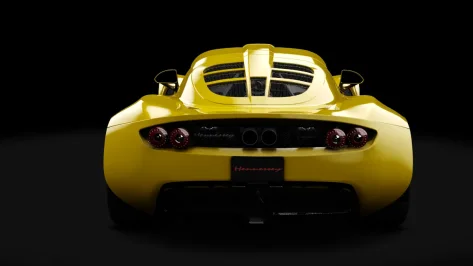
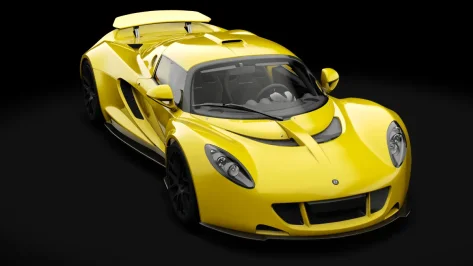
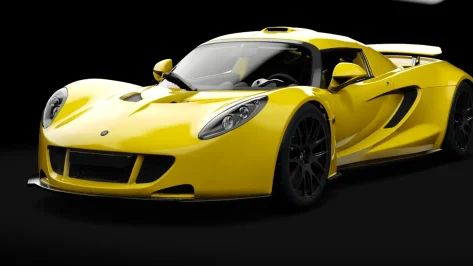
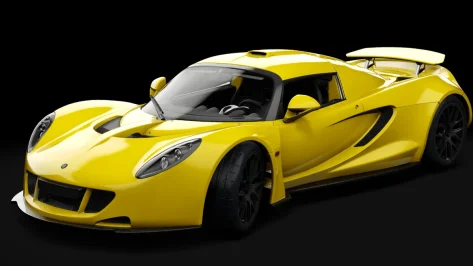
nuzzi strikes again lolHi all,
After checking online for an hour or so, I still did not find a solution for my problem.
For quite some time now, when running online races, the applicable surfaces.ini file of the track used is automatically updated, causing issues when trying to log in again on the server (track checksum error). Re-copying the track surfaces.ini always solved that for the first successive login but highly annoying, obviously.
However, now every time I enter a server it says "Ai Pit App=: Physics was not setup for this track. It has now been enabled but REQUIRES A RESTART." and fails to continue.
Restarting does not work, obviously, so I am currently stuck in offline mode
In the past I did have the Nuzzi AI Pit App (version 4.4) installed but never used it and removed it again. Looking online, this might have something to do with it. Strangely enough, I was able to race online with the workaround described above until now.
There is also some online sources that inidicate it has something to do with \assettocorsa\system\data\surfaces.ini. Unfortunately I have no clue what values this particular surfaces.ini file should contain.
Starting with a fresh CM config did not work, so issue is in the Assetto folder itself, I guess.
Re-installing the recommended 0.2.11 CSP did not work either (previously on 0.2.12-preview1).
Hopefully someone has a clue, without racing online in AC... well, let's not go there...

It will work with all plan modes, but only in timed plan mode it can use the slot duration as fade time! So you can use every timed plan like a favorite weather library.Just to clarify - the fade to slot box, can I use that only with "Timed"?. I had been building a lot of my weather plans around "Day" option.
That might just be the case, yes!nuzzi strikes again lol
I'm almost convinced he's on Studio 397's payroll as an AC library saboteur
the solution posted above (removing the appended text in surfaces.ini) indeed works on the installed track - but not always. Occasionally the checksum will still trip - and I've never found out what exactly is still happening. In that case, you need either a clean surfaces.ini or a full clean track install.

yes, in Overtake, I ask for the same, and the answer was to replicate for some realistic function of the rear linkage for the carhi. one question to someone who are knowledgeable in assetto suspension geometries. this rear geometry is just broken, or it is some way to make some specific geometry which is not available?
View attachment 1483444

The real life mini from the 60s used nothing but rubber dampers in the back. So this is someone fudging numbers to approximate the "feel".hi. one question to someone who are knowledgeable in assetto suspension geometries. this rear geometry is just broken, or it is some way to make some specific geometry which is not available?
View attachment 1483444


yes, in Overtake, I ask for the same, and the answer was to replicate for some realistic function of the rear linkage for the car
Great, thanks. I found this geometry in this Mini and in Pessio Garage Mini.The real life mini from the 60s used nothing but rubber dampers in the back. So this is someone fudging numbers to approximate the "feel".