
For anyone who wants to try it. This version is not the version I use with the trees shifted and/or removed in some spots to expose some of the grandstands. I can't provide that because it requires a new vao patch be created to account for the new tree objects. Without a new vao patch, the new tree models I created are not shaded properly. Probably because I don't know what i'm doing. This means you will see some people in the stands covered in trees.Maybe it's just me and I have some CSP setting wrong, but I never got crowds in the stands on the base Monza track. Some stands had them, but even those ones were limited. So last night I threw together a quick mod to fill up all the seats. I also had to shift some trees around to expose some of the stands.
Does anyone know if someone has already done a mod like this and if not, would anyone be interested in it?
View attachment 1489015
View attachment 1489016
View attachment 1489017
View attachment 1489018
View attachment 1489019


I don't know if you knew, but now the links will only be available in the Facebook group (Velo's Mods Workshop).That's where we'll be sharing all the new projects.Hi, what happened to the "Velo's" website? I can't find it...😅
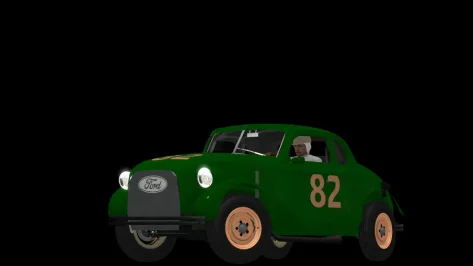
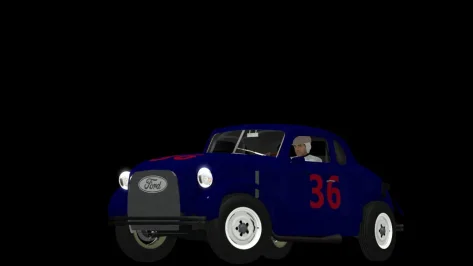
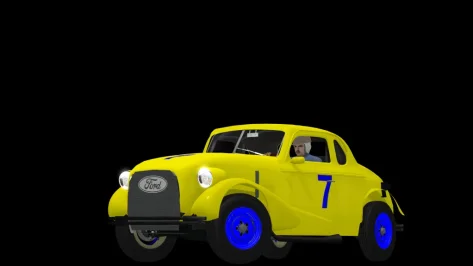
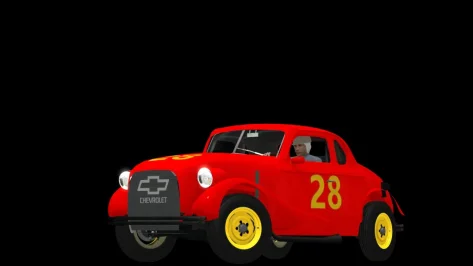
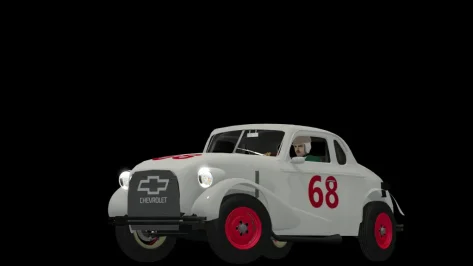
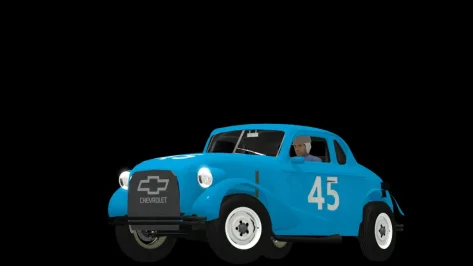
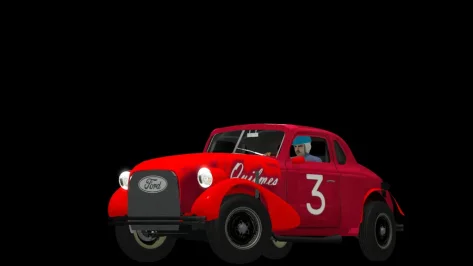


Fixed. Thank you.@shi
To see the spectators, have to rename the circuit name in the camera facing file, it's the wrong name.
TEXTURE=content/tracks/lamorra_gp/texture/knr_crowds_sitting.dds
to
TEXTURE=content/tracks/antalya_autodrome/texture/knr_crowds_sitting.dds
Nice circuit, thanks
Antalya Autodrome v1.21

View attachment 1326654
Conversion from rFactor2.
Fictional circuit in Antalya, Turkiye.
-CSP recommended
-40 pit/start
-2 layout
-AI, cam
Credits & Thanks;
rFactor2 Original Track by Eren Tuzci (erenschumacher)
-Thank you for giving me permission
AC Converted by @shi (shin956)
AI, sidelines, UI, DRS zones and cams by Eren Tuzci
.lua base and font by @gunnar333
logo.png by @Fanapryde
Crowds texture by @Kniker97
tree, marshall and some textures by kunos
Test and Feedback by @Breathe , Eren Tuzci
rFactor2 version (steam workshop);

Steam Workshop::Antalya Autodrome
steamcommunity.com
Enjoy.
;;;;;;;;;;;;;;;;;;;;;;;;;;;;;;;;;;;;;;;;;;;;
v1.1 changelog;
Author has made a major update to Track, so I have re-converted it.
Track Changes List;
1-) I increased the width of the circuit almost 2-3 meter.
2-) New colour theme from green to blue.
3-) Upgraded grandstands
4-) Upgraded pit buildings
5-) New sponsorship logos and objects.
6-) Remodelled T14 (the one before the bridge)
7-) New trees
8-) Adjusted runoff areas for T13 and T16
v1.2 changelog;
Even when CSP settings → General Patch Settings → CPU optimizations → Chunks optimizations are set to Advanced, ground objects are no longer hidden. (Tested with CSP 0.2.12-preview1.)
Added Chicane layout.
Added marshalls.
Added pit tents.
Fixed single-sided objects.
Fixed mapping of Billboard logo.
Fixed groove.
Updated skidmarks.
Updated ext_config.ini and VAO-patch.
Changed the texture and mapping of the grass.
A few other minor fixes.
v1.21 changelog;
Fixed camera_facing.ini. (Thanks to Aldo Raine for the report.)
F1 1998 - ROUND 01 - Melbourne v1.1
View attachment 1400354
Conversion from rFactor.
-CSP recommended
-30 pit/start
-AI, cam
Credits & Thanks;
rFactor Track by Grand Prix Team (1998 Track Pack)
-Thank you for giving me permission
AC converted by @shi (shin956)
AI and sidelines by Thockard
ai_hints.ini by wakamatospcl
Some objects from melbourne_2019_chq/ melbourne_2019
Crowds texture by @Kniker97
marshall and some textures by kunos
Enjoy.
;;;;;;;;;;;;;;;;;;;;;;;;;;;;;;;;;;;;;;;;;;;;;;;;;;;;;;;;;;;;
v1.1 changelog;
The walls now have thickness.
Added ai_hints.ini by @wakamatospcl . (Thanks!)
Even when CSP settings → General Patch Settings → CPU optimizations → Chunks optimizations are set to Advanced, ground objects are no longer hidden. (Tested with CSP 0.2.12-preview1.)


Just copy it over the original files and let overwrite. Maybe you want to have the original files save.Do you delete (or save) the original files, then copy yours into the track folder?


It is free on reddit. $6au for one skin is completely ridiculous lolThe WEC version is finished and available, and the 24 Hours of Le Mans and IMSA versions are in progress
View attachment 1489052


The latest csp for me has caused a myriad of issues for me which im still trying too figure out .completely clean install of CSP 0.3.14 and Pure last night, everything seemed to work in brief tests.
25 seconds into tonight's league race, a milquetoast MX-5 at Lime Rock:
View attachment 1489160
View attachment 1489161
First one in over a year. Coincidence? I think not.
The CSP rat race just isn't worth the bother, new features or new cars be damned. Back to 0.2.11 I go.
Going to be playing AMS2 for a while.
EDIT: Kept crashing upon further attempts. Does anyone know where to report/dump crash logs for CSP? I've left a post under the release but the comments are full of three-word exclamations - and there's not much in-depth feedback.
I've tried the CSP Discord before and that didn't really materialize anything back then either.
Thankfully it looks like 0.2.11 is working ok - minus the extra smoothness. UI elements are all hidden properly again as well.
I guess I'll have to live well behind the bleeding edge.


Updated the SuperSport with completely new samples in stereo after finding out that stereo samples do indeed work for 3rd person view, also fixed the directional sound as the exhaust sound originally cut out too early. Sound is pretty finished but I want to release it with the other ones of which I will have to regrab the samples in stereo, but thankfully I have them saved so it should only take a few hours to update all of the cars minus the Gran Turismo ones since they sound the same in stereo or mono. Only thing that's bothering me about the sound is that it seems like something is missing as the sound just suddenly cuts when shifting though the interior doesn't seem to have that issue. I'll try using a different sound for the shifting on exterior and see if that fixes the transition. I've also seen some people use a "shift" shound in front of the sample which I may try.
Also did the GT2 race exhuast V8 sound and updated the Viper sound as the sample I used originally for the max RPMs was actually midway to max RPMs so now it sounds better.


Well that just stupid, oh well. I'll just grab his mods off of ACTK then instead, Cause i'm not making an facebook profile to get Assetto Corsa mods. Not that i'd ever get into the group anyways considering you need to have year old accounts with activity on it.I don't know if you knew, but now the links will only be available in the Facebook group (Velo's Mods Workshop).That's where we'll be sharing all the new projects.


I hope you mean the same livery by someone is up else on reddit - having his work on reddit for free when he's asking a price for it would be as ridiculous as his original asking price.It is free on reddit. $6au for one skin is completely ridiculous lol


That looks realy good.always trying to improve the previews little by littleView attachment 1489157

\SteamLibrary\steamapps\common\assettocorsa\extension\config\cars\loaded --> ferrari_458_gt2.ini --> delete these lines:thank u very much but it isnt working for the 458 gt2
and also someone has some reference pictures for the diffrent looks of navigators_themes.ini?


Thanks, I'll try it as soon as I can.app written in lua to make new race strategies and some small adjustments to the AI of AC/CSP
Here is the 0.1 version of DumbAI :-)
Changelog is in the link, but in short, the main changes are: new UI to set variables in the settings menu before the race, some refinements of the blue flag behavior and more importantly the addition of pit strategy possibilities.
@Tetri , by refining the outlapping logic, I think I found a way to manage the AI Caution of the overtaker, do you have some values in mind that I could use as first tests ?
This is a first attempt at pit strategies so it is obviously quite rough: strategy "Normal" makes the AI pit when tyres wear of one of the wheels has reached 90% while strategy "One Stop, Mixed Compounds" cuts the race length in 3 and makes the AI mandatory pit at one third to change tyres compound.
I tried to keep the code as simple as possible while trying to provide automatic behaviour as much as possible. Until now, there is no fuel or damage managements. Also the tyres name management is not done, the code still uses indexes and thus is dependent on hardcoded tyres listing.
I made the tests with Kunos car on Kunos track (F488GT3 at Monza) , Kunos car on track mods (F488GT3 at Rouen and at Monza 88) and mod car (MP4/4) on mod track (Monza 88). Everything went well except the MP4/4 on Monza 88 stays too long in the pits. I tried to change the car.ini without success, so still have to investigate this one even if the app code doesn't seem to be responsible (the AI cars end to go back to the track after a while). But still, I did not have the bug reported by @Gabriele where the AI get stuck in the pits eternally.
If any of you have ideas of pit strategies to implement, please let me know here or in DM, that would help me to format a json that could be modified by users and that would be read manually in the settings menu, in a similar way to the weather plans. Obviously if I find some spare time , 'cause this little app is taking me some time 🙃
This could be helpful in creating VAO patchFor anyone who wants to try it. This version is not the version I use with the trees shifted and/or removed in some spots to expose some of the grandstands. I can't provide that because it requires a new vao patch be created to account for the new tree objects. Without a new vao patch, the new tree models I created are not shaded properly. Probably because I don't know what i'm doing. This means you will see some people in the stands covered in trees.


Same thing here. I can't watch the grass with Pure. It looks TERRIBLE compared to the one with SOL. I didn't found a solution yet...- The grass: with Sol there were tracks where the grass looked magnificent (special mention for the skins by @racinjoe013, a true MASTER in this area); now... I don't know how to explain it: it seems as if the blades of grass don't give a sense of depth, they don't have "volume", as if their color were too flat, without detail... As an example, here's a picture of the before...
View attachment 1489324
... and the after...
View attachment 1489340
Well, well, well... I've had the latest versions of CSP (0.3.0 p140) and Pure (3.0) installed for a couple of days now (along with the latest Content Manager 0.8.2782.39874 version), and I must highlight as a positive point that, just as Peter said, Pure seems to have less performance impact on the hardware than Sol.
Under the same conditions in my usual testing environment, a trackday at Kunos' Circuit de Barcelona 2015, CF1 skin enabled, 24 cars (Reboot's BAC Mono, usually), I've noticed that the consistency in the framerate is way better and the frametime has improved tremendously; at many points, when I active the framerate limit with RivaTuner at 100 FPS, the frametime graph is as flat as a zombie's encephalogram, whereas before it was common to me to have small, very regular spikes every few milliseconds. The improvement is consistent across all scenarios, although naturally, there are some combinations with mods that aren't very optimized where the miracle doesn't happen, but as I say, the improvement in this aspect compared to the versions I used before (Sol + CSP 0.2.5 preview) is evident, at least in my case.
And now for the not-so-good stuff, some details not very important, and others somewhat more...
- I don't know if it's possible to change this menu style, which I don't like...
View attachment 1489338
... back to the previous old one.
- With the default settings, the game looks in my monitors too washed out for my taste; the colors appear very muted. I suppose I'll have to spend some time playing with the HDR settings and the endless options of the Pure apps.
- The grass: with Sol there were tracks where the grass looked magnificent (special mention for the skins by @racinjoe013, a true MASTER in this area); now... I don't know how to explain it: it seems as if the blades of grass don't give a sense of depth, they don't have "volume", as if their color were too flat, without detail... As an example, here's a picture of the before...
View attachment 1489324
... and the after...
View attachment 1489340
(Sorry for the photo quality; I took it with my mobile phone directly from the screen; the screenshot app doesn't work as well as it should either...)
Obviously, driving at full speed it doesn't matter, but since I also like to enjoy taking screenshots for previews, or lingering over realistic details of the tracks, it bothers me to lose that aspect. I don't know if it has anything to do with the previous point, that is, the need to play with Pure's settings.
- And finally, what I'm most concerned about resolving: now, both while driving and while watching replays, there are elements of the track that suddenly appear and/or disappear, like lampposts, grandstands, posts... something that didn't happen to me so frequently before.... On the track I mentioned earlier, Circuit de Barcelona, it's curious to see that when I enter the start/finish straight, I can see the leaderboard totem from afar, it disappears at mid-distance, and when I'm closer, it reappears... I suspect the reason is one of the CSP options, Lod settings, Adaptative clip planes, or whatever hell knows, but no matter how much I've tried, I can't figure it out,damn it...
If anyone has any ideas, please share them, and maybe I'll get another pleasant surprise like @Swisss suggestion for correctly viewing the three monitors. Thanks in advance, pals!
I could be wrong, but I don't think Pure has any impact on how the grass looks except for maybe one thing. The higher the light.sun.speculars value is, the shinier the grass looks. And newer versions of CSP and\or Pure seem to exaggerate this even more than older versions. For my personal pure script, I lowered that value almost down to 0, even using older versions of both Pure and CSP. I personally have never seen shiny grass in real life so i'm not sure why it was made to look that way.Same thing here. I can't watch the grass with Pure. It looks TERRIBLE compared to the one with SOL. I didn't found a solution yet...

For everyone's benefit, AK's website seems to have the mod available to download for free, no Patreon purchase/subscription required. Maybe it was patreon-only during development but I'm not sure why it's still up there to purchase.

 www.akracing.online

Thanks. 👍Just copy it over the original files and let overwrite. Maybe you want to have the original files save.
Yes I've used it a lot in the past, works very well, but has no influence over the AI that I can remember. Just good at working out what you need during the race.I accidentally found this fuel app; https://www.overtake.gg/downloads/acrlfuel.15424/
Does anyone know about it or have used it? Do you know if it also works with AI?

I think you're right, I've got Pure since months and the grass was great many CSPs agoI could be wrong, but I don't think Pure has any impact on how the grass looks except for maybe one thing. The higher the light.sun.speculars value is, the shinier the grass looks. And newer versions of CSP and\or Pure seem to exaggerate this even more than older versions. For my personal pure script, I lowered that value almost down to 0, even using older versions of both Pure and CSP. I personally have never seen shiny grass in real life so i'm not sure why it was made to look that way.
I personally think your issues with the grass is a CSP problem, not a Pure problem. It's one of the reasons (amongst many others) as to why i'm still using CSP preview 1.80. I just can't get past how bad the grass looks on newer versions. And I hate the fact that it bothers me so much because as you said, how much do you really see it when driving\racing.
This time, the improved frametime and the ability to play recent mods that require newer versions of CSP weighs more to me than this graphics glitch, so I'm going to be unfaithful to you, sorry... From now until they fix this question (if they ever do), I'll be driving while looking askance at the landscape and cursing under my breath... 😤... I personally think your issues with the grass is a CSP problem, not a Pure problem. It's one of the reasons (amongst many others) as to why i'm still using CSP preview 1.80. I just can't get past how bad the grass looks on newer versions. And I hate the fact that it bothers me so much because as you said, how much do you really see it when driving\racing.

Mod is free to download from the website. Work is currently underway to improve all the cars, with significant updates to the Supra being made to align with the current concept model. I won't talk about the project more, but I can say to look forward to these updates, as the work being done behind closed doors is going well.For everyone's benefit, AK's website seems to have the mod available to download for free, no Patreon purchase/subscription required. Maybe it was patreon-only during development but I'm not sure why it's still up there to purchase.
GEN 3 V8 SUPERCARS | Ak Racing


