Assetto Corsa PC Mods General DiscussionPC 

  • Thread starter Thread starter daan
  • 154,671 comments
  • 48,649,946 views
Hello, does anyone know how to disable manual ignition and engine start in VRC Tourer CSP version cars? I'm playing with a controller and it's really inconvenient.
Thanks
 
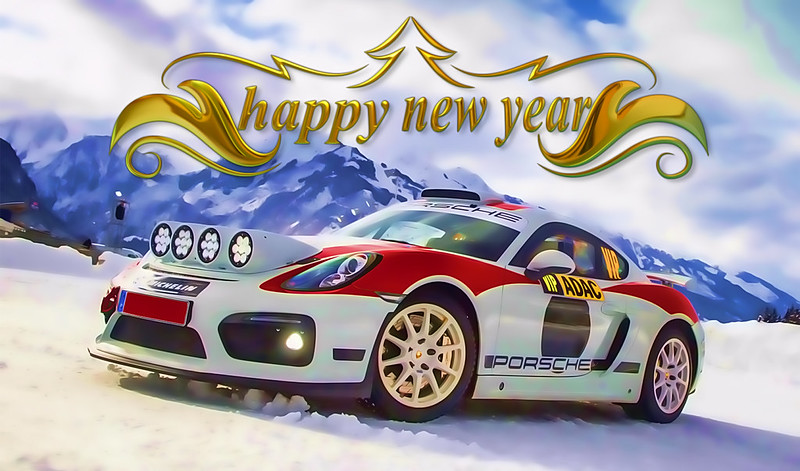
Happy new year my friends!

24994.png
 
Hello, does anyone know how to disable manual ignition and engine start in VRC Tourer CSP version cars? I'm playing with a controller and it's really inconvenient.
Thanks
It's definitely annoying on a gamepad since you have limited buttons.

The standard recommendation is to simply bind Ignition and Starter to your keyboard (e.g., keys 'I' and 'S') and just reach over to start it.

You can't fully "remove" the manual start feature easily because the logic is embedded inside the encrypted data.acd file. If you try to unpack and modify that, the car won't work online due to checksum mismatches.

However, if you only play offline, you can force the car to spawn with the engine running by editing the logic script.

  1. Go to the car data folder (after you unpacking the data.acd) and find script.lua file
  2. Open the script.lua file with Notepad/Notepad++.
  3. Look for the section where the variables are defined (usually near the top) and change the values to true.
1767234106968.webp


It should look something like this:

1767234117694.webp


Save the file, and the car should be running as soon as you load in
 
So what are all the best IMSA GT (GTO,GTU,GTS) mods considered to be these days? I know of the two VRC cars and a user here just updated the RX-7, but what about any of the other cars, anything decent for those kicking around?
 
So what are all the best IMSA GT (GTO,GTU,GTS) mods considered to be these days? I know of the two VRC cars and a user here just updated the RX-7, but what about any of the other cars, anything decent for those kicking around?
Only "good" one is the two cars from VRC
There was an IMSA GTO pack on Overtake posted like...2 years ago? that was quickly taken down due to it just being Forza Motorsport assets. But i believe it was uploaded here?

Was put together by some guy called Alpha89 if the Author is correct, It's decent. Not perfect but it's the best pack atm that i can think off.
Features the likes of
  • Ferrari F40
  • Ford Merkur XR4Ti
  • Ford Mustang
  • Ford RS200 (terrible 3D model)
  • Mercury Cougar XR-7
  • Audi 90 (kinda pointless, But the VRC ones isn't balanced at all with these cars)
  • Mazda RX-7
  • Nissan Z32
  • Toyota Celica

It's a bit of an shame that no one has bothered porting the brand new IMSA stuff that came in FM8.
 
Only "good" one is the two cars from VRC
There was an IMSA GTO pack on Overtake posted like...2 years ago? that was quickly taken down due to it just being Forza Motorsport assets. But i believe it was uploaded here?

Was put together by some guy called Alpha89 if the Author is correct, It's decent. Not perfect but it's the best pack atm that i can think off.
Features the likes of
  • Ferrari F40
  • Ford Merkur XR4Ti
  • Ford Mustang
  • Ford RS200 (terrible 3D model)
  • Mercury Cougar XR-7
  • Audi 90 (kinda pointless, But the VRC ones isn't balanced at all with these cars)
  • Mazda RX-7
  • Nissan Z32
  • Toyota Celica

It's a bit of an shame that no one has bothered porting the brand new IMSA stuff that came in FM8.
I'm trying - only model missing is the Buick but I cba lol
 

Attachments

  • preview.webp
    preview.webp
    45.1 KB · Views: 11
  • preview.webp
    preview.webp
    45.9 KB · Views: 10
  • preview.webp
    preview.webp
    38 KB · Views: 10
  • preview.webp
    preview.webp
    42.2 KB · Views: 10
------------------------- Happy New Year everyone

Nissan Skyline BCNR33 JGTC 1998 (version 3)

__custom_showroom_1757231502.webp

This update includes several important improvements and fixes:

Added rim map texture and fixed/updated incorrect textures
Fixed collider position
Front bumper lip fix
Removed ctrltrbo.ini
Updated tyre visuals and data (315/40R18 front, 330/40R18 rear)
New brake visuals
Improved car shadow visuals
Full manual gearbox adjustment option (more updates coming soon)


Read more and download gtplanet
OR
Patreon
 
C'est vraiment agaçant sur une manette, car le nombre de boutons est limité.

La recommandation habituelle consiste simplement à associer les touches « I » et « S » à votre clavier et à démarrer le moteur d'un simple geste .

Il est impossible de supprimer complètement la fonction de démarrage manuel, car sa logique est intégrée au fichier data.acd chiffré. Toute tentative de décompression et de modification de ce fichier entraînera l'indisponibilité du véhicule en ligne en raison d'erreurs de somme de contrôle.

Cependant , si vous jouez uniquement hors ligne , vous pouvez forcer l'apparition de la voiture avec le moteur en marche en modifiant le script logique.

  1. Accédez au dossier des données de la voiture (après avoir décompressé le fichier data.acd) et recherchez le fichier script.lua
  2. Ouvrez le fichier script.lua avec le Bloc-notes/Notepad++.
  3. Recherchez la section où les variables sont définies (généralement en haut) et remplacez les valeurs par « vrai » .
View attachment 1503104


Cela devrait ressembler à ceci :

View attachment 1503105

Enregistrez le fichier, et la voiture devrait démarrer dès que vous la chargerez.
Hello, thank you so much my friend, it worked perfectly, thank you so much!

However, do you know where I need to modify these lines on newer mods like the Alfa Romeo or Volvo, please?
 
Last edited:
New Year's Resolution for 2026:
- Get my garage down below 1,000 cars again, and stop keeping substandard cars that the modder himself obviously didn't even care enough about in the first place. My collection has somehow crept up to over 2,100 cars, many of which I'll never drive again. Cull with brutality.

Sim racing hopes for 2026:
  • A CSP build without any significant annoyances, especially ones that were previously fixed and have inexplicably returned.
  • A CM update that finally fixes that friggin' bastard memory leak.
  • For all car modders everywhere to realise that glass is not supposed to cast shadows.
Also:
  • for car modders to realise that brake lights are not yellow, and to learn how to hide face meshes properly when swapping in stupid anime or Jason Statham/Vin Diesel drivers.
  • for Pyyer and Fenryr to Google 'z-fighting and how to avoid it'.
 
Awesome, glad to hear you got it sorted!

Enjoy the drive and Happy New Year to you as well!
Hello, Happy New Year to you.

Will this method you described work on the stall feature of the CSP Tourers as well? I mean, I would like to completely get rid of it. Whenever you go off-road, the car engine randomly dies, and it's so annoying to turn it on again.
 
Hello, Happy New Year to you.

Will this method you described work on the stall feature of the CSP Tourers as well? I mean, I would like to completely get rid of it. Whenever you go off-road, the car engine randomly dies, and it's so annoying to turn it on again.
I've tested this method to see how it reacts to crashes. If you bump into a wall or flip and the engine dies, you don't actually need to use the starter button.

Just shift to Neutral and rev the engine up—the car will "catch" and start again automatically.

Hello, thank you so much my friend, it worked perfectly, thank you so much!

However, do you know where I need to modify these lines on newer mods like the Alfa Romeo or Volvo, please?
I’m sorry, but I actually just took a look at the files for those newer cars. The .lua structure in them is way more complex than the older models, and I honestly couldn't figure out exactly where to make the changes to get it to work.
 
Anyone else seeing horrendous shadow banding on cars and tracks in CSP 0.3.0 p212, mostly on vertical surfaces at high sun angles?
Nothing in CSP Smart Shadows settings or AC video settings seems to fix it, so unless a random tickbox elsewhere is causing it I assume Ilja maybe broke something.

1767273340276.webp
1767273423220.webp
 
Last edited:
Anyone else seeing horrendous shadow banding on cars and tracks in CSP 0.3.0 p212, mostly on vertical surfaces at high sun angles?
Nothing in CSP Smart Shadows settings or AC video settings seems to fix it, so unless a random tickbox elsewhere is causing it I assume Ilja maybe broke something.

View attachment 1503169 View attachment 1503170
FixTheBug-AddTheBug-FixTheBug-AddTheBug-FixTheBug-AddTheBug ™
 
shadow banding
Had similar issues with track objects (banners, pit-walls) - displaying diagonal shadow-stripes... and whist ingame, opened CM and began to tinker with settings, trying to eliminate or reduce the cause/effect.

Came across this settings-page which seemed to help. These are my current settings (post-fix), try and see if this helps at your end.

shadow-banding__potential-fix.webp


Hope it helps.

---------------------------------
Another annoying issue with latest CSP (all 0.3.0 versions) relates to the lap-timer app not showing the 'best' lap time - only on replay-mode. If anyone has come across a fix please let the community know, thanks.

lap-timer__best-time-error.webp

Reverting to a previous CSP version (eg. 0.2.12) fixes this issue - go figure!
 
Last edited:
I've tested this method to see how it reacts to crashes. If you bump into a wall or flip and the engine dies, you don't actually need to use the starter button.

Just shift to Neutral and rev the engine up—the car will "catch" and start again automatically.


I’m sorry, but I actually just took a look at the files for those newer cars. The .lua structure in them is way more complex than the older models, and I honestly couldn't figure out exactly where to make the changes to get it to work.
Yes, they are indeed more complex. I'll try to look into it on my end as well. If you find anything on how to do it, please feel free to share it here.
Thanks
 
Also:
  • for car modders to realise that brake lights are not yellow, and to learn how to hide face meshes properly when swapping in stupid anime or Jason Statham/Vin Diesel drivers.
  • for Pyyer and Fenryr to Google 'z-fighting and how to avoid it'.
  • For modder to stop testing with outside view with the keyboard and calling it done
  • Listening to those using their mods (please stop saying the mod is perfect therefor you wont make any change to it)
 
I use CSP1.80preview9. Anything beyond that and it's stutter city with a full field. Makes no sense and i've tried everything to fix it. I've reset all my CSP settings, I tried a fresh AC installation without mods, driver updates, clean windows installation, etc. and nothing works. Some have suggested that it might be my system, but if that was the case, why does older CSP versions work fine. If it was my system, I think any CSP version would struggle. Plus, all my other games run perfectly so that shoots that theory out of the water.
Brilliant. I will give that a try. I have the same issue in VR. Fingers crossed.
 
Anyone else seeing horrendous shadow banding on cars and tracks in CSP 0.3.0 p212, mostly on vertical surfaces at high sun angles?
Nothing in CSP Smart Shadows settings or AC video settings seems to fix it, so unless a random tickbox elsewhere is causing it I assume Ilja maybe broke something.

View attachment 1503169 View attachment 1503170
I have had this issue for a long time but can’t fix it unfortunately.
 
Anyone else seeing horrendous shadow banding on cars and tracks in CSP 0.3.0 p212, mostly on vertical surfaces at high sun angles?
Nothing in CSP Smart Shadows settings or AC video settings seems to fix it, so unless a random tickbox elsewhere is causing it I assume Ilja maybe broke something.

View attachment 1503169 View attachment 1503170
I swear I'm not trying to wind you up, but I used to have this (much worse) on the car paint in any external view, on earlier versions of CSP. Seeing you say it, I realised I haven't seen that for a while (around the same "while" since I updated to 0.3.0 p212). So I went back and checked. Sure as nuts, gone. (No, I haven't made any CSP settings changes recently, either. Too scared to.)

I don't know man, I just don't know. It's like a sadistic, complex, puzzle at this stage.
 
Last edited:
I posted this 5 months ago but I will post it again (regarding the AC ai) because it's interesting.

When you build a season around just one or two base cars (and use like 10 team skins) you will get superior AI. Always. That's why 2002 (1 base car), 1998 (2 base cars), 1990 (1 base car) 2004 (1 base car), 2005+2007 VRC (2 base cars) drive so well and the season is so stable and realistic (result wise).

Whenever you add base cars (like have a full grid of all teams) you get much more variables and potential issues of the race / season stability. That is just a fact.

ASR 1991, 1992 and 1993 are so high quality that you don't get many issues. But generally this is the case. I've noticed this because I tinkered these seasons for years.

I understand the attraction of having full grid of individual cars but when you play the season you only control one car anyway. And with careful driver aggression/AI skill adjustments you get the best season results and the exact same "genuine season feel". You have the correct helmets, car skins, gloves, etc. What does it matter if the AI controlled cars are based on the same car as yours?

I never got much success with Content Manager grid presets. They reset randomly and will not give consistent results in the full season (at least I never got them working).Using championship JSON files gives perfect and consistent results (well as perfect as AC allows them to be).

Overall I'm quite surprised how little attraction there is to play the authentic season modes (generally). I think most people just hotlap or play individual single races. I only play seasons. I never understood why people want "as realistic grid as possible" and then they play career mode with Joe Blow which is total fantasy stuff. :D

So once again, if you forget the blue flag / QF outlap issue, the ai CAN be very good.

This is a repost from my actual 2002 season that I finished. I drove with Montoya against Rubens and Schumi at Monza (ai 97 and 100).

This is not to say "Look I made this ai so good with my great settings". I didn't do SQUAT. Just made the 2002 Eurosport graphics and gave these drivers and cars correct values so that they respond as realistically and consistently as possible. Watch these laps and tell me, can you see the positives.of the ai behavior and get my point? And could this be the result of Content Manager AI tweaks too, because the AI is actually very good. Not as good as F125 which actually has utterly superior AI but I wouldn't call this "bad ai" by any means. Sure the ugly blue flag issue comes up when you have full length races but it works great with 20 lap settings because you won't get many backmarkers if the driver values are properly set up.

PS: My 2002 season ended like this

1. Schumacher
2. Barrichello
3. Montoya
4. Ralf
5. Kimi

I would say it was pretty realistic outcome.

More details in the video description.

And last: Some of my seasons have over 10.000 downloads but I rarely hear any feedback of them. If you have played them, what kind of experiences you've had? Yes I know the SD based seasons aren't that great but we don't have other 1982, 1983, 1984 and 1988 cars available. But I would say even they are playable and semi-decent after making radical changes to the crap SD cars.

 
Last edited:
Anyone else seeing horrendous shadow banding on cars and tracks in CSP 0.3.0 p212, mostly on vertical surfaces at high sun angles?
Nothing in CSP Smart Shadows settings or AC video settings seems to fix it, so unless a random tickbox elsewhere is causing it I assume Ilja maybe broke something.

View attachment 1503169 View attachment 1503170
Same here, seen it on trees aswell and various cranes and other objects around the track 😡 reverted back to 2.10 preview 1 🤦‍♂️😢
 
I swear I'm not trying to wind you up, but I used to have this (much worse) on the car paint in any external view, on earlier versions of CSP. Seeing you say it, I realised I haven't seen that for a while (around the same "while" since I updated to 0.3.0 p212). So I went back and checked. Sure as nuts, gone. (No, I haven't made any CSP settings changes recently, either. Too scared to.)

I don't know man, I just don't know. It's like a sadistic, complex, puzzle at this stage.

About all this, one of the great things with AI, Claude or any LLM can extract and compare all the values and checkboxes between CSPsettings.ini file.

Prompt something like "draw an excel comparition of all the differences per CSP settings type you spot between 2 preset files", then join presetA.ini and presetB.ini, and you get something like that :
Capture d'écran 2026-01-01 171921.webp


Meaning you can share presets presets with a fellow simracer and spot the differences that could create your issues.

i've done it multiple times to detect and debug new additions on CSP that would be ON by default on updates.

Hope this would help.
 
View attachment 1502926
Losail (Qatar) Circuit FNR - Action/F1-Cams

A high-speed circuit (particularly with F1 mods), with many turns at no less than 100 km/h... and the last three turns feel insane at 200+ km/h. The effort in concentration whilst blasting around this track is on another level - managed to work a sweat after 20 laps.


DOWNLOAD

Happy racing & have a Prosperous New Year!!!

...don't forget to set a few new year resolutions, @Masscot is on the money here!

Hi racealot - Hope this finds you well - I might be being snippy but you forgot to add the Drivers girlfriend cam-shots - Oh well 🙃 - Happy 2026
 
Last edited:
Sharing a mod? Host it on GTPlanet Downloads. Free, public hosting for files up to 10GB in size.
Back