Assetto Corsa PC Mods General DiscussionPC 

  • Thread starter Thread starter daan
  • 156,737 comments
  • 50,760,023 views
Ah, That would be why i didn't find anything, Its all on facebook, and that website is basically blocked on my browser so anything posted on there just don't appear when i search around

In other things i have done.

Small update on the Livery Archive we are now almost at 3000 liveries archived, Still plenty to go trough, i have not bothered going trough the skin pack that came with the WSC update will get around to that some day.

Secondly iHTuning re-imported the Acura ARX-06 over to AC. But since i don't want Ian Bell to DMCA strike my ass you can find an direct link to that car in the IMSA tab for the 2026 grid, Including the Aston Martin Valkyrie.

--Basic credit--
3D model: Project Motor Racing
Physics: BBi Muggo / ACF (idk we just re-used their physics as they are somewhat decent)
Shaders: BBi Turro
Rest: BBi Discord for providing all the WEC parts etc and for helping sourcing all the LUA crap that is needed for those stuff.


That's about it i think

View attachment 1508099
Have just been made aware that the entire one drive link for all the liveries that Arnage made has gone offline, idk if it's cause the sudden increase of downloads caused him to suddenly deleted it, But i'll have to bundle everything myself into an easy to download package and have the links updated soon.
 
Last edited by a moderator:
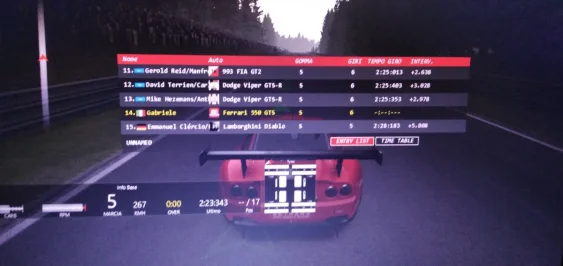
Hi, why can't I see my real-time track position in race replays? For example, here I'm 14th, leadboard, but how can I see everyone's real-time position? Thanks.
 

Attachments

  • IMG_20260125_013154_1.webp
    IMG_20260125_013154_1.webp
    56.9 KB · Views: 9
  • IMG_20260125_013536.webp
    IMG_20260125_013536.webp
    69.1 KB · Views: 12
Fully agree its a game changer, first thing I do when downloading a new mod is normalize the volmue. Saves my ears when later on the rig and putting the headphones on I know won't be super loud!
Must-have app for me, different cars and modders for different engine levels that break my immersion quite easily.
That and the constant thing where I want my racecar's cockpit bleeding loud and the rest of the world quiet and below all the rest, so triple duty, mixing cockpit sounds, lowering them, eventually mixing external sounds for replays.

I could add that wind effect on closed cockpits is slightly underestimated in AC but all the mixing stuff above is enough work.
Anyways, must-have app. 👍
It's one of those apps that I wonder how I played the game before the modder made it :lol:. For all of AC CSP's bugs and quirks, there have been some really cool apps that have made some great qol upgrades to the game over the last year or two
 
For in game, this app I found to be a game changer for per car volume adjustment. Can't tweak as much as the ext_config file, but overall engine volume, transmission, tires etc can be changed in game on the fly and it will load up everytime you use the car

Would this app enable us to use the full exterior audio from @Young78's F40 (damped ever-so-slightly-but-not-much) in the cockpit?
All attempts to achieve this via a config or by sound bank editing have so far proved fruitless.
 
I'm trying to kind of replicate the track resurfacing done in 2024, but I could use a little info from people who know more about the track than I do. Which of these pictures looks closer to the road surface brightness of the real track as it is now? Or should I go brighter or darker? I'm guessing the third one is too dark, but I threw it in there just in case my assumption is wrong.

1.webp

2.webp

3.webp


Thanks for any input...
 
Currently i'm preparing a hotfix for Pure LCS and Gamma to solve this strange bug: The skydomes are not properly loaded, you just see some rings, which could be a broken texture loading or texture access on GPU VRAM level.
1769350954667.webp


It actually happens only on ASUS NVIDIA cards for now ASUS ASTRAL 5080/5090, but also a 3060 ti

If someone has this bug too, please tell me your exact GPU vendor and model name. I'm currently investigating why those cards have a problem with loading BC7 textures but only while other stuff is loaded.

Maybe the solution i'm building is obsolete with a new CSP but for now i can prevent it.

The bug happens mostly if AC is loaded or if you switch to Replay and back.

Actually it is everytime solved if you just reset Pure in Pure Config app or Pure PP app.


For now idk, if this is a VRAM thing or a firmware issue...
 
what setting do I need to fix with preview 212 CSP

if I drop back to 0.2.11 CSP issue goes away.
iwaiinaina - Copy.webp

I am starting to really hate CSP and just new things creating bugs

I thought my graphics card was on the way out here.
Ran OCCT for 2 hours to scan for gpu and vram artifacts and none passed. no overheating on 3060ti.

So its something in CSP that causes this random issue with skin...this happens with every single car.
 
Something for y'all on this gloomy sunday :


Everything is explained there - the post 2014 spec wing used on the 2013/14 skins was nagging me a bit.


Little before / after :

preview.webp
preview.webp


This will overwrite the original kn5 so copy that one beforehand if you don't like the look of the early wang

(originally uploaded the wrong config files lmao)
 
Last edited:

Attachments

  • Capture d'écran 2026-01-25 172705.webp
    Capture d'écran 2026-01-25 172705.webp
    79.3 KB · Views: 9
I'm trying to recreate the thumbnail preview preset of Forza Horizon 6 (as of the dev direct footage's release).
Screenshot 2026-01-26 003434.webp


Here's what I feel is the thumbnail preview style that will be used in FH6.
Screenshot 2026-01-26 002626.webp


Is there anything else i can adjust further to make it pin-point accurate?
 
Would this app enable us to use the full exterior audio from @Young78's F40 (damped ever-so-slightly-but-not-much) in the cockpit?
All attempts to achieve this via a config or by sound bank editing have so far proved fruitless.
Worth a try. It has sliders that you can mid int and ext sound levels. Might be car dependent though if you're having trouble doing it via ext_config. I use it more just for basic engine leveling and adding some more transmission noise on some cars.
 
I am starting to really hate CSP and just new things creating bugs
I do feel your pain, but my last criticism about his work, if you consider his $52280 monthly from Patreon, did introduce me too a couple of angry Ilya fanboys 🤐
Could sent you my settings


Thanks for noticing, that @Young78 is the Fat-Alfie from the car mods. His car mods are much better then of all the paid mods I ever did drive. Young78 Keep on the great work.
 
Last edited:
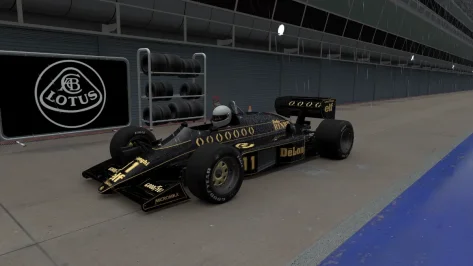
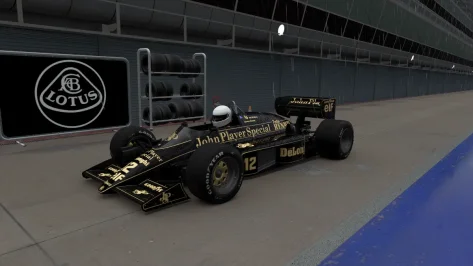
Hope somebody can help. Just started using the KUNOS LOTUS 98T after quite a while and I've noticed that the driver helmet has gone to this grey colour 🤷‍♂️ I'm sure it used to have Ayrton Senna's yellow helmet, any ideas as to why its changed ? Tried an integrity check its doesn't change it.

Regards

Mark
 

Attachments

  • Screenshot_lotus_98t_rj_monza_25-0-126-19-36-22.webp
    Screenshot_lotus_98t_rj_monza_25-0-126-19-36-22.webp
    81.4 KB · Views: 13
  • Screenshot_lotus_98t_rj_monza_25-0-126-19-41-5.webp
    Screenshot_lotus_98t_rj_monza_25-0-126-19-41-5.webp
    81.3 KB · Views: 10
not for the purists , but if you want some quick laps against ai which doesn't all have black skins, you can grab these fictional skins I made for the Grand Prix 2026 CAD26 mod by SDD.

preview.webp
preview.webp
preview.webp
preview.webp
preview.webp
preview.webp
preview.webp

download available here

I also think the tyres were too reflective, so in the mods general ext_config.ini best add this:
Code:
[SHADER_REPLACEMENT_...] ;improve tyres
ACTIVE = 1
MATERIALS = RTT_TIRE, RTT_TIRE_TREAD
PROP_... = ksAmbient, 0.04
PROP_... = ksDiffuse, 0.1
PROP_... = ksSpecular, 0.01
PROP_... = ksSpecularEXP, 100
PROP_... = fresnelMaxLevel, 0.01
PROP_... = fresnelEXP, 5
PROP_... = fresnelC, 0.007

(if not the tyres will not look as in the screenshots, and in game , esp in VR they are way too shiny otherwise imho)
 
Last edited:
Refracting headlights for the Aston Martin AMR1

Copy the the values below into your ext_config.ini.

1769372398713.webp


[REFRACTING_HEADLIGHT_0]
POPUP_ENABLED=0
SURFACE = headlightr_a_SUB3,headlightr_a_SUB4,headlightl_a_SUB4,headlightl_a_SUB3
INSIDE = headlightr_a_SUB1,headlightl_a_SUB1,headlightlbulbs_a
RELATIVE_TO =
SYNC_EMISSIVE_AUTO = 1
ABSORPTION = 0.12
AMBIENT_MULT = 1
BASE_EMISSIVE_K = 1
BOUNCED_BACK_MULT = 0.75
BULB_BLUR_K = 4
BULB_REFLECTION_K = 0.1
CUSTOM_BULB_0 = 0.5,0.5,0,0
CUSTOM_BULB_1 = 0.5,0.5,0,0
CUSTOM_BULB_2 = 0.5,0.5,0,0
CUSTOM_BULB_3 = 0.5,0.5,0,0
DIFFUSE_MAP_FILTER_MULT = 1.19
DIFFUSE_MAP_MULT = 1
DIRECTION = 0,0,-1
DYNAMIC_EMISSIVE_MAP = 0
EMISSIVE_MULT = 100
EXTRA_GLASS_COLORIZATION = 1
EXTRA_SIDE_THICKNESS = 0
F0 = 0.48
GLASS_COLOR = 0.25,0.25,0.25
GLASS_EMISSIVE_MULT = 0.89
GLASS_EXTRA_THICKNESS = 0
INNER_SPECULAR = 6.9
INNER_SPECULAR_EXP = 178
IOR = 1
IOR_FLYOUT_FLAT = 0
LOD_BIAS = 2
MIRROR_2_AS_5 = 0
MIRROR_3_AS_4 = 1
MIRROR_DIR = 1,0,0
MIRROR_POS = 8.046627e-07,0.39471573,1.9302659
NM_SHARE_EXT = 0
NM_SHARE_INT = 1
ORIGIN = 0.74885917,0.39471647,1.9357328
RADIUS = 0.1935346
REFLECTIVENESS_DIFFUSE_MULT = 100
REFLECTIVENESS_MULT = 10
REFLECTIVE_GAMMA = 0.4
REFRACTION_MASKING = 0
SIDE_FALLOFF = 3.16
USE_COLORED_BULBS = 0
USE_CUSTOM_BULBS = 0
USE_NORMAL_ALPHA = 0


[EMISSIVE_LIGHT_...]
NAME=headlightlbulbs_a
COLOR=1,1,1,1
LAG=0.1
LOCATION=FRONT
BIND_TO_HEADLIGHTS=1
CAST_LIGHT=1
CLUSTER_THRESHOLD=1.0

Mod is from KJRacing81 / Lu Thua Kien
 
Last edited:
I do feel your pain, but my last criticism about his work, if you consider his $52280 monthly from Patreon, did introduce me too a couple of angry Ilya fanboys 🤐
Could sent you my settings


Thanks for noticing, that @Young78 is the Fat-Alfie from the car mods. His car mods are much better then of all the paid mods I ever did drive. Young78 Keep on the great work.
I am close to quitting patreon support due to lack of care.

Ilya never replies.
Legit one update from next always makes something go boom.
We are like years from stable build because code they keep rewriting 100 times over.

Biggest issue is that the physics part of new csp updates are really good.
So teams like URD that release new mods that have cosmic suspension/raycasting to fix kerb tire thing and is built on FIA / manufacturer / driver / telemetry data etc require newest CSP but than you run into ****** issue where I can't for life of me find what pile of crap graphics settings changed from previous to newest paid version that causes this glitching.

I know its something to do with lightning and skin but like what setting. Its going 1 to 1 and changing it to figure this horse**** out.
 
Monza 2025 (beta 0.92)

monza_2025_beta

Throwing this out there for anyone to try in the hopes to get a little feedback. I am concerned about flickering on the sponsor banners. I had to fix a lot of them and redo a lot of the uv mapping for the textures. I do not see any but i'm on an old CSP version and don't know if that would make a difference.

Don't let the name fool you. This is not a representation of the track in 2025. It's just a name I picked so I can separate this version from the Kunos version in my CM track list. It is nothing more than all of the mods i've created or downloaded for Monza rolled into one track so I can keep the original Kunos version 'clean'. It is a beta version (about 90% complete) so you can expect to see some obvious mistakes and maybe some poor texture choices. Because it's based on the original Kunos track, you are free to use any mods for that track with this one, such as ai files, track skins, etc. The one thing you can't do is use a mod that will overwrite the ext_config file. That would cause some issues.

Credits:
-- @Masscot for the animated flagmen and balloons
-- Assets used from the monza2022crf version of the track.
-- knicker for the crowd files.

While this track is not as confusing as some of my other ones, I still need to explain a few things:

-- There are two layouts, the base layout and a raceday layout that adds sponsor banners in some spots based on a 2025 GT World Challenge video I watched as a reference. The raceday layout is best to use with modern cars because the sponsors wouldn't make much sense for cars 10+ years old. Also, when using the raceday layout, I would suggest enabling the 2025 Raceday track skin to complete the look.
-- There are four 'Years' track skins that will bring back certain buildings and structures to make the track more period accurate. For example, enabling the 2010 (probably should have been named pre-2010) skin will make the track look like the Kunos default version with no structures hidden.
-- For performance reasons, I have the animated flagmen and live jumbotron displays off by default for older computer users. You can turn them on by enabling the appropriate track skin. Plus it's nice to turn them off when driving a practice session.
-- Last thing, there is a huge difference in how bright the crowds look depending on whether you use CSPs 'New spectators rendering method' so you might have to do some adjusting to the ambient and diffuse values in the camera_facing file. I have it setup for my CSP options, but yours may be different.

Have fun and hope to hear from someone on any issues you may see. If not, then i'll just keep plugging along thinking everything is all right.
Track has been updated to version 0.92. Use the link in the quote to get the update. Disable any track skins you are using first then extract and overwrite when it asks. Or the safer method would be to delete your existing track folder first.

I wasn't planning such a quick update, but we got 16" of snow today. When you are stuck in the house, you have plenty of time to work on things.

Updates:

-- Removed the AGIP logos from the track surface for the 2023 and 2025 track skins. Thanks to @Quark67 for pointing out they should be removed. I tried my best to blend the new texture mapping on the meshes with the surrounding surfaces, but the one coming out of Ascari was way too difficult to match. Hopefully it's not too noticeable.
-- Moved one of the Ascari Rowe banner meshes to a more accurate location based on race footage.
-- More tree shifting to eliminate some trees from poking through walls.
-- Some objects removed for 2025 to better match race footage.
-- First attempt at making the track look resurfaced for 2025. At the moment you will need to enable the 2025 track skin to make it work. I may eventually make it a separate track skin just in case anyone wants to make their own version. And i'm still waiting to hear if it is too dark.
-- Added the Monza logo to the object at the start of pit lane.

I think that's all I did.

Screenshot_yzd_aston_martin_v8_vantage_gte_rj_monza_25-0-126-22-20-45.webp
 
Last edited:
Sharing a mod? Host it on GTPlanet Downloads. Free, public hosting for files up to 10GB in size.
Back