Assetto Corsa PC Mods General DiscussionPC 

  • Thread starter Thread starter daan
  • 157,268 comments
  • 51,147,404 views
I am close to quitting patreon support due to lack of care.

Ilya never replies.
Legit one update from next always makes something go boom.
We are like years from stable build because code they keep rewriting 100 times over.

Biggest issue is that the physics part of new csp updates are really good.
So teams like URD that release new mods that have cosmic suspension/raycasting to fix kerb tire thing and is built on FIA / manufacturer / driver / telemetry data etc require newest CSP but than you run into ****** issue where I can't for life of me find what pile of crap graphics settings changed from previous to newest paid version that causes this glitching.

I know its something to do with lightning and skin but like what setting. Its going 1 to 1 and changing it to figure this horse**** out.
I've been trying to help out Beni and Abulzz on the new lidar version of the Targa Florio and it is unplayable on CSP 0.3.x because of the broken GrassFX. Even CSP 0.2.x has weird grass effects but at least it doesn't have crashing frames. We need an option in GrassFX to display all the grass within a radius rather than having it 'grow' as you approach it even if it does mean higher resources because at the moment you have a draw line 10m in front of you that makes it hard to concentrate on the road and it is especially bad in a high res VR headset.
 
I've been trying to help out Beni and Abulzz on the new lidar version of the Targa Florio and it is unplayable on CSP 0.3.x because of the broken GrassFX. Even CSP 0.2.x has weird grass effects but at least it doesn't have crashing frames. We need an option in GrassFX to display all the grass within a radius rather than having it 'grow' as you approach it even if it does mean higher resources because at the moment you have a draw line 10m in front of you that makes it hard to concentrate on the road and it is especially bad in a high res VR headset.

Exactly what I mentioned a few pages back. Feels like a regression, as it was fixed in an older release.
 
[REFRACTING_HEADLIGHT_0]
POPUP_ENABLED=0
SURFACE = headlightr_a_SUB3,headlightr_a_SUB4,headlightl_a_SUB4,headlightl_a_SUB3
INSIDE = headlightr_a_SUB1,headlightl_a_SUB1,headlightlbulbs_a
RELATIVE_TO =
SYNC_EMISSIVE_AUTO = 1
ABSORPTION = 0.12
AMBIENT_MULT = 1
BASE_EMISSIVE_K = 1
BOUNCED_BACK_MULT = 0.75
BULB_BLUR_K = 4
BULB_REFLECTION_K = 0.1
CUSTOM_BULB_0 = 0.5,0.5,0,0
CUSTOM_BULB_1 = 0.5,0.5,0,0
CUSTOM_BULB_2 = 0.5,0.5,0,0
CUSTOM_BULB_3 = 0.5,0.5,0,0
DIFFUSE_MAP_FILTER_MULT = 1.19
DIFFUSE_MAP_MULT = 1
DIRECTION = 0,0,-1
DYNAMIC_EMISSIVE_MAP = 0
EMISSIVE_MULT = 100
EXTRA_GLASS_COLORIZATION = 1
EXTRA_SIDE_THICKNESS = 0
F0 = 0.48
GLASS_COLOR = 0.25,0.25,0.25
GLASS_EMISSIVE_MULT = 0.89
GLASS_EXTRA_THICKNESS = 0
INNER_SPECULAR = 6.9
INNER_SPECULAR_EXP = 178
IOR = 1
IOR_FLYOUT_FLAT = 0
LOD_BIAS = 2
MIRROR_2_AS_5 = 0
MIRROR_3_AS_4 = 1
MIRROR_DIR = 1,0,0
MIRROR_POS = 8.046627e-07,0.39471573,1.9302659
NM_SHARE_EXT = 0
NM_SHARE_INT = 1
ORIGIN = 0.74885917,0.39471647,1.9357328
RADIUS = 0.1935346
REFLECTIVENESS_DIFFUSE_MULT = 100
REFLECTIVENESS_MULT = 10
REFLECTIVE_GAMMA = 0.4
REFRACTION_MASKING = 0
SIDE_FALLOFF = 3.16
USE_COLORED_BULBS = 0
USE_CUSTOM_BULBS = 0
USE_NORMAL_ALPHA = 0
FYI : for me the lights remain black when turned on (w your this code added):

1769441842894.webp


without your code they light up:
1769441912681.webp
 
Last edited:
Thank you very much for the offer, but I'm from the era of manual SLRs and film, and I have basic knowledge about depth of field, shutter speed, aperture, etc.
Yeah I didn't mean like how to do shot composition and play with the settings, but more so how to get set up and make things actually work inside the game. The biggest things being having orbit cam for F5 disabled in the Assetto Corsa System settings and just some minor minutiae on how the "motion shots" work since those are a bit finicky too.
 
FYI : for me the lights remain black when turned on (w your this code added):

View attachment 1509029

without your code they light up:
View attachment 1509030
I am truly sorry, I forgot to include a mandatory piece of the coding. Please put these lines under the existing lines in your ext_config.ini. Original post has been updated.

[EMISSIVE_LIGHT_...]
NAME=headlightlbulbs_a
COLOR=1,1,1,1
LAG=0.1
LOCATION=FRONT
BIND_TO_HEADLIGHTS=1
CAST_LIGHT=1
CLUSTER_THRESHOLD=1.0

Sorry again and thanks for reporting!
 
Refracting Headlights and Rearlights for the Alfa Romeo TZ (WSC Legends Mod)

1769471082410.webp


1769471108034.webp

Put it into the ext_config.ini:

[REFRACTING_HEADLIGHT_0]
POPUP_ENABLED=0
SURFACE = Mesh_Light_Glass_0
INSIDE = MESH_front_lights,MESH_front_lightbulbs
RELATIVE_TO =
SYNC_EMISSIVE_AUTO = 1
ABSORPTION = 0.002
AMBIENT_MULT = 0.26
BASE_EMISSIVE_K = 0.06
BOUNCED_BACK_MULT = 0.4
BULB_BLUR_K = 4
BULB_COLOR = 0.89245963,0.76862764,0.09231447
BULB_REFLECTION_K = -0.04
CUSTOM_BULB_0 = 0.5,0.5,0,0
CUSTOM_BULB_1 = 0.5,0.5,0,0
CUSTOM_BULB_2 = 0.5,0.5,0,0
CUSTOM_BULB_3 = 0.5,0.5,0,0
DIFFUSE_MAP_FILTER_MULT = 2.32
DIFFUSE_MAP_MULT = 0.04
DIRECTION = 0,0,-1
DYNAMIC_EMISSIVE_MAP = 0
EMISSIVE_MULT = 3.86
EXTRA_GLASS_COLORIZATION = 1
EXTRA_SIDE_THICKNESS = 0
F0 = 0.8
GLASS_COLOR = 0.92660433,0.66255885,0.08962993
GLASS_EMISSIVE_MULT = 0.02
GLASS_EXTRA_THICKNESS = 0.02520001
INNER_SPECULAR = 10
INNER_SPECULAR_EXP = 800
IOR = 2.18
IOR_FLYOUT_FLAT = 0
LOD_BIAS = -0.5
MIRROR_2_AS_5 = 0
MIRROR_3_AS_4 = 1
MIRROR_DIR = 1,0,0
MIRROR_POS = 0.00032240152,0.5135498,1.694809
NM_SHARE_EXT = 0.9
NM_SHARE_INT = 0.78
ORIGIN = 0.52667284,0.5135498,1.7109727
RADIUS = 0.10582342
REFLECTIVENESS_DIFFUSE_MULT = 60
REFLECTIVENESS_MULT = 9.9
REFLECTIVE_GAMMA = 1
REFRACTION_MASKING = 0
SIDE_FALLOFF = 1.62
USE_COLORED_BULBS = 0
USE_CUSTOM_BULBS = 0
USE_NORMAL_ALPHA = 1


[REFRACTING_HEADLIGHT_1]
POPUP_ENABLED=0
SURFACE = MESH_secondary_lights,MESH_Rear_Brake,MESH_rear_brake2
INSIDE = MESH_Rear_Lights
RELATIVE_TO =
SYNC_EMISSIVE_AUTO = 1
ABSORPTION = 0.004
AMBIENT_MULT = 0.25
BASE_EMISSIVE_K = 0.05
BOUNCED_BACK_MULT = 0.4
BULB_BLUR_K = 2
BULB_REFLECTION_K = 0.2
CUSTOM_BULB_0 = 0.5,0.5,0,0
CUSTOM_BULB_1 = 0.5,0.5,0,0
CUSTOM_BULB_2 = 0.5,0.5,0,0
CUSTOM_BULB_3 = 0.5,0.5,0,0
DIFFUSE_MAP_FILTER_MULT = 1
DIFFUSE_MAP_MULT = 1
DIRECTION = 0,0,1
DYNAMIC_EMISSIVE_MAP = 0
EMISSIVE_MULT = 1.39
EXTRA_GLASS_COLORIZATION = 1
EXTRA_SIDE_THICKNESS = 0
F0 = 0.8
GLASS_COLOR = 0.25,0.25,0.25
GLASS_EMISSIVE_MULT = 0.58
GLASS_EXTRA_THICKNESS = 0.0067000096
INNER_SPECULAR = 10
INNER_SPECULAR_EXP = 800
IOR = 1.56
IOR_FLYOUT_FLAT = 0
LOD_BIAS = -0.5
MIRROR_2_AS_5 = 0
MIRROR_3_AS_4 = 1
MIRROR_DIR = 1,0,0
MIRROR_POS = 4.5895576e-06,0.49539822,-0.08012372
NM_SHARE_EXT = 0.87
NM_SHARE_INT = 1
ORIGIN = 0.5350355,0.49539816,-1.9195261
RADIUS = 1.8494024
REFLECTIVENESS_DIFFUSE_MULT = 60
REFLECTIVENESS_MULT = 10
REFLECTIVE_GAMMA = 1.5
REFRACTION_MASKING = 0
SIDE_FALLOFF = 0
USE_COLORED_BULBS = 0
USE_CUSTOM_BULBS = 0
USE_NORMAL_ALPHA = 1

[EMISSIVE_LIGHT_...]
NAME=MESH_front_lightbulbs,Mesh_Light_Glass_0
COLOR=1,1,1,1
LAG=0.1
LOCATION=FRONT
BIND_TO_HEADLIGHTS=1
CAST_LIGHT=1
CLUSTER_THRESHOLD=1.0

[EMISSIVE_LIGHT_...]
NAME=MESH_Rear_Lights
COLOR=1,1,1,1
LAG=0.1
LOCATION=BACK
BIND_TO_HEADLIGHTS=1
CAST_LIGHT=1
CLUSTER_THRESHOLD=1.0
 
Hey guys need some help I'm getting weird artifacts on the rims with 3.0-preview212 ,I tried with 2.11 and the artifacts are gone.
First photo is CSP 3.0-preview212
Screenshot_shfy_mclaren_p1_tochigi_racing_ring_27-0-126-9-7-38.webp
Screenshot_shfy_mclaren_p1_tochigi_racing_ring_27-0-126-9-9-38.webp
 
Last edited:
I am truly sorry, I forgot to include a mandatory piece of the coding. Please put these lines under the existing lines in your ext_config.ini. Original post has been updated.

[EMISSIVE_LIGHT_...]
NAME=headlightlbulbs_a
COLOR=1,1,1,1
LAG=0.1
LOCATION=FRONT
BIND_TO_HEADLIGHTS=1
CAST_LIGHT=1
CLUSTER_THRESHOLD=1.0

Sorry again and thanks for reporting!
now it looks like this (still worse then without the ext_config.ini added) :
1769501799255.webp

But I wonder am I using the same base mod ... here a temporary copy of mine so you can compare (this copy will self destruct in 1 week :lol:)
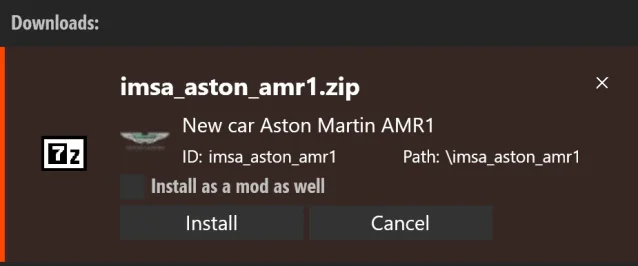
it is folder imsa_aston_amr1 , Author: KJRacing81 Forza 7 Conversion Version: 1.0

Maybe you have a different mod to begin with?
 
now it looks like this (still worse then without the ext_config.ini added) :
View attachment 1509216
But I wonder am I using the same base mod ... here a temporary copy of mine so you can compare (this copy will self destruct in 1 week :lol:)
it is folder imsa_aston_amr1 , Author: KJRacing81 Forza 7 Conversion Version: 1.0

Maybe you have a different mod to begin with?
Not the same apparently!
1769509846460.webp
 
now it looks like this (still worse then without the ext_config.ini added) :
View attachment 1509216
But I wonder am I using the same base mod ... here a temporary copy of mine so you can compare (this copy will self destruct in 1 week :lol:)
it is folder imsa_aston_amr1 , Author: KJRacing81 Forza 7 Conversion Version: 1.0

Maybe you have a different mod to begin with?
Use this one, yours is another one (same model apparently but different mesh names).

 
And do I have another question for the knöwing, assembled Jedi-Masters here!? Yes.🙄
Ever since I have wondered that in CM there is a "Values storage" an amount that gets bigger and bigger, no matter if you "cleanup" CM or not. So is that a thing, a cache you cannot or even MUSTNOT clear, I have looked in the CM folder in app-data as well but found nada so far. OK that would be interesting - experts surely knöw more. Thx.
 
As a follow up to the CSP GrassFX debacle on the Targa Florio Discord we have been playing around with the GrassFX config file and have come up with some options.

Thanks is due to h1 for his input.

The file you can edit in Notepad is grass_fx.ini in ....assettocorsa/extension/config or put the section inside your user settings file under cfg/extension in your user folder as updating CSP will overwrite the one in assettocorsa/extension/config

What you find is 5 GENERATIONS which corespond to the Very Low to Very High settings in CSP GrassFX section
0 is Very Low thru to 4 being Very High

Here is an option by h1 to reduce the grass sprouting wave (select Very High in GrassFX to use this)

[GENERATION_4]
MAP_RESOLUTION = 2048
MAP_STEP = 0.5
MAP_SNAP = 1
PASS_0 = 0.25, 16
PASS_1 = 0.5, 8
PASS_2 = 1, 4
PASS_3 = 2, 2
PASS_4 = 4, 1

Here is my attempt at totally killing the wave within 100m of the car and just having a 'medium' level of grass everywhere.

[GENERATION_0]
MAP_RESOLUTION = 1024
MAP_STEP = 0.25
MAP_SNAP = 1
PASS_0 = 0, 0
PASS_1 = 0, 0
PASS_2 = 0, 0
PASS_3 = 0.5, 2
PASS_4 = 1, 1

It seems the first value other PASS_x is the density of the grass (lower denser) in that circle and the second value is the radius (1 being 100%, 2 is 50% etc)

As this is GENERATION 0 I need to choose Very Low in GrassFX to enable it. That way I can still use the regular CSP Very High when I want. No grass is sprouted in the nearest 3 circles so that wave effect is pushed to the far distance

What we have worked out is GrassFX is made up of 5 concentric circle, PASS_0 being the smallest and PASS_4 the largest
The MAP_RESOLUTION increases the 100% radius size. I found that I couldn't add more and more grass and a bigger radius because it seems to me that CSP puts a cap on the time taken to draw the grass (at 0.1ms in my case) or maybe it is just a cap on the total number of elements. It would be great to have the option to increase these by say a factor of 10.

As it is you still see a bit of grass popping into view on hillsides about 100m away but it is so much better than before.

Also CSP 0.3.x is still glitching so I am stuck on 0.2.12, turning off GrassFX in 0.3.x stops the glitching but I need grass.

Hope this helps anyone else who is plagued by 'chasing the grass wave'.
 
Last edited:
As a follow up to the CSP GrassFX debacle on the Targa Florio Discord we have been playing around with the GrassFX config file and have come up with some options.

Thanks is due to h1 for his input.

The file you can edit in Notepad is grass_fx.ini in ....assettocorsa/extension/config or put the section inside your user settings file under cfg/extension in your user folder as updating CSP will overwrite the one in assettocorsa/extension/config

What you find is 5 GENERATIONS which corespond to the Very Low to Very High settings in CSP GrassFX section
0 is Very Low thru to 4 being Very High

Here is an option by h1 to reduce the grass sprouting wave (select Very High in GrassFX to use this)

[GENERATION_4]
MAP_RESOLUTION = 2048
MAP_STEP = 0.5
MAP_SNAP = 1
PASS_0 = 0.25, 16
PASS_1 = 0.5, 8
PASS_2 = 1, 4
PASS_3 = 2, 2
PASS_4 = 4, 1

Here is my attempt at totally killing the wave within 100m of the car and just having a 'medium' level of grass everywhere.

[GENERATION_0]
MAP_RESOLUTION = 1024
MAP_STEP = 0.25
MAP_SNAP = 1
PASS_0 = 0, 0
PASS_1 = 0, 0
PASS_2 = 0, 0
PASS_3 = 0.5, 2
PASS_4 = 1, 1

It seems the first value is the density of the grass (lower denser) in that circle and the second value is the radius (1 being 100%, 2 is 50% etc)

As this is GENERATION 0 I need to choose Very Low in GrassFX to enable it. That way I can still use the regular CSP Very High when I want. No grass is sprouted in the nearest 3 circles so that wave effect is pushed to the far distance

What we have worked out is GrassFX is made up of 5 concentric circle, PASS_0 being the smallest and PASS_4 the largest
The MAP_RESOLUTION increases the 100% radius size. I found that I couldn't add more and more grass and a bigger radius because it seems to me that CSP puts a cap on the time taken to draw the grass (at 0.1ms in my case) or maybe it is just a cap on the total number of elements. It would be great to have the option to increase these by say a factor of 10.

As it is you still see a bit of grass popping into view on hillsides about 100m away but it is so much better than before.

Also CSP 0.3.x is still glitching so I am stuck on 0.2.12, turning off GrassFX in 0.3.x stops the glitching but I need grass.

Hope this helps anyone else who is plagued by 'chasing the grass wave'.
Have you posted this to the CSP Discord? It would be nice to have this in future updates
 
Is there sth. like a "Question Grampa" - if so some might say I'm getting there but(t) some questions come to my mind some from longer ago and so here's another one if nobody minds me asking.

I have modded the Lotus Elan in the past (car color) and now wanna add the legend Emma Peel as a driver to it - got a driver figure already but wanna have her face as well (giggity) on it. So how can I edit a face can I edit it with GIMP or do I need special software for that!? I have seen file called "driver_face" in other cars before so maybe that is the way!? Thx again!
 
Last edited:
Is there sth. like a "Question Grampa" - if so some might say I'm getting there but(t) some questions come to my mind some from longer ago and so here's another one if nobody minds me asking.

I have modded the Lotus Elan in the past (car color) and now wanna add the legend Emma Peel as a driver to it - got a driver figure already but wanna have her face as well (giggity) on it. So here's the file enclosed I created and I have seen that there is sometimes a file called "driver_face" in a car skin. So how can I add this face can I edit it with GIMP or do I need special software for that!? I am enclosing the file and if maybe someone wants to help I can upload the driver as well that I wanna use. Thx so much it would mean a lot cos I have always loved Diana Rigg so much and this is lil memorial in AC as for so many others that are gone by now. Thx again!

View attachment 1509256

bruh...is that what i think it is???

1649461825255.webp
 
Is there sth. like a "Question Grampa" - if so some might say I'm getting there but(t) some questions come to my mind some from longer ago and so here's another one if nobody minds me asking.

I have modded the Lotus Elan in the past (car color) and now wanna add the legend Emma Peel as a driver to it - got a driver figure already but wanna have her face as well (giggity) on it. So here's the file enclosed I created and I have seen that there is sometimes a file called "driver_face" in a car skin. So how can I add this face can I edit it with GIMP or do I need special software for that!? I am enclosing the file and if maybe someone wants to help I can upload the driver as well that I wanna use. Thx so much it would mean a lot cos I have always loved Diana Rigg so much and this is lil memorial in AC as for so many others that are gone by now. Thx again!

View attachment 1509256
1769526607213.webp
 
Is there sth. like a "Question Grampa" - if so some might say I'm getting there but(t) some questions come to my mind some from longer ago and so here's another one if nobody minds me asking.

I have modded the Lotus Elan in the past (car color) and now wanna add the legend Emma Peel as a driver to it - got a driver figure already but wanna have her face as well (giggity) on it. So here's the file enclosed I created and I have seen that there is sometimes a file called "driver_face" in a car skin. So how can I add this face can I edit it with GIMP or do I need special software for that!? I am enclosing the file and if maybe someone wants to help I can upload the driver as well that I wanna use. Thx so much it would mean a lot cos I have always loved Diana Rigg so much and this is lil memorial in AC as for so many others that are gone by now. Thx again!

View attachment 1509256
MOISTURISE ME

MV5BOTFiOTcxYTktN2JlZi00NmEyLWI1MzctYmI5ZDkzZGU3MWFhXkEyXkFqcGc@._V1_QL75_UX379_.webp
 
Have you posted this to the CSP Discord? It would be nice to have this in future updates
I'm not on it but if anyone wants to post it feel free. Maybe ask for an option to have more GrassFX elements for those of us rocking highend GPUs and look into why csp0.3 is buggy on maps with lots of grass.
 
Use this one, yours is another one (same model apparently but different mesh names).

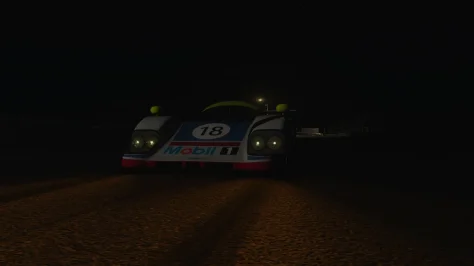
This is what i get with the car and your config.

Which makes me wonder, is there a tick box, in CSP, that i haven't ticked after the last update? (again!?)
 

Attachments

  • AMR1.webp
    AMR1.webp
    31 KB · Views: 11
This is what i get with the car and your config.

Which makes me wonder, is there a tick box, in CSP, that i haven't ticked after the last update? (again!?)
Have you copied the full string into your ext_config.ini as advised? If yes, i don´t know how to help, sorry. Because it seems the refracting code is not fully applied.

You can open up the reflection debug app and check some values. Good luck.

1769533451927.webp
 
Question about RSS GT-M GT3's:
I cant turn traction control off? I turn it off in setup but cars still wont oversteer. Then I mapped buttons for TC2 but nothing happens when I turn TC2 down. Cars still wont oversteer?
Also tried data without csp and with csp (Found them in cars folder) also I tried uncheck extended phyisics...
Thanks!
 
Skinners, quick question

1769536889599.webp


In order to replicate that glossy Blue, is it possible to use a glossy csp shader, but only on the blue part?

For example, if the blue alpha channel was 100 or 0 and vice versa for other colors, would alpha nullify the csp glossy effect?
 
Sharing a mod? Host it on GTPlanet Downloads. Free, public hosting for files up to 10GB in size.
Back