- 309

- Hessen
nope, luckly i have the original car still as an update and its called like i said "falken_drift_team"It was a original skin?
there is a folder in the drift version called just Falken
nope, luckly i have the original car still as an update and its called like i said "falken_drift_team"It was a original skin?
there is a folder in the drift version called just Falken


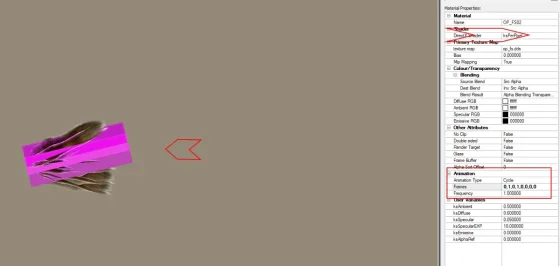
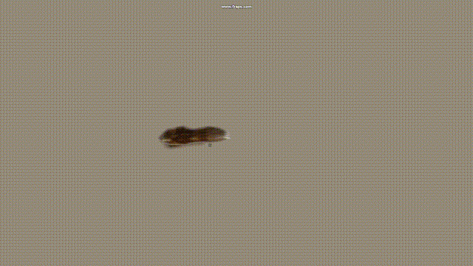
I am trying with my little knowledge, see my posting from yesterday, I had it perfect waving in 3dsimedMerci beaucoup pour l'aide. But for me it looks like thus and I'm not sure if it is supposed to be like that. If so: This looks more like a flag or sth. and not like a single foxtail. Does it not!? Just saying - maybe other modders can pls have a look on the subject. If it is maybe asked too much so be it - world has other probs these days. It was just a longtime idea and vision of mine...


the 2 missing falken ones are found, now i am on the hunt for the last 2. their folder names are "89" and "2tone"nope, luckly i have the original car still as an update and its called like i said "falken_drift_team"


i want pleaseI have no idea whether I should publish the two cars.
It's up to you.
with all Rim Option
View attachment 1518614View attachment 1518615View attachment 1518616
View attachment 1518603View attachment 1518605View attachment 1518606View attachment 1518608
new update, only 1 is missing. its the 89 folder with textures from 03.06.2017, maybe that will helpthe 2 missing falken ones are found, now i am on the hunt for the last 2. their folder names are "89" and "2tone"


I vote YES 👌🔥I have no idea whether I should publish the two cars.
It's up to you.
with all Rim Option
View attachment 1518614View attachment 1518615View attachment 1518616
View attachment 1518603View attachment 1518605View attachment 1518606View attachment 1518608


Yes? duh.I have no idea whether I should publish the two cars.
It's up to you.
with all Rim Option
View attachment 1518614View attachment 1518615View attachment 1518616
View attachment 1518603View attachment 1518605View attachment 1518606View attachment 1518608


I don't think so, I already have too many cars...I have no idea whether I should publish the two cars.
It's up to you.
with all Rim Option
View attachment 1518614View attachment 1518615View attachment 1518616
View attachment 1518603View attachment 1518605View attachment 1518606View attachment 1518608





By unpacking the data, opening ai.ini for the car (or making one if it's not there, god forbid) and tweaking the values until the car drives smoothly around a multitude of circuit types. And using the AI built-in app to tweak values while going around the lap. Brakehint, tyrehint, Aero Hint, steer gain, etc.Do you mind sharing your know how ? please
Picked a random unpacked car for my last post (feel free to combine) - this car is very broken. Suspension geometry is busted and the preview dimensions are off. The cars are crawling around like they've ran over a foot-high kerb and snapped the rear suspension in half.Hi gents,
Another racing car from Alfa Romeo: 147 GTA
View attachment 1430929
This mod is not mine, simaothekid is the author, all credit for him and a big thank you. I only modified the relevant folders and files to reach the parameters corresponding to the 147 GTA. With the help of 3Dsimed I also modified the diffuser to accommodate 4 exhaust outlets. Apart from that, the 3D model comes mainly from the 147 LHD
DOWNLOAD:
https://mega.nz/file/BssQgazK#RSWoZaVh_--G7YKvKuMm4nZOdwO849gdK5uYINbztgg
Have fun and a good week end,
Mike
never used the ai build in ap ? if i understood u are using it while u do Ctrl +C , then use this app ? Pb is when i use Ctrl +C and let the guy drive , it is absolute garbage , the guy is just not braking at all at every corner , so this way is not working for me ... So what I do , is i launch a qualifying and change my values in AI . ini car by car ....... , then i check how it drives + lap time to balance them !!! this process is very very time consumming !!! on top of that , i am not sure the values does what exactly?
By unpacking the data, opening ai.ini for the car (or making one if it's not there, god forbid) and tweaking the values until the car drives smoothly around a multitude of circuit types? And using the AI built-in app to tweak values while going around the lap? Brakehint, tyrehint, Aero Hint, steer gain, etc.?
If you indeed are part of the Guerilla team, I'm pretty concerned that you don't know this process - from my limited understanding of ai.ini on cars (I'm more well-versed on track AI files), this is a pretty instrumental later step of testing the car once the model and physics are finished.
For way more granular detail, try to contact @G_Parrilla - he's done more than a few car ai reworks and probably knows more people who do.
Small update for the long middle kerb in Ascari for 2025. I think it is a closer representation to the real life kerb now, but who knows. If you already downloaded version 0.99, just use the link below to get the updated kerb files. No need to download the whole track again.Monza 2025-ish (beta 0.99)
MediaFire link: monza_2025_beta
MEGA link: monza_2025_beta
Throwing this out there for anyone to try in the hopes to get a little feedback. I am concerned about flickering on the sponsor banners. I had to fix a lot of them and redo a lot of the uv mapping for the textures. I do not see any but i'm on an old CSP version and don't know if that would make a difference.
Don't let the name fool you. This is not a representation of the track in 2025. It's just a name I picked so I can separate this version from the Kunos version in my CM track list. It is nothing more than all of the mods i've created or downloaded for Monza rolled into one track so I can keep the original Kunos version 'clean'. It is a beta version (about 90% complete) so you can expect to see some obvious mistakes and maybe some poor texture choices. Because it's based on the original Kunos track, you are free to use any mods for that track with this one, such as ai files, track skins, etc. The one thing you can't do is use a mod that will overwrite the ext_config file. That would cause some issues.
Credits:
-- @Masscot for the animated flagmen and balloons
-- Assets used from the monza2022crf version of the track.
-- knicker for the crowd files.
-- @andrevr for the Temple of Speed banner image
While this track is not as confusing as some of my other ones, I still need to explain a few things:
-- There are two layouts, the base layout and a raceday layout that adds sponsor banners in some spots based on a 2025 GT World Challenge video I watched as a reference. The raceday layout is best to use with modern cars because the sponsors wouldn't make much sense for cars 10+ years old. Also, when using the raceday layout, I would suggest enabling the 2025 Raceday track skin to complete the look.
-- There are four 'Years' track skins that will bring back certain buildings and structures to make the track more period accurate. For example, enabling the 2010 (probably should have been named pre-2010) skin will make the track look like the Kunos default version with no structures hidden.
-- For performance reasons, I have the animated flagmen and live jumbotron displays off by default for older computer users. You can turn them on by enabling the appropriate track skin. Plus it's nice to turn them off when driving a practice session.
-- Last thing, there is a huge difference in how bright the crowds look depending on whether you use CSPs 'New spectators rendering method' so you might have to do some adjusting to the ambient and diffuse values in the camera_facing file. I have it setup for my CSP options, but yours may be different.
Have fun and hope to hear from someone on any issues you may see. If not, then i'll just keep plugging along thinking everything is all right.


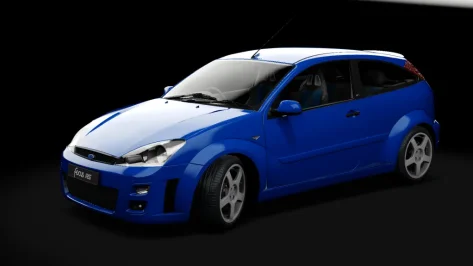
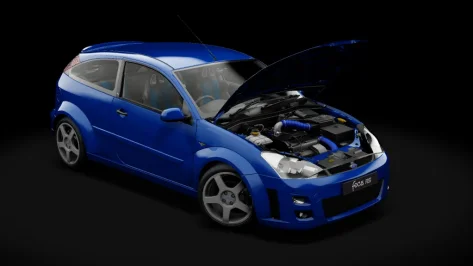
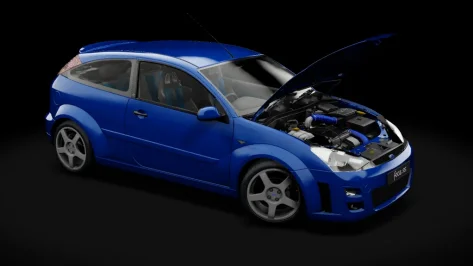
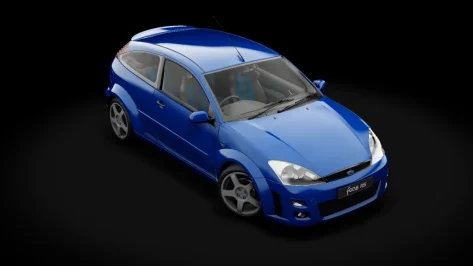


Aiwhisperer https://www.overtake.gg/threads/ass...-behaviors-refined.290431/page-4#post-3891039never used the ai build in ap ? if i understood u are using it while u do Ctrl +C , then use this app ? Pb is when i use Ctrl +C and let the guy drive , it is absolute garbage , the guy is just not braking at all at every corner , so this way is not working for me ... So what I do , is i launch a qualifying and change my values in AI . ini car by car ....... , then i check how it drives + lap time to balance them !!! this process is very very time consumming !!! on top of that , i am not sure the values does what exactly
SPEED_GAIN=0 this is not changing anything regarding lap times or anything else ?
[ULTRA_GRIP]
VALUE=1.2 this as well ... no idea , tried even super high value , no big improvement on grip from ai ...
Like for example , car brakes correctly before corner on the right distance ! , then accelerate like crazy in the corner , but then brake again in the middle , then repeat again the process at the end of the corner . How do u smooth that ? could be the ai line from the track or maybe the physiks ?
never used the ai build in ap ? if i understood u are using it while u do Ctrl +C , then use this app ? Pb is when i use Ctrl +C and let the guy drive , it is absolute garbage , the guy is just not braking at all at every corner , so this way is not working for me ... So what I do , is i launch a qualifying and change my values in AI . ini car by car ....... , then i check how it drives + lap time to balance them !!! this process is very very time consumming !!! on top of that , i am not sure the values does what exactly
SPEED_GAIN=0 this is not changing anything regarding lap times or anything else ?
[ULTRA_GRIP]
VALUE=1.2 this as well ... no idea , tried even super high value , no big improvement on grip from ai ...
could go on with lot of values which u don t know what to change in the ai ini
Like for example , car brakes correctly before corner on the right distance ! , then accelerate like crazy in the corner , but then brake again in the middle , then repeat again the process at the end of the corner . How do u smooth that ? could be the ai line from the track or maybe the physiks ?
If you indeed are part of the Guerilla team, I'm pretty concerned that you don't know this process .
Irrelevant commentar from you
did u ever model a car from scratch for a game ? if yes show me ,
->
I would appreciate to don t get insulted every day on the AC modding scene . thank you in advance
i am mainly doing 3D , uv map , importation in game .. those programming stuff i don t know about it , sadly this is why i cannot do physiks too , and i will not learn it as well , as the 3D parts takes already lot of time out of my 40 hours contract
Aiwhisperer https://www.overtake.gg/threads/ass...-behaviors-refined.290431/page-4#post-3891039
allows you to edit all that on the go ingame. Tweaking the ai.ini is like a torture if you have to repack data/reload each time.
On the matter, CSP is able to read the unpacked data realtime if you delete the acd. Cool if you want to edit other stuff on the go while racing, or if you're editing a physics lua script.
On the ai.ini data:
The brake hint picks a braking point.
0.9 -> brakes earlier :: 1.1 brakes later
The lookahead Base is how much earlier the AI reads the fastlane data. Main value to adapt your AI to your car, usually set between 15 and 25. 0 reads realtime (therefore no data prediction), 25 reads the fastlane data in advance. Allows the AI to predict how to engage on the fastlane.
Lookahead gas/brake is a weird one, useful for super fast or unpredictable cars (like an F1 that can enter a corner super fast with lots of aero) so that they adapt a little better on heavy brakings with other cars. Default is Zero. If they run smooth everywhere apart from that chicane, a little 1 to 2 increment sometimes help. Same with ramming on heavy braking. Better slower than unreliable.
Aero hint, how the AI implements aero.ini into its behavior. Also takes into account the lack of aero in pursuit, but that is not super clear.
Tyrehint, integrates the tyre model into calculation. 0.9, Ai --> super safe and follows inside line, 1.1 --> less brakings and more drifty.
AIgrip is super efficient but should, by default, be at 1.2. Higher values needs a refine on everything else, as the braking are more powerful, the lookaheadbase needs to be lowered, etc... Since it acts like glue on grippy cars the AI would flip as well with too high values.
For you tests @benbaron i suggest you pick up a track with a reviewed fastlane fix from overtake, according to the car type you're tweaking. I'm more on the vintage side of things so i don't have much in mind for your specifics.
If you need help to tweak your ai , I can help. I'm basically drowning in AI data since a few months, i'm pretty sure i can fix your car in a couple of hours.
Thank you for this answer , sorry as well on my side , easy to get upset when we don t know the people ´s story on both sidesorry, I have no idea what role you have with Guerilla. that's all that comment meant. I see that you're a modeler and don't work on the AI, that's understandable. I'll edit the original post to be more clear. Perhaps it's simply a case of passing on the report?
unfortunately, your descriptions in this post are very hard to understand. The AI app in AC (the "robot" icon in the top corner) is the one you need to use - it has almost all of the adjustable values available, as long as the car's data is unpacked and readable in its folder.
I only have (fairly extensive) experience with reworking track AI, and with a few extraneous projects with LUA apps. I've only looked into ai.ini values in unpacked car data a few times, to varying results, but I am vaguely familiar with them. I have a few links and resources I can dig up with regards to car AI behavior. I'll try to find them in my history.
Surface-level guesses - for major fixes right off the bat for major crashing like the GT4s have - the AERO_HINT and the entire [LOOKAHEAD] section are good places to start. For slow lap times, the BRAKE_HINT and TRAIL_HINT seem like they have a large effect on lap time.
I know Tetri is working on his AI app, and posts his tome-length patch notes with every update of Whisp - his descriptions of the ai.ini values are great and worth reading, as he has extensive experience with them.
(EDIT: see this thread: AC AI.INI configuration)
As I've said, I and others cannot attempt to fix these issues with hands-on tweaking (and I don't have the time IRL right now anyway), as all Guerilla car data is encrypted. So playing telegram by experimenting on another car's ai.ini file and attempting to apply those results to your cars is shooting in the dark, as behaviors could be the end result of a dozen different things, physics very much included.
Finally, I'll try to keep this as respectful as I possibly can: I am a customer, I've paid into the Patreon many times (most recently this month for the Lotus cars), and I haven't ever seen any progress towards a raceable AI, despite reports all over the internet, in this very thread, and in the Patreon comments.
Guerilla cars' AI are near-universally very slow (i.e. seconds off the pace of identical cars by other mod teams on identical track AI lines), and very prone to spectacular crashes. It is a near-certainty that at least one of these issues is present.
I'm sorry I upset you, but the reality is that it is obvious these cars haven't been tested in very simple single-player scenarios. When multiple GT4s per lap flip over the barrier on high quality AI lines that work fine with a dozen other cars, it's hard not to come to this conclusion.
I've made my best effort to express this politely.
ninja'd! I recommended you as a resource in my post.
Oh nice , thank you , You are more than welcome to help , 2 brains are better than oneAiwhisperer https://www.overtake.gg/threads/ass...-behaviors-refined.290431/page-4#post-3891039
allows you to edit all that on the go ingame. Tweaking the ai.ini is such a torture if you have to repack data/reload each time
On the matter, CSP is able to read the unpacked data realtime if you delete the acd. Cool if you want to edit other stuff on the go while racing, or if you're editing a physics lua script.
On the ai.ini data:
The brake hint picks a braking point.
0.9 -> brakes earlier :: 1.1 brakes later
The lookahead Base is how much earlier the AI reads the fastlane data. Main value to adapt your AI to your car, usually set between 15 and 25. 0 reads realtime (therefore no data prediction), 25 reads the fastlane data in advance. Allows the AI to predict how to engage on the fastlane.
Lookahead gas/brake is a weird one, useful for super fast or unpredictable cars (like an F1 that can enter a corner super fast with lots of aero) so that they adapt a little better on heavy brakings with other cars. Default is Zero. If they run smooth everywhere apart from that chicane, a little 1 to 2 increment sometimes help. Same with ramming on heavy braking. Better slower than unreliable.
Aero hint, how the AI implements aero.ini into its behavior. Also takes into account the lack of aero in pursuit, but that is not super clear.
Tyrehint, integrates the tyre model into calculation. 0.9, Ai --> super safe and follows inside line, 1.1 --> less brakings and more drifty.
AIgrip is super efficient but should, by default, be at 1.2. Higher values needs a refine on everything else, as the braking are more powerful, the lookaheadbase needs to be lowered, etc... Since it acts like glue on grippy cars the AI would flip as well with too high values.
For you tests @benbaron i suggest you pick up a track with a reviewed fastlane fix from overtake, according to the car type you're tweaking. I'm more on the vintage side of things so i don't have much in mind for your specifics.
If you need help to tweak your ai , I can help. I'm basically drowning in AI data since a few months, i'm pretty sure i can fix your car in a couple of hours.
This is just a trick, but the fastlanes and ai hints aren't optimised. I sent you a DM 😉does the fast AI modification is this one , you are using, or we need specific ai fast lane for every single track ?
https://www.overtake.gg/downloads/faster-ai-for-all-tracks.14758/


I have an unusual question. Why does the McLaren MCL38 from Deploy look darker from a distance? As it gets closer to the camera, it takes on the correct bright color. What causes this, and how can I change it so it doesn't change color from a distance?
I'm having this problem. I've uploaded a video on YouTube showing what's going on with this model. It's weird.
I will add that the McLaren MCL39 from Deploy only has this problem with the painting at the rear of the car. Nose is ok.


I have no idea whether I should publish the two cars.
It's up to you.
with all Rim Option
View attachment 1518614View attachment 1518615View attachment 1518616
View attachment 1518603View attachment 1518605View attachment 1518606View attachment 1518608
I tried various CSP settings, filters, and AC base settings. Nothing worked. In the video, CSP graphics settings are set to minimum. All extras are disabled. There's nothing in the Data LODS file that affects how it behaves. I deleted all extensions and it still did the same thing.I dont think many people here will own that car. is it a legitimate mod?upload it for us here? could be lods or your graphics settings, csp settings, pure settings, ppf filter settings.


it sounds like an LOD issue.

No issues here, must be something with your CSP settings or installation.I tried various CSP settings, filters, and AC base settings. Nothing worked. In the video, CSP graphics settings are set to minimum. All extras are disabled. There's nothing in the Data LODS file that affects how it behaves. I deleted all extensions and it still did the same thing.
Yes, it's a legal mod. You can download it for free here - https://www.patreon.com/posts/mclaren-mcl38-1-107063000
Here's a McLaren MCL39, which has a good front, but the rear has the same issue as the MCL38. In 3DSimED3, the MCL38 has the entire texture visible, the part that turns dark. In this program, the MCL39 only has the rear part visible in this program, i.e., the part that turns dark. The nose, which doesn't turn dark in AC, is invisible in 3DSimED3.
Link to the MCL39 - https://www.patreon.com/posts/mclaren-mcl39-3-133505403
PS
I also noticed that from a distance it's bright, but the closer the camera gets, the darker it gets, then bright again. Test it at the Monza track, or another track with distant cameras.

In camera_facing.ini you can setI’m looking for guidance on what can be done to make changes to camera-facing billboards using CSP configs, if anything?
Is there a way to make camera-facing crowds cast shadows with a CSP config?
As I understand it you cannot make camera-facing billboards cast shadows simply by editing the camera_facing.ini, and all of my attempts with Ai suggested fixes have not been successful. It would only be used on standing crowds.
Is there a way to correct the illogical lighting of camera-facing crowds with a CSP config?
I have previously noticed that with camera-facing crowds it be very difficult to set shader values that work in relationship to the surrounding textures, and I have finally figure out what the problem is. The camera-facing crowds appear to be illuminated from behind. See attached comparison between shots taken mid-morning and mid-afternoon. In the mid-morning shot the sun casts a show from the fence behind the camera that illuminates the vertical concrete surfaces but does not illuminate the crowd billboards, who are instead well-lit when the sun is coming from behind them. As illustrated, the problem is not just due to contrast with surrounding objects, they actually get lighter as they should get darker.
I have tried different PP-filters and the CSP configs I have tried have not change anything.
View attachment 1518852