Assetto Corsa PC Mods General DiscussionPC 

  • Thread starter Thread starter daan
  • 157,268 comments
  • 51,147,404 views
Some new models and skins appear in this race that did not exist in the 1976 mod.Until the end of this "1976 Fittipaldi Team Career Mode"... if possible, I will share after adjusting (race by race) the new models and skins.
Brazilian Gp 1976 ( Copersucar FD04 - Emerson Fittipaldi ) - Career Mode Fittipaldi Team - TvCam

Brazilian Gp 1976 - Highlights
 
URD released the M4 GT3 2022 and the v2 from 2023.
But there's also a version from First Studio Race and another 2022 model, said to be from SimDream (mentioned in the ui as v1.000, which is a bit strange).
Questionable if it really is from Sim Dream since it doesn't appear in their shop either but it can be found for free:
https://sharemods.com/kx9j6e969bxx/bmw_m4_gt3_sim_dream.rar.html
It comes with 17 skins.
All four cars can do roughly the same lap times.
There's another one 😅 by The Racing Rats (TRR), but I didn't try it yet.
 
v1.1 bmw z4m coupe now in the d/loads section
changes: added an ext_config in the skin folder to brighten up the front splitter and also changed the AO layers in paint.net so the white body pops a little more thanks @Alguecool for that info.

if you have a rear window banner that looks a little yellow or a bit to dull go into your extension folder in the car's main folder and scroll down until you find this (see below) and change the values to what i have put below, it sorted mine you may need to tweak a little more depending on what version of the matrix you are using i am on CSP 1.79 and an old CM and sol

i deleted v1.0 of this skin which had the v1 window banner, so just v2 banner available with the new download i have removed the window banner post from the downloads section

if anyone ever wants the original paint.net file for any skin that i create so you can tweak it yourself feel free to DM me and i will send it over

[Material_Glass]
Materials = Window Glass,
IOR = 0.5
FilmIOR = 0.5
ThicknessMult = 0.2
ProfileFix = 0.1
FresnelC = 0.01
FresnelMaxLevel = 0.1
BrightnessAdjustment = 0.8
ExtraLightsAdjustment = 1.4


no more updates to this from me at least i am moving onto the next skin.

faaaaaaanks
 
Last edited:
That happened in 346. Downgrade for the race I suppose. Note that your lap times are recorded and visible in-game with Race Essentials, Sidekick etc but the laptime isn't added to the roster with the other drivers. So you can compare your laptimes and know how you compare at least...
Thanks I do use that. Sadly when I downgrade pure also needs to be downgraded as it requires 346 to operate.
 
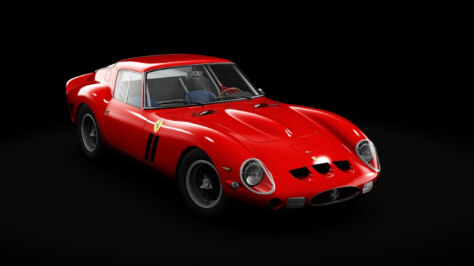
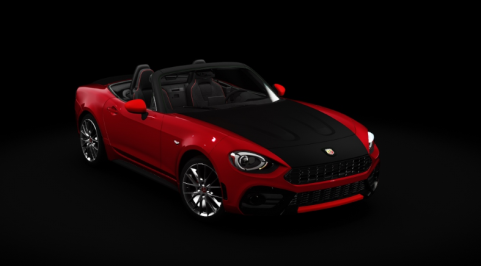
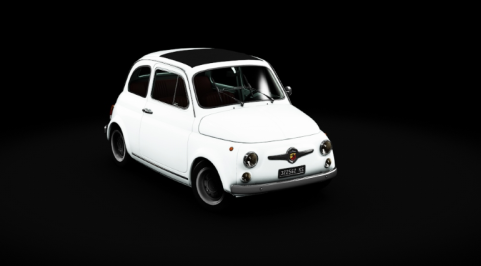
Can anyone tell me how to best manage previews with csp? Let me start by saying that I see everything correctly in the game. In practice, some cars can be seen perfectly (like this Ferrari) while others look like stadium headlights (595). I tried changing some settings in the preview settings but to make the ones that blind you look good, the others become very dark. I am going crazy.
 

Attachments

  • 1.png
    1.png
    61.5 KB · Views: 36
  • 45.png
    45.png
    40.3 KB · Views: 39
  • Senzanome.png
    Senzanome.png
    29.2 KB · Views: 36
In this case what's the best model and physics?
The URD v2 imo. Though tbh, the First Studio Race is close.
Haven't tried the RacingRats version yet.

@GT3Masters97 in content page, hit Ctrl+k. A new page will open where you can make individual previews per skin. So if you made them all and there are some very bright (or dark) ones, you can change them.
 
Last edited:
I seem to have found an easy solution to the windscreen shader problem (at least for the SimDream 1937 cars), thanks to the ever-resourceful @racinjoe013, who reminded me that shaders can be swapped pretty easily via ext_config.ini files. So I created an extension folder with a simple ext_config.ini in it for each problematic car. For the Auto Union Type C (f1_1937_autounion), for instance, the contents of the config file are:

[SHADER_REPLACEMENT_...]
MATERIALS = 37AU_GLASSGRAY-MAT.TGA [replace this with the proper material name for the specific car]
SHADER = ksWindscreen
BLEND_MODE = ALPHA_BLEND

This is working perfectly for the f1_1937 cars, though it seems to be a more complicated proposition for most of the HSS cars with pre-existing configs...I'll keep plugging away on those. Anyway, many thanks to you guys for the help.
Quick update, for anyone who might be interested: I figured out why the above wasn't working for most of the HSS cars -- they use different materials for the outside (glass) and inside (glass_int, glass_in, or glassin; check in Showroom) of the windscreens, so both need to be specified in the shader replacement. So the following can be added to the existing config files for those cars to correct the windscreen issue:

[SHADER_REPLACEMENT_...]
MATERIALS = glass, glass_int [or glass_in, or glassin]
SHADER = ksWindscreen
BLEND_MODE = ALPHA_BLEND

Thanks again to @Short_Circut and @racinjoe013 for giving me the keys to solving this.
 
Last edited:
Can anyone tell me how to best manage previews with csp? Let me start by saying that I see everything correctly in the game. In practice, some cars can be seen perfectly (like this Ferrari) while others look like stadium headlights (595). I tried changing some settings in the preview settings but to make the ones that blind you look good, the others become very dark. I am going crazy.
That depends on the car itself’s shader or materials values. Every mod uses different ones so there’s no winning there pretty much. You just have to deal with everything looking slightly different.
 
Quick update, for anyone who might be interested: I figured out why the above wasn't working for most of the HSS cars -- they use different materials for the outside (glass) and inside (glass_int, glass_in, or glassin; check in Showroom) of the windscreens, so both need to be specified in the shader replacement. So the following can be added to the existing config files for those cars to correct the windscreen issue:

[SHADER_REPLACEMENT_...]
MATERIALS = glass, glass_int [or glass_in, or glassin]
SHADER = ksWindscreen
BLEND_MODE = ALPHA_BLEND

Thanks again to @Short_Circut and @racinjoe013 for giving me the keys to solving this.
they're meant to be separate materials. kswindscreen is only for the interior glass

grafik.png
 
Funny, I think it was there from the beginning, accidentally copied.
Indeed it was, so my bad. :banghead:

Edit:
Code:
Version 1.2 by Pfalzdriver
- Minor adjustments to suspension
- Added diff in setup
- Minor fixes to extension
- Added hood and trunk animation
- Added car template as PSD
- Added Cinture template with four predefined colours
- Reworked skins by MrHunt

Download at Sharemods or GTPlanet

I recommend a clean installation due to the new skins by MrHunt and I've updated one of 'em again. ;)
 
Last edited:
Indeed it was, so my bad. :banghead:

Edit:
Code:
Version 1.2 by Pfalzdriver
- Minor adjustments to suspension
- Added diff in setup
- Minor fixes to extension
- Added hood and trunk animation
- Added car template as PSD
- Added Cinture template with four predefined colours
- Reworked skins by MrHunt

Download at Sharemods or GTPlanet

I recommend a clean installation due to the new skins by MrHunt and I've updated one of 'em again. ;)
What a joy to drive!! Thank you so much!
 
UPDATE Detroit Belle Isle 2021
v2.3
reworked road mesh, added options in extras folder:
-road mesh bumpy (Gunnar333) - original mesh
-road mesh bumpy (default) - new default road mesh, sligthly smoothed Gunnar333 version
-road mesh smooth
 
... Thanks to @carTOON for the original track and @Rainmaker87 for his sea fix...
Yes, a big THANKS... That mod is like that girl in high school who was the ugly duckling; she wasn't the most beautiful and had some defects, but she was so charming that had you in love... and over time and little by little she turned into a beautiful swan...

This track will be a consolation (or even a replacement 😏) for me while I wait for the release of Città di Aria... if they ever release it...
 
Ext_config.ini experts, tell me, is it possible to place data from digital_instruments.ini in ext_config.ini?
I'm interested in this block
[FUEL_WARNING_0]
OBJECT_NAME=LED_FUEL
FUEL_SWITCH=7
EMISSIVE=9,3,0
DIFFUSE=0.35
INVERTED=0
Is it possible to somehow register it in ext_config.ini?
 
i had an extra ext_config in the seat skin folder which stopped the rear lights from working. i have removed that as it was not needed and updated the download section and uploaded the car with the 24hr skin so people are not hunting for the car if they want to use the skin.

sorry for any inconvenience i am still learning..........
 
... sorry for any inconvenience i am still learning...
Don't mind, but I dare to give you some advice: don't be on a hurry to post mods: take your time to review the files, and in the folder you share try to eliminate everything that is not necessary and takes up space (such old backups) or include them in an extras folder... Everything will be more organized and you will make life easier for all, especially for those of us who, like me, are a little clumsy with these things and end up messing up when trying to update the mods... 😅

Thank you.
 
Don't mind, but I dare to give you some advice: don't be on a hurry to post mods: take your time to review the files, and in the folder you share try to eliminate everything that is not necessary and takes up space (such old backups) or include them in an extras folder... Everything will be more organized and you will make life easier for all, especially for those of us who, like me, are a little clumsy with these things and end up messing up when trying to update the mods... 😅

Thank you.
yeh i agree the rear light problem was on me and that was my mistake i should of checked everything (it took me a while to find the problem) as well as other silly stuff

what i need to do from now on is get the skin totally finished leave it for a day or 2 and go back to it with fresh eyes, its 1 of the downsides to doing 12-14-16 hour days...........your eyes turn pixelated 😂

good feedback i will bear it in mind for the next release

thanks mate
 
Tried updating my brand badges resource in the file section here, but can't figure out how to add the updated archive file for the life of me. Can't delete only the update and I think I will delete the whole resource entry? Oh, well...

Here's the 3 new icons, one for the DRM mod, one for JDM cars, one for single-make / X cup type of vehicles!
 

Attachments

  • drm.png
    drm.png
    1.5 KB · Views: 22
  • jdm.png
    jdm.png
    10.3 KB · Views: 23
  • Single Make.png
    Single Make.png
    22.3 KB · Views: 25
Last edited:
Sharing a mod? Host it on GTPlanet Downloads. Free, public hosting for files up to 10GB in size.
Back