Assetto Corsa PC Mods General DiscussionPC 

  • Thread starter Thread starter daan
  • 154,814 comments
  • 48,710,435 views
When you add tires to a model, CM generate an "original" ([__CM_FRONT_ORIGINAL], [__CM_REAR_ORIGINAL]) and the size is often not exactly the same but I dont know why it change tho.
But copying and pasting dimension from the one you created to the CM ORIGINAL will get you the "right" fitment
I see it now. I edited the Audi A4 tyres rather than the CM ORIGINAL tyres. In these cases, is it necessary to keep CM ORIGINAL in tyres.ini?
 
Finally tested this car. Are the tyres correct? CM shows an "F" match. Should the ideal data show "A" match?

View attachment 1425446

I can go into tyres.ini and change the radius from 0.325 to 0.305 to get the 255/20/R18 match. But then there is a "setup invalid" error after loading the car to drive, and the game does not allow me to drive the car.
Unbenannt.jpg

replace this file (backup the orginal file)
 

Attachments

Could someone be so kind and provide the driver model "driver_rally_helmet"? All links I found are dead and I have no idea where it is from
 
Good afternoon.
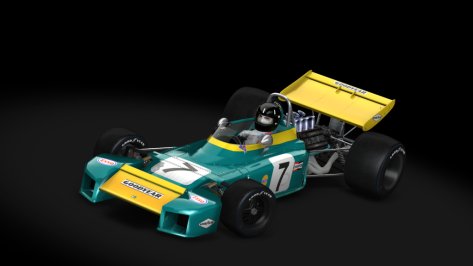
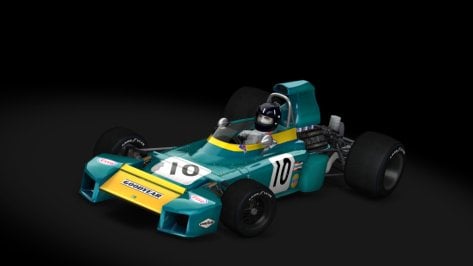
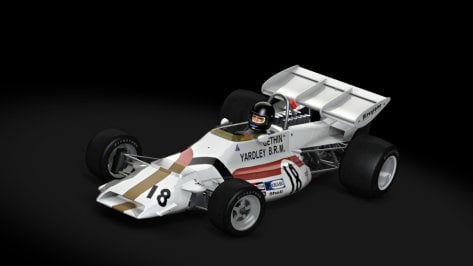
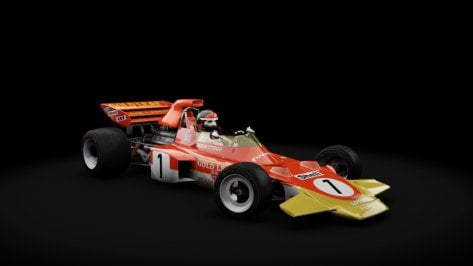
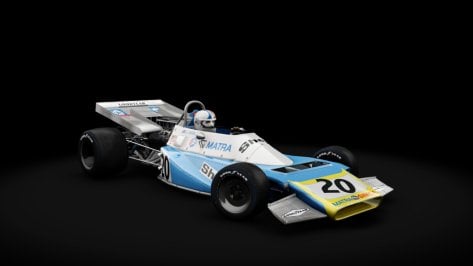
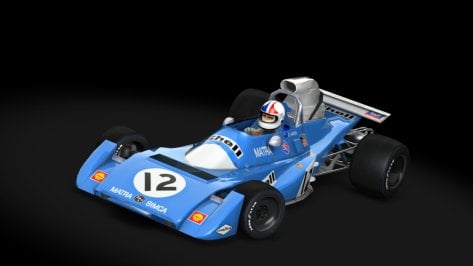
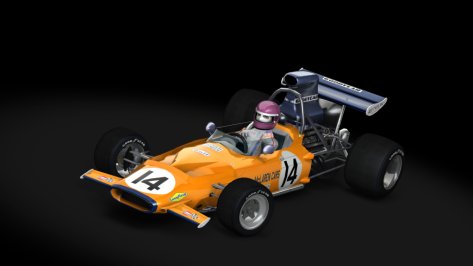
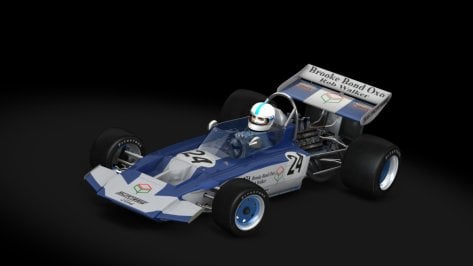
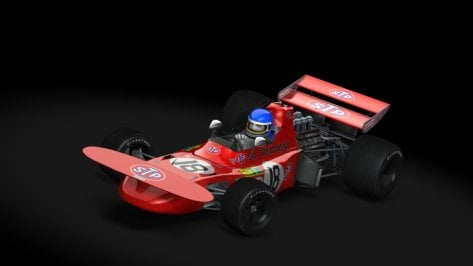
Here is a link to additional versions of the cars from the 1971 season.

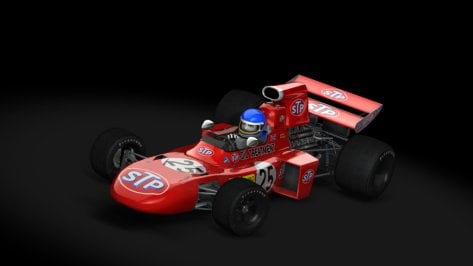
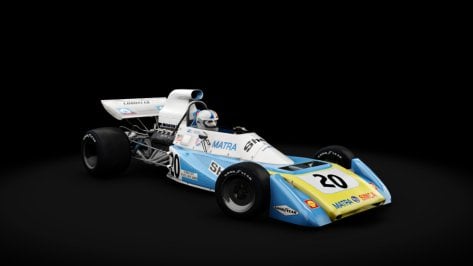
I had to adapt some models, such as the Matra version (Monaco).

I am attaching a pack of skins for the existing models.
I did quick tests in (Montjuich, Zandvoort, Silverstone and Monza).
Most of the cars (there is an alternative in the pits, changing the traction control), it is up to each person to have more fun.

All models (driver_70) and some models (driver_70_fe, I think it is more detailed).

Some "skins" have both types of files (as you can see).
Some skins for some models (I just adapted them).
Improvements possible in the textures (by "MrHunt").

Of course, nothing is perfect and you may find some problems or minor defects.
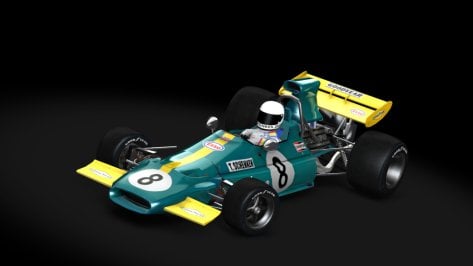
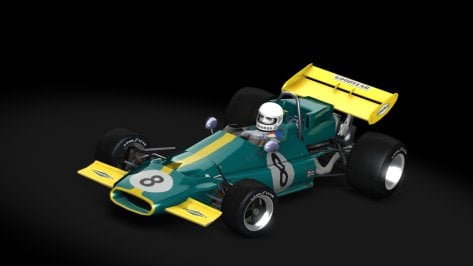
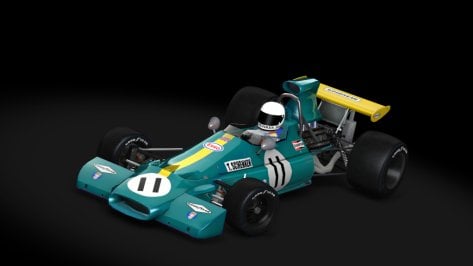
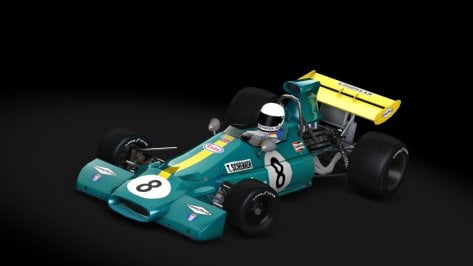
BRABHAM BT33 / mid season
BRABHAM BT33 / early
BRABHAM BT33 / monza
BRABHAM BT33 / mid.late
BRABHAM BT34 / early
BRABHAM BT34 / monza
BRM P160 / monza
FERRARI 312B2 / british
LOTUS 72D / mid.late
MARCH 711 / monza
MATRA 120B / early.mid
MATRA 120B / monaco
MATRA 120B / monza
McLAREN M14A
McLAREN M19A / early
SURTEES TS9 / early
TYRRELL 001.002
TYRRELL 003 / monza
MARCH 711 / early

skins BRM P160
skins Ferrari 312B2
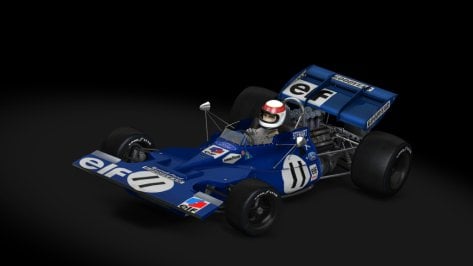
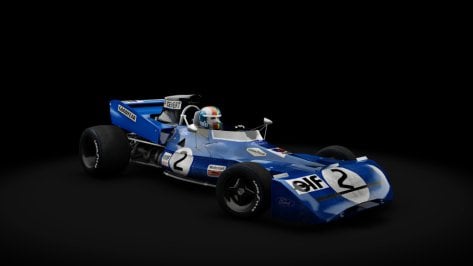
skins Tyrrell 003

DRIVER_70_fe

MONZA 71 / Cevert

SILVERSTONE 71 / Emerson

MONTJUICH 71 / Stewart
 

Attachments

  • livery.png
    livery.png
    11.4 KB · Views: 25
  • preview.jpg
    preview.jpg
    47.8 KB · Views: 21
  • livery.png
    livery.png
    10.9 KB · Views: 24
  • preview.jpg
    preview.jpg
    45.7 KB · Views: 23
  • livery.png
    livery.png
    9.7 KB · Views: 26
  • preview.jpg
    preview.jpg
    45 KB · Views: 23
  • livery.png
    livery.png
    9.7 KB · Views: 26
  • preview.jpg
    preview.jpg
    47.2 KB · Views: 22
  • livery.png
    livery.png
    9.6 KB · Views: 24
  • preview.jpg
    preview.jpg
    47.6 KB · Views: 23
  • livery.png
    livery.png
    10.3 KB · Views: 27
  • preview.jpg
    preview.jpg
    42.2 KB · Views: 26
  • livery.png
    livery.png
    22.2 KB · Views: 30
  • preview.jpg
    preview.jpg
    43.9 KB · Views: 26
  • livery.png
    livery.png
    9.5 KB · Views: 25
  • preview.jpg
    preview.jpg
    39.2 KB · Views: 23
  • livery.png
    livery.png
    42.4 KB · Views: 25
  • preview.jpg
    preview.jpg
    37.3 KB · Views: 30
  • livery.png
    livery.png
    30.5 KB · Views: 24
  • preview.jpg
    preview.jpg
    42.4 KB · Views: 19
  • livery.png
    livery.png
    33.4 KB · Views: 25
  • preview.jpg
    preview.jpg
    40 KB · Views: 23
  • livery.png
    livery.png
    14.8 KB · Views: 24
  • preview.jpg
    preview.jpg
    38.7 KB · Views: 21
  • livery.png
    livery.png
    16.4 KB · Views: 24
  • preview.jpg
    preview.jpg
    48.5 KB · Views: 26
  • livery.png
    livery.png
    6.8 KB · Views: 32
  • preview.jpg
    preview.jpg
    45.6 KB · Views: 25
  • livery.png
    livery.png
    10.7 KB · Views: 26
  • preview.jpg
    preview.jpg
    37 KB · Views: 28
  • livery.png
    livery.png
    10.1 KB · Views: 26
  • preview.jpg
    preview.jpg
    44.7 KB · Views: 22
  • livery.png
    livery.png
    23.6 KB · Views: 27
  • preview.jpg
    preview.jpg
    44.3 KB · Views: 23
  • livery.png
    livery.png
    19.7 KB · Views: 23
  • preview.jpg
    preview.jpg
    37 KB · Views: 30
  • livery.png
    livery.png
    29.9 KB · Views: 24
  • preview.jpg
    preview.jpg
    40.5 KB · Views: 25
Last edited:
God seeing that Executive Lease logo up close really is a sight for sore eyes, gotta update it

edit : also new CM bug dropped, got broken images in the menus for some reason lol

View attachment 1425502

I'm seeing this since quite some time already.
You can find the solution here:


Last edited:
you can find it in the Garage...

I don't know why its glowed white on your end , but with your rollcage code it looks like this on my system:
View attachment 1425536
(so way too dark)

with my code it looks like this for me:
View attachment 1425537
(using csp 0.2.7-preview1 , Pure Gamma 2.38 and Pure pp filter or Natural Mod filter, both same result approx.)
I also got glowing white rollcage. CSP 0.2.4 and Pure LCS 2.37.
 
Good afternoon.
Here is a link to additional versions of the cars from the 1971 season.

I had to adapt some models, such as the Matra version (Monaco).

I am attaching a pack of skins for the existing models.
I did quick tests in (Montjuich, Zandvoort, Silverstone and Monza).
Most of the cars (there is an alternative in the pits, changing the traction control), it is up to each person to have more fun.

All models (driver_70) and some models (driver_70_fe, I think it is more detailed).

Some "skins" have both types of files (as you can see).
Some skins for some models (I just adapted them).
Improvements possible in the textures (by "MrHunt").

Of course, nothing is perfect and you may find some problems or minor defects.
BRABHAM BT33 / mid season
BRABHAM BT33 / early
BRABHAM BT33 / monza
BRABHAM BT33 / mid.late
BRABHAM BT34 / early
BRABHAM BT34 / monza
BRM P160 / monza
FERRARI 312B2 / british
LOTUS 72D / mid.late
MARCH 711 / monza
MATRA 120B / early.mid
MATRA 120B / monaco
MATRA 120B / monza
McLAREN M14A
McLAREN M19A / early
SURTEES TS9 / early
TYRRELL 001.002
TYRRELL 003 / monza
MARCH 711 / early

skins BRM P160
skins Ferrari 312B2
skins Tyrrell 003

DRIVER_70_fe

MONZA 71 / Cevert

SILVERSTONE 71 / Emerson

MONTJUICH 71 / Stewart

Great job !!
One question. There is a possibility of completing 1978 Season teams a little, with maybe brabham, ats, shadow... ?
Gracias
 
Does anybody know why I got this in RMi Spa 2004? And how can I solve it?
I mean the white Eau-Rouge
 

Attachments

  • Screenshot_ks_ferrari_f2004_rmi_gtr2_spa2003_1-1-125-19-42-26.jpg
    Screenshot_ks_ferrari_f2004_rmi_gtr2_spa2003_1-1-125-19-42-26.jpg
    93.1 KB · Views: 12
Last edited:
View attachment 1425571
replace this file (backup the orginal file)
The new tyres.ini doesn't work. In the data.acd of the car there are no slicksDTM90s.lut, slicksDTM90m.lut, slicksDTM90h.lut.
There are only slicksDTM90s_front.lut, slicksDTM90m_front.lut, slicksDTM90h_front.lut, slicksDTM90s_rear.lut, slicksDTM90m_rear.lut, slicksDTM90h_rear.lut. The tyres.ini has to use this luts, e.g. WEAR_CURVE=slicksDTM90s_front.lut, to work correctly.

And with the the new tyres the ride hide of the car is too low now and you get an invalid setup message.
And of course for a race car the front ride height has ALWAYS to be lower as the rear ride height, or you will get an aircraft.

To adjust the ride height of the car for the new tyres, you must edit the car.ini.

[RIDE]
PICKUP_FRONT_HEIGHT=-0.240
PICKUP_REAR_HEIGHT=-0.215
 
Last edited:
The new tyres.ini doesn't work. In the data.acd of the car there are no slicksDTM90s.lut, slicksDTM90m.lut, slicksDTM90h.lut.
There are only slicksDTM90s_front.lut, slicksDTM90m_front.lut, slicksDTM90h_front.lut, slicksDTM90s_rear.lut, slicksDTM90m_rear.lut, slicksDTM90h_rear.lut. The tyres.ini has to use this luts, e.g. WEAR_CURVE=slicksDTM90s_front.lut, to work correctly.

And with the the new tyres the ride hide of the car is too low now and you get an invalid setup message.
And of course for a race car the front ride height has ALWAYS to be lower as the rear ride height, or you will get an aircraft.
You can use the tyres.ini update from MasterFocus. Or you can edit the radius in the CM_ORIGINAL section of the originally provided tyres.ini for the car.
Place this inside data folder and remove the .txt at the end see attachment at the end of this message


That would be OEM location as a race car more than likely have a fuel cell inside the trunk
View attachment 1425467
 
Great job !!
One question. There is a possibility of completing 1978 Season teams a little, with maybe brabham, ats, shadow... ?
Gracias
It's in progress.The 1978 Brabham versions (I've already shared them, if you can't find them in the search, I'll send you the link later, it's always active), later on I think I'll need to make updates (both on the 1978 Brabhams and Ferraris) that I shared first.
 
If you link the portimao version you mean it is easier to diagnose.
Track mod can be found here:
Plus Pyyer's WEC 2023 extension, which IIRC did not alter the AI (at least that was not mentioned anywhere), but maybe it added those yellow sausage curbs that I think are one of the issues that make the cars flying
 
You can use the tyres.ini update from MasterFocus. Or you can edit the radius in the CM_ORIGINAL section of the originally provided tyres.ini for the car.
The real question is, what is the historical correct tyre size for this car. I can't find any infos. The other Super Tourers use 210/30/R19 (VRC cars) or 208/30/R19 (PM3DM and Cyril Cherry cars). So it seems to be better to use the same tyres for the Audi A4 Quattro.
 
the MG6 PRO XPOWER TCR by HiPole (found here in the garage) is really enjoyable , but came with just 1 skin, so I quickly made some extra skins to do quick offline races against...

1738438657906.jpeg
preview.jpg
preview.jpg
preview.jpg
preview.jpg

DOWNLOAD
(also includes updates livery icon and preview for the original skin, and matching crew colors for all skins)

1738439672442.png
...
 
Last edited:
I'm testing the pack and I'm finding serious problems with several versions, which is a shame because I love how well finished graphically the 101 Creative mods generally are...

The problem is with the AI of the J'S RACING Supercharged, Mugen, Time Attack and USDM Drift versions; some get stuck changing constantly between first and second gear, others race revving the engine until it explodes, and others simply don't come out... and in the case of the USDM Street Turbo version, it has totally twisted wheels, so it does a funny dance on itself when it starts to move...

Does this happen to the rest of you or have I screwed up once again by installing the mod?
These were all issues that were pointed out multiple times during this guys "beta" phase of these mods.
Either he never actually bothers testing his mods properly or he just dont care. I'm going to bet on the latter since he seems to expect the community to fix his broken mods.
 
These were all issues that were pointed out multiple times during this guys "beta" phase of these mods.
Either he never actually bothers testing his mods properly or he just dont care. I'm going to bet on the latter since he seems to expect the community to fix his broken mods.
It's not that at all, he has a lot going on at the moment, including a major house renovation, so some things are bound to slip through the net. The mods are always unencrypted and released for free after Patreon early access, so if anyone really likes a particular car it can always be polished up afterwards. It's not as if errors are locked behind encryption, like with a lot of cars these days.
 
There are also a few issues with the driver trying to shift with the wrong hand, some bad driver positioning with hands clipping through the steering wheel, some bad shifting animations...
These are First VR World problems; here in the Third Screen World we are not affected as much by these imbalances, since the hands we see are our own... 😁

Jokes aside, now that I know it's not just my problem, let's see if I can figure it out and be able to fix something...
 
Last edited:
It's in progress.The 1978 Brabham versions (I've already shared them, if you can't find them in the search, I'll send you the link later, it's always active), later on I think I'll need to make updates (both on the 1978 Brabhams and Ferraris) that I shared first.

Are you version Brabham BT46 without fan ? (Previous car at GP´s with fan ...)
 
Last edited by a moderator:
you can edit sidelanes and fastlanes with the ai spline app from app shelf. Make the sidelines start more in the middle of the straight with some distance to the side and make the fastlane not go over the kerbs. It should look like this:
View attachment 1425188
If you link the portimao version you mean it is easier to diagnose.

To add to this, you can easily edit the sidelines with the ai spline app (in the app shelf). They are the blue lines on both sides once in the app, it's a bit tideous but if you edit real time with ai racing you can see how they interact with your new settings

If the AI line goes beyond the kerb or too much on the kerb, it should be better to create a new one, even if you create new sidelines.
Indeed, the AI line is forced to stay inside the sidelines, but that could change the AI behaviour since if you force it too much, the AI line would be modified, and it generally makes AI brake anormally in the zone.

From my experience, something that works well is to start with a minimum space between the AI line and a sideline around the width of a F1 front wheel in wide turns (let say something like 30 cms). It allows the AI to let their wheels go beyond the sideline but the car stays inside.
For tight turns or hairpins, sometimes, you can decrease this space but I would advise to keep the wheel width as minimum space.
And for straight lines, generally the AI does not goes too close to the sideline.
Even if you used the minimum space of a width wheel, AI would drive at a minimum space equal to an half width of the car from the sideline. Except for some modded cars, or Kunos F1 2004.

In the end, the best way to know if you do well is to try and test, but a minimum space of 30 cms should be a good start!
:)
Thank you guys for mentioning that I can edit sidelines and fast lanes directly with the AI spline app, I tried to edit the sidelines with AI line helper by Esotic, but at some point it just deleted the contents of the .csv file I wanted to edit and I got frustrated...

To conclude this problem, I tinkered with the fast_lane.ai and the sidelines here and there, raced for testing, and I can confirm that that tinkering worked, after 20 laps there was only 1 retirement (which was caused by me clumsily missing my braking point and pit-manoeuvring the other car into retirement) and not a single yellow flag for a spin or something similar!
 
Open the ini files inside C:\Users\....\Documents\Assetto Corsa\cfg\extension of the CSP pages were the pictures is missing
Delete all the sections with a statement like PREVIEW='https:'

You can find the solution here:


Thanks, that worked for me... 👍
 
thanks!!!

thank you !

ps:
you could have included Masscot's shadow fix , saving us all to have to go and add that once more after replacing the file ;)


EDIT: and add this to make glass look better:
;make glass look less reflective
[INCLUDE: common/materials_glass.ini]
[Material_Glass]
ACTIVE=1
MATERIALS = WINDOWS_OUT
FilmIOR = 0.83
ThicknessMult = 0.3


example WITHOUT:
View attachment 1423905
WITH:
View attachment 1423907

EDIT 2 :
remove this line in the [Material_CarPaint_Metallic] section:
Skins = SKIN
(this makes for no skin to receive the properties... as no skin is called SKIN)
If you fix this , this is how car 3 looks (with my preview at least):
View attachment 1423910

I also do not like the way the wipers reflect light... but they have been set to have material BODY as well as the actual body of the car...

I will post a new extension cfg , that includes Masscot's shadow fix, JK1977's Wiper Animation for Lod b and c , the body paint fix, and windows and wipers reflection fixes.

then it looks like this:
View attachment 1423912


EDIT3: but I struggle to get the rollcage to look like it does in CM Showroom (chrome-like)...

I settled for this :
View attachment 1423939

DOWNLOAD (can be dragged and dropped in CM)

this extension cfg file is based on the original v1.0 and includes following:
-shadows in interior fix (Masscot)
-Wiper Animation for Lod b and c (JK1977)
-windows and wipers less reflective
-rollcage more chrome-like (more like it's shown in the CM Showroom)
-less reflective steering wheel metal (EDIT: I turned that one off again, it's not better)

you can find it in the Garage...

I don't know why its glowed white on your end , but with your rollcage code it looks like this on my system:
View attachment 1425536
(so way too dark)
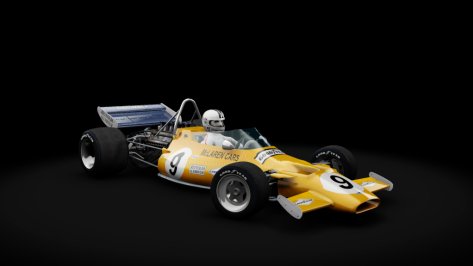
with my code it looks like this for me:
View attachment 1425537
(using csp 0.2.7-preview1 , Pure Gamma 2.38 and Pure pp filter or Natural Mod filter, both same result approx.)
Well, this is what I get to see:

roll_out.png


rollcafe_in.png
 
Sharing a mod? Host it on GTPlanet Downloads. Free, public hosting for files up to 10GB in size.
Back