Assetto Corsa PC Mods General DiscussionPC 

  • Thread starter Thread starter daan
  • 153,085 comments
  • 47,661,626 views
Not exactly what happened to me, but it's similar; just in case it helps, take a look at this, although you may have already seen it.
Disabling this setting helped me about the models draw distance issue too but the 2D spectators crowds still pop-in only at a quite short range when driving in first person/cockpit view (this issue not happening when using free camera mode), encountered with the recent CSP releases.
 
Disabling this setting helped me about the models draw distance issue too but the 2D spectators crowds still pop-in only at a quite short range when driving in first person/cockpit view (this issue not happening when using free camera mode), encountered with the recent CSP releases.
This might be the same issue I reported to Ilya, lets see if it gets fixed in the next CSP update.
 
Disabling this setting helped me about the models draw distance issue too but the 2D spectators crowds still pop-in only at a quite short range when driving in first person/cockpit view...
In my case, I haven't noticed what you mentioned about the spectators, sorry...

EDIT:
Now that I think about it... @NotAnUsername, do you mean that the 2D spectators don't turn to look in the direction of the car you're driving in first person, and that when you pass them, they're in profile and therefore disappear? That's been happening to me for some time now, since some update I couldn't pinpoint...
 
Last edited:
In my case, I haven't noticed what you mentioned about the spectators, sorry...

EDIT:
Now that I think about it... @NotAnUsername, do you mean that the 2D spectators don't turn to look in the direction of the car you're driving in first person, and that when you pass them, they're in profile and therefore disappear? That's been happening to me for some time now, since some update I couldn't pinpoint...
Not in my case, the spectators correctly face in my direction but they are missing at a medium/long distance, only appearing when I'm getting quite closer (at about ~500 meters or so approximately). At first I thought it was maybe a LOD issue so I increased their draw distance but using a bigger LOD_OUT value to the corresponding meshes in each tracks ext_config.ini which usually works for other models but nothing in this specific situation.
 
Last edited:
Clips of my F1 1986 AC Season video ended up in Overtake video. Cool.


You might want to check it out at 9:25. The reason I built it around Lotus 98T is because you get way more accurate and better season with them compared to RSS 1986 cars (which are good as well). It's nothing new but nice that people have found my old season projects.

 
Last edited:
__custom_showroom_1765659677.webp
__custom_showroom_1765659682.webp
__custom_showroom_1765659687.webp
 
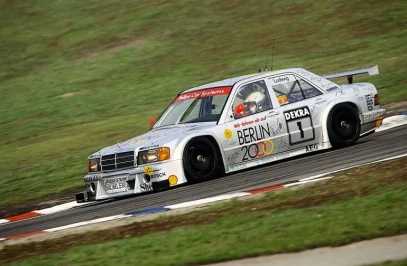
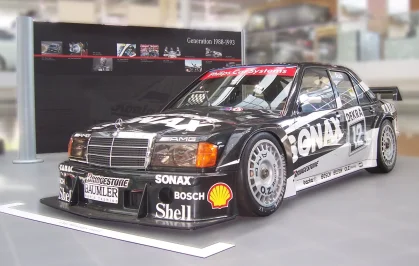
Working on updated sounds for the 2005 Mercedes-Benz AMG C-Class DTM (W203). Along with a slight physics update(Pretty much the tyres).

Real Life


Here are the results from Test 1: sounds

2005 Mercedes-Benz AMG C-Class DTM (W203) Interior Sound Test 1


2005 Mercedes-Benz AMG C-Class DTM (W203) Sound Test 1 Outer Sound


2005 Mercedes-Benz AMG C-Class DTM (W203) Sound Test 1 Outer Sound stationary camera

 
Last edited:
Released : Marcos Mantara LM600
Author:F302
3D Model Car: PMR
Texture Update : F302 (rework)
3d work: F302
hope u enjoy the car
knowing bug shift animation
ps : send feedback ,bugs ,missing things
tested on 0.2.12-preview1
PP filer PURELIFE EVO GT
VR
have fun!
To install, move folders to "...\SteamApps\common\assettocorsa" or simply
drag'n'drop archive to Content Manager

20251129-180416-spa-f302_marcos_lm600_gt2.webp
 
Last edited:
Released : Marcos Mantara LM600
Author:F302
3D Model Car: PMR
Texture Update : F302 (rework)
3d work: F302
hope u enjoy the car
knowing bug shift animation
ps : send feedback ,bugs ,missing things
tested on 0.2.12-preview1
PP filer PURELIFE EVO GT
VR
have fun!
To install, move folders to "...\SteamApps\common\assettocorsa" or simply
drag'n'drop archive to Content Manager

View attachment 1499150
Great stuff - thanks!
Cockpit is very dark again for me with a lot of brightness adjusted to 0.1 in the config - I'd be interested to know what PPF you use and how the cockpit looks on your system.
Seems like you've cranked the shifter across at an angle? Looks a little odd, especially as this car should be the 6-speed sequential version with a vertical shifter, not the earlier 5-speed manual, which is how it is currently set up.

1765667772870.webp

This PMR video seems to show it as a 6-speed sequential too, certainly not 5-speed.
Tricky finding a good shifting animation for this one with such a high shifter. I'll keep looking but it really needs a custom one doing to suit such a long lever. Any takers?
 
Working on updated sounds for the 2005 Mercedes-Benz AMG C-Class DTM (W203). Along with a slight physics update(Pretty much the tyres).

Real Life


Here are the results from Test 1: sounds

2005 Mercedes-Benz AMG C-Class DTM (W203) Interior Sound Test 1


2005 Mercedes-Benz AMG C-Class DTM (W203) Sound Test 1 Outer Sound


2005 Mercedes-Benz AMG C-Class DTM (W203) Sound Test 1 Outer Sound stationary camera


Stunning, can't wait to get it released!
 
Not in my case, the spectators correctly face in my direction but they are missing at a medium/long distance, only appearing when I'm getting quite closer (at about ~500 meters or so approximately). At first I thought it was maybe a LOD issue so I increased their draw distance but using a bigger LOD_OUT value to the corresponding meshes in each tracks ext_config.ini which usually works for other models but nothing in this specific situation.
Try this:
  • make a backup of camera_facing.ini
  • open camera_facing.ini
  • if in SURFACE options there is "_KSLAYER", delete it.

e.g.:
[CAMERA_FACING_1]
SURFACE=camerafacing001_KSLAYER5

edit to
[CAMERA_FACING_1]
SURFACE=camerafacing001
 
Released : Marcos Mantara LM600
Author:F302
3D Model Car: PMR
Texture Update : F302 (rework)
3d work: F302
hope u enjoy the car
knowing bug shift animation
ps : send feedback ,bugs ,missing things
tested on 0.2.12-preview1
PP filer PURELIFE EVO GT
VR
have fun!
To install, move folders to "...\SteamApps\common\assettocorsa" or simply
drag'n'drop archive to Content Manager

View attachment 1499150
Mega says the file is no longer available
 
Not in my case, the spectators correctly face in my direction but they are missing at a medium/long distance, only appearing when I'm getting quite closer (at about ~500 meters or so approximately)...
That's exactly what was happening to me, but with objects like spectator stands, lampposts, some fences, etc... but not with the spectators themselves...

Another of Assetto Corsa's delightful mysteries to solve...
 
:eek: :eek: The Legend is back again!! :bowdown::bowdown:

TRACK RELEASE
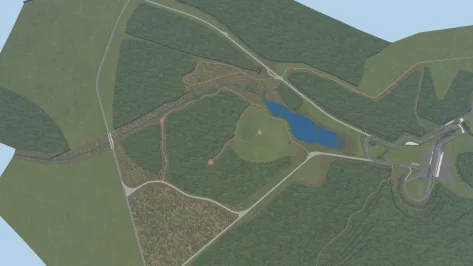
Kameno 1970 by doublezero


You can see the derelict remains of Kameno in his modern Silver Coin Circuit on the same site. Wonderful touch.

1765715634600.webp
 
Try this:
  • make a backup of camera_facing.ini
  • open camera_facing.ini
  • if in SURFACE options there is "_KSLAYER", delete it.

e.g.:
[CAMERA_FACING_1]
SURFACE=camerafacing001_KSLAYER5

edit to
[CAMERA_FACING_1]
SURFACE=camerafacing001
Tried your suggestion but sadly this fully remove the spectators. Aah the strange little quirks of the CSP...
 
Released : Marcos Mantara LM600
Author:F302
3D Model Car: PMR
Texture Update : F302 (rework)
3d work: F302
hope u enjoy the car
knowing bug shift animation
ps : send feedback ,bugs ,missing things
tested on 0.2.12-preview1
PP filer PURELIFE EVO GT
VR
have fun!
To install, move folders to "...\SteamApps\common\assettocorsa" or simply
drag'n'drop archive to Content Manager

View attachment 1499150
Good Afternoon
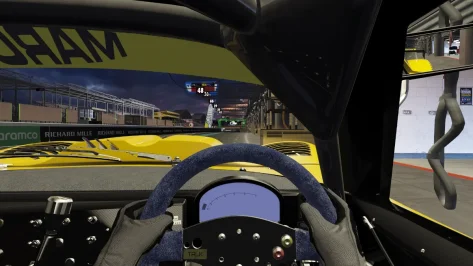
Small thing but is the dash supposed to be virtually blank IE no other info apart from rev counter ? If not how do I get to see the other info ? see attached as to the dash I see.
 

Attachments

  • Screenshot_f302_marcos_lm600_gt2_sx_lemans_14-11-125-16-4-5.webp
    Screenshot_f302_marcos_lm600_gt2_sx_lemans_14-11-125-16-4-5.webp
    103.1 KB · Views: 9
Is there a way to generate custom preview for skins but specifying which kn5 we uses for it?

Also would kn5 without texture work?


Example

cim_2006_ferrari.kn5

cim_2006_ferrari_monaco.kn5 (saved without textures)

Can I specify the custom preview generator to use the second kn5? And can it pull textures from the first kn5?
 
Released : Marcos Mantara LM600
Author:F302
3D Model Car: PMR
Texture Update : F302 (rework)
3d work: F302
hope u enjoy the car
knowing bug shift animation
ps : send feedback ,bugs ,missing things
tested on 0.2.12-preview1
PP filer PURELIFE EVO GT
VR
have fun!
To install, move folders to "...\SteamApps\common\assettocorsa" or simply
drag'n'drop archive to Content Manager

View attachment 1499150
Real skins so JK doesn't have to share yet another update lol


Based on 1995 / 1997 LM and 1999 FIA GT

edit : forgot the AO lol

__custom_showroom_1765733729.webp

__custom_showroom_1765733733.webp

__custom_showroom_1765733738.webp
 
Last edited:
Sharing a mod? Host it on GTPlanet Downloads. Free, public hosting for files up to 10GB in size.
Back