


 www.windowslatest.com


I think that's just an issue with the metallic and chrome shaders in general, I have done a lot of experimentation and testing with those things to try and get a nice gold for my Vento Uno skin, and I don't think it's possible to achieve an ideal setting as of the current CSP limitations. You can get pretty good though. I'll attach my ext_config in the spoiler here, it's much more chrome than what you're looking for probably, but you can play with the settings and get that toned down easily enough.Can anyone suggest a good config for silver-grey metallic paint, something akin to Hamilton's old Mercedes-AMG Petronas "Silver Arrows" F1 livery (the '13-'21 silver one, not the later black one).
I've come up with something that's OK, but it can lose the metallic effect depending on sun angle. Ideally the brightness and metallic effect would remain consistent no matter where it's viewed from.
[Material_CarPaint_Metallic]
Materials = Car_Paint_silver
UseMetallicReflections = 1
FresnelMax = 1
FresnelC = 0.4
FlakesK = 0
BrightnessAdjustment = 0.9 ; compensates for ambient specular
ColoredSpecular = 1
AmbientSpecular = 0
AmbientSpecularEXP = 2.5
ClearCoatThickness = 0.2

[SHADER_REPLACEMENT_...]
MATERIALS=Car_Paint_silver
PROP_...=fresnelC,.4
PROP_...=fresnelEXP,10
PROP_...=fresnelMaxLevel,2
PROP_...=ksAmbient,.35
PROP_...=ksDiffuse,.35
PROP_...=ksSpecular,.1
PROP_...=ksSpecularEXP,10
PROP_...=stAmbientEXP,100
PROP_...=sunSpecular,0.25
PROP_...=sunSpecularEXP,150
PROP_...=extColoredReflections,1Riverside? Peak.


maybe I'm misunderstanding something. I was refering to the fact that the post have three reactions, and two of them are laugh...maybe I'm too "boomer" to understand
Hmmm, am I losing something? what is so funny about the post? (legit question)
The encrypted/obufuscated code at the end... however benign it may appear to be.Hmmm, am I losing something? what is so funny about the post? (legit question)


iirc they couldn't figure out how to BoP it with their current line up so they just went with the FWD version instead of the AWD one, But the data isn't encrypted so you can just...turn it into an AWD variant if you want to.Surprised the VRC A4 is FWD, though I guess maybe the quattro version didn't race that long....
Also since thats the final one I guess that means the full Supertourer grid will be the VRC + pm3dm Nissan/Volvo, which are not that hard to BoP....


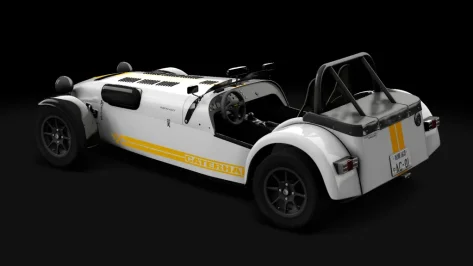
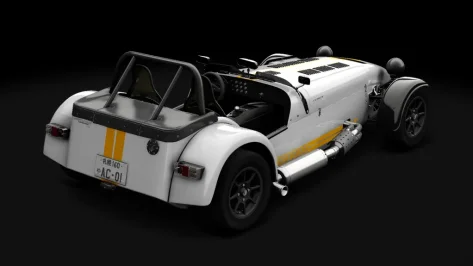
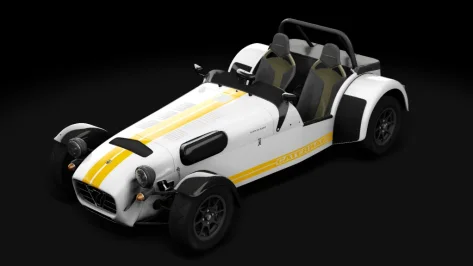
thanks, I for sure noticed the FPS going down the toilet, other than that the cars are great !Updated to v1.1
- Fixed the Falcon soundbank, for some reason it was causing stutters with high AI grid counts
- AI slightly adjusted
- Physics adjusted (softer suspension for a bit more body roll)
- Compressed some of the textures to save space and improve load times
- Removed the driver gear change preload animation so he keeps his hands on the wheel until actually shifting
- Fixed the Commodore steering wheel sticker textures that were not aligned correctly
- Fixed transparency on Falcon interior textures

V8SC2011-v1_1
MediaFire is a simple to use free service that lets you put all your photos, documents, music, and video in a single place so you can access them anywhere and share them everywhere.www.mediafire.com



Sengue has a 1956 skinpack for the 11, that has a ext_config.ini in the skin folder, to remove the hump.Does anyone know where to get the Lotus 11 that doesn't have the hump behind the driver? (Supposedly Lotus 11 Club but club I have has the hump). There was a bare metal skin released lately...
 www.overtake.gg
Can a member please correct this purple Indy'60 road surface from @GzeroD at the Legion site, see link in Googledrive
Or see in the Breathe tracklisting
View attachment 1507729


Or JK's cars + the Primera and VolvoSurprised the VRC A4 is FWD, though I guess maybe the quattro version didn't race that long....
Also since thats the final one I guess that means the full Supertourer grid will be the VRC + pm3dm Nissan/Volvo, which are not that hard to BoP....


Currently, it would be helpful to know which version of CSP is the most stable and least buggy in order to use the latest cars. I myself am on version 0.2.8 and I've stayed with this version because every time I read about the subsequent versions, there are bugs.I'm wondering if it's time to completely reinstall the game. I've been running CSP 0.2.7, but now Formula Alpine 2025 wants me to upgrade to a newer version (Despite the fact that CSP 0.2.7 is the minimum version, but the paid addon makes it incompatible?)
Anyway, I installed 0.2.11, which is the latest recommended version, and now none of the AI will leave the pits. It might be time to reinstall, as I've been continually frustrated by instability and crashing, along with issues getting AI to play nice with rain.
I had upgraded to 0.2.11, as mentioned, and had to revert to 0.2.7 because of issues with the AI refusing to leave the pits at all. The only saving grace is that RSS cars have a toggle to revert to standard physics which do not require CSP.Currently, it would be helpful to know which version of CSP is the most stable and least buggy in order to use the latest cars. I myself am on version 0.2.8 and I've stayed with this version because every time I read about the subsequent versions, there are bugs.
I'm probably going to reinstall this afternoon, is there anything I need to save, beyond custom skins I've made?I'm wondering if it's time to completely reinstall the game. I've been running CSP 0.2.7, but now Formula Alpine 2025 wants me to upgrade to a newer version (Despite the fact that CSP 0.2.7 is the minimum version, but the paid addon makes it incompatible?)
Anyway, I installed 0.2.11, which is the latest recommended version, and now none of the AI will leave the pits. It might be time to reinstall, as I've been continually frustrated by instability and crashing, along with issues getting AI to play nice with rain.

How can I turn it into AWD? Which files do I need to change?iirc they couldn't figure out how to BoP it with their current line up so they just went with the FWD version instead of the AWD one, But the data isn't encrypted so you can just...turn it into an AWD variant if you want to.


There may be issues with pits depending on CSP version and also cars / tracks mods that are used. I'm currently trying to solve some of them in my DumbAI app that use CSP 0.3.0p212 as some solutions that worked for older CSP version do not work now :-)I had upgraded to 0.2.11, as mentioned, and had to revert to 0.2.7 because of issues with the AI refusing to leave the pits at all. The only saving grace is that RSS cars have a toggle to revert to standard physics which do not require CSP.
It might be CSP, or it might be my installation becoming screwy.
That looks like textures missing/not loaded. Object inspector to identify the textures? Disable the "new kn5 loader"? Disable any track mods/skins you may have installed for that track?Sorry for repeating but could it be there some adjustment in CM that is wrong here?
what paid addons are you talking about? RSS does not have any paid addons for this car or any others.I'm wondering if it's time to completely reinstall the game. I've been running CSP 0.2.7, but now Formula Alpine 2025 wants me to upgrade to a newer version (Despite the fact that CSP 0.2.7 is the minimum version, but the paid addon makes it incompatible?)
Anyway, I installed 0.2.11, which is the latest recommended version, and now none of the AI will leave the pits. It might be time to reinstall, as I've been continually frustrated by instability and crashing, along with issues getting AI to play nice with rain.
CSP has a paid addon.what paid addons are you talking about? RSS does not have any paid addons for this car or any others.


hi @leBluem on my side, the track keeps crashing on loading
I did it with the 996 (and many other cars), you have to add these lines to the ext_config (or create an ext_config on the skin you want to change rims):Does anyone know how someone would go about to do an rim/wheel swap on the RSS cars? I know it's possible as someone has done it on their 360, But doing it the normal way using ext_config just don't seem to work. I put in the object names that i want to be hidden but in game they are still there.
View attachment 1511577
View attachment 1511579


are you using 0.2.7 or 0.2.7p1? because 0.2.7p1 is not 0.2.7 public.CSP has a paid addon.
On a side note, while rain works now, the AI will not switch to rain tyres, so they won't go faster than 80 kmh.
Edit: Found the cause, it was Nuzzi's qualifying app.
Were to find that new kn5 loader? Did use the search but it did not find any in CM menu.That looks like textures missing/not loaded. Object inspector to identify the textures? Disable the "new kn5 loader"? Disable any track mods/skins you may have installed for that track?
Thank you so much! Ended up noticing that the name of the .kn5 was wrong as RSS updated the mod last yearI did it with the 996 (and many other cars), you have to add these lines to the ext_config (or create an ext_config on the skin you want to change rims):
in this case my rims files are called "speedline_rim_F" and "speedline_rim_R" because front and rear rims aren't the same. You have to create a kn5 file with only a rim at 0;0;0 axis position, you have to set radius, width and offset.
if you want I can send you also rim files to test
[INCLUDE: common/custom_rims.ini]
[ReplaceRims]
File = rss_gtn_darche_96_a.kn5 ; name of KN5
OriginalRims = RIM_LF?, RIM_RF?, Cylinder001?, Object958? ; list of original rims to hide
Model = speedline_rim_F.kn5, 0.24, 0.310 ; KN5 with a new rim, its radius and width
Offset = 0.034 ; offset for front and rear wheels (negative value move rim deeper inside)
FrontOnly=1
[ReplaceRims]
File = rss_gtn_darche_96_a.kn5 ; name of KN5
OriginalRims = RIM_RR?, RIM_LR?, Object957?, Cylinder013? ; list of original rims to hide
Model = speedline_rim_R.kn5, 0.24, 0.310 ; KN5 with a new rim, its radius and width
Offset = -0.004 ; offset for front and rear wheels (negative value move rim deeper inside)
RearOnly=1
unfortunately I haven't found how to see new rims on previews, only ingame (if someone have the tip ...), previews below are stock previews modified with new rims from a screenshot ingame ... View attachment 1511584View attachment 1511585
In your content manager settings, under the custom showroom header enable "Use CSP for final preview render". Some people have said that it breaks previews, I haven't had that happen personally, but I've had to adjust my previews slightly, so be aware you might have to do so as well.unfortunately I haven't found how to see new rims on previews, only ingame (if someone have the tip ...), previews below are stock previews modified with new rims from a screenshot ingame ...


