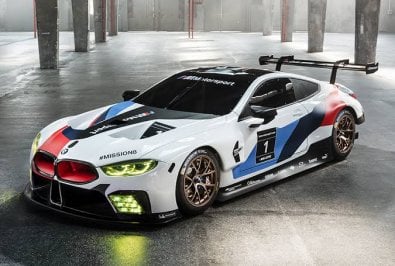
Cams for Barcelona


I'm really hoping Iain has found his mojo again now that he's updating/finishing Wakefield Park, and that he'll feel enthused enough to also complete the 'new' Majura after showing what looked like an almost-complete build about two years ago.it's good, it's good
release of v0.3 would be even better though


 www.patreon.com

Interesting, I installed from file without black issue. I think the issue isnt due to installing from file but the procedure of doing the install. I had black screen after drag n drop to CM.. reverted to 1.79, installed 1.80 Preview 218 from file, then pressed update and it went back to normal sky.I fixed this as follows; (i) install CSP version 1.79 (ii) install the latest version of Content Manager (iii) DRAG and DROP zip file containing CSP version 180 preview 218 into Content Manager (iv) install CSP version 180 preview 218 from Content Manager. I tried to install using Content Manager load from a file to install ---it creates a black sky problem. You have to DRAG and DROP the zip file into Content Manager and then install it. Hope this helps others.



Majura Valley Motorsports Park from IC updated DaBaeda
New Trees and Objects, GrassFX, RainFX, TreeFX and Cams
Have Fun
DaBaeda
Download:
View attachment 1251928View attachment 1251929View attachment 1251930View attachment 1251931View attachment 1251932View attachment 1251933View attachment 1251934

how did you fix it? same problem, unchecked blurr mirror but still the sameView attachment 1251861
i tried following this but the preview reflections still come out blurred. only happening since latest cm and csp. any ideas whats wrong?
IGNORE: I FIXED IT


Settings ----> Content Manager ---->Custom Showroom ----> Use CSP for Final Previews Render (uncheck)how did you fix it? same problem, unchecked blurr mirror but still the same
Yeah, it's a great thing to have but seems bugged ATM. Exposure is way too high too.Settings ----> Content Manager ---->Custom Showrrom ----> Use CSP for Final Previews Render (uncheck)
For some reason it causes the blur so I generated previews for the handful of encrypted cars I keep and its been off ever since.


Any improvement you could do, it will be amazing, no matters how much time you need. It’s a pity that a funny and iconic f1 track like Baku still haven’t a good counterpart in assetto corsa.. thanks a lot and thanks a lot to other modders will eventually help you tooI wasn't familiar with this version as my forte is more on the sportscar racing side of things, but I took a look at the circuit to gauge the amount of work it would require. The modeling aspect of things is doable on my end - fixing the walls, holes in track, grandstands, pit boxes - but I'd need support from someone else for AI and limits. There are also significant issues imo with textures and UV mapping - texture tiling in T16, pitlane, Z-fighting with the painted lines. If I tackled it would probably be at least a month until a revised version could be released, though if I only focused on the issues presented above it would be less time.
@Rainmaker87 here's a new complete config and DDS to thin out all of the power line/telegraph cables so they look more subtle and more true-to-life. Quite important on this track as there are a LOT of suspended cables.RELEASE!This tiny track was the Grand Prix of Finland in the 50s and 60s. "Eltsu" was even hosting two Formula 1 GPs in 1952 and 1953. It has a nice flow and is great to drive with slow and small cars. Sergio gave me the permission to update his old track. Thanks!
Elaintarharata 1960s
by
Sergio Loro
and
Rainmaker

Elaintarharata 1960s v1.3 by Sergio Loro and Rainmaker
MediaFire is a simple to use free service that lets you put all your photos, documents, music, and video in a single place so you can access them anywhere and share them everywhere.www.mediafire.com
Changelog:
- complete new AI
- shader overhaul
- faced up normals of the trees, made them brighter
- added GrassFX and RainFX by DaBaeda
- new extra cams by DaBaeda
- new hotlap starting point
- added dirt animation to pit lane
- added loading screens
- new UI and track map, corrected track length
- added track description by Fanapryde
- fixed some lods
- corrected position of sector timers
- fixed some missing walls
- added four new pit positions
- corrected some object keys




View attachment 1252125
I have a problem with preview images using the latest CM. the reflection is always blurred when the image is generated, it lok ok when adjusting the preview setting but is always generated blurred
Help please anyone
how did you fix it? same problem, unchecked blurr mirror but still the same
It's been downloaded 27 times in the past half hour, so seems to be working?Hey! I want to have a look at it but it gives me download errors.
Thanks for this. One of the little things that irks me is ugly jaggy power lines. I must have spent hours sifting through forums and trying different antialiasing settings trying to sort this out.@Rainmaker87 here's a new complete config and DDS to thin out all of the power line/telegraph cables so they look more subtle and more true-to-life. Quite important on this track as there are a LOT of suspended cables.
Unzip the extension folder and replace the existing one with it. Note: the extension folder contains a DDS so don't just replace the ext_config.ini - it needs the DDS too.
I included some notes in the config so it can be used to the same effect on other tracks where cables are produced this same way.
Some other tracks (like DDM's Tsubuka) need a slightly different DDS but the effect is the same: no more thick, jagged, shimmering cables.
View attachment 1252149
Let me take a look at 60s Stardust, it might need a different DDS.Thanks for this. One of the little things that irks me is ugly jaggy power lines. I must have spent hours sifting through forums and trying different antialiasing settings trying to sort this out.
I've read the instructions and tried to fix the cables in 60's Stardust but it doesn't seem to have any effect. I must be doing something wrong. Any chance of a fuller explanation please of exactly how to do this for the less tech able.
MATERIALS= cableado1, highvolt ;cable material name from object inspectorupdate v1.01RELEASE!This tiny track was the Grand Prix of Finland in the 50s and 60s. "Eltsu" was even hosting two Formula 1 GPs in 1952 and 1953. It has a nice flow and is great to drive with slow and small cars. Sergio gave me the permission to update his old track. Thanks!
Elaintarharata 1960s
by
Sergio Loro
and
Rainmaker
Elaintarharata 1960s v1.3 by Sergio Loro and Rainmaker
MediaFire is a simple to use free service that lets you put all your photos, documents, music, and video in a single place so you can access them anywhere and share them everywhere.www.mediafire.com
Changelog:
- complete new AI
- shader overhaul
- faced up normals of the trees, made them brighter
- added GrassFX and RainFX by DaBaeda
- new extra cams by DaBaeda
- new hotlap starting point
- added dirt animation to pit lane
- added loading screens
- new UI and track map, corrected track length
- added track description by Fanapryde
- fixed some lods
- corrected position of sector timers
- fixed some missing walls
- added four new pit positions
- corrected some object keys


Wow I always suspected it must also be from the track designers side and not only my adjustments and VR resolution, as some tracks are perfect on that aspect. Same btw you see at the fences, any solution for that, specific on @fat-alfies tracks.Let me take a look at 60s Stardust, it might need a different DDS.
BRB.
Edit: @goldtop it works fine for Stardust 60's, with the correct MATERIALS names.
You just need to insert the correct MATERIALS name for the cables (which you get from CSP object inspector).
For this track change this line in the config:
(there are two cable materials in Stardust 60's, called 'cableado1' and 'highvolt')Code:MATERIALS= cableado1, highvolt ;cable material name from object inspector
View attachment 1252177
Oh, hang on, looks like Sergio has the poles and cables grouped together, so the poles have also been affected.
Try removing 'highvolt' from the above. It might leave one thick cable, but also leave the poles solid.
Edit: yep, that's done it. You'll have to live with one thick cable, but the rest look much better.
View attachment 1252178
Edit: oh, hang on, seems Serio grouped the other cables and poles too, so the poles are also transparent.
Cables and poles need separating first for this to work properly on this track.
No idea why Sergio grouped these together.
View attachment 1252180
You might still prefer this solution to thick jagged powerlines.... or just hide the cables altogether?
Hi Neil, where did you get that 963 Jota skin?
 www.gtplanet.net

@Rainmaker87 here's a new complete config and DDS to thin out all of the power line/telegraph cables so they look more subtle and more true-to-life. Quite important on this track as there are a LOT of suspended cables.
Unzip the extension folder and replace the existing one with it. Note: the extension folder contains a DDS so don't just replace the ext_config.ini - it needs the DDS too.
I included some notes in the config so it can be used to the same effect on other tracks where cables are produced this same way.
Some other tracks (like DDM's Tsubuka) need a slightly different DDS but the effect is the same: no more thick, jagged, shimmering cables.
View attachment 1252149
One of the worst culprits was DDM's Tsukuba, which was one of the first that @leBluem, @slider666 and I looked at (along with RT Fuji).Thanks Masscot, that's sorted them out. I can imagine lots of tracks will benefit from this.

it gives virus detected !It's been downloaded 27 times in the past half hour, so seems to be working?
Try this one: https://we.tl/t-cSGJ3kQfjj
You tried the WeTransfer link too?it gives virus detected !
That is such a better look. Especially on my 4k monitor. Great job.One of the worst culprits was DDM's Tsukuba, which was one of the first that @leBluem, @slider666 and I looked at (along with RT Fuji).
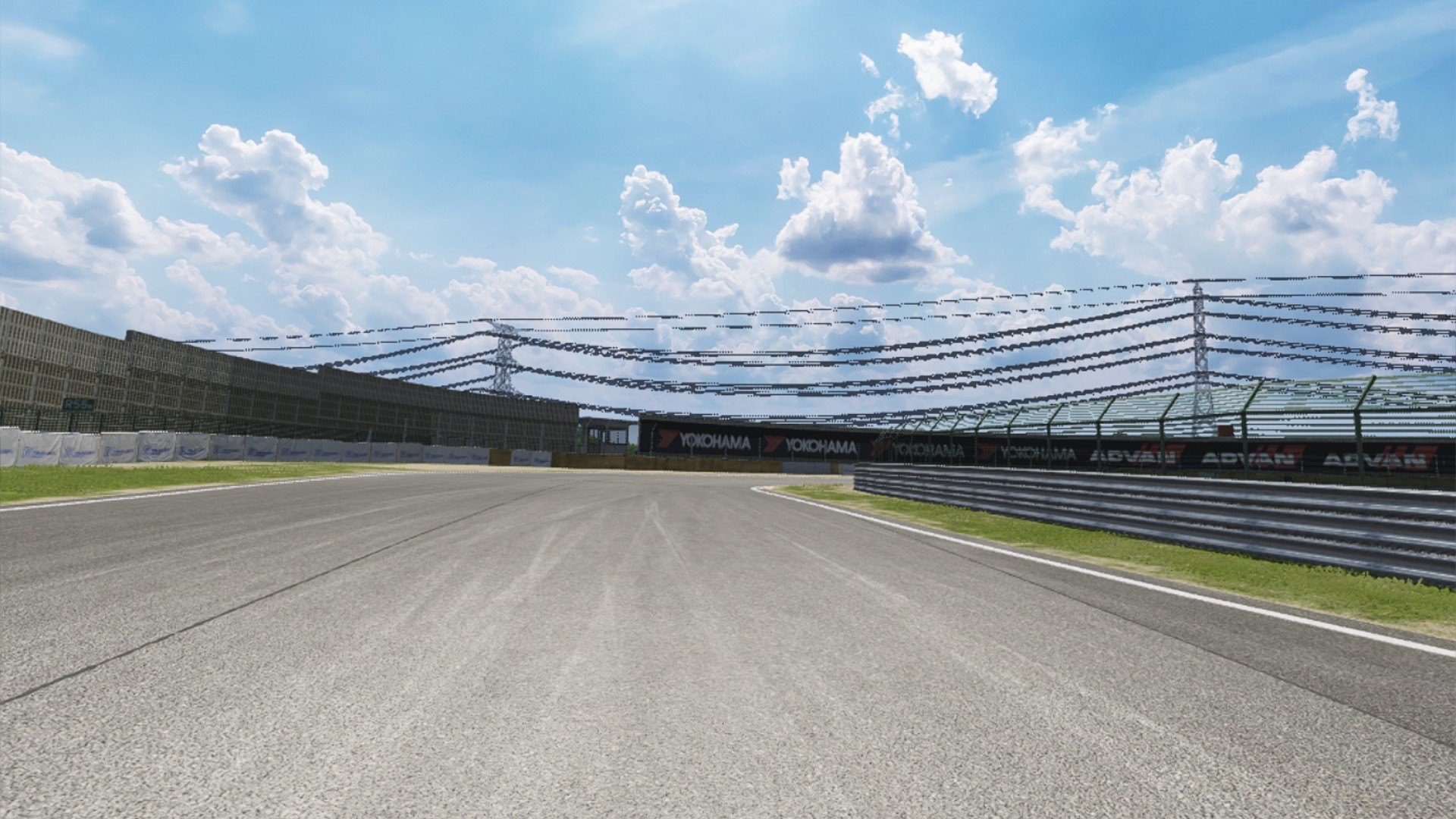
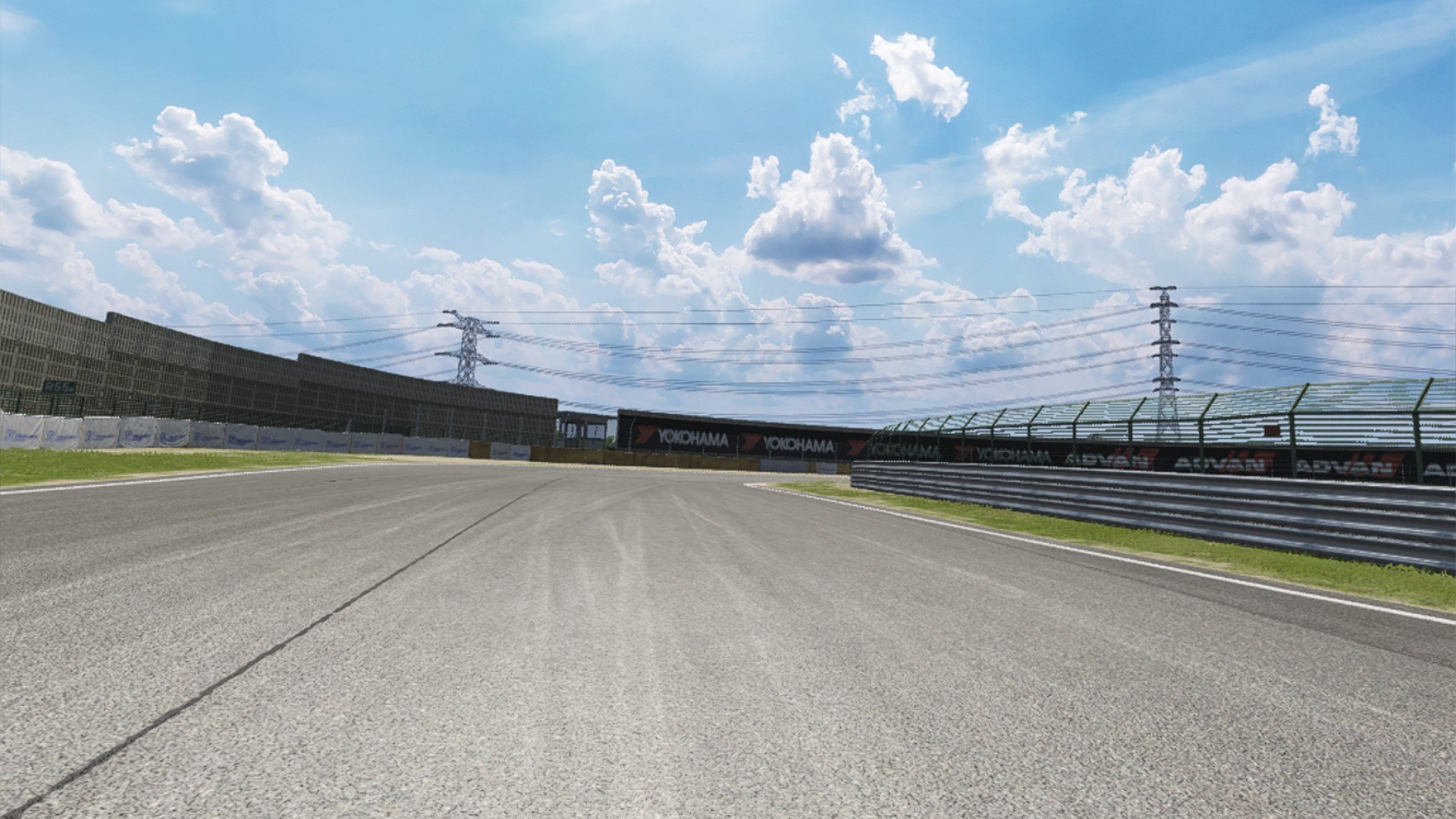
For DDM's Tsukuba, swap in this extension folder to go from this:
to this:
(note: this one has a different DDS because the cables are made slightly differently).
Excellent work! Thanks for sharing!One of the worst culprits was DDM's Tsukuba, which was one of the first that @leBluem, @slider666 and I looked at (along with RT Fuji).
For DDM's Tsukuba, swap in this extension folder to go from this:
to this:
(note: this one has a different DDS because the cables are made slightly differently).


Wow! What a difference. Many thanks.One of the worst culprits was DDM's Tsukuba, which was one of the first that @leBluem, @slider666 and I looked at (along with RT Fuji).
For DDM's Tsukuba, swap in this extension folder to go from this:
to this:
(note: this one has a different DDS because the cables are made slightly differently).