

Sorry, 9x8Which car: the tourer or the 9t8?
Sorry, 9x8Which car: the tourer or the 9t8?


Hi Fana,
What is your "collected info"? Other than the real names for UI, is there anything else? It has been some time since I last added anything to these cars, and I've forgotten any important add-ons.
 www.racedepartment.com
www.racedepartment.com
www.racedepartment.com
www.racedepartment.com
www.racedepartment.com


I drive with a TS-XW racer. I've experienced a much stronger FFB. But as explicit in some review, it's a consequence of the hybrid engine on the front wheel.Sorry, 9x8


Hope the skins are still working with newest Versionnew DRM mod update just dropped

They work, i tried itHope the skins are still working with newest Version


Hi and welcomeMy first post here so hi to everyone
I have a question about VRC Peugeot, is it normal that FFB is so strong in this car? I had to turn down FFB strenght from 100 to like 15-20 for this car, in higher values wheel is so stiff that its almost impossible to turn it, even @ low speed corners. Its only a thing with this car, every other car is ok with my ingame FFB settings and 100 ffb (with small adjustments to specific cars form about 75-125), other VRC, RSS and URD cars are also ok. With Peugeot lowering FFB to 15 and steering stiffness is comparable to other prototypes, but the road feeling on straights is missing with such low FFB. So is it normal with this car or am I missing something? I always have extended physisc on but I tried turn it off and its the same. Thanks!


I drive with a TS-XW racer. I've experienced a much stronger FFB. But as explicit in some review, it's a consequence of the hybrid engine on the front wheel.
thanksIm on Fana CSL DD 5nm, in game FFB: Gain 70, Filter and Min Force 0. I have extendent physisc in CM on and in CM FFB Tweaks:Hi and welcome
Short answer: No, it's not normal. The VRC wingless Pug has been almost universally received in the community as quite possible the best driving mod, in ever. So.
Longer answer: Since it's almost certainly something in your (like our) teeetering jenga tower of Windows, AC, CSP, Pure, mods, ppfilters, yada-yada, whoever helps you is either going to be blind guessing, or they'd have to Anydesk and work through every single layer one by one with you. Either way, for the guessers, it'd probably help if you detailed your setup a bit more fully? So that the experts who have similar bits and bobs can shoot from their own experience?
Or, you could drink from the tap?
Discord - Group Chat That’s All Fun & Games
Discord is great for playing games and chilling with friends, or even building a worldwide community. Customize your own space to talk, play, and hang out.discord.gg


wait a few days, ferrari virtual academy is finally cracked and I am currently spending endless hours on it rnHi, are you releasing the 2010 today? I hope so :-)
OK thank you very muchwait a few days, ferrari virtual academy is finally cracked and I am currently spending endless hours on it rn

Top Worksome new progress screenshots of the Mosler MT900 GT3 🙂
View attachment 1327060View attachment 1327061View attachment 1327062View attachment 1327063View attachment 1327064View attachment 1327065View attachment 1327066

What does that mean?OK thank you very much
What does that mean??wait a few days, ferrari virtual academy is finally cracked and I am currently spending endless hours on it rn
What does that mean?

 www.gtplanet.net


looks fantastic !Tvr Sagaris Britcar 24hr 2010 loose replica (2-4k)
To install: choose which res you want then drop the "content" folder into CM
I have included a kn5 file only due to having to change 2 shader values on the wheels and windscreen. nothing else has been touched.
based on a real car on a real event but due to very few pictures and the ones i could find being very low quality, I have used a few different pictures to work from each pic slightly different variation of the same livery. There was only 1 picture with the same body the rest were fairly different. Had to make a few exceptions due to mapping but overall I'm happy
if anyone knows how to make the rim blur correct on this please do let me know, no matter what i do i cannot get them to blur white. the spokes always have a black blur to them. If you blur the wheels in CM it brings up a different .png file which i thought was what i was looking for but like i say no matter what i do it wont work.
Tvr Sagaris Britcar 24hr loose replica 2k/4k
I have included a kn5 file only due to having to change 2 shader values on the wheels and windscreen. nothing else has been touched. based on a real car on a real event but due to very few pictures and the ones i could find being very low...
View attachment 1327385
nevermind, will finish it tomorrow morningWhat does that mean?
What does that mean??


I always like to have a full description of the car in the ui.Hi Fana,
What is your "collected info"? Other than the real names for UI, is there anything else? It has been some time since I last added anything to these cars, and I've forgotten any important add-ons.

thanks mate, thankyou for making itlooks fantastic !
 . I had a bit of fun for sure!.
Thanks...but it doesn't work. Procedure:It can be activated by open the app in the side bar, think that could be your missing link.


This. Car has necessary pieces of code to output actual full steering force. Unless you are sporting really high end gear with tons of torque, this car's FFB at 100% will easily overwhelm your steering wheel. So better keep this feature disabled.~snip
Output steering forces to wheel: Acitve and peak torque to 5nm


 www.patreon.com


Is it possible to get water splash effect to work when you drive through it on this track?
Link to car incase anyone wants it.
Edited link to official oneI would like to check how the water will behave.

Please see this:I have this exact same issue. Have you found a solution yet?


Is it possible to get water splash effect to work when you drive through it on this track?
I would like to check how the water will behave.
Sorry, I am not aware of how to make the water react/splashShould be this one.
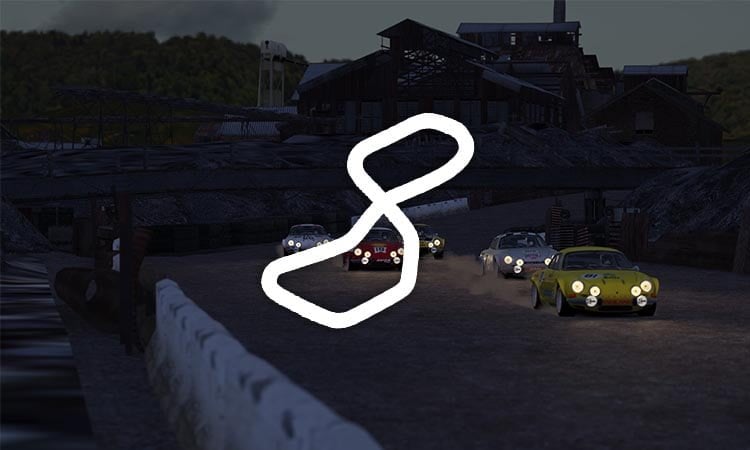
DiRT3 Smelter | Download Free Track Mod - Assetto Hub
Download for Free DiRT3 Smelter track mod for Assetto Corsa. Enjoy!www.assettohub.com


A little update for Indianapolis F1 Track modIndianapolis F1 Track mod
Road layout from 2000-2007,converted from rfactor 2.
View attachment 1325386
View attachment 1325387
View attachment 1325388
View attachment 1325389
View attachment 1325390
View attachment 1325391
View attachment 1325392
Link:https://mega.nz/file/zoZBlZZJ#OI2Vy0Iq8t4bvN6t7IRk2s-V1Le_1dG_4xfnwkM4HIM
This track has been my new favorite to race on since it was released. Any chance the full oval can be done?A little update for Indianapolis F1 Track mod
·Romove the 'snake pit' road built in 2008.
·Romove some trees between T6 and 7.
Make new replay camera.
View attachment 1327534
View attachment 1327535
View attachment 1327538
View attachment 1327539
Link:https://mega.nz/file/zoZBlZZJ#OI2Vy0Iq8t4bvN6t7IRk2s-V1Le_1dG_4xfnwkM4HIM





